
Choosing a smart speaker with Alexa can seem overwhelming with so many options. This guide simplifies the decision by comparing key Alexa-powered speakers based on sound quality, features, size, and price, helping you find the perfect fit for your home and budget with confidence.
Navigating the world of smart speakers can feel like a maze, especially when you’re looking for one with Alexa. You want a device that sounds great, does what you need it to do, and doesn’t break the bank. It’s easy to get lost in all the technical specs and marketing jargon. But don’t worry! We’re here to make it simple. This guide will walk you through the best Alexa smart speakers available today, breaking down what makes each one special. We’ll cover everything from crystal-clear audio to handy features, ensuring you can pick the right smart speaker for your life with ease. Let’s dive in and find your perfect audio companion!
Understanding Smart Speakers with Alexa

Smart speakers are more than just fancy radios. They are voice-controlled devices that can play music, answer questions, control your smart home devices, set timers, and much more, all thanks to virtual assistants like Amazon’s Alexa. Alexa is a powerful AI that lives in the cloud, allowing your speaker to understand and respond to your voice commands. Think of it as your personal assistant, always ready to help. The “smart” part comes from their ability to connect to the internet and interact with other devices and services.
Why Choose Alexa?
Alexa boasts an incredibly vast ecosystem. This means a huge range of compatible smart home devices, from lights and thermostats to security cameras and locks. Plus, Alexa Skills are like apps for your smart speaker, offering everything from games and news briefings to recipes and guided meditation. Amazon continually updates Alexa, adding new features and improving its understanding of natural language, making it a versatile and ever-evolving assistant.
Key Features to Consider
When comparing smart speakers with Alexa, several factors are crucial:
- Sound Quality: How good does music or podcasts sound? This varies greatly depending on the speaker’s size, drivers, and tuning.
- Size and Design: Will it fit on your nightstand, kitchen counter, or shelf? Aesthetics also play a role in fitting your home decor.
- Features: Does it have a screen for visual information? Does it offer Bluetooth connectivity? Is it portable with a battery?
- Microphone Performance: How well can it hear your commands from across a noisy room?
- Smart Home Compatibility: How easily does it connect with other smart devices you own or plan to buy?
- Price: Smart speakers range from budget-friendly options to premium devices with higher price tags.
Top Smart Speakers with Alexa: A Comparison

Let’s break down some of the most popular Alexa-enabled smart speakers, looking at their strengths and who they’re best for. We’ll cover a range from compact entry-level models to premium sound machines.
Amazon Echo Dot (5th Gen)
The Echo Dot is Amazon’s budget-friendly, small-form-factor smart speaker. It’s the go-to for many entering the smart home world. The 5th generation brings improved audio over previous versions, making it a capable speaker for casual listening in smaller rooms.
- Pros: Very affordable, compact design, wide range of colors, good starter smart speaker, improved audio quality.
- Cons: Bass can be weak for critical music listening, not the loudest speaker.
- Best For: Kitchen counters, bedrooms, offices, users on a budget, setting up a basic smart home.
Amazon Echo (4th Gen)
The standard Echo offers a significant step up in sound quality and bass response compared to the Dot. Its spherical design is modern and its sound fills small to medium-sized rooms well. It also includes a Zigbee smart home hub built-in, simplifying setup for certain smart devices.
- Pros: Great sound for its size, deep bass, built-in smart home hub, sleek design, good voice recognition.
- Cons: More expensive than the Dot, larger footprint.
- Best For: Living rooms, medium-sized spaces, music lovers who want better audio without breaking the bank, users with Zigbee devices.
Amazon Echo Studio
For audiophiles, the Echo Studio is the flagship Alexa smart speaker. It’s designed to deliver immersive, high-fidelity sound with Dolby Atmos and Sony 360 Reality Audio support. It intelligently senses the acoustics of your room and adapts the playback for optimal sound.
- Pros: Exceptional, room-filling sound, supports high-res audio formats, Dolby Atmos, built-in smart home hub, powerful bass.
- Cons: Expensive, large and heavy, overkill for casual listening in small rooms.
- True Audio Immersion: For those serious about sound, exploring technologies like Dolby Atmos certified by the Dolby Laboratories can enhance your listening experience significantly.
- Best For: Audiophiles, dedicated music listening areas, users wanting the best Alexa sound experience.
Amazon Echo Show 5 (3rd Gen)
The Echo Show 5 adds a full-color touchscreen to the Alexa experience. This screen is perfect for viewing weather forecasts, news headlines, recipes, video calls, and even watching short videos. The 3rd generation offers a brighter display and improved audio.
- Pros: Visual feedback, video calls, smart home control via touch, compact screen size.
- Cons: Sound quality is decent but not as good as dedicated audio-focused speakers, screen can be distracting for some.
- Best For: Kitchens for following recipes, bedside tables for alarms and glanceable info, managing smart home devices visually.
Amazon Echo Show 8 (3rd Gen)
Stepping up from the Show 5, the Echo Show 8 offers a larger 8-inch display and, crucially, significantly better sound quality. It’s a great all-rounder, providing audio and visual smarts in a package that’s suitable for most rooms in the house.
- Pros: Larger, more immersive screen, excellent sound for a smart display, good for video calls and visual information.
- Cons: Higher price point than smaller Echo Show devices, still not a high-fidelity audio rival to the Echo Studio.
- Best For: Living areas, kitchens, home offices where both visual information and good sound are desired.
Amazon Echo Show 15
The largest and most versatile of the Echo Show devices, the Echo Show 15 is designed to be mounted on a wall or placed on a stand. Its 15.6-inch screen makes it ideal for displaying shared family calendars, to-do lists, photos, and streaming content. It acts as a central hub for your smart home.
- Pros: Large, versatile display, can be mounted, great for family organization, good for entertainment, offers a visual smart home dashboard.
- Cons: Expensive, very large if you don’t have wall space, sound is adequate but not its primary strength.
- Best For: Kitchens, families, as a central smart home control panel, users who want a visual command center.
Alexa Smart Speaker Comparison Table
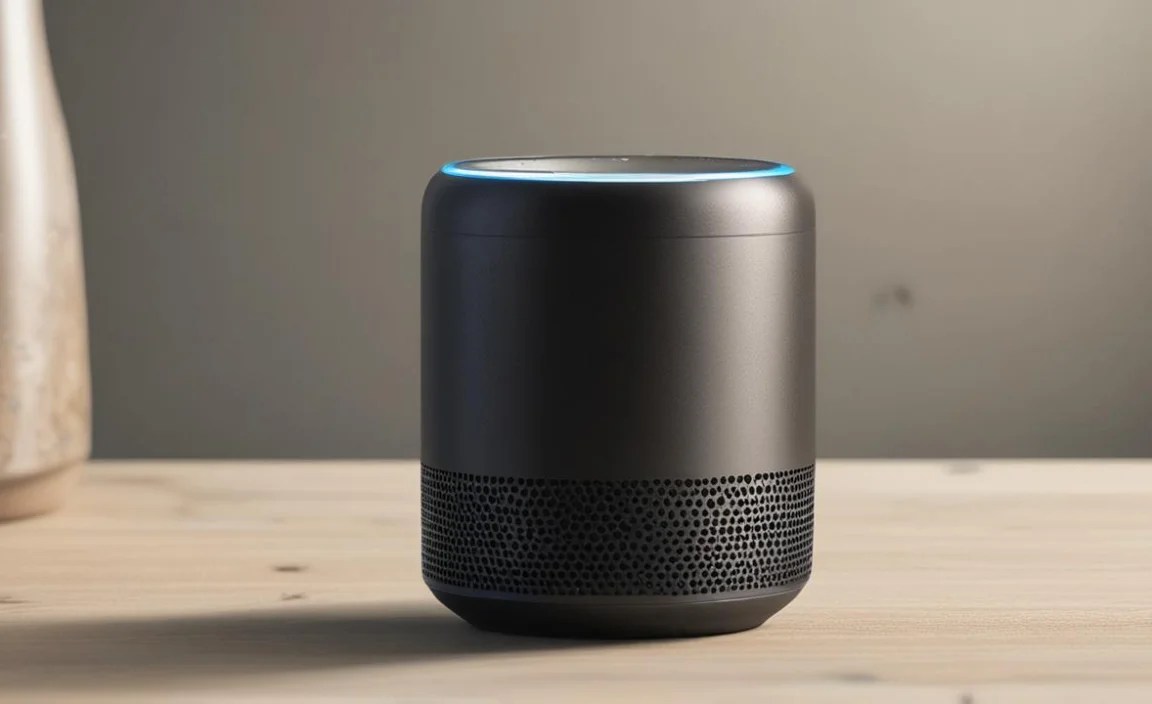
Here’s a quick overview to help you compare the most popular Alexa smart speakers:
| Model | Size | Key Feature | Sound Quality | Price Range | Best For |
|---|---|---|---|---|---|
| Amazon Echo Dot (5th Gen) | Compact | Affordability, basic smarts | Decent (improved) | $ | Budget users, secondary rooms |
| Amazon Echo (4th Gen) | Medium | Balanced sound, smart home hub | Good | $$ | Living rooms, music lovers |
| Amazon Echo Studio | Large | High-fidelity, immersive audio | Excellent | $$$$ | Audiophiles, dedicated listening |
| Amazon Echo Show 5 (3rd Gen) | Compact (with screen) | Visual info, compact display | Basic | $$ | Bedside, kitchen, quick info |
| Amazon Echo Show 8 (3rd Gen) | Medium (with screen) | Larger display, better sound | Good | $$$ | General use, kitchens, home offices |
| Amazon Echo Show 15 | Large (wall-mountable) | Giant screen, family hub | Adequate | $$$$ | Kitchen command center, organization |
How to Choose the Right Alexa Smart Speaker for You

Selecting the perfect smart speaker involves understanding your needs and priorities. Here’s a step-by-step approach to guide your decision:
Step 1: Determine Your Primary Use Case
What do you want your smart speaker to do most?
- Music Lover: If high-quality audio is your top priority, look at the Amazon Echo (4th Gen) for good all-around sound or the Echo Studio for an audiophile experience.
- Smart Home Enthusiast: All Alexa speakers can control smart home devices, but models like the Echo and Echo Studio have built-in Zigbee hubs, simplifying setup for certain devices. Echo Show devices offer visual control.
- Information & Convenience: For quick answers, timers, alarms, and glanceable information, an Echo Dot or Echo Show (5 or 8) is ideal.
- Visual Interaction: If you want to see information, watch videos, or make video calls, an Echo Show model is necessary.
Step 2: Consider Your Budget
Smart speakers with Alexa span a wide price range.
- Entry-Level ($): The Echo Dot is the most affordable way to get started with Alexa and a decent smart speaker experience.
- Mid-Range ($$ – $$$): The standard Echo and Echo Show 5/8 offer a better balance of features, performance, and price for everyday use.
- Premium ($$$$): The Echo Studio and Echo Show 15 are for those who want the best audio quality or a large, central smart display hub and are willing to invest more.
Step 3: Evaluate Room Size and Placement
Where will your smart speaker live?
- Small Rooms (Bedroom, Office): An Echo Dot or Echo Show 5 is perfectly adequate.
- Medium Rooms (Kitchen, Living Room): The Echo (4th Gen) or Echo Show 8 offer better sound and reach.
- Larger Rooms or for Immersive Sound: The Echo Studio is designed to fill large spaces with sound.
Think about whether the speaker will be placed on a shelf, counter, or mounted. This might influence whether a compact speaker like the Dot or a larger, wall-mountable option like the Show 15 is more suitable.
Step 4: Sound Quality Needs
Are you a casual listener, or do you appreciate nuanced audio?
- Casual Listening: Echo Dot, Echo Show 5 are fine for background music, podcasts, and news.
- Enjoying Music: Echo (4th Gen) and Echo Show 8 offer a significant upgrade with richer sound and better bass.
- Critical Listening/Home Theater: Echo Studio is in a league of its own for Alexa speakers, delivering premium, immersive sound.
Step 5: Smart Home Integration
If you’re building a smart home, consider which devices you’ll use. For easy setup of Philips Hue bulbs or other Zigbee-certified devices, the built-in hub in the Echo (4th Gen) and Echo Studio can be a big advantage. For visual control, an Echo Show is helpful.
Step 6: Privacy Considerations
All smart speakers with microphones listen for wake words (“Alexa”). Amazon states that Echo devices do not record or transmit your conversations unless Alexa immediately recognizes the wake word. You can also mute the microphone using a physical button. For more information on Amazon’s privacy practices, you can refer to Amazon’s official privacy page for Alexa.
Frequently Asked Questions About Alexa Smart Speakers
Here are some common questions beginners have:
How do I set up an Alexa smart speaker?
Setup is typically straightforward. You’ll need the Amazon Alexa app on your smartphone or tablet. Plug in your speaker, follow the in-app prompts to connect it to your Wi-Fi, and link your Amazon account. The app will guide you through the rest.
Can I use an Alexa speaker without a Wi-Fi connection?
No, a stable Wi-Fi connection is essential for an Alexa smart speaker to function. It needs to connect to Amazon’s servers to process voice commands, stream music, and access online information.
Do Alexa speakers listen all the time?
Alexa speakers are designed to listen for the “wake word” (usually “Alexa”). They are not actively recording or transmitting your conversations until they hear this word. You can physically disable the microphone with a button on the device for added privacy.
Can I play music from any service on an Alexa speaker?
Yes, Alexa supports many popular music streaming services, including Amazon Music, Apple Music, Spotify, Pandora, and SiriusXM. Some services may require a subscription and linking your accounts through the Alexa app.
What’s the difference between an Echo speaker and an Echo Show speaker?
Echo speakers are primarily audio devices, designed for voice interaction and music playback. Echo Show devices have a built-in touchscreen, adding visual elements like displaying weather, recipes, video calls, and album art directly on the device.
Are Alexa speakers worth it for home automation?
Absolutely. Alexa’s wide compatibility with smart home devices (lights, thermostats, locks, etc.) makes it a powerful hub for automating your home. The vast range of Alexa Skills also allows for creative and specific automations.
Can I group multiple Alexa speakers for multi-room audio?
Yes, you can create speaker groups in the Alexa app to play music synchronously across multiple Echo devices in different rooms. This is perfect for parties or just enjoying music throughout your home.
Conclusion
Choosing a smart speaker with Alexa doesn’t have to be complicated. Whether you’re looking for an affordable entry point with the Echo Dot, a balanced performer like the Echo (4th Gen), an immersive audio experience with the Echo Studio, or a visually interactive hub with one of the Echo Show devices, there’s an option for everyone. Think about what matters most to you – sound quality, screen real estate, smart home control, or simply budget – and use this guide to find the Alexa smart speaker that perfectly complements your home and lifestyle. Happy listening, and enjoy the convenience of a smarter home!