
Yes, a voice-controlled smart speaker is a genius essential gadget, transforming how you interact with technology and manage your home. It offers unparalleled convenience for tasks like playing music, getting information, and controlling other smart devices with simple voice commands, making everyday life easier and more efficient.
Welcome! Are you tired of juggling remotes, tapping on tiny screens, or shouting across the room for your family to do something? Technology can sometimes feel more complicated than helpful. That’s exactly where a voice-controlled smart speaker shines. Think of it as your personal assistant, ready to help with a simple spoken word. From getting the weather forecast to playing your favorite tunes or dimming the lights, these devices are designed to make your life smoother. They simplify everyday tasks, freeing up your hands and your attention. If you’re curious about how these gadgets work and if one is right for your home, you’re in the perfect spot. We’ll walk through what makes them so special and what to look for.
What is a Voice Controlled Smart Speaker Anyway?

At its heart, a voice-controlled smart speaker is a device that listens for your commands and responds. It uses a built-in virtual assistant, like Amazon’s Alexa, Google Assistant, or Apple’s Siri, to understand what you’re saying and then perform an action. This could be anything from answering a question, playing music, setting a timer, or even controlling other compatible smart devices in your home, like lights or thermostats. These speakers connect to your home Wi-Fi network, allowing them to access the internet and a vast array of services.
How Do They Work? The Magic Behind the Voice
It might seem like magic, but there’s smart technology at play. When you say the wake word (like “Hey Google” or “Alexa”), the speaker begins actively listening. It then sends a short audio recording of your command to the cloud, where sophisticated algorithms process the speech and understand your request. Once understood, the request is sent back to the speaker, which then executes the command or provides the information you asked for, often through its built-in speaker.
The process typically involves these steps:
- Wake Word Detection: The speaker is always listening for its specific wake word, but it’s pre-programmed and doesn’t record or send anything to the cloud until it hears it.
- Audio Recording and Transmission: Once awakened, it records your command and sends it securely over your Wi-Fi to cloud servers.
- Speech Recognition: Advanced Natural Language Processing (NLP) software converts your spoken words into text that the system can understand.
- Intent Recognition: The system figures out what you want to do (e.g., play music, set a timer, get news).
- Action Execution/Information Retrieval: The assistant then either performs the action (like turning on a light) or retrieves the requested information (like the weather) and sends it back to your speaker.
- Response Delivery: The speaker plays the audio response or carries out the requested task.
It’s this seamless connection between your voice, the cloud, and the device that makes smart speakers so powerful and convenient.
Why a Voice Controlled Smart Speaker is a Genius Essential Gadget

In today’s fast-paced world, efficiency and convenience are key. A voice-controlled smart speaker isn’t just a gadget; it’s an enhancer of daily life. Imagine a scenario where you’re cooking and your hands are covered in flour. Instead of wiping your hands to set a timer or find a recipe, you can simply say, “Hey Google, set a timer for 30 minutes,” or “Alexa, how do I bake a cake?” This hands-free operation is a game-changer.
Beyond convenience, these devices are becoming central hubs for smart homes. They allow you to control an ever-growing ecosystem of smart devices – lights, thermostats, locks, coffee makers, and more – all with your voice. This integration streamlines your environment, making it more responsive to your needs and preferences. It’s like having a conductor for your home, orchestrating everything with just a few words.
Key Benefits and Features to Look For
When considering a smart speaker, several factors make it a truly essential gadget. These aren’t just about playing music; they’re about making your life simpler and more connected.
- Hands-Free Convenience: This is the most obvious benefit. Ask for information, requests, or control devices without lifting a finger.
- Smart Home Control: Act as a central hub to manage compatible smart lights, thermostats, security cameras, and more.
- Information at Your Fingertips: Get instant answers to questions, news updates, weather forecasts, traffic reports, and sports scores.
- Entertainment Hub: Play music from various streaming services, listen to podcasts, audiobooks, and even control your smart TV.
- Productivity Booster: Set timers, create alarms, manage your calendar, make to-do lists, and even send messages or make calls.
- Learning and Accessibility: They can be invaluable for individuals with mobility issues or visual impairments, offering greater independence.
- Customizable Routines: Set up custom commands that trigger multiple actions at once. For example, a “Good Morning” routine could turn on lights, read the news, and start the coffee maker.
The versatility of these devices means they can adapt to your lifestyle, whether you’re a busy professional, a parent, a student, or someone who simply appreciates the ease of voice commands. The ability to integrate with other devices also means it can grow with your smart home setup.
Top Voice Controlled Smart Speakers: A Quick Review

The market for voice-controlled smart speakers is dominated by a few major players, each offering a unique experience. Choosing the right one depends on your preferences, existing ecosystem, and budget.
Amazon Echo Devices (Alexa)
Amazon’s Echo line is one of the most popular choices, powered by Alexa. They offer a wide range of devices, from the compact Echo Dot to the more powerful Echo Studio and the screen-equipped Echo Show devices.
- Pros: Extensive smart home compatibility, huge library of “skills” (apps for Alexa), good voice recognition, variety of devices for different needs and budgets.
- Cons: Privacy concerns can be an issue for some, Alexa’s responses can sometimes be less conversational than Google Assistant.
Google Nest Devices (Google Assistant)
Google’s Nest speakers, formerly known as Google Home, leverage the power of Google Assistant and Google’s vast knowledge base.
- Pros: Excellent at answering questions due to Google Search integration, natural conversational abilities, strong integration with Google services (Gmail, Calendar).
- Cons: Smart home compatibility is good but can lag slightly behind Alexa in some areas, fewer third-party integrations (“actions”) compared to Alexa’s “skills.”
Apple HomePod Devices (Siri)
For those deep in the Apple ecosystem, the HomePod and HomePod mini offer Siri’s intelligent assistance.
- Pros: Superb sound quality, seamless integration with Apple Music and other Apple devices/services, strong privacy focus.
- Cons: Primarily works best with Apple products, Siri can be less capable than Alexa or Google Assistant for general knowledge queries, can be more expensive.
Choosing between these often comes down to which virtual assistant you prefer or which ecosystem you’re more invested in. For example, if you use Apple Music extensively, a HomePod makes a lot of sense. If you rely on Google Calendar and Gmail, a Nest device might be more convenient.
Speaker Comparison Table
Here’s a simplified look at how some popular models stack up. Keep in mind that features and capabilities evolve rapidly!
| Feature/Model | Amazon Echo Dot (5th Gen) | Google Nest Mini | Apple HomePod mini |
|---|---|---|---|
| Virtual Assistant | Alexa | Google Assistant | Siri |
| Primary Function | Voice control, smart home hub, music | Voice control, smart home hub, Google services | Voice control, Apple ecosystem, music |
| Sound Quality | Good for its size | Decent | Excellent for its size |
| Smart Home Compatibility | Excellent | Very Good | Good (with HomeKit) |
| Price | Affordable | Affordable | Mid-range |
Setting Up Your Voice Controlled Smart Speaker: A Step-by-Step Guide

Getting your smart speaker up and running is usually quite straightforward. Most brands have designed their apps to guide you through the process easily. Here’s a general outline of what you can expect:
Step 1: Unbox and Power Up
Carefully remove your new smart speaker and its power adapter from the box. Plug the adapter into the speaker and then into a wall outlet. The speaker should light up or make a sound to indicate it’s powering on.
Step 2: Download the Companion App
On your smartphone or tablet, download the official app for your smart speaker (e.g., Amazon Alexa app, Google Home app, Apple Home app). These apps are available for both iOS and Android devices from their respective app stores.
Step 3: Connect to Wi-Fi
Open the app and follow the on-screen instructions. The app will typically search for your new speaker and guide you through connecting it to your home Wi-Fi network. You’ll need your Wi-Fi network name (SSID) and password.
Ensuring a strong Wi-Fi signal is important for your smart speaker to function optimally. You can learn more about improving your home Wi-Fi from resources like the Federal Communications Commission (FCC) guide on home broadband.
Step 4: Sign In or Create an Account
You’ll likely need to sign in to your Amazon, Google, or Apple account (or create one if you don’t have one). This account links the speaker to your services for music, calendars, and more.
Step 5: Personalize Settings and Link Services
The app will prompt you to personalize your experience. This includes naming your speaker, selecting your preferred music services (like Spotify, Apple Music, Amazon Music), linking your calendar, and enabling any additional features or “skills” you desire.
Step 6: Test Your Voice Commands
Once the setup is complete, try a few basic commands. Say the wake word followed by a simple request like, “Alexa, what time is it?” or “Hey Google, what’s the weather like?” or “Hey Siri, play some jazz.”
Some speakers offer guided tutorials within their apps to help you explore all the commands and features available. The official documentation from each manufacturer provides detailed setup instructions tailored to their specific devices.
Advanced Features and Integrations
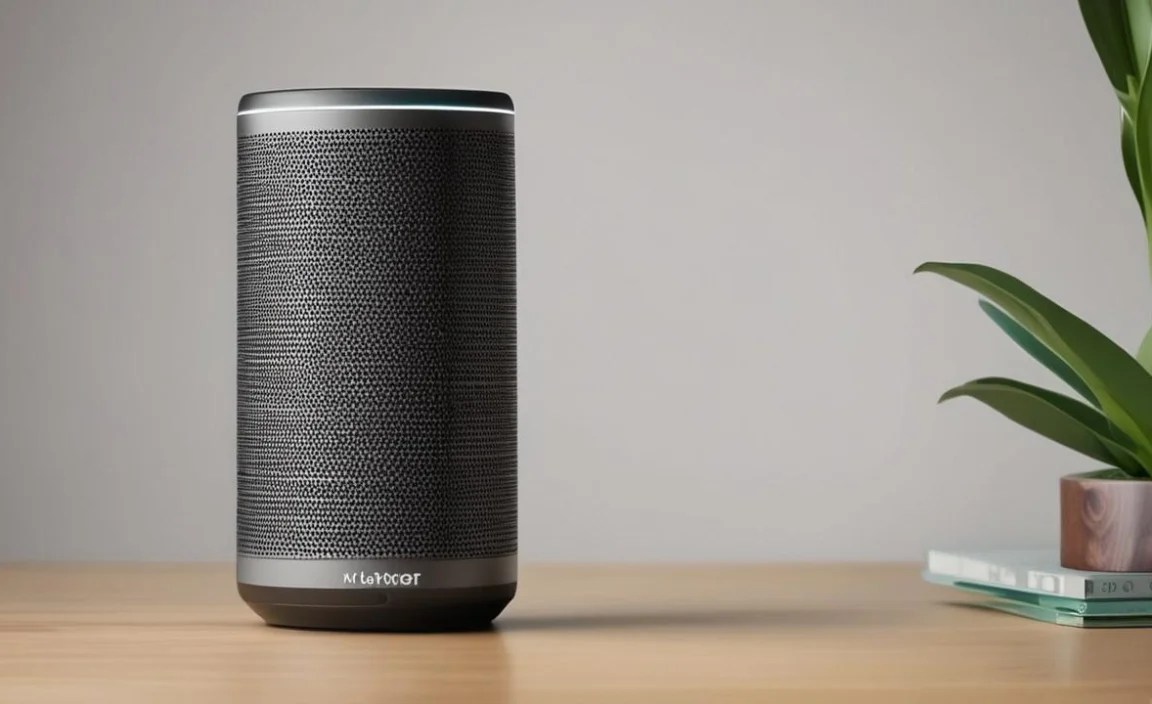
Beyond the basic functions, smart speakers excel at deeper integrations that can truly make them the “genius essential gadget” of your home.
Smart Home Ecosystems
As mentioned, smart speakers are the perfect hub for a smart home. They work with thousands of smart devices. For example, you can tell your speaker to:
- “Alexa, turn off the living room lights.”
- “Hey Google, set the thermostat to 72 degrees.”
- “Hey Siri, lock the front door.”
When choosing smart home devices, look for compatibility with your chosen smart speaker’s ecosystem. This is often indicated by “Works with Alexa,” “Works with Google Assistant,” or “Works with Apple HomeKit” badges on the product packaging or online listing.
Creating Routines and Automations
This is where smart speakers really shine. Routines (or routines/automations) allow you to trigger multiple actions with a single voice command or at a scheduled time. For instance:
- Morning Routine: Wake up and say, “Alexa, good morning.” This could trigger your lights to gradually turn on, the news briefing to play, and your smart coffee maker to start brewing.
- Leaving Home Routine: Say, “Hey Google, I’m leaving.” This could turn off all your lights, adjust the thermostat to save energy, and arm your smart security system.
- Evening Routine: Say, “Hey Siri, goodnight.” This could dim the lights, lock smart locks, and play a calming sleep playlist.
Setting these up is done through the respective apps and can significantly enhance your daily convenience and home management.
Multi-Room Audio
If you have multiple smart speakers from the same brand throughout your home, you can often group them together to play synchronized music across different rooms. This is fantastic for parties or just enjoying your favorite tunes as you move from room to room.
Calling and Intercom Features
Many smart speakers allow you to make voice calls to other compatible devices or registered contacts. Some even offer an “intercom” feature, letting you broadcast a message to other speakers in your home, which can be incredibly handy for getting the family’s attention.
Privacy Considerations for Smart Speakers
It’s natural to have questions about privacy when you have a device that’s always listening for a wake word. Reputable companies have implemented several measures to address these concerns.
- Wake Word Technology: As mentioned, devices only actively stream and upload to the cloud after hearing the wake word. They use local processing for wake word detection.
- Microphone Mute Button: All smart speakers have a physical button that electronically disconnects the microphone. When muted, the device cannot listen for wake words or record audio. Most devices have a visual indicator (like a light) to show when the microphone is muted.
- Reviewing and Deleting Voice Recordings: You can typically access and delete your voice command history through the companion app or online account portal. Settings often allow you to disable saving voice recordings altogether.
- Data Encryption: Voice commands sent to the cloud are encrypted to protect your data.
Understanding these features and managing your privacy settings within the app are important steps. For more in-depth information on data handling, you can often find details in the manufacturer’s privacy policy, which is a good practice to review.
Are Voice Controlled Smart Speakers Worth It for Beginners?
Absolutely! The learning curve for voice-controlled smart speakers is intentionally kept very low. The core functionalities—playing music, asking questions, setting timers—are designed to be intuitive and easy for anyone to grasp. As you become more comfortable, you can explore more advanced features like smart home control and custom routines. They make complex tasks simpler and introduce technology in a highly accessible way.
If you’re looking to dip your toes into smart home technology or simply want a more convenient way to access information and entertainment.