
A voice-controlled smart speaker range test helps you find out how far your device can hear your commands accurately. This essential insight ensures seamless control of your smart home, from any room, without shouting. Understanding your speaker’s range optimizes its placement and performance for a frustration-free experience.
Ever felt like you have to shout at your smart speaker just to get it to hear you? It’s a common frustration! We buy these handy gadgets to make our lives easier, but when they can’t pick up our voices from across the room, they lose a bit of their magic. Don’t worry, figuring out your smart speaker’s “sweet spot” is simpler than you think. We’ll guide you through a straightforward range test. By the end of this, you’ll know exactly where to place your speaker for the best performance and finally enjoy hands-free convenience throughout your home. Let’s get those smart assistants listening like they should!
Why Testing Your Smart Speaker’s Range Matters
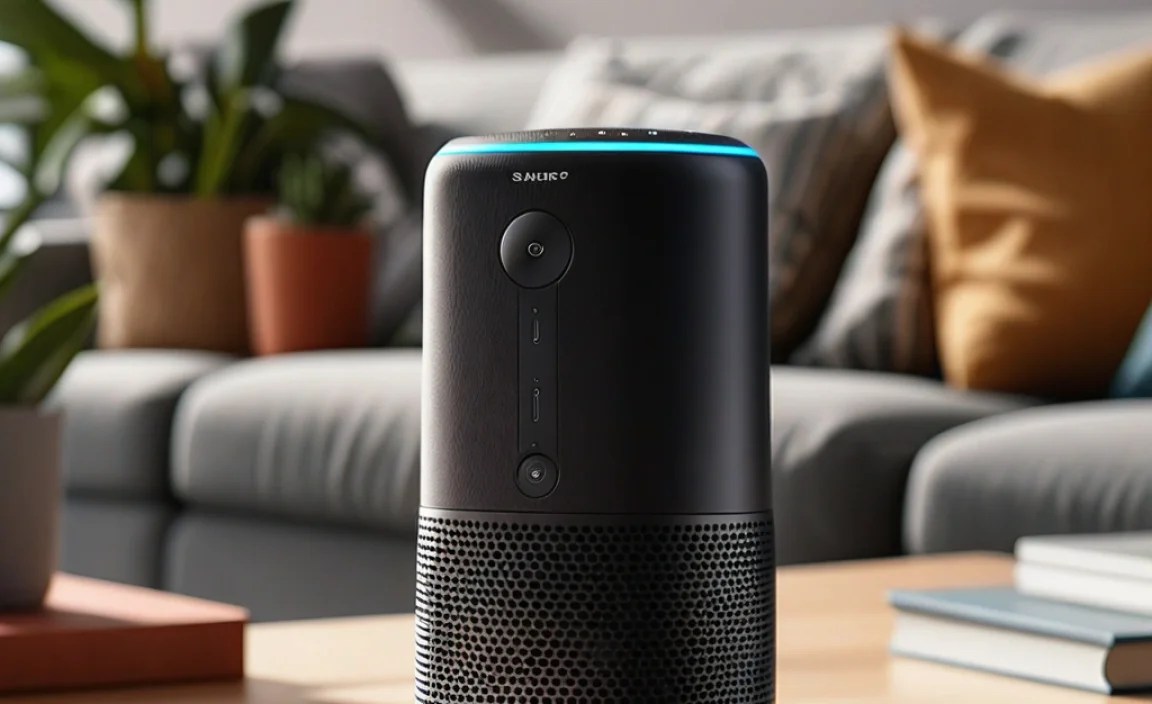
Smart speakers, like Amazon Echo devices or Google Nest Hubs, are designed to be a central part of your home. Their main selling point is voice control, which means they need to hear you clearly. But not all rooms are created equal when it comes to acoustics and distance. Hardwood floors, open-plan layouts, or even background noise from a TV or kitchen appliances can all affect how well your speaker picks up your voice commands. A smart speaker’s listening range isn’t just about how far away you can be; it’s also about how clearly it can distinguish your voice from other sounds. This range is crucial for:
- Seamless Smart Home Control: Imagine asking your speaker to dim the lights from the kitchen while you’re in the living room, or setting a timer from the bedroom without having to walk over to it. A good range makes this possible.
- Convenience and Accessibility: For individuals with mobility issues, or simply for those who want to multitask, a responsive smart speaker far away is a game-changer.
- Optimizing Speaker Placement: Knowing your speaker’s limits helps you choose the best spot for it. Instead of plonking it down anywhere, you can put it where it will serve you best.
- Reducing Frustration: Constantly repeating yourself or having your commands misunderstood is annoying. A range test helps prevent this.
Understanding Factors Affecting Range
Several elements can influence how far your voice-controlled smart speaker can effectively “hear” you. It’s not just about the speaker’s microphone quality, although that’s a big part of it. Think about your environment:
-
Room Size and Layout
A small, enclosed room will naturally allow sound to travel and reflect differently than a large, open-plan space. In large areas, your voice might dissipate before reaching the speaker.
-
Surface Materials
Hard surfaces like tile, glass, and bare walls can bounce sound waves around, potentially creating echoes or interfering with the direct sound reaching the microphone. Softer surfaces like carpets, curtains, and upholstered furniture absorb sound, which can sometimes help with clarity but might also dampen it.
-
Background Noise
This is a big one! A running dishwasher, a TV playing, children playing, or even traffic noise outside can all make it much harder for your smart speaker to isolate your voice. The louder the ambient noise, the closer you’ll likely need to be.
-
Obstacles
Physical objects between you and the speaker can block or muffle sound. Think about walls, furniture like sofas or bookshelves, or even large plants. For the best reception, a clear line of sight is usually ideal.
-
Speaker Design and Microphone Array
Different smart speakers have varying numbers and types of microphones, as well as different noise-cancelling technologies. High-end models often have more sophisticated microphone arrays designed to pick up voices from further away and in noisy environments. For example, Amazon’s Echo devices often boast far-field voice recognition capabilities, and Google’s Nest devices use their own advanced microphone technology. The placement and angling of these microphones also play a role.
How to Conduct Your Own Smart Speaker Range Test

Ready to find out just how far your smart speaker can go? It’s a simple, hands-on process. You’ll need a few things and a bit of patience. Here’s a step-by-step guide:
What You’ll Need:
- Your voice-controlled smart speaker (e.g., Amazon Echo, Google Nest, Apple HomePod)
- A smartphone or tablet with the speaker’s companion app installed (e.g., Alexa app, Google Home app)
- A measuring tape or a rolled-up measuring app on your phone
- A notepad and pen (or a digital note-taking app)
- A willingness to get up and move around!
Step-by-Step Testing Process:
-
Choose Your Test Location(s):
Decide where you typically want to use your speaker. This could be your living room, kitchen, bedroom, or even a home office. It’s best to test in the specific environment you intend to use it in.
-
Start Close and Verify Base Performance:
Place the speaker in its intended spot. Stand about 3-5 feet (1-1.5 meters) away from the speaker. Clearly say your usual command (e.g., “Alexa, what’s the weather?” or “Hey Google, play some jazz.”). Ensure the speaker responds correctly and quickly. Note this down as your baseline. This confirms the speaker is working and connected properly.
-
Increase the Distance Incrementally:
Now, begin moving away from the speaker. Take steps that cover roughly 5-foot (1.5 meter) increments. For example, move to 8-10 feet (2.5-3 meters) away. Say the same command and note whether the speaker still hears you clearly. Pay attention to whether it hesitates, asks you to repeat, or completely misses the command.
-
Continue Moving Away:
Keep increasing the distance, moving in roughly 5-foot steps. For each distance, repeat the same command. It’s useful to try a few different common phrases or commands to ensure consistency. For instance, try asking a question, giving a command, and playing music.
-
Note the “Break Point”:
Continue until the speaker consistently struggles to hear you or fails to respond altogether. The last distance at which your command was perfectly understood is your effective maximum range in that specific environment and condition. Make a note of this distance.
-
Test in Different Environments (Optional but Recommended):
If you plan to use your speaker in multiple rooms or areas, repeat the entire process above in those locations. For example, test it in a quieter bedroom, a noisier kitchen, and between rooms with different acoustics. This will give you a comprehensive understanding of its capabilities throughout your home.
-
Test with Background Noise:
Once you’ve found a general range, try introducing some common background noise. Turn on the TV at a moderate volume, run the dishwasher, or have a conversation with someone else in the room (at a normal speaking volume). Then, repeat your commands from various distances within the range you identified. This will show you how susceptible your speaker is to interference and what its practical, everyday range is.
-
Use the Companion App for Insights:
Many smart speaker apps provide some diagnostic information or settings related to voice recognition. While not direct range testers, they can sometimes offer clues about microphone sensitivity or performance. Check your specific app for any available features.
Interpreting Your Results: What’s a “Good” Range?

So, you’ve got your distances noted. What does it all mean? There’s no single “correct” range, as it depends heavily on the factors we discussed and your personal needs. However, here are some benchmarks and things to consider:
-
Ideal Range (Quiet Environment):
In a quiet room, a well-performing smart speaker should ideally be able to hear commands clearly from at least 20-30 feet (6-9 meters). Many modern devices claim and often deliver even further, especially directional microphones designed to focus on your voice.
-
Practical Range (Normal Household Noise):
With typical background noise like a TV on low volume or ambient household sounds, you might find the effective range reduces to 10-20 feet (3-6 meters).
-
Challenging Conditions:
If you’re finding your speaker only reliably works within 5-10 feet (1.5-3 meters), especially with any moderate background noise, it might be performing below average for its category, or the placement requires optimization. For instance, a device like the Amazon Echo Studio is designed for premium sound and often has robust far-field listening capabilities due to its advanced microphone array. Conversely, smaller, more budget-friendly speakers might have a more limited range.
Consider these questions when evaluating your results:
- Does the range meet your typical usage needs? If you only use it in the kitchen while cooking, a shorter range might be fine. If you want to control it from your bedroom to your living room, you’ll need a longer range.
- How significant is the drop in performance with background noise? Some noise-canceling technology is better than others.
- Are there specific spots in your home where it works much better than others?
Optimizing Speaker Placement for Better Range
If your range test reveals that your smart speaker isn’t performing as well as you’d hoped, don’t despair! Often, a simple change in placement can make a world of difference. According to acoustical design principles, minimizing obstructions and managing reflections can significantly improve how sound waves are received. Here are some tips:
-
Centralize the Speaker:
Place it in a location that’s roughly equidistant from where you’ll most likely be speaking from. Avoid corners, which can boost bass but also create sound reflections that muddy clarity.
-
Avoid Obstructions:
Keep the speaker in an open area with a clear line of sight to the most common areas of use. Don’t hide it behind furniture, curtains, or stacks of books. The National Institute of Standards and Technology (NIST) has published research on audio signal processing and microphone arrays, which highlights the importance of unobstructed paths for clear audio capture.
-
Consider Height:
Placing the speaker at ear level is often ideal. If it’s too low (e.g., on the floor) or too high (e.g., on top of a high cabinet), the sound might not reach its microphones as effectively. A shelf or tabletop is usually a good starting point.
-
Reduce Surface Reflections:
While soft furnishings absorb sound, too much can deaden it. Hard, flat surfaces can cause echoes. Experiment with placing the speaker on surfaces that aren’t directly against a wall or in a tight corner. For example, a small stand on a rug might be better than on a hardwood floor against a wall.
-
Minimize Background Noise Sources:
If possible, try to place your speaker away from noisy appliances like refrigerators, washing machines, or televisions, or at least position it so that these aren’t between you and the speaker.
-
Consider Multiple Speakers:
For larger homes or homes with specific dead zones, investing in a second, more affordable smart speaker (like an Echo Dot or Google Nest Mini) for another area can be more effective and convenient than relying on a single device to cover an expansive space. Many systems allow for multi-room audio control.
When Might You Need to Upgrade?
If you’ve tried optimizing placement and still find your smart speaker struggles to hear you reliably in common areas, it might be time to consider an upgrade. While all smart speakers have a listening range, their capabilities vary significantly. Generally, newer models and higher-tier devices boast improved microphone technology. For instance, some CNET’s reviews often highlight enhanced far-field voice recognition in newer generations of popular smart speakers.
Consider upgrading if:
- Your current speaker consistently fails to recognize commands beyond 10 feet, even in relatively quiet conditions.
- You frequently have to repeat yourself or use very loud vocalizations.
- Background noise significantly degrades its performance, making it unusable for practical tasks.
- You’re experiencing issues in a home environment that isn’t excessively large or noisy, suggesting the device’s limitations.
When looking for a new device, check reviews that specifically mention microphone performance and voice recognition range. Terms like “far-field voice recognition” or “multi-microphone array” are good indicators of a device designed for better listening capabilities.
Table: Smart Speaker Range Comparison (Example)
To give you an idea of how different types of smart speakers might perform, here’s a sample comparison based on typical performance in a moderately noisy household environment. Keep in mind that actual results will vary based on your specific home and usage.
| Smart Speaker Model | Typical Effective Range (with moderate noise) | Microphone Array | Key Strengths | Potential Range Weaknesses |
|---|---|---|---|---|
| Amazon Echo (5th Gen) | 15-25 feet (4.5-7.6 m) | Dual-array microphones | Good all-around performance, good for general smart home control. | Can sometimes struggle with very loud or multi-directional noise. |
| Google Nest Hub Max | 20-30 feet (6-9 m) | Dual-array microphones with sound detection | Excellent voice recognition, good at distinguishing speech in noisy settings. | Can be a bit more expensive. |
| Amazon Echo Dot (5th Gen) | 10-15 feet (3-4.5 m) | Single microphone (enhanced) | Compact, affordable, great for smaller rooms or specific tasks. | Limited range, not ideal for large open spaces or very noisy environments. |
| Apple HomePod (2nd Gen) | 18-25 feet (5.5-7.6 m) | Four high-excursion woofers and five beamforming tweeters, with computational audio | Exceptional sound quality, accurate Siri voice pickup. | Tied to the Apple ecosystem, can be more expensive. |
| Sonos One (Gen 2) | 15-20 feet (4.5-6 m) | Six-microphone beamforming array | Premium audio quality, strong voice assistant integration. | Can be pricier, requires Wi-Fi. |
Remember, this table is a generalization. Your experience may differ! Always check recent reviews for the most up-to-date information on specific models.
FAQ Section
Q1: How far away can I typically speak to a smart speaker?
A1: In a quiet room, most modern smart speakers can hear you from about 15 to 30 feet (about 4.5 to 9 meters). However, background noise, room acoustics, and the specific speaker model can significantly reduce this effective range.
Q2: Does the type of smart speaker matter for range?
A2: Yes, absolutely. Larger, more premium smart speakers often have more sophisticated microphone arrays and better noise-cancellation technology, allowing them to hear you from further away and in noisier conditions compared to smaller, entry-level models.
Q3: What is “far-field voice recognition”?
A3: Far-field voice recognition refers to a smart speaker’s ability to accurately hear and process voice commands from a distance, typically 10 feet or more, even with ambient noise present. This is achieved through specialized microphone technology and software algorithms.