
Setting up multiroom audio in 2025 is easier than ever! Connect smart speakers wirelessly, choose a user-friendly app, and enjoy seamless music throughout your home for a truly immersive sound experience. This guide simplifies the process, ensuring perfect sound in every room.
Tired of juggling different music players in different rooms? Wish you could have the same song follow you from the kitchen to the living room, or even play different tunes in separate spaces? You’re not alone! Getting your music to play everywhere in your home can seem like a tech puzzle. But worry not! By 2025, setting up a multiroom speaker system is a straightforward way to boost your home audio. This guide breaks down exactly how to achieve that perfect sound in every corner of your house. Let’s make your home sound amazing, step by step!
Why Go Multiroom? The Amazing Benefits

Imagine walking from your bedroom to your home office, and your favorite podcast or playlist continues without missing a beat. That’s the magic of a multiroom speaker setup. It’s more than just having music; it’s about creating an atmosphere, enhancing your daily routines, and bringing a cohesive audio experience to your entire living space.
Here’s why stepping into the world of multiroom audio in 2025 is a smart move:
- Seamless Music Flow: Play the same music everywhere for parties, or different tunes in different rooms to suit everyone’s mood.
- Convenience at Your Fingertips: Control all your speakers from a single app on your smartphone or tablet.
- Enhanced Entertainment: Immerse yourself in sound, whether you’re watching movies, gaming, or just relaxing.
- Smart Home Integration: Many multiroom systems work with voice assistants like Alexa, Google Assistant, and Siri, making control even easier.
- Flexibility and Scalability: Start with a couple of speakers and add more as your needs or budget grow.
Choosing Your Multiroom Path: Key Technologies in 2025

Gone are the days of complex wiring. Today, multiroom audio relies heavily on wireless technologies. Understanding these options will help you pick the best system for your home.
Wi-Fi Based Systems
This is the most common and generally the best option for multiroom audio. Wi-Fi speakers connect directly to your home’s wireless network. This allows for high-quality audio streaming without compression and provides a stable connection, even when playing music across multiple devices simultaneously.
- Pros: Excellent sound quality, long range, easy integration with smart home devices, can stream high-resolution audio.
- Cons: Performance depends on your Wi-Fi network strength; may require a powerful router for larger setups.
Bluetooth Based Systems
Bluetooth is great for small, portable setups. Some Bluetooth speakers can be paired together for a stereo effect or even linked to create a basic multiroom experience. However, the range is limited, and maintaining a stable connection across many speakers can be challenging.
- Pros: Simple to set up for basic stereo pairing, no Wi-Fi needed for basic function.
- Cons: Limited range, potential for audio dropouts, not ideal for true whole-house audio due to connection limitations and latency.
Proprietary Wireless Systems
Some brands have their own wireless protocols that aren’t standard Wi-Fi or Bluetooth. These systems are designed to work exclusively within their ecosystem. Examples include Sonos’s own wireless technology. They often offer robust performance and seamless integration within that brand’s products.
- Pros: Highly optimized for the brand’s speakers, excellent reliability and features.
- Cons: You are locked into a single brand, limiting your choices.
For most users in 2025, a Wi-Fi-based system, often from a well-established brand offering a dedicated app, will provide the best balance of performance, flexibility, and ease of use. This includes popular platforms like Sonos, Apple AirPlay 2, Google Cast, and Amazon Echo multiroom audio.
Essential Components for Your Multiroom Setup
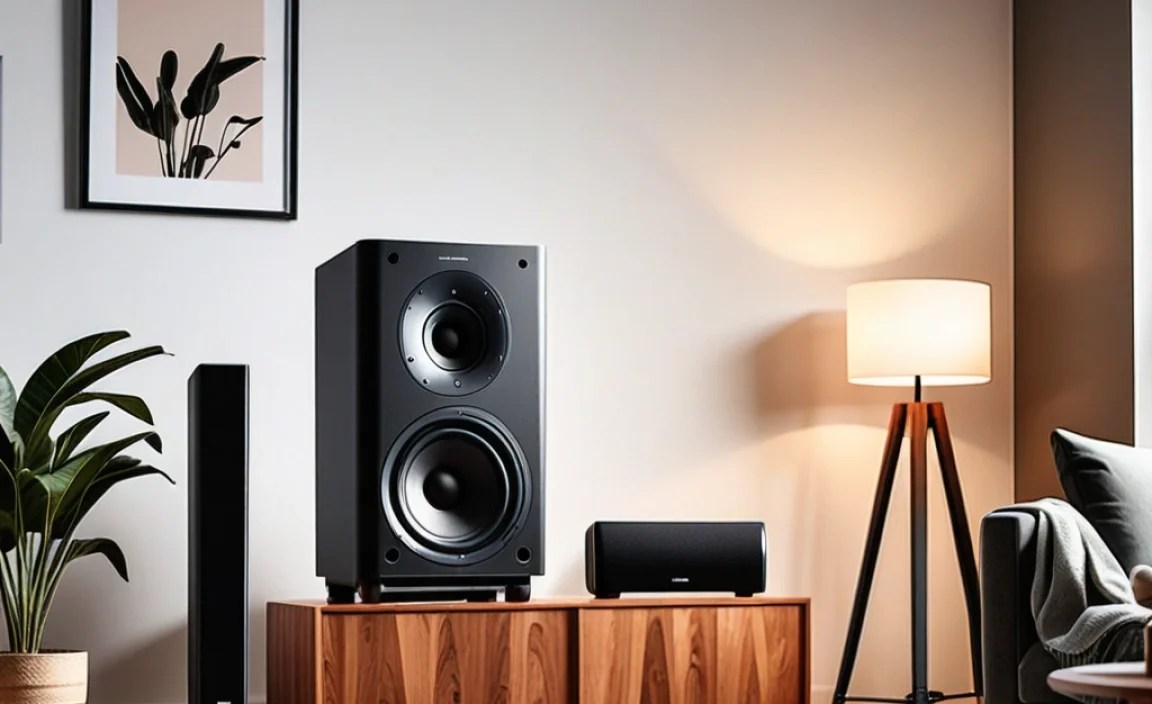
Getting your multiroom audio system up and running involves a few key pieces of equipment. Don’t worry, it’s simpler than it sounds!
The Speakers
This is where the magic happens! In 2025, you have a fantastic range of choices:
- Smart Speakers: Devices like Amazon Echo, Google Nest, and Apple HomePod are designed for wired and wireless connectivity, often supporting multiroom audio natively.
- Wi-Fi Enabled Speakers: Brands like Sonos (Sonos One, Era 100, Era 300), Bose (SoundTouch, Portable Smart Speaker), and Denon (HEOS speakers) offer speakers designed specifically for multiroom streaming.
- AV Receivers with Multiroom Support: If you have a more complex home theater setup, some modern AV receivers can power zones in different rooms.
- Wi-Fi Adapters/Streamers: For existing non-smart speakers, devices like the Sonos Port or WiiM Mini can convert them into Wi-Fi enabled speakers.
Your Network
A stable and robust home network is the backbone of any good multiroom system. In 2025, this often means ensuring you have a decent Wi-Fi router.
- Wi-Fi Router: The better your router, the better your wireless audio experience will be. If you live in a larger home or have many connected devices, consider a mesh Wi-Fi system for consistent coverage. For more details on optimizing your network, the U.S. government’s BroadbandUSA program offers valuable insights into improving home internet connectivity: Understanding Your Internet Options.
- Internet Service: While Wi-Fi speakers stream content from your local network (or sometimes directly from the internet for streaming services), a decent internet plan is still important for the initial setup and for services that pull music directly from online sources.
A Controlling Device
You’ll need a smartphone, tablet, or computer to set up and control your multiroom system.
- Smartphone/Tablet: Most systems rely on dedicated apps (e.g., Sonos app, Google Home app, Apple Home app) that you download onto your iOS or Android device.
- Computer: Some systems also offer desktop apps for control.
How to Set Up Your Multiroom Speaker System: Step-by-Step

Let’s get down to business! Setting up a multiroom system is typically a guided process through the manufacturer’s app. Here’s a general outline for a Wi-Fi based system. The exact steps might vary slightly depending on your chosen brand.
Step 1: Unpack and Power On Your Speakers
Carefully unpack your new speakers. Plug each speaker into a power outlet. Wait for them to boot up; they usually indicate they are ready for setup with a light or sound.
Step 2: Download the Manufacturer’s App
On your smartphone or tablet, go to your device’s app store (Apple App Store or Google Play Store). Search for the app associated with your speaker brand (e.g., “Sonos,” “Google Home,” “Amazon Alexa”). Download and install the app.
Step 3: Connect Your First Speaker to Wi-Fi
Open the app. It will guide you through connecting your first speaker. This usually involves:
- Ensuring your phone is connected to your home Wi-Fi network.
- Following the app’s prompts to find and connect the speaker.
- Entering your Wi-Fi network name (SSID) and password when prompted. Make sure you are connecting to the same 2.4GHz or 5GHz band your phone is on, depending on your network setup.
The app will then establish a connection between the speaker and your router. This first speaker often acts as the “bridge” or hub for the system.
Step 4: Add Additional Speakers
Once the first speaker is online, the app will prompt you to add more. The process for subsequent speakers is usually simpler:
- Power on the next speaker.
- In the app, select the option to add a new product or speaker.
- The app should automatically detect the new speaker on your network.
- Follow any on-screen instructions to name the speaker (e.g., “Living Room,” “Kitchen,” “Master Bedroom”) and assign it to a room.
- Repeat for all your speakers.
Step 5: Group Speakers and Start Playing
Now that all your speakers are set up and named, you can group them!
- In the app, you’ll find an option to group speakers together.
- Select the speakers you want to play the same music on.
- For example, you can group “Living Room” and “Kitchen” to play music throughout both areas simultaneously.
- You can also ungroup them to play different music in different rooms (if your system supports this feature).
You can now select a music source within the app (streaming service, local library, radio) and play it through your chosen speaker groups. Many systems also allow you to control the volume independently for each speaker or group.
Step 6: Explore Advanced Features (Optional)
Once you’re comfortable with the basics, explore what your system can do:
- Stereo Pairing: If you have two identical speakers (e.g., two Sonos Ones), you can pair them as a stereo pair for a more immersive sound experience in a single room.
- Voice Control: If your speakers have built-in voice assistants (like Echo or Google Nest), set them up to control your music hands-free.
- Third-Party Integrations: Check if your system works with other smart home devices or services you use.
- Software Updates: Ensure your speakers are always up-to-date by enabling automatic software updates in the app for the latest features and security patches.
Choosing the Right Multiroom Speaker Brands/Platforms

With so many options available, picking the right brand or platform can feel overwhelming. Here’s a look at some popular and reliable choices for 2025, catering to different needs and budgets.
Sonos: The Multiroom Pioneer
Sonos is arguably the most recognized name in multiroom audio. Their system is built from the ground up for this purpose, offering a dedicated app that is intuitive and powerful.
- Key Products: Sonos One, Sonos Era 100, Sonos Era 300 (Dolby Atmos), Sonos Roam (portable), Sonos Arc (soundbar, can be part of multiroom).
- Pros: Excellent sound quality, wide range of products, seamless integration, robust app, supports most major music services.
- Cons: Can be more expensive than competitors.
Apple AirPlay 2
If you’re deep in the Apple ecosystem, AirPlay 2 is a fantastic option. It allows you to stream audio from Apple devices to multiple AirPlay 2-compatible speakers simultaneously. Many third-party speakers now support AirPlay 2.
- Key Products: Apple HomePod, HomePod Mini, and speakers from brands like Bose, Denon, Marantz, and others that support AirPlay 2.
- Pros: Great for Apple users, easy setup, good sound quality, allows playback on different makers’ speakers.
- Cons: Primarily for Apple device users; requires speakers that specifically support AirPlay 2.
Google Cast (Chromecast Built-in)
Google’s solution is built into many smart speakers and audio devices. Like AirPlay 2, it allows you to cast audio from your phone or tablet to compatible speakers.
- Key Products: Google Nest speakers, and a wide array of third-party speakers and soundbars from brands like Sony, JBL, and LG.
- Pros: Works across Android and iOS, vast compatibility with various devices, voice control via Google Assistant.
- Cons: User experience relies on Google Home app, which can sometimes feel less refined than dedicated apps like Sonos for complex setups.
Amazon Echo (Alexa Multi-Room Music)
Amazon’s Alexa platform offers its own multiroom audio feature. This works primarily with Amazon Echo devices.
- Key Products: Amazon Echo, Echo Dot, Echo Show, etc.
- Pros: Easy to set up for Alexa users, good voice control, affordable speaker options.
- Cons: Sound quality can vary; best experience is within the Amazon ecosystem.
Bluesound / NAD
For the discerning audiophile, Bluesound offers high-resolution audio streaming with a focus on premium sound quality and robust features. NAD is its sister brand and often integrates Bluesound’s tech.
- Key Products: Bluesound PULSE speakers, NODE streamer.
- Pros: High-fidelity audio, excellent app, great for serious music lovers.
- Cons: Higher price point.
WiiM Audio: The Budget-Friendly Audiophile Gem
WiiM has become incredibly popular for offering excellent performance and features, especially with their streamers, at a fraction of the cost of other high-end brands. Their streamers work with existing speakers you might own.
- Key Products: WiiM Mini, WiiM Pro, WiiM Pro Plus.
- Pros: Amazing value, supports Wi-Fi, Bluetooth, AirPlay 2, Spotify Connect, Roon Ready (Pro Plus), versatile for making old speakers smart.
- Cons: Limited to streamers; you’ll need your own powered speakers or an amplifier.
- For more on wireless audio standards and what they mean for your setup, check out the International Telecommunication Union (ITU) overview on radio regulations, which underpins many wireless technologies.
Troubleshooting Common Multiroom Issues
Even with the best setups, you might encounter minor glitches. Here are some common issues and how to fix them:
- Audio Dropouts or Stuttering: This is almost always a Wi-Fi issue.
- Check your Wi-Fi signal strength in the room with the problematic speaker.
- Restart your router and modem.
- Consider a Wi-Fi extender or a mesh system if coverage is poor.
- Reduce the number of devices competing for bandwidth on your network.
- Ensure your speakers are not too far from the router or each other.
- Speakers Not Appearing in the App:
- Make sure the speaker is powered on and within range of your Wi-Fi.
- Restart the speaker and your router.
- Ensure your phone or tablet is on the same Wi-Fi network as the speaker. Some routers create separate networks for 2.4GHz and 5GHz; ensure they are on the same one for initial setup.
- Check if your router’s firewall is blocking the new device.
- Songs Cutting Out Between Rooms:
- This can happen if one speaker has a weak Wi-Fi signal. Try moving it closer to the router.
- Ensure all your speakers are running the latest firmware.
- Some older systems or certain streaming methods might experience slight pauses.
- App Crashing or Unresponsive:
- Close and reopen the app.
- Restart your smartphone or tablet.
- Check for app updates in your app store.
- One Speaker Sounds Louder/Quieter Than Others:
- Adjust individual speaker volumes within the music app.
- Some apps allow you to “tune” speakers to the room for better balance.
Integrating with Your Smart Home
Multiroom audio systems in 2025 are often a key part of a broader smart home setup. Integrating them with voice assistants like Amazon Alexa, Google Assistant, or Apple’s Siri makes controlling your music incredibly intuitive.
Using Voice Commands
Once your speakers and voice assistant are linked (usually done within the voice assistant’s app), you can use simple voice commands:
- “Alexa, play jazz music in the kitchen.”
- “Hey Google, play my ‘Morning’ playlist in the living room and bedroom.”
- “Siri, turn up the volume in the dining room.”
Many smart speakers (like Echo and Google Nest) can also be grouped together using their native apps for multiroom audio.