
Looking for a TV contrast ratio guide under $300? Focus on display technology like LED vs. older types, check native contrast specs, and understand that budget TVs often use dynamic contrast. Aim for TVs with good black levels for a better viewing experience within your price range.
Hey there, tech explorers! Bob E Riley here, ready to dive into the wonderful world of TV contrast ratios, especially when you’re working with a tighter budget. Shopping for a new TV can feel like navigating a maze of technical terms, and “contrast ratio” is definitely one of those that pops up a lot. It sounds super important, and it is! But what does it actually mean, and how do you find a TV that gives you great contrast without breaking the bank? It’s a common question, and honestly, a bit confusing if you’re not a tech whiz. Don’t worry, that’s where Aimguider comes in. We’re going to break down contrast ratios in a way that makes sense, focusing on finding the best bang for your buck. Get ready to understand what makes a picture pop and how to snag a TV that brings your movies and shows to life, all for under 300 bucks!
What Exactly is TV Contrast Ratio?

Think of contrast ratio as the battlefield between the brightest white and the darkest black a TV can show. It’s usually represented by a colon, like 1000:1 or 100,000:1. The first number relates to the brightest white, and the second to the darkest black. A higher second number means deeper, more true blacks. This difference is what gives your picture depth and makes details stand out, especially in darker scenes. Without good contrast, dark areas can look washed out, and bright areas might not have that dazzling pop.
For instance, a TV with a contrast ratio of 1000:1 can display whites that are 1000 times brighter than its darkest black. This is crucial for:
- Realistic image depth: Making scenes feel three-dimensional.
- Detail in shadows: You can see what’s happening in dark corners of a movie.
- Text clarity: Important for subtitles and on-screen information.
- Overall picture vibrancy: Colors tend to look richer when there’s a strong contrast.
Why Contrast Ratio Matters (Especially on a Budget)

In the world of TVs, contrast ratio is a key ingredient for a great picture. When you have deep blacks and bright whites, the image feels more alive and realistic. This is especially true for movies and games where you often encounter scenes with both very dark and very bright elements. A good contrast ratio helps you see details in those shadowy figures or the glint of light off a surface. For TVs under $300, achieving perfect blacks like those on high-end OLEDs is tough, but understanding contrast helps you pick the best available option.
It’s a major factor in how immersive your viewing experience will be. If you’re watching a space movie, you want those deep, inky blacks to make the stars really twinkle. If you’re watching a brightly lit nature documentary, you want those whites and bright colors to be vibrant. Missing out on good contrast can make even the most exciting content feel a bit flat.
Understanding Different Screen Technologies and Contrast
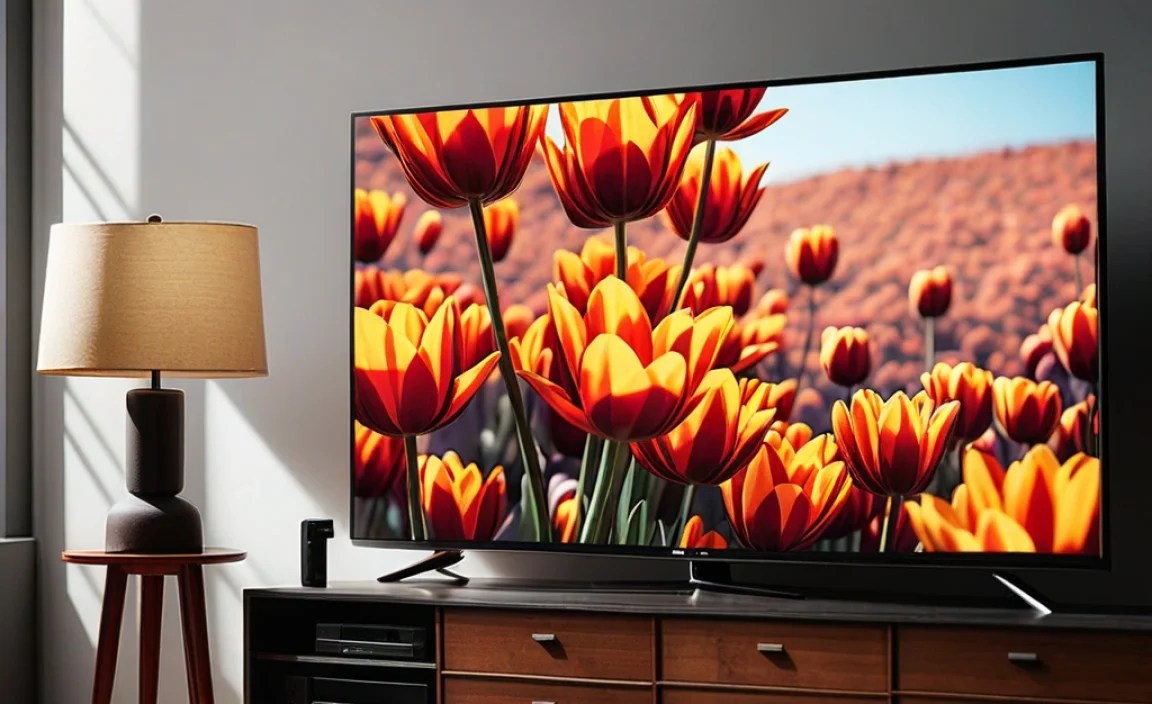
When you’re shopping for a TV under $300, you’ll most likely encounter LED-backlit LCD TVs. These are the most common and affordable. Within this category, there are a few things to know about how they handle contrast.
LED vs. Older Technologies:
- LED-backlit LCD TVs: These are the standard. They use LEDs to light up the LCD panel. The quality of the backlight and how it’s controlled significantly impacts contrast. Some use edge-lighting, others use full-array local dimming (FALD). FALD is better for contrast but rare in budget sets.
- Older technologies (like Plasma): While not typically found brand new under $300 anymore, older plasma TVs were known for excellent native contrast. They produced true blacks because each pixel generated its own light. However, they consume more power and can have burn-in issues, which is why they’ve largely been replaced.
- OLED TVs: These are the gold standard for contrast, offering perfect blacks because each pixel turns off completely. However, they are significantly more expensive and won’t be found in the under-$300 category.
Native Contrast vs. Dynamic Contrast:
This is a HUGE point for budget TVs. You’ll see two numbers for contrast ratio:
- Native Contrast Ratio: This is the “real” contrast ratio. It’s what the screen can achieve on its own, without any electronic trickery. This is the number you really want to look for, though it’s often not advertised clearly for budget TVs.
- Dynamic Contrast Ratio: Manufacturers often boost contrast numbers by showing a very bright white box and then a very dark black box, creating a misleading “dynamic” number. They might also use techniques like “local dimming” (where backlights can be dimmed in specific zones) or dynamic backlight adjustment to artificially increase contrast. While this can improve the picture, it’s not the true capability of the screen. A dynamic ratio of 1,000,000:1 is common but often means very little about the actual black levels.
For TVs under $300, you are almost always dealing with LED-backlit LCDs, and the “dynamic contrast” numbers are going to be astronomically high. It’s best to try and find reviews that speak to the native black levels or real-world contrast.
What to Look For in a TV Contrast Ratio Under $300

When you’re on a budget, perfection is unlikely, but improvement is definitely possible. Focus on what you can control and what’s realistic for the price point.
Aim for the Highest Native Contrast You Can Find
This is the golden rule. While manufacturers often list huge dynamic contrast ratios, look for reviews or specifications that hint at the native contrast. For LED TVs, anything with a native contrast ratio above 1000:1 is a good start. Unfortunately, many budget TVs don’t clearly state their native contrast, which means you’ll rely more on reviews.
Black Uniformity is Your Friend
Even with a decent native contrast ratio, poor black uniformity can ruin the effect. This refers to how evenly the black is displayed across the entire screen. If you see bright splotches or “clouding” on a black screen, that’s bad uniformity. For budget TVs, clouding is a common issue, so look for reviews that mention good uniformity.
Understanding Local Dimming (and if you’ll even see it)
Local dimming, especially Full Array Local Dimming (FALD), is a fantastic technology that can significantly improve contrast. It works by dimming or turning off zones of the LED backlight behind the screen. This allows for much deeper blacks without washing out bright areas. However, FALD is typically found in mid-range to high-end TVs. It’s highly unlikely you’ll find a true FALD TV for under $300. Some very budget sets might have “global dimming” where the entire backlight dims, which is less effective. For this price range, don’t expect much in the way of advanced local dimming.
Refresh Rate Doesn’t Directly Affect Contrast but Impacts Motion Clarity
While we’re talking picture quality, it’s worth briefly mentioning refresh rate. This affects how smooth motion looks, not contrast. For budget TVs, you’ll typically see 60Hz. This is fine for general viewing but gamers might notice motion blur.
HDR Support: A Nice-to-Have, But Manage Expectations
Many TVs, even budget ones, will advertise “HDR support.” This means they can accept an HDR signal. However, to truly benefit from HDR (High Dynamic Range), you need a TV with a wide color gamut and high peak brightness, which directly relates to its contrast capabilities. Budget HDR support often means a slightly wider color range and a bit more brightness, but don’t expect the stunning contrast and brightness of premium HDR sets. It’s more about compatibility than a truly transformative HDR experience at this price point.
Comparing Display Types for Contrast Within Budget Constraints

When you’re hunting for a TV under $300, your choices for display technology are pretty limited, but understanding them helps you make the best pick.
LED-Backlit LCDs: The Budget King
This is what you’ll find almost exclusively in the under-$300 market. These TVs use an LCD panel and an LED backlight. The quality of the contrast depends heavily on the type of LED backlight and the LCD panel itself.
- Types of Backlighting:
- Edge-lit: LEDs are placed along the edges of the screen. This is often cheaper to produce but can lead to less uniform brightness and contrast, with potential for “flashlighting” or clouding.
- Direct-lit (or Full-Array without local dimming): LEDs are spread across the entire back of the screen. This generally offers better uniformity than edge-lit, which can lead to improvements in black levels compared to the cheapest edge-lit options.
- Contrast Performance: Native contrast ratios on these panels can vary widely. You’re often looking at native ratios somewhere in the ballpark of 800:1 to 1500:1 if you’re lucky enough to find the specification. Beyond that, dynamic contrast is heavily relied upon.
What About Other Technologies?
QLED: While QLEDs are known for bright, vibrant colors, they are still LCD-based and rely on LED backlighting. Advanced QLEDs have excellent local dimming, but these are typically far above the $300 price point. Therefore, you won’t be finding a competitive QLED TV in this budget category.
Mini-LED: This is an advanced form of backlighting that uses many more, smaller LEDs to allow for more sophisticated local dimming. Mini-LED TVs offer superior contrast to traditional LEDs but are significantly more expensive and thus outside the $300 budget.
What You WON’T Find (and that’s okay!):
- OLED: Perfect blacks, infinite contrast. Amazing, but way out of budget.
- MicroLED: The latest, greatest, and most expensive. Definitely not for under $300!
So, for your budget, the game is all about finding the best possible LED-backlit LCD. Pay attention to reviews that discuss how well the TV handles dark scenes and if there are obvious uniformity issues.
Tips for Making the Most of Your Budget TV’s Contrast
You’ve picked out your TV, and it’s working well within your budget. Now, let’s tweak it to get the best contrast possible!
1. Picture Mode Perfecting: Most TVs come with several picture modes like “Standard,” “Vivid,” “Movie,” “Game,” etc. The “Movie” or “Cinema” mode is usually the most accurate and often offers the best balance for contrast, as it aims to preserve detail in both shadows and highlights. Avoid “Vivid” mode; it often boosts brightness and color so much that it crushes shadow detail and makes blacks look grayish.
2. Black Level Adjustment: This setting directly controls how dark the black is. If you set it too high, blacks will look gray. If you set it too low, you might lose detail in very dark scenes. Start with the default setting in “Movie” mode and make small adjustments while watching content with both dark and bright scenes. Increase it slightly if blacks look too gray, decrease it if you’re losing detail in dark areas.
3. Brightness (Backlight) vs. Contrast Dial: It’s important to know the difference. The “Contrast” dial usually controls the peak white level, while “Brightness” controls the black level. Increasing “Contrast” can make bright parts pop more but can also lead to clipping (losing detail in bright areas). Increasing “Brightness” makes blacks lighter, reducing contrast but revealing more detail in shadows.
4. Turn Off or Reduce Energy Saving Features: Many budget TVs have aggressive energy-saving modes that dim the backlight or adjust brightness dynamically to save power. This can severely impact contrast. Try disabling these features or setting them to their lowest level, especially if you notice the screen suddenly getting dimmer.
5. Ambient Lighting Matters: The room you watch in makes a big difference. In a dark room, even a TV with mediocre native contrast will look better because ambient light doesn’t wash out the blacks. If you tend to watch in a bright room, you might need to increase the backlight setting (which can reduce perceived contrast slightly but makes the image visible). For a dimly lit or dark room, it’s easier to appreciate deeper blacks.
6. Calibrate if You’re Feeling Adventurous (and Free): While professional calibration is expensive, you can use free online tools or YouTube calibration videos. These guides often show patterns designed to help you set your Black Level, Brightness, Contrast, and Color settings to achieve a balanced image. Sites like Rtings.com offer great resources on TV calibration basics, even for those on a budget.
Table: Budget TV Contrast Ratio Expectations
This table gives you a realistic idea of what you might encounter when looking for a TV under $300. Remember, “Dynamic Contrast” numbers are often marketing fluff.
| Feature | Typical Under $300 LED TV | What to Look For/Hope For | High-End TVs (For Comparison) |
|---|---|---|---|
| Display Technology | LED-backlit LCD (Edge-lit or Direct-lit) | Direct-lit is generally better for uniformity than edge-lit. | OLED (perfect blacks), Mini-LED (advanced local dimming) |
| Native Contrast Ratio | Often unstated or low (e.g., 800:1 – 1500:1) | Aim for anything above 1000:1 native if specified. Reviews are key. | OLED: Infinite. High-end LCD/Mini-LED: 3000:1 – 5000:1 natively, significantly higher with FALD. |
| Dynamic Contrast Ratio | Extremely High (e.g., 1,000,000:1+) – Mostly Marketing | Don’t rely on this number. Focus on how the TV looks in dark scenes. | Still high, but contributes to a more noticeable improvement due to superior underlying tech. |
| Local Dimming | Rarely present, or very basic “global dimming.” | None expected. If present, it’s usually not effective. | Full Array Local Dimming (FALD) with hundreds or thousands of zones. |
| Black Uniformity | Can be problematic (clouding, flashlighting) | Look for reviews that praise uniformity. Try to see it in person if possible. | Generally excellent, especially on OLED and Mini-LED. |
| HDR Performance | Basic compatibility, limited impact. | Acceptable signal processing for HDR content. | High peak brightness, wide color gamut, excellent local dimming for a true HDR experience. |
Where to Find Reputable Tech Reviews
Since specific contrast ratio numbers can be hard to find or misleading on budget TVs, relying on expert reviews is essential. These reviewers often test contrast directly and can comment on real-world performance.
- Rtings.com: This site is a treasure trove for TV reviews. They perform extensive, objective testing on contrast, black levels, uniformity, and more. They have a “Contrast Ratio” score based on their measurements. They also have a helpful guide to the best TVs under $500, which will include some options that may dip below $300 during sales.
- CNET, IGN, TechRadar: These major tech publications also provide in-depth reviews. While they might not have the same level of scientific testing as Rtings, their reviewers are experienced and can give you a very good sense of a TV’s picture quality, including contrast.
- YouTube Reviews: Many tech channels on YouTube offer visual reviews. While less scientific, seeing the TV in action and hearing a reviewer’s opinion on dark scenes can be very insightful, especially for budget models. Search for reviews of specific models you’re interested in.
When reading reviews, look for mentions of “black levels,” “shadow detail,” “uniformity,” and “contrast.” A reviewer saying something like “blacks are a bit gray in dark scenes.