
Quick Summary: Tame your TV cables with our easy guide! Discover simple solutions for a clean, clutter-free TV stand, from concealing wires to using smart accessories. Get professional-looking results without the hassle, making your entertainment area both tidy and stylish.
Let’s be honest, those spaghetti-like cables trailing from your TV stand can be a real eyesore. They can make your sleek entertainment center look like a disorganized mess, collect dust, and even become a tripping hazard. If you’ve ever struggled to keep your TV area tidy, you’re not alone. But don’t worry, achieving a clean and organized TV stand is totally doable! This guide will walk you through proven solutions, step-by-step, to banish cable chaos for good. Get ready for an entertainment space that looks as good as it sounds!
Why Cable Management Matters for Your TV Stand

A tidy TV setup isn’t just about looks; it’s about the overall experience in your living room. When cables are managed well, you create a safer environment by reducing trip hazards. It also makes cleaning much easier – no more wrestling with cords to dust behind your entertainment center! Plus, a neat setup can actually improve the performance of some devices by ensuring proper ventilation, preventing overheating. Think of it as giving your home theater the professional polish it deserves.
Understanding Your Cable Culprits
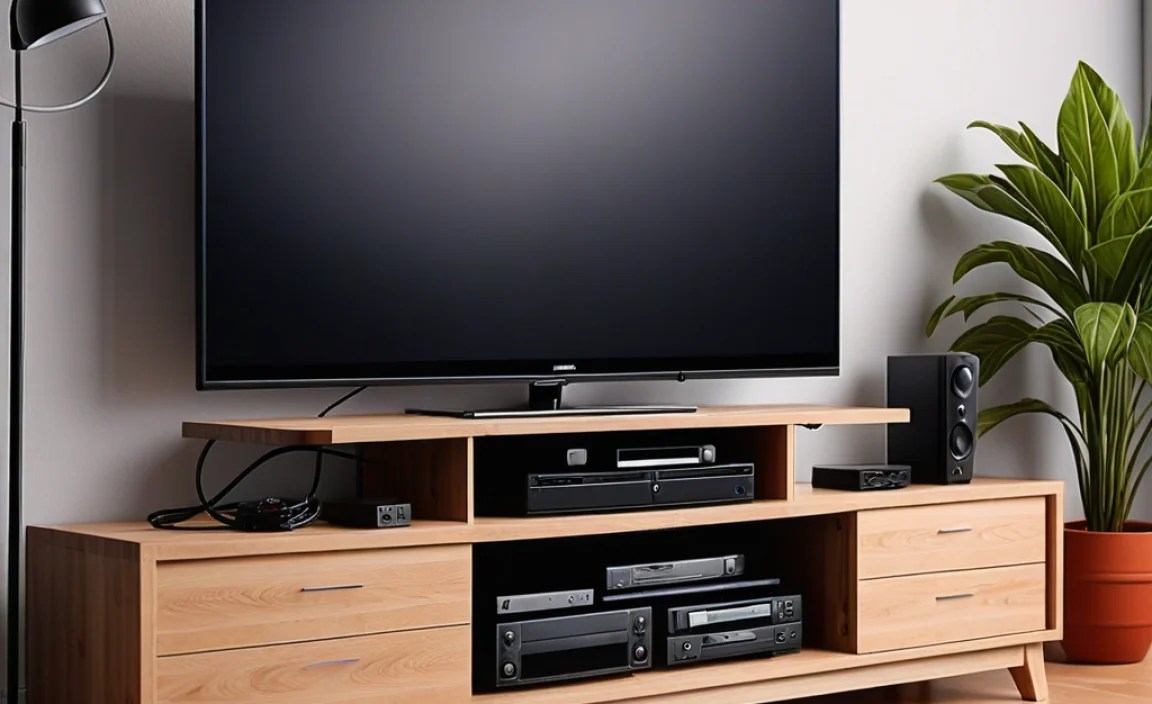
Before you can conquer the cable clutter, it’s helpful to identify what you’re dealing with. Most homes have a mix of:
- Power Cables: These plug your TV, soundbar, gaming consoles, streaming devices, and any other electronics into the wall.
- HDMI Cables: Essential for connecting devices like Blu-ray players, gaming consoles, and cable boxes to your TV for video and audio.
- Audio Cables: For soundbars, surround sound systems, or connecting older audio equipment.
- Network Cables (Ethernet): If you prefer a wired internet connection for streaming stability.
- Speaker Wires: For surround sound setups.
The number and type of cables will vary depending on your entertainment system’s complexity. The good news is, the principles of managing them remain the same!
Step-by-Step: Your Proven TV Stand Cable Management Solution

Let’s get down to business. Here’s a practical, step-by-step approach to taming those cables:
Step 1: Plan Your Layout and Gather Supplies
Before you unplug anything, take a moment to plan. Consider where each device will sit. Think about the closest power outlets. Having a clear vision will save you time and frustration later. Then, gather your essential tools:
- Cable Ties: Velcro straps are reusable and gentler on cables than zip ties.
- Cable Sleeves: These tubes encase multiple cables, creating a single, neat bundle.
- Adhesive Cable Clips: Small clips that stick to surfaces to guide and hold cables in place.
- Wire Loom Tubing: Similar to sleeves, often more flexible and great for routing.
- Cord Concealers/Raceways: These are plastic channels that stick to walls or furniture to hide cables completely.
- Power Strip with Surge Protection: Essential for protecting your electronics and consolidating plugs.
- Extension Cords (if needed): Ensure they are rated for the devices you’re connecting.
- Drill and appropriate drill bits (optional): For mounting raceways or creating custom holes.
- Screwdriver: For any mounting hardware.
- Scissors or a Craft Knife: For cutting ties or tape.
- Measuring Tape: To plan where your cables will run.
Step 2: Disconnect and Organize
This might seem like the most daunting part. Start by unplugging everything from the wall. Then, carefully disconnect all cables from your devices. Lay them out so you can see what you have. Untangle any knots. If you have very old or frayed cables, now might be a good time to replace them.
Step 3: Bundle and Secure
This is where the magic starts. Group cables that run together. For example, bundle all the cables going from your TV down to your streaming device. Use Velcro cable ties or reusable zip ties to create neat bundles. Don’t overtighten, especially on sensitive wires. This makes a huge difference in visual clutter.
Tip: Color-code your ties or use different types for different bundles, if it helps you remember which cable goes where.
Step 4: Utilize Cable Sleeves and Wire Looms
For larger groups of cables, cable sleeves or wire loom tubing are fantastic. Simply insert your bundled cables into the sleeve and zip it up or use the provided closure. This creates one thick, contained cable that is much easier to manage and looks far neater than a bundle of individual cords.
Many sleeves come with zippers or Velcro, making them easy to open and close if you need to add or remove a cable later.
Step 5: Route Cables Strategically
Now, think about the path your cables will take. The goal is to hide them as much as possible.
- Behind the TV Stand: Most modern TV stands have built-in cable management features like holes or back panels. Utilize these!
- Along Edges: If cables need to run along the back or side of furniture, use adhesive cable clips to keep them tidy and flush against the surface. This prevents them from dangling loosely.
- Through Walls (Advanced): If you’re mounting your TV on the wall, consider using in-wall cable management kits. These allow you to run cables behind the drywall for a completely seamless look. This requires a bit more DIY skill, and it’s recommended to consult local building codes or professionals for safety. For example, the U.S. Consumer Product Safety Commission offers electrical safety tips that are good to keep in mind.
Step 6: Mount and Conceal
This is where you make the cables virtually disappear.
- Cord Concealers/Raceways: These are plastic channels that can be adhered or screwed to walls, baseboards, or furniture. You run your cables inside the channel, and then snap the cover shut. Paintable raceways can even blend perfectly with your wall color.
- Drill Holes (with caution): If your TV stand doesn’t have enough openings, you might carefully drill a hole in the back panel to feed cables through. Ensure you don’t drill into any internal shelving or structural supports. Use a grommet to protect cables from sharp edges.
Pro Tip: When drilling, always check for plumbing and electrical wiring behind the surface. A stud finder with AC detection can be a lifesaver.
Step 7: Consolidate Power
Plug all your devices into a surge-protected power strip. Mount the power strip behind your TV stand or inside a cabinet if possible. This way, you only have one main power cord to manage, rather than multiple plugs going to the wall. This not only declutters but also protects your valuable electronics from power surges.
Consider smart power strips or ones with integrated USB ports to reduce the number of adapters needed.
Step 8: Final Touches and Testing
Once everything is connected and routed, tidy up any loose ends. Double-check that all devices are working correctly. Step back and admire your work! A clean TV stand makes your entire room feel more relaxing and organized.
Choosing the Right TV Stand for Cable Management

If you’re in the market for a new TV stand, look for features that simplify cable management. Here’s what to consider:
| Feature | Benefit | Beginner Tip |
|---|---|---|
| Built-in Cable Grommets/Holes | Allows cables to pass through the back or shelves easily, keeping them hidden. | Look for stands with multiple openings, especially in the back panel. |
| Closed Back Panel | Helps conceal wires and allows for easier mounting of power strips. | Ensures a cleaner look from all angles. |
| Adjustable Shelves | Provides flexibility for different-sized devices and allows space for hidden cables. | Measure your components before buying to ensure a good fit. |
| Integrated Wire Management Systems | Some stands come with built-in channels, clips, or ties. | These are often the easiest solutions for beginners. |
| Ample Interior Space | Allows room to hide power strips, routers, and excess cable length. | Don’t underestimate how much space cables and boxes can take up! |
When selecting a stand, read reviews specifically mentioning ease of assembly and cable management. Some brands even offer dedicated cable management accessories that fit seamlessly with their furniture.
Alternatives and Accessories for Smart Cable Hiding

Beyond the basic tools, several accessories can elevate your cable management game:
- Cable Boxes/Organizers: These attractive boxes sit on or behind your stand and hide power strips and excess cords, decluttering the visible area.
- Adhesive Hooks and Clips: Great for managing shorter cables like charging cords or keeping HDMI cables neatly routed behind devices.
- Weighted Cable Holders: These sit on your desk or entertainment center and have slots to hold cables in place when not in use, preventing them from sliding off.
- Mountable Power Strips: Many power strips can be mounted to the back of a TV stand or desk using screws or strong adhesive, getting them off the floor and out of sight.
Investing in a few of these can make a significant difference in the final look and feel of your entertainment area.
Common Mistakes to Avoid
Even with the best intentions, cable management missteps can happen. Here are a few common pitfalls:
- Buying Too Many Cables: Often, the cables that come with devices are perfectly adequate. Resist the urge to buy excessively long or fancy cables unless absolutely necessary for your setup.
- Over-Tightening Cable Ties: This can damage the wires inside the cable, potentially leading to performance issues or even failure. Use a gentle touch.
- Ignoring Ventilation: Don’t stuff too many cables or devices into a confined space without airflow. This can lead to overheating. Ensure there’s some breathing room.
- Not Labeling: When you have multiple similar devices (e.g., two identical gaming consoles) and multiple HDMI ports, labeling cables before you disconnect them can save a lot of headache later. Use label makers or even simple masking tape and a marker.
- Forgetting About Future Additions: If you plan to add more devices, leave a little extra slack or space in your bundles and sleeves. It’s easier to manage now than to reorganize later.
FAQ: Your TV Stand Cable Management Questions Answered
Q1: How do I hide the cables going from my TV to the wall outlet?
A1: For a clean look, use a cord concealer or raceway that sticks to your wall and hides the cables inside. You can paint these to match your wall color. Alternatively, consider in-wall cable management kits if you’re comfortable with a bit more DIY. For temporary solutions, decorative plants or strategically placed decor can also help mask them.
Q2: What’s the easiest way to manage many cables behind my TV stand?
A2: Start by bundling similar cables together with Velcro ties. Then, use a cable sleeve or wire loom to create one neat bundle. Utilize any built-in cable management holes in your TV stand. A cable management box is excellent for concealing the power strip and excess wire lengths.
Q3: Should I buy a TV stand with built-in cable management?
A3: Yes, if you’re purchasing a new TV stand, look for features like pre-drilled holes (grommets), a closed back panel, or integrated channels. These features make managing cables much simpler right from the start.
Q4: Are there any tools I absolutely need for basic cable management?
A4: For basic management, you’ll definitely want cable ties (Velcro is best for reusability), and ideally, a power strip to consolidate plugs. Adhesive cable clips are also very helpful for routing. Everything else is a great addition but not strictly essential to get started.
Q5: Can I drill holes in my TV stand to manage cables?
A5: Yes, you can often drill small holes in the back of a TV stand’s panels to feed cables through. However, be cautious! Ensure you know what’s behind the panel (avoiding structural elements or electronics) and use grommets to protect the cables from sharp edges. It’s best to check the stand’s construction first.
Q6: How do I prevent my cables from falling behind the stand?
A6: Use adhesive cable clips, Velcro straps, or wire ties to secure cables along the back of the stand or to furniture legs. Keeping them bundled and directed towards openings will prevent them from slipping down.
Conclusion: Enjoy Your Tidy Entertainment Space!
Mastering TV stand cable management doesn’t require a degree in engineering. By following these simple, proven steps—planning, bundling, routing, and concealing—you can transform that tangled mess into a clean, organized, and visually appealing entertainment hub. You’ve learned how to identify your cable types, gather the right tools, and implement a systematic approach that keeps wires out of sight and out of mind.
Whether you’re using basic Velcro ties and cable clips or investing in sleek raceways and cable boxes, the result is the same: a safer, tidier, and more enjoyable viewing experience. So take a deep breath, tackle those cables one by one, and reclaim the beauty of your living space. Happy organizing, and happy watching!