
Transform your living space with smart TV wall mount ideas! Discover genius solutions from sleek fixed mounts to versatile full-motion options, perfect for any room, budget, and viewing preference. Get a cleaner look and enhance your entertainment experience with the right mount.
Tired of that bulky TV stand taking up precious floor space? Or maybe your current setup just doesn’t cut it for the perfect viewing angle? You’re not alone! Many of us dream of a cleaner, more modern living room that showcases our TV beautifully, without the clutter.
The good news is, there are fantastic TV wall mount ideas out there that can completely change your space. We’re going to explore a variety of solutions, from the super simple to the surprisingly innovative, making it easy for you to find the perfect fit for your home and your favorite shows. Get ready to say goodbye to cable chaos and hello to a stylish, streamlined entertainment zone!
Why Mount Your TV? The Benefits You Can’t Ignore

Mounting your TV on the wall isn’t just about aesthetics (though it certainly scores high marks there!). It opens up a world of practical advantages that can significantly improve your home entertainment experience. Let’s dive into why so many people are making the switch.
Declutter Your Space
This is often the biggest motivator. A TV stand can be a magnet for “stuff” – remotes, coasters, magazines, and the ever-present spaghetti monster of cables. Mounting your television liberates that floor space, making your room feel larger, cleaner, and more open.
Improve Viewing Angles
Depending on your room layout, a TV stand might force you to crane your neck or settle for less-than-ideal viewing positions. Many wall mounts allow you to tilt, swivel, or extend your TV, ensuring everyone in the room gets a great view, no matter where they’re sitting.
Enhance Safety
For households with active children or boisterous pets, a freestanding TV can be a tipping hazard. Securing your TV to the wall is a much safer option, providing peace of mind and preventing potential accidents. The Consumer Product Safety Commission (CPSC) provides valuable information on furniture and TV tip-over prevention, highlighting the importance of securing large furnishings. You can find more details on their website at www.cpsc.gov.
Create a Modern Aesthetic
A wall-mounted TV creates a sleek, minimalist look that’s become a staple of modern interior design. It resembles art on a wall, integrating seamlessly into your decor rather than dominating it.
Protect Your Investment
By mounting your TV, you reduce the risk of accidental damage from spills, bumps, or falling objects that can happen on a TV stand. This extra layer of protection can help keep your expensive television in pristine condition.
Understanding Different TV Wall Mount Types
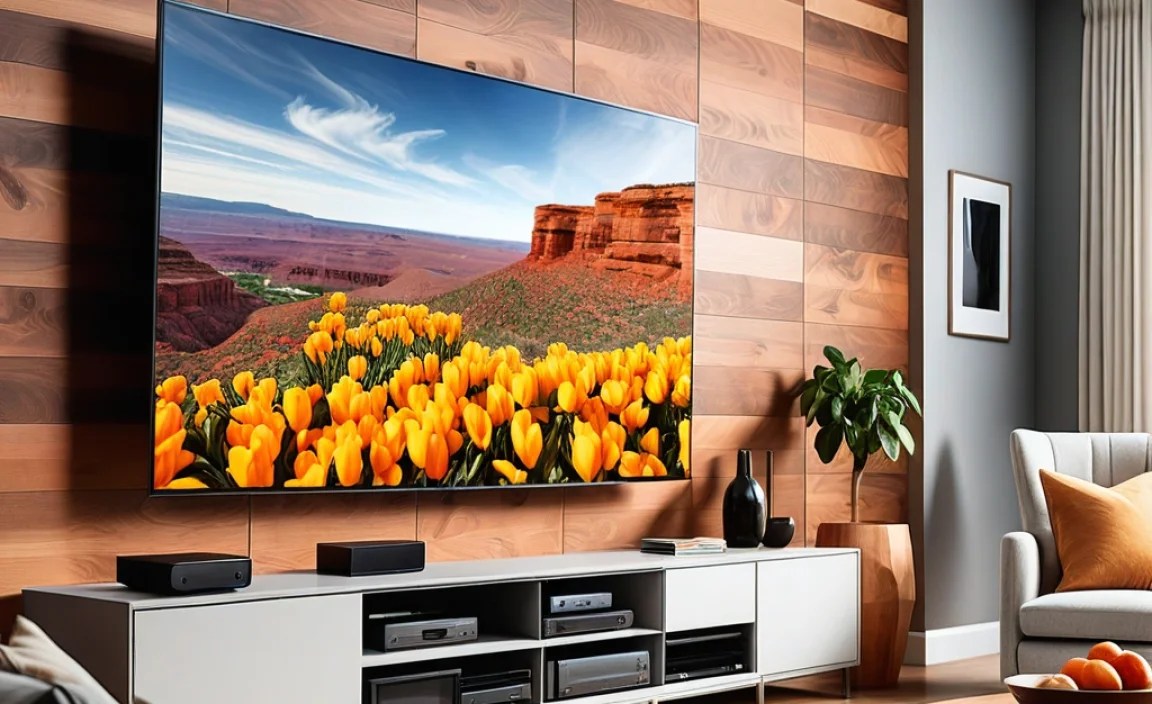
Not all TV wall mounts are created equal! The type of mount you choose depends heavily on how you plan to use your TV, your viewing habits, and the capabilities of the mount itself. Let’s break down the most common types you’ll encounter.
1. Fixed TV Wall Mounts
What it is: This is the simplest and most common type of mount. It holds your TV close to the wall, essentially creating a fixed, flat-panel display. Think of it like hanging a picture frame.
Best for: Rooms where you have a dedicated seating area directly in front of the TV and don’t need to adjust the viewing angle. Ideal for bedrooms or smaller living spaces where precise positioning isn’t critical.
Pros:
- Most affordable option.
- Extremely low profile, keeping the TV very close to the wall.
- Simple to install.
- Very sturdy and reliable.
Cons:
- No adjustability for tilt or swivel.
- Can be difficult to access ports on the back if needed.
- Not ideal if you have glare issues from windows or lights.
2. Tilting TV Wall Mounts
What it is: These mounts allow you to adjust the TV’s vertical angle (up and down) without moving the TV itself. This is great for reducing glare or improving the viewing angle when the TV is mounted higher than eye level.
Best for: Mounting your TV above a fireplace, on a high wall, or in a room with significant window glare. They offer a bit more flexibility than fixed mounts.
Pros:
- Reduces glare by allowing you to angle the screen.
- Improves viewing angles, especially when mounted high.
- Still relatively low profile compared to full-motion mounts.
- Easy to adjust the tilt.
Cons:
- Limited adjustability (only vertical tilt).
- Slightly more expensive than fixed mounts.
- Adds a small amount of depth to the TV’s profile.
3. Full-Motion (Articulating or Swivel) TV Wall Mounts
What it is: This is the most versatile type of mount. It features one or more arms that allow you to extend the TV away from the wall, swivel it left or right, and tilt it up or down. Some can even articulate to different heights.
Best for: Large rooms, open-plan living spaces, or rooms where you need to view the TV from multiple angles. They are perfect for gamers who might sit at different spots or for entertaining guests.
Pros:
- Maximum flexibility for viewing angles.
- Can extend the TV away from the wall for easier access to ports.
- Can be swung to face different seating areas.
- Great for reducing glare from various light sources.
Cons:
- Most expensive option.
- Can be bulkier when not in use.
- Requires a very sturdy wall and proper installation due to the leverage involved.
- May have a more noticeable gap between the TV and the wall when fully retracted.
4. Low-Profile (Ultra-Slim) Fixed Mounts
What it is: These are a subtype of fixed mounts designed to get your TV as close to the wall as physically possible, often just a half-inch or less. They are specifically engineered for a super-slim, art-like appearance.
Best for: Those who want the absolute slimmest look while still having a secure mount. Great for modern interiors where the TV should blend in.
Pros:
- Achieves the most minimalist, “picture frame” look.
- Extremely discreet.
- Often very robust.
Cons:
- Very little to no space for cables behind the TV, which can be a challenge.
- No adjustability whatsoever.
- Port access can be extremely difficult or impossible.
5. Low-Profile Tilting Mounts
What it is: A hybrid that offers a slim profile similar to fixed low-profile mounts but with a slight tilt capability. This can be crucial for managing glare or improving viewing when mounted a bit higher.
Best for: Situations where you need a discreet look but also require a minor angle adjustment for glare or height. A good compromise for many living rooms.
Pros:
- Slim design.
- Provides essential tilt for glare or height adjustment.
- Good balance of aesthetics and functionality.
Cons:
- Limited tilt range compared to standard tilting mounts.
- Cable management can still be a challenge.
- Less versatile than full-motion mounts.
Genius TV Wall Mount Ideas for Every Room

Now that we understand the types, let’s get creative! Here are some clever ways to use TV wall mounts to enhance different areas of your home. These ideas go beyond just sticking a TV on the wall and focus on smart integration and functionality.
1. The Fireplace Focal Point
Mounting a TV above a fireplace is a popular choice, but it can lead to glare and viewing discomfort if not done right.
- Solution: Use a tilting or full-motion mount. A tilting mount allows you to angle the TV down towards the seating area, significantly reducing glare from overhead lights or windows. A full-motion mount offers even more flexibility, letting you pull the TV out and angle it for optimal viewing, and even swing it away slightly if needed for access.
- Pro Tip: Ensure the mount is rated for the weight and size of your TV and that the fireplace structure can support it securely. Also, consider the heat output from the fireplace; ensure sufficient clearance for your TV’s ventilation.
2. The Corner Conversation
Corner spaces can be tricky to furnish. Mounting a TV in a corner can make it a central feature without obstructing walkways.
- Solution: A full-motion mount designed for corners is perfect here. These often have extended arms that allow the TV to be positioned squarely in the corner or pulled out towards the seating.
- Pro Tip: Look for mounts with good articulation range. This allows you to adjust the TV for optimal viewing from sofas on adjacent walls.
3. The Bedroom Retreat
In a bedroom, space is often at a premium, and a TV stand can feel intrusive.
- Solution: A low-profile fixed or tilting mount is usually ideal. This keeps the TV close to the wall, maintaining a clean, uncluttered look. A slight tilt might be beneficial if the TV is mounted high on the wall above your bed.
- Pro Tip: Consider a mount that allows for easy access to ports, or plan your cable management solution in advance. A good cable concealment system (like raceways or in-wall routing) is a must for a tidy bedroom setup.
4. The Kitchen Command Center
Who doesn’t love catching up on news or a cooking show while in the kitchen?
- Solution: A smaller TV mounted in a kitchen corner or above cabinets, using a low-profile tilting or even a full-motion mount, can be a game-changer. This keeps it out of the way of countertops but within easy view.
- Pro Tip: Ensure the mount can swivel enough to be viewed from different parts of the kitchen, such as the sink, stove, or island.
5. The Artful Integration
Make your TV a design element, not just a black box when it’s off.
- Solution: Combine a low-profile mount with smart cable management and, if possible, a TV designed with aesthetics in mind (like Samsung’s The Frame). The goal is for the TV to look like a piece of art when not in use.
- Pro Tip: Consider wall-concealed power outlets or specialized TV power kits that allow for in-wall installation. This completely hides all cables for a gallery-like finish. For guidance on safe in-wall wiring, consult resources from the National Electrical Contractors Association (NECA) on safe electrical practices.
6. The Gaming Station Upgrade
Gamers need flexibility and often sit at various distances and angles from their screen.
- Solution: A robust full-motion mount is your best friend. It allows you to pull the TV closer for immersive gaming, swivel it to face different chairs, and ensure the perfect viewing angle, minimizing eye strain during long sessions.
- Pro Tip: Ensure the mount can hold the weight of your TV and has a wide range of motion so you can easily adjust it for different games or even for guests joining in.
Choosing the Right Location: Key Considerations

Where you physically place your TV mount is just as crucial as the type of mount you select. A poorly chosen spot can lead to a less-than-ideal viewing experience and potential installation headaches.
1. Viewing Distance
The ideal distance between your seating and your TV is critical for comfort and picture quality. A general guideline is to sit at a distance that is 1 to 1.5 times the diagonal screen measurement for HD TVs, and slightly closer (0.75 to 1.25 times) for 4K TVs. However, this can vary based on personal preference.
- Resource: Industry standards from organizations like the Society of Motion Picture and Television Engineers (SMPTE) often discuss optimal viewing conditions, though specific recommendations can be complex. For practical purposes, your comfort is key!
2. Eye Level
Ideally, the center of your TV screen should be at or slightly below eye level when you’re in your primary viewing position. Mounting a TV too high can lead to neck strain and is a common cause of glare.
3. Glare and Lighting
Observe the natural and artificial light sources in your room throughout the day. Mount your TV to minimize direct glare on the screen. This might mean avoiding mounting it directly opposite a window or using a tilting mount to angle away from light sources.
4. Wall Structure and Support
This is paramount for safety and stability. You need to mount your TV bracket directly into wall studs. Drywall alone cannot support the weight of a TV and mount. If you’re unsure about finding studs, a stud finder is an essential tool. For concrete or brick walls, you’ll need appropriate fasteners (like masonry anchors).
- Tool Tip: A good quality electronic stud finder can make locating studs much easier.
5. Cable Management
Think ahead about how you’ll hide your cables. Will they run behind the TV, down the wall, or into the wall? Planning this early will save you a lot of hassle later.
Installation: What You Need and How to Do It (The Basics)

Installing a TV wall mount can be a DIY project, but it requires attention to detail and the right tools. If you’re not comfortable with tools or critical structural work, hiring a professional is always a wise choice. For those who are handy, here’s a basic rundown.
Essential Tools
- TV Wall Mount Kit: This comes with the bracket and necessary hardware, but always double-check it’s compatible with your TV’s VESA pattern (the spacing of the mounting holes on the back of your TV) and weight rating.
- Stud Finder: Crucial for locating wooden studs behind your drywall.
- Drill and Drill Bits: For pre-drilling holes and driving screws.
- Level: To ensure your TV is mounted straight.
- Screwdriver Set: Phillips and flathead, to attach brackets to the TV.
- Measuring Tape: For accurate positioning.
- Pencil: For marking drill points.
- Socket Wrench/Ratchet: For tightening lag bolts into studs.
- Safety Glasses: To protect your eyes.
Step-by-Step Installation (General Guide)
- Choose Your Location: Based on the considerations above (viewing distance, eye level, glare, studs).
- Locate Wall Studs: Use your stud finder to mark the center of at least two studs where the mount will attach.
- Mark Mounting Holes: Hold the wall plate portion of the mount against the wall at the desired height. Use your level to ensure it’s straight, and mark the screw hole locations over the stud marks.
- Drill Pilot Holes: Drill pilot holes at your marked locations. The size of the pilot hole should be slightly smaller than the lag bolts you’ll be using.
- Attach the Wall Plate: Securely fasten the wall plate to the studs using the lag bolts provided with your mount. Use a socket wrench to tighten them firmly.
- Attach Brackets to TV: Screw the vertical brackets onto the back of your TV using short and appropriate screws. Your TV mount should come with a variety of screw sizes, but if not, you may need to purchase them. Make sure you don’t overtighten or use screws that are too long, as this can damage your TV.
- Hang the TV: With help (especially for larger TVs!), carefully lift the TV and hook the brackets onto the wall plate. Many mounts click or lock into place.
- Connect Cables and Final Adjustments: Connect your HDMI, power, and other cables. If you have a tilting or full-motion mount, make any necessary adjustments to get the perfect viewing angle.
Important Note: Always refer to the specific installation manual that comes with your TV wall mount, as instructions can vary between brands and models. For detailed safety guidelines and best practices in home construction and mounting, resources from the National Association of Home Builders (NAHB) can be very informative.