
Choosing the right TV size for your room setup is easy with a TV size calculator. Simply measure your viewing distance and input it to find the perfect screen diagonal, ensuring an immersive and comfortable home theater experience without straining your eyes. This guide breaks down how to do it!
Ever felt overwhelmed by the sheer number of TV sizes available? You’re not alone! It’s a common headache when you’re trying to create that perfect home theater setup. Pick a TV that’s too small, and you’ll feel like you’re squinting. Go too big, and it might dominate your room or feel like you’re sitting in the front row of a cinema, getting a crick in your neck. Finding the sweet spot is key for an enjoyable viewing experience. But don’t worry, this guide from Aimguider is here to take the guesswork out of it. We’ll walk you through exactly how to use a TV size calculator for your room setup, making sure your new screen is just right.
Understanding Your Viewing Distance: The Foundation of TV Size Choice

Before we even think about specific TV models, the single most important factor in choosing the right TV size is how far away you’ll be sitting from it. This is your “viewing distance.” Think of it like picking the right binoculars – too close, and everything’s blurry; too far, and you miss the details. For TVs, the viewing distance directly impacts how immersive the picture is and how comfortable your eyes feel during long viewing sessions. Get this wrong, and even the most expensive TV won’t deliver the experience you’re hoping for.
A good rule of thumb is that the further away you are, the larger the TV you can comfortably sit from. This might seem obvious, but it’s the core principle behind any TV size calculator. The goal is to have the TV fill a significant portion of your field of vision without being overwhelming, making you feel like you’re part of the action. We’re aiming for that perfect cinematic feel without the discomfort.
Why Viewing Distance Matters for Eye Strain and Immersion
Sitting too close to a large TV means your eyes have to constantly dart back and forth to take in the whole picture. This can lead to eye strain, headaches, and a generally less pleasant viewing experience. On the other hand, sitting too far from a smaller TV means you’re not truly appreciating the detail and picture quality. Your brain has to work harder to reconstruct the image, and that sense of immersion you crave just isn’t there.
The ideal viewing distance allows the TV to occupy enough of your visual field to be engaging but not so much that you miss details or feel fatigued. For high-definition (HD) content, a slightly closer distance is often recommended to appreciate the finer details. For 4K Ultra HD content, which has significantly more pixels, you can often sit even closer to a larger screen without noticing individual pixels, making the experience even more immersive.
How to Measure Your Viewing Distance Accurately

Measuring your viewing distance is super simple. You don’t need any fancy tools, just a tape measure and a little bit of patience. Here’s how to do it:
- Find Your Primary Seating Spot: Decide where your main couch or chair will be. This is where you’ll be spending most of your TV time.
- Measure from the Seat to the TV Location: Stand or sit in your designated spot with the tape measure. Extend it straight out towards where the TV will eventually be placed (or is currently placed).
- Note the Measurement: Get the measurement in either feet or inches. Most online calculators use inches, so converting might be helpful. If you want to convert feet to inches, simply multiply the number of feet by 12. For example, 10 feet is equal to 120 inches (10 12 = 120).
It’s important to be as accurate as possible here. If you’re measuring for a TV you haven’t bought yet, measure to where the TV’s screen will be, not the edge of the potential stand. If you have multiple seating areas, measure the distance from the furthest and closest common spots to get a range.
Introducing the TV Size Calculator and How It Works

So, what exactly is a TV size calculator, and why is it so useful? In simple terms, it’s an online tool that takes your viewing distance and spits out a recommended TV screen size. TV sizes are measured diagonally, across the screen itself, excluding the bezel (the frame around the screen).
These calculators are based on industry recommendations and viewing distance guidelines. They help ensure that the TV fills an appropriate portion of your field of view, creating the best visual experience. Think of it as having an expert guide you without having to become an expert yourself!
The Math Behind the Magic (Simplified!)
You don’t need to be a math whiz to use a calculator, but understanding the basic principle can boost your confidence. Generally, recommendations fall into a few categories:
- THX Recommendation (Very Immersive): For a true cinematic experience, THX suggests a viewing distance that’s approximately 0.84 times the screen diagonal. This is great for home theaters where you want to feel completely enveloped.
- SMPTE Recommendation (Standard Viewing): The Society of Motion Picture and Television Engineers (SMPTE) recommends a viewing distance that’s about 1.6 times the screen diagonal. This is a more common, balanced recommendation for general viewing.
- General Guideline (Comfortable Viewing): A simpler approach is a viewing distance of 1.5 to 2.5 times the screen diagonal, depending on the screen resolution (closer for 4K, further for HD).
Online calculators essentially do these calculations for you. You input your viewing distance, and they’ll tell you what screen diagonal size (in inches) fits within these recommended ranges. Many calculators will even give you a range of recommended sizes, acknowledging that personal preference plays a role.
Using a TV Size Calculator: Step-by-Step Guide
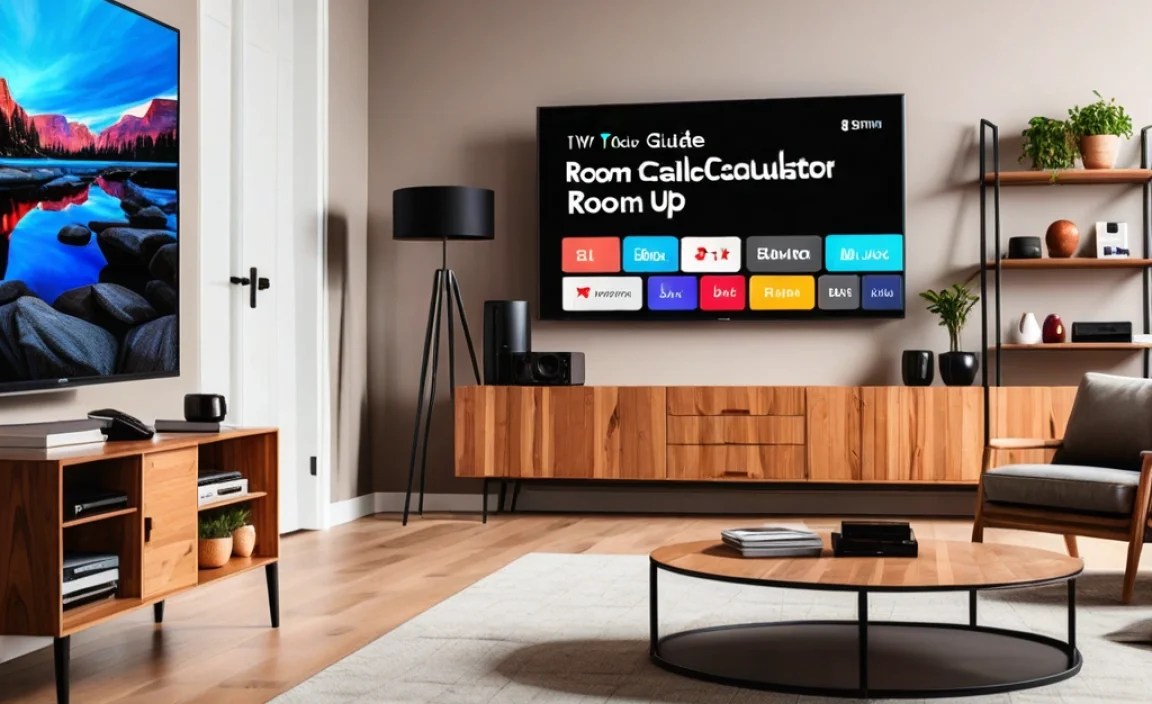
Let’s get practical. Here’s how you’ll use a TV size calculator to nail your TV purchase:
Step 1: Measure Your Viewing Distance
As we covered earlier, this is your crucial first step. Grab that tape measure and determine the distance from your primary seating position to where the TV screen will be. Let’s say you measure 10 feet. Remember to convert this to inches: 10 feet 12 inches/foot = 120 inches. Write this number down!
Step 2: Find a Reliable TV Size Calculator
There are many excellent, free TV size calculators available online. A quick search for “TV size calculator” will bring up several options. Look for calculators from reputable tech review sites or electronics retailers, as they tend to be well-calibrated.
Here are some examples of places you might find them:
- Reputable Tech Review Sites: Many well-known tech publications offer simple calculators.
- Major Electronics Retailers: Stores that sell TVs often have their own tools to help customers.
- Manufacturer Websites: Sometimes, TV brands will include a calculator on their product pages.
For a good starting point, you can use resources like the one offered by the Rtings.com TV Size to Distance Calculator. They provide detailed recommendations based on different viewing experiences.
Step 3: Input Your Viewing Distance
Once you’re on a calculator page, you’ll see a field to enter your viewing distance. Input the number of inches you measured. Some calculators might also ask for the screen resolution (e.g., 1080p, 4K) or your preferred viewing experience (e.g., casual, cinematic). If asked, select “4K” or “Ultra HD” as it’s the standard for new TVs, and if you want an immersive feel, select a closer viewing option or cinematic experience.
Step 4: Review the Recommended TV Size
The calculator will then provide you with a recommended TV size or a range of sizes. This is usually presented as the screen diagonal measurement in inches (e.g., 55 inches, 65 inches, 75 inches).
For our example of a 120-inch viewing distance (10 feet), a common recommendation for a 4K TV would be a screen size in the range of 55 to 65 inches. A more immersive, cinematic experience might push that recommendation closer to 70 inches, while a more relaxed viewing might lean towards 55 inches.
Step 5: Consider Your Room and Budget
The calculator gives you a technical recommendation, but your actual choice will also depend on:
- Room Aesthetics: Does the TV size physically fit the wall space? Will it look too dominant or too small in the room?
- Budget: Larger TVs typically cost more. You’ll need to find the best size that fits within your financial comfort zone.
- Content Type: Are you mostly watching news, or are you a movie buff who wants to feel like you’re in the theater?
It’s often a good idea to go for the larger end of the recommended range if your budget and room can handle it, as long as it’s still comfortable for your viewing distance.
Best Practices for Room Setup and TV Placement

Once you have a target TV size, think about how it fits into your room. Proper placement is just as important as the right size for creating a great viewing experience.
TV Height: Eye Level is Key
A common mistake is mounting or placing a TV too high. The aim is to have the center of the screen at eye level when you’re seated. This reduces neck strain and improves comfort.
- Measure Your Seating Height: Sit on your couch and measure the height from the floor to your eye level.
- Calculate TV Placement: If you’re using a TV stand, the TV stand height plus the height of the TV’s lower portion will determine its final position. If you’re wall-mounting, aim to place the TV so its center is at your measured eye level.
Many sources, like the Consumer.gov, offer general safety and installation tips that can indirectly help with optimal placement.
Room Lighting and Glare
Consider where the light sources are in your room. Direct sunlight or bright lamps hitting the TV screen can cause glare, reducing picture quality and causing eye strain. Try to position the TV so it’s not directly opposite a window. If that’s unavoidable, consider blackout curtains or blinds.
The brightness of your room also affects your perception of the TV. In a very dark room, the screen will appear brighter and more vibrant. In a brightly lit room, you might need a TV with higher brightness capabilities or adjust room lighting to minimize reflections.
Audio Placement
While this guide focuses on visual setup, don’t forget sound! For the best home theater experience, consider where your speakers (if you have a soundbar or surround sound system) will be placed. Ideally, front speakers should be at ear level and angled towards the main seating area.
Common TV Size Recommendations by Viewing Distance
To give you a clearer picture, here’s a table showing common TV size recommendations based on viewing distance for 4K TVs, which are standard nowadays. These are general guidelines, and personal preference can shift these slightly.
| Viewing Distance (Feet) | Viewing Distance (Inches) | Recommended TV Size (Inches) – Casual Viewing | Recommended TV Size (Inches) – Immersive Viewing |
|---|---|---|---|
| 4-5 ft | 48-60 in | 32-43 in | 43-50 in |
| 5-6 ft | 60-72 in | 43-50 in | 50-55 in |
| 6-7 ft | 72-84 in | 50-55 in | 55-65 in |
| 7-8 ft | 84-96 in | 55-65 in | 65-75 in |
| 8-10 ft | 96-120 in | 65-75 in | 75-85 in |
| 10-12 ft | 120-144 in | 75-85 in | 85-100+ in |
Remember, this table represents general recommendations. A 4K TV allows for closer viewing than older HD TVs. The “Immersive Viewing” column uses closer ratios (similar to THX guidelines), while “Casual Viewing” uses slightly wider ratios (closer to SMPTE).
Factors Beyond Just Size: Resolution and Personal Preference
While the TV size calculator is fantastic, it’s not the only factor. Here’s what else to keep in mind:
4K vs. 1080p Resolution
Most TVs sold today are 4K Ultra HD. Compared to 1080p Full HD, 4K has four times the number of pixels. This means a 4K screen can display much finer detail. Because of this higher pixel density, you can sit closer to a 4K TV of a given size without seeing individual pixels, compared to an older 1080p TV. This is why many 4K recommendations allow for closer viewing distances and larger screen sizes for the same comfort level.
Your Personal Comfort Zone
Ultimately, the “perfect” TV size is also subjective. Some people love being completely immersed, feeling like they’re in the middle of the action. Others prefer to see the whole screen and a bit more of their room. The calculator gives you a scientific starting point, but don’t be afraid to slightly adjust based on what feels best to you during test viewings, if possible.
Room Size and TV Scale
A massive 85-inch TV might be technically correct for your viewing distance, but if it’s going in a tiny studio apartment, it could look absurd and make the room feel smaller. Conversely, a small 32-inch TV in a large living room can get lost. Always consider the overall scale of your room and the TV’s physical dimensions.
When to Go Big (or Small)
Sometimes, the calculator’s recommendation might need a tweak. Here are a few scenarios:
- For the Ultimate Movie Buff: If you’re building a dedicated home theater or love that cinema feel, lean towards the larger end of the recommended range, or even slightly beyond if your space and budget allow. Bigger is often better here for immersion.
- For General Family Viewing & Gaming: A balanced size that works well for movies, sports, and gaming is usually within the standard recommendations. For gaming, a slightly larger screen can sometimes enhance the experience, but minimize motion blur by ensuring good refresh rates.
- For Bedrooms or Secondary Rooms: In smaller spaces like bedrooms or kitchens, a smaller TV might be more practical. The viewing distance is often shorter, so a smaller TV will still appear sufficiently large.
Frequently Asked Questions (FAQ)
Q1: What is the most important factor in choosing a TV size?
A1: Your viewing distance is the most crucial factor. It determines how large the TV screen should be to provide a comfortable and immersive experience without straining your eyes.
Q2: Can I use a TV size calculator for any TV resolution (1080p, 4K, 8K)?
A2: Yes, but the recommendations will vary. 4K and 8K TVs have more pixels, allowing you to sit closer to a larger screen for a more immersive experience compared to 1080p TVs.
Q3: How do I measure viewing distance if I have multiple seating areas?
A3: Measure the distance from your primary or furthest common seating position. You can then use the calculator to find a size that works for the furthest spot, and consider if you’re comfortable sitting closer on other seats. Alternatively, find an average distance.
Q4: What if the recommended TV size is too expensive?
A4: If the ideal size is out of budget, look for the largest TV size within your budget that is still within the lower end of the recommended range for your viewing distance. Prioritize size over features if budget is very tight and size is your main goal.