
Quick Summary: The best TV for a bright room has a high peak brightness (over 1000 nits), excellent anti-glare screen coating, and good contrast ratio to combat reflections and washed-out images, ensuring vivid, clear viewing even in sunny conditions.
Ever squinted at your TV, trying to make out the action while sunlight streams in? You’re not alone! Many of us face the frustrating challenge of reflections and reduced picture quality in bright rooms. It can turn an amazing movie night into a less-than-ideal viewing experience. But don’t worry! Finding the right TV and setting it up cleverly can completely transform your living room into a cinematic haven, no matter how sunny it gets. Let’s dive into how you can fix the bright room TV blues and enjoy your favorite shows and games like never before.
Understanding the Bright Room TV Challenge

Televisions are fantastic, but they can struggle when faced with bright ambient light. The sun’s glare can bounce off the screen, creating distracting reflections that make the picture look faded and hard to see. It’s not just about direct sunlight; bright overhead lights or even light-colored walls can contribute to this problem. The core issues are:
- Reflections: Shiny TV screens act like mirrors, bouncing back light sources and obscuring the picture.
- Washed-Out Colors: Ambient light can overpower the TV’s light output, making colors appear dull and blacks look grayish.
- Reduced Contrast: The difference between the darkest and brightest parts of the image diminishes, losing depth and detail.
These factors combine to make watching your TV a chore rather than a pleasure. Fortunately, there are specific TV features and simple adjustments that can make a huge difference.
Key Features Your Bright Room TV Needs
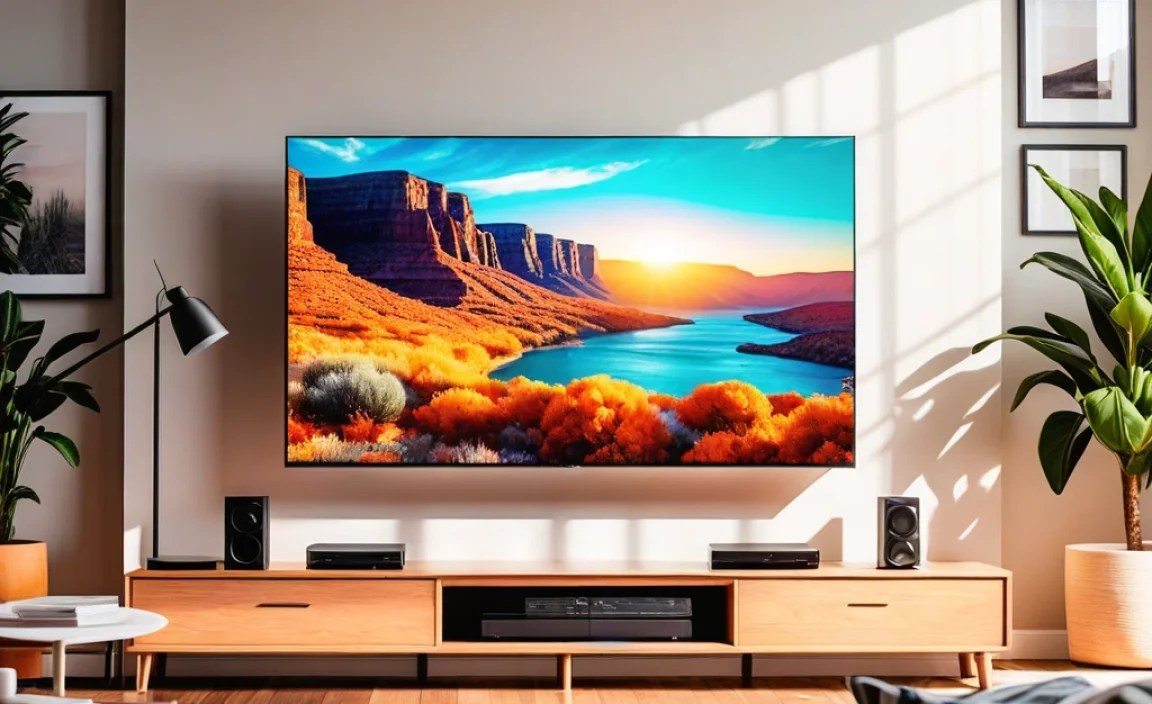
When shopping for a TV that thrives in a sunlit environment, certain specifications are your best friends. Focusing on these will dramatically improve your viewing experience.
1. Peak Brightness (Nits) – Your Brightness Warrior
This is arguably the most crucial spec for a bright room. Peak brightness, measured in nits, tells you how bright the TV can get, especially for highlights in HDR (High Dynamic Range) content. In a bright room, you need a TV that can output enough light to overpower the ambient light. A TV with a lower peak brightness will be easily washed out, while a brighter TV will maintain its vibrancy and clarity.
- What to look for: Generally, aim for TVs with a peak brightness of at least 1000 nits for HDR content. Many excellent TVs exceed this, offering 1500, 2000, or even more nits, which is even better for combating glare.
- Why it matters: Higher nits mean the brightest parts of the image (like sunlight glinting off metal or explosions) can really pop, cutting through the room’s ambient light and making the picture look more dynamic and engaging.
2. Anti-Glare and Matte Screen Coatings
The screen surface itself plays a huge role. A glossy screen might produce richer blacks in a dark room, but in a bright one, it becomes a reflective nightmare. Anti-glare (AG) and matte finishes are designed to diffuse or absorb incoming light, reducing reflections.
- Anti-Glare (AG): This coating works by scattering light, making reflections less direct and intense.
- Matte Finish: Even more effective for reducing reflections, a matte finish absorbs light, making reflections much harder to spot.
- Testing it out: When you’re in a store, hold up a light source or observe the room lights reflecting on the screen. A good AG coating will significantly minimize these reflections. Look for terms like “advanced anti-glare,” “low-reflection screen,” or “matte display.”
3. Contrast Ratio and Black Levels
While brightenss is key, good contrast keeps the picture looking sharp and deep. A high contrast ratio means the TV can display very dark blacks alongside very bright whites. In a bright room, good black levels are harder to maintain, but a TV with excellent native contrast will still look better than one with poor contrast, even with some light bleed.
- Why it’s important: A strong contrast ratio helps to “pop” the image, giving it depth and preventing it from looking flat or washed out. Even with ambient light, a TV with superior native contrast can maintain better-looking blacks than a less capable TV.
- How to check: Look for technologies like OLED (which offers “perfect” blacks) or QLED/Mini-LED TVs with good local dimming capabilities.
4. Color Accuracy and Volume
A bright TV is great, but if its colors are washed out, it’s not ideal. Look for TVs that offer wide color gamuts (like DCI-P3 coverage) and good color volume. This ensures that even when the screen is bright, the colors remain vibrant and true to life.
5. Viewing Angles
If you have a wider seating arrangement, good viewing angles are important. While not directly related to brightness, poor viewing angles can exacerbate the issue of washed-out colors or contrast shift when viewed from the side, making the problem worse in a bright room where picture degradation is already a concern.
Recommended TV Technologies for Bright Rooms

Certain TV technologies are inherently better suited for bright environments. Here’s a breakdown:
OLED TVs
OLEDs have revolutionized picture quality with their perfect black levels and incredible contrast. Each pixel emits its own light, allowing for precise control and stunning HDR. However, historically, OLED TVs had lower peak brightness than their LED counterparts. This is changing rapidly with newer OLED models, but it’s still something to consider.
- Pros: Incredible contrast, perfect blacks, wide viewing angles, fast response times.
- Cons: Can be less bright than top-tier LED TVs (though newer models are closing the gap), potentially higher cost.
- Best for: Those who prioritize contrast and black levels but still want good brightness. Newer, brighter OLEDs are becoming excellent options for bright rooms.
QLED / Mini-LED TVs
These LED-based TVs use Quantum Dots (QLED) and advanced backlighting like Mini-LED to achieve much higher brightness levels and better contrast than traditional LEDs. Mini-LED allows for more precise control over local dimming zones, enhancing black levels and reducing blooming.
- Pros: Exceptional peak brightness, vibrant colors, excellent contrast with local dimming, generally more affordable than top-tier OLEDs for similar brightness.
- Cons: Black levels not as perfect as OLED, potential for blooming (halo effect around bright objects on dark backgrounds), viewing angles can be narrower than OLED.
- Best for: Those who need the highest possible brightness and excellent color. These are often considered the best TVs for bright rooms due to their raw light output capabilities. According to reviews from sites like Rtings.com, which rigorously test TV performance, brightness is a key differentiator for bright room TVs.
High-End LED TVs
Even standard LED TVs can perform well in brighter conditions if they have a good number of dimming zones and a decent peak brightness. However, they generally won’t match the performance of QLED, Mini-LED, or the newest OLEDs in very confronting lighting conditions.
| TV Technology | Peak Brightness Potential | Contrast & Black Levels | Anti-Glare Effectiveness | Best For Bright Rooms |
|---|---|---|---|---|
| OLED | Good to Very Good (improving) | Excellent (Perfect Blacks) | Varies (some models better than others) | Yes, especially newer, brighter models. |
| QLED / Mini-LED | Excellent to Outstanding | Very Good to Excellent | Varies (many have good AG coatings) | Often the top choice due to sheer brightness. |
| Standard LED | Fair to Good | Fair to Good | Varies | Can work in moderately bright rooms with adjustments. |
Proven Solutions for Your Bright Room TV

Beyond choosing the right TV, several practical steps can dramatically improve your viewing experience in a bright room. These solutions range from simple adjustments to minor home improvements.
1. Strategic TV Placement
Where you put your TV matters more than you might think. Avoid placing it directly opposite windows or light sources.
- Angle Away from Windows: If possible, position your TV so that the windows are to its side, not directly in front or behind it. This minimizes direct glare.
- Consider Reflective Surfaces: Be mindful of mirrors, glossy furniture, or even light-colored walls that can bounce light onto your screen.
- Height Matters: Usually, eye level is best. If you have large windows, sometimes mounting the TV slightly higher can help avoid direct reflection from lower-lying light sources.
2. Light Control Measures
This is where you actively manage the light entering your room.
- Blackout Curtains or Blinds: For dedicated viewing times, blackout curtains are your best friend. They can block out almost all external light, creating a near-dark environment on demand. Brands like those found on Energy.gov offer tips on effective window coverings for energy efficiency and light control.
- Smart Placement of Lamps: If you must have lights on, use lamps with shades that direct light downwards or away from the TV screen. Avoid bare bulbs or spotlight-style lamps that create harsh reflections.
- Consider Tinted or Frosted Glass: For very stubborn reflections, you might consider applying a subtle window film or using frosted glass spray on nearby surfaces that are causing issues.
3. TV Settings Adjustments
Even with the best TV, tweaking the settings can unlock its full potential in a bright room.
- Increase Brightness Settings: This is the most intuitive step. Turn up your TV’s “Brightness” or “OLED Light” setting. Be cautious not to overdo it, as this can sometimes lead to a loss of detail in darker scenes or an unnaturally sharp image. Balance is key.
- Adjust Backlight/OLED Light Appropriately: The goal is to make the image output brighter than the ambient light.
- Boost Contrast: Increasing the “Contrast” setting can help the picture pop more, making details stand out better against the ambient light.
- Color Temperature and Gamma: Experiment with different color temperature settings. A `”Warm”` setting is often easier on the eyes and can sometimes appear less harsh in bright light than very cool settings. Gamma settings affect the overall brightness curve of the image; a higher gamma (like 2.4) can increase contrast for dimly lit scenes in brighter rooms.
- Picture Mode: Most TVs have preset picture modes like “Standard,” “Dynamic,” “Movie,” or “Vivid.” For bright rooms, “Dynamic” or “Vivid” might seem tempting as they boost brightness and color saturation. However, these often sacrifice accuracy. Try a “Standard” or “Cinema” mode and manually increase brightness and contrast. Some TVs have an “Auto” brightness setting that adjusts based on room light – consult your TV’s manual to see if this is an option and how to optimize it.
- Disable Energy Saving Features: Many TVs have eco-modes that dim the screen to save power. Ensure these are turned off for maximum brightness.
4. Utilizing Soundbars or AV Receivers
While this doesn’t directly fix screen glare, a good sound system can enhance the overall viewing experience, making you less focused on minor visual compromises. A powerful soundbar or surround sound setup can immerse you in the content, drawing your attention away from the room’s lighting.
5. Consider TV Size and Viewing Distance
A larger TV in a bright room can sometimes feel overwhelming if reflections are prominent. Ensure your TV size is appropriate for your room and viewing distance. A well-calibrated, appropriately sized TV will always perform better.
Top TV Picks for Bright Rooms (2024 Models)

While specific models change year to year, certain series consistently deliver strong performance in bright conditions. Retailers often list peak brightness on product pages, and review sites are invaluable resources.
Example High-Brightness Models (Illustrative):
These are examples of technologies and series to look out for:
- Samsung QN Series (e.g., QN90D, QN95D): Consistently lauded for incredible brightness and anti-glare performance. These QLED TVs are perfect candidates for sunny living rooms.
- LG G4 / C4 OLED: Newer OLEDs are significantly brighter than older models, making them viable options. LG’s MLA (Micro Lens Array) technology in some models, like the G4, boosts brightness considerably.
- Sony X95L / X90L (or equivalent): Sony’s higher-end LED and Mini-LED models often feature excellent processing and good brightness, making them strong contenders.
- Hisense U8 Series (e.g., U8N): Often offers impressive brightness for its price point, making it a great budget-friendly option for bright rooms.
Always check the latest professional reviews from sources like TechRadar, CNET, or AVForums for the most up-to-date recommendations and specific brightness and anti-reflective coating ratings.
Frequently Asked Questions (FAQ)
Q1: What is the most important factor for a TV in a bright room?
The most crucial factor is peak brightness, measured in nits. A TV needs to output enough light to overcome ambient glare and reflections to maintain a clear, vibrant picture.
Q2: Are OLED TVs good for bright rooms?
Newer OLED TVs are much brighter than older models, making them increasingly suitable. However, top-tier QLED or Mini-LED TVs often still offer higher peak brightness, which can be advantageous in very sunny rooms.
Q3: What does “anti-glare” really mean for a TV screen?
An anti-glare screen has a special coating that diffuses or absorbs light, preventing direct reflections. This reduces distracting glare and makes it easier to see the picture clearly, even with bright lights or windows in the room.
Q4: How can I reduce reflections on my current TV?
You can reduce reflections by strategically positioning your TV away from windows and light sources, using blackout curtains or blinds, and adjusting your TV’s picture settings, especially brightness and contrast. Some users also find success with special anti-glare screen protectors, though these can sometimes affect picture clarity.
Q5: Is a “Vivid” picture mode the best for a bright room?
While “Vivid” mode boosts brightness and color, it often makes the picture look unnatural and can oversaturate colors. It’s generally better to use a “Standard” or “Cinema” mode and manually increase the TV’s brightness and contrast settings as needed.
Q6: Do specific window treatments help with TV glare?
Yes, blackout curtains, solar shades, or blinds that can be precisely angled are excellent for controlling light. The goal is to diffuse or block light that would otherwise hit the TV screen and create reflections.
Conclusion
Dealing with a bright room doesn’t mean you have to settle for a washed-out or reflection-plagued TV experience. By understanding the key features like peak brightness and screen coatings, and by implementing smart placement and light control strategies, you can dramatically improve your viewing setup. Whether you’re investing in a new TV known for its bright-room performance or optimizing your current setup, the goal is to create a clear, vibrant, and enjoyable picture that cuts through any glare. With these proven solutions, your living room can become the perfect place to enjoy movies, sports, and games, no matter how sunny it gets outside. Happy viewing!