
The best TV contrast ratio guide for beginners explains that a higher contrast ratio means deeper blacks and brighter whites, leading to a more vibrant and realistic picture. Look for TVs with static contrast ratios of 3000:1 or higher, or dynamic ratios exceeding 100,000:1, and understand how panel technology impacts this crucial spec for stunning home viewing.
Ever felt like your movie nights or gaming sessions are missing that extra spark? You’ve probably got a great TV, but something still feels a little… off. Often, the culprit is a TV’s contrast ratio. It sounds technical, but it’s one of the most important factors for a truly stunning picture. Don’t worry, understanding it is simpler than you think! We’ll break down what contrast ratio really means, why it matters, and how to find a TV that nails it. Get ready to see your favorite content like never before!
What Exactly is TV Contrast Ratio?

Think of contrast ratio as the extreme difference between the darkest black and the brightest white your TV can display simultaneously. A higher contrast ratio means your TV can show a much wider range of shades between pure black and pure white. This capability is crucial for creating a picture that looks realistic and has a lot of depth.
Imagine looking at a starry night sky on a TV with a poor contrast ratio. The blacks might look more like a dull gray, and the stars, while bright, might not “pop” as much. Now, picture that same scene on a TV with an excellent contrast ratio. The sky would be a deep, inky black, making those distant stars shine brilliantly. This difference is all thanks to contrast.
Static vs. Dynamic Contrast Ratio
You’ll often see two numbers when looking at contrast ratios: static and dynamic. It’s important to know the difference:
- Static Contrast Ratio: This is the “true” contrast ratio. It measures the difference between the brightest white and darkest black that a TV can display at the same time, under fixed settings. This is generally considered the more reliable and indicative figure for picture quality.
- Dynamic Contrast Ratio: This number is often much higher and can be a bit misleading. It measures the ratio when the TV’s backlight or other settings are adjusted automatically to make scenes brighter or darker. For example, in a very dark scene, the TV might dim its backlight to achieve a near-perfect black, leading to a massive ratio. While it can make dark scenes look impressive, it doesn’t represent the TV’s consistent ability to show both bright and dark elements simultaneously.
For the most accurate comparison, always prioritize the static contrast ratio. Reputable sources like Rtings.com, a leading TV review site, emphasize the importance of static contrast for evaluating a TV’s real-world performance.
Why Does Contrast Ratio Matter So Much?
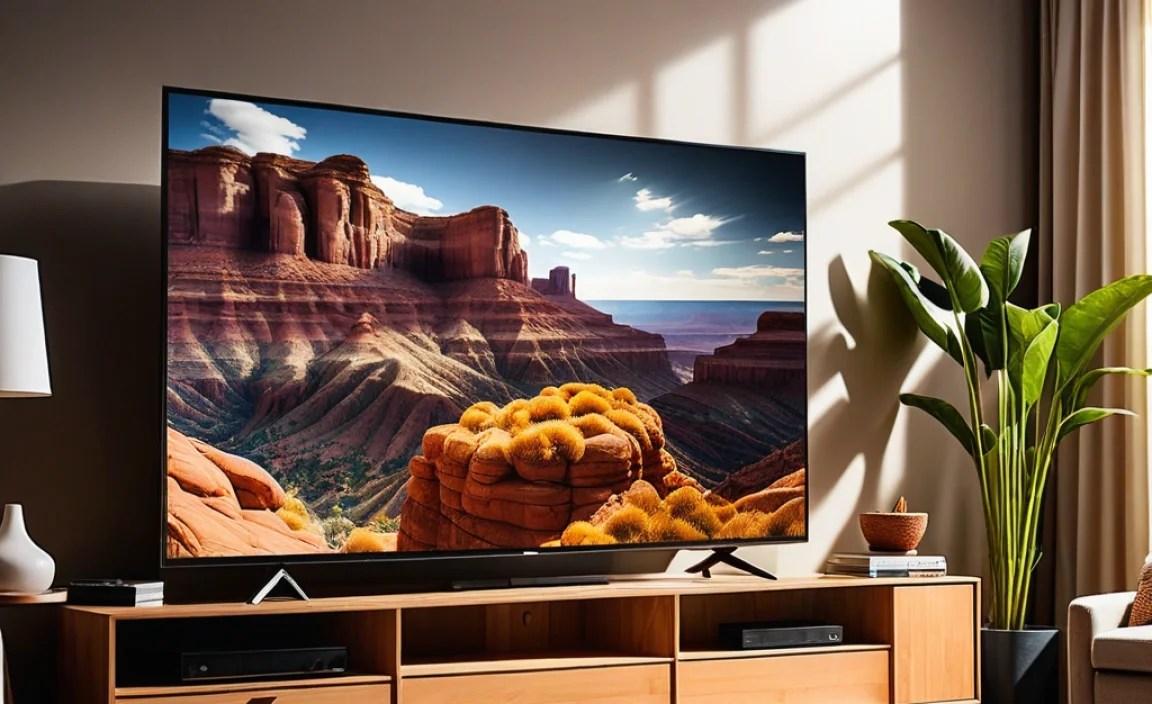
A high contrast ratio is like the secret sauce for a fantastic picture. Here’s why it’s a game-changer:
- Deeper Blacks: This is perhaps the most noticeable benefit. Deep blacks make dark scenes in movies and games look rich and immersive, rather than muddy or washed out.
- Brighter Whites: Super bright whites help colors pop and add life to the image. Think of the crisp white of a snowy landscape or a sunlit explosion.
- Increased Detail in Shadows and Highlights: When you have a good range between black and white, you can see more subtle details in both the darkest and brightest parts of an image. This means you won’t miss crucial information in dimly lit game environments or subtle textures in detailed movie scenes.
- Better Color Vibrancy: Colors appear more saturated and lifelike when there’s a strong contrast between them and the surrounding dark or light areas.
- Improved Image Depth and Realism: A wide contrast ratio creates a sense of three-dimensionality, making the image feel more “real” and drawing you into the on-screen action.
- Reduced Image “Washing Out”: If a TV has a low contrast ratio, bright scenes can make darker elements look grayish, decreasing overall clarity.
Understanding Different TV Panel Technologies and Contrast

The technology used to build your TV screen has a huge impact on its contrast ratio. Different types of panels excel in different areas:
1. OLED (Organic Light Emitting Diode)
- How it works: Each pixel in an OLED display generates its own light.
- Contrast Performance: OLEDs are the undisputed champions of contrast. Because each pixel can be turned off completely, they achieve perfect blacks. This results in an “infinite” static contrast ratio (often listed as ∞:1) because there’s no light bleeding from adjacent pixels.
- Pros: Unparalleled black levels, infinite contrast, excellent viewing angles, fast response times.
- Cons: Can be more expensive, potential for burn-in on static images over very long periods (though modern OLEDs have advanced protection features).
2. QLED (Quantum-dot Light Emitting Diode)
- How it works: QLEDs are a type of LED TV that uses a layer of quantum dots to enhance color and brightness. They still rely on a backlight.
- Contrast Performance: QLEDs have improved contrast significantly over standard LED TVs, especially those with advanced local dimming features. However, because they use a backlight, they can’t achieve the perfect blacks of OLEDs. Blacks can appear as dark gray if the local dimming isn’t precise enough.
- Pros: Excellent brightness, vibrant colors, good for bright rooms.
- Cons: Contrast is not as good as OLED, potential for backlight blooming (halos around bright objects on dark backgrounds).
3. LED/LCD (Light Emitting Diode / Liquid Crystal Display)
- How it works: These TVs use an LED backlight that shines through an LCD panel to create the image.
- Contrast Performance: Standard LED/LCD TVs generally have the lowest contrast ratios of the three. Their contrast is limited by the backlight leaking through the LCD crystals, making blacks appear grayish. Local dimming (where zones of the backlight can be dimmed or brightened) can improve this, but rarely reaches OLED levels.
- Pros: Widely available, generally more affordable, good brightness.
- Cons: Poorer black levels and contrast compared to OLED and QLED, potential for backlight bleed and blooming.
For a truly immersive experience, OLED TVs are the top choice for contrast. However, high-end QLEDs with excellent local dimming can offer a very satisfying picture, especially in brighter environments or if budget is a consideration.
What’s a “Good” Contrast Ratio?

Defining a “good” contrast ratio can be tricky because of the static vs. dynamic distinction and the advancements in panel technology. Here’s a general guideline:
Recommended Static Contrast Ratios:
As a beginner, aim for these benchmarks:
- Excellent: 10,000:1 and above (especially on OLEDs reaching infinity)
- Very Good: 4,000:1 – 10,000:1
- Good: 1,500:1 – 4,000:1
- Fair: Below 1,500:1
Recommended Dynamic Contrast Ratios:
While less important, these numbers indicate potential. Look for:
- Excellent: 100,000:1 and above
- Very Good: 50,000:1 – 100,000:1
- Good: 20,000:1 – 50,000:1
Remember, a TV with a static contrast ratio of 5,000:1 will likely deliver a better overall picture than a TV with a dynamic contrast ratio of 1,000,000:1 but a poor static ratio. Always seek out reviews that test both.
How to Check a TV’s Contrast Ratio
Finding contrast ratio information can be a little like detective work. Here’s where and how to look:
1. Manufacturer Specifications:
Visit the official website of the TV brand (e.g., Sony, Samsung, LG, TCL). Look for the specific TV model you’re interested in. Navigate to the “Specifications” or “Tech Specs” section. You’ll usually find “Contrast Ratio” listed there, often with both static and dynamic figures.
2. Reputable Review Websites:
This is often the best place for reliable, real-world contrast measurements. Websites like:
- Rtings.com
- CNET TV Reviews
- TechRadar TV Reviews
- TrustedReviews TV
These sites conduct in-depth testing and provide independent measurements of static contrast ratios. They often include detailed explanations of how they test and what their findings mean for picture quality.
3. Retailer Product Pages:
Big retailers like Best Buy, Amazon, or Walmart will list TV specifications on their product pages. However, be cautious here. Retailers may sometimes list the dynamic contrast ratio, or only very high dynamic numbers to make a TV seem more appealing. Always cross-reference with manufacturer specs or independent reviews if possible.
4. Understanding Panel Type Clues:
As we discussed, the panel type is a strong indicator. If a TV is OLED, you know its contrast is virtually perfect. If it’s a high-end QLED with many local dimming zones, it will likely have a very good static contrast. Basic LED/LCDs will generally be lower.
Example Table: TV Panel vs. Typical Static Contrast Range
| TV Panel Technology | Typical Static Contrast Ratio | Key Strengths for Contrast |
|---|---|---|
| OLED | Infinite:1 (Perfect Blacks) | Each pixel emits its own light, allowing for complete blackouts. |
| QLED (with FALD) | 5,000:1 – 20,000:1+ (depends heavily on local dimming) | Full Array Local Dimming (FALD) can significantly improve black levels and contrast by controlling backlight zones. |
| Standard LED/LCD | 1,000:1 – 3,000:1 (can be higher with edge-lighting or basic local dimming) | Relies entirely on backlight and LCD panel; limited by light bleed. |
Note: The static contrast for QLED and LED/LCD can vary significantly based on specific backlighting technology and local dimming capabilities.
Tips for Maximizing Your TV’s Contrast
Once you have a TV, there are a few things you can do to ensure you’re getting the best contrast possible:
- Choose the Right Picture Mode: Most TVs come with different picture modes like “Vivid,” “Standard,” “Cinema,” “Game,” etc. The “Cinema” or “Movie” modes are often calibrated for the most accurate contrast and color accuracy, aiming for darker environments.
- Adjust Black Level Settings: There’s usually a “Black Level” or “Black Optimizer” setting. This helps fine-tune the deepest blacks. Be careful not to set it too high, which can crush detail, or too low, which makes blacks gray.
- Consider Your Viewing Environment: For TVs with lower contrast ratios, managing ambient light is crucial. Close blinds or curtains during the day and avoid direct light sources shining on the screen. This prevents the room lights from “washing out” the picture and makes the TV’s blacks appear deeper.
- Turn Off Energy Saving Features (Sometimes): While energy saving features are great for reducing power consumption, they can sometimes dynamically alter brightness and contrast in ways that degrade the picture quality. Check your TV’s settings and experiment with these features off.
- Calibrate Your TV: For the ultimate picture, consider professional TV calibration. A professional can adjust all your TV’s settings, including contrast and black levels, to their absolute optimal performance. While this can be an investment, it can transform your viewing experience. You can also find DIY calibration discs and guides online, like those from Accurate HD, to help fine-tune your settings.
Your Top TV Contrast Ratio Guide: Key Takeaways
We’ve covered a lot, so let’s recap the most important points from our TV contrast ratio guide:
- Contrast Ratio is Key: It’s the difference between the darkest black and brightest white your TV can show, impacting depth, detail, and realism.
- Static vs. Dynamic: Always prioritize the static contrast ratio for a true understanding of picture performance.
- OLED is King: For the best contrast, OLED TVs offer perfect blacks due to their self-emissive pixels.
- QLED and LED/LCD: High-end QLEDs with good local dimming can offer very good contrast. Standard LED/LCDs generally lag behind.
- Aim High: Look for static contrast ratios of at least 3000:1, with 5000:1 and up being excellent for non-OLED displays.
- Check Reviews: Independent reviews from sites like Rtings.com provide the most reliable contrast ratio measurements.
- Optimize Settings: Use picture modes like “Cinema,” manage your room lighting, and consider calibration to get the most out of your TV.
Frequently Asked Questions (FAQ)
What’s the difference between static and dynamic contrast ratio?
The static contrast ratio measures the true difference between the brightest white and darkest black a TV can show at the same time. The dynamic contrast ratio is a marketing number that often uses automatic brightness adjustments to create a much higher, but less representative, ratio.
Are OLED TVs really better for contrast?
Yes, OLED TVs offer the best contrast available. Each pixel lights itself and can be turned off completely. This means they produce perfect blacks, leading to an “infinite” static contrast ratio and stunningly vibrant images.
What static contrast ratio should I look for in an LED or QLED TV?
For a good viewing experience on an LED or QLED TV, aim for a static contrast ratio of at least 3,000:1. If you can find one with 5,000:1 or higher, that’s even better, especially if it features effective local dimming.
Should I trust dynamic contrast ratio numbers?
Generally, no. Dynamic contrast ratios are often marketing tactics and can be exceptionally high (e.g., millions to one) without reflecting the TV’s actual ability to display deep blacks and bright whites simultaneously. Always look for the static contrast ratio or independent reviews.
How does contrast ratio affect HDR (High Dynamic Range) content?
Contrast ratio is vital for HDR. HDR content is designed to have a wider range of brightness and color. A TV with a high contrast ratio can better display the deep blacks and bright highlights that are hallmarks of HDR, making the picture far more impactful and realistic.
Can viewing angles affect contrast?
Yes, on some TV technologies like standard LCD/LED, contrast can degrade significantly when viewed from off-angles. The picture can appear washed out. OLED and some higher-end QLEDs maintain much better contrast and color accuracy at wider viewing angles.
Can I improve contrast with TV settings?
You can improve perceived contrast using your TV’s settings. Using modes like “Cinema” or “Movie,” adjusting black level settings carefully, and controlling ambient room light will help. However, these settings can only do so much to overcome the physical limitations of a TV’s panel technology and its inherent contrast capabilities.
Conclusion
Understanding TV contrast ratio might seem daunting at first, but it’s one of the keys to unlocking a truly breathtaking viewing experience. By knowing the difference between static and dynamic ratios, understanding how panel technology like OLED and QLED impacts black levels, and knowing what numbers to look for, you’re already ahead of the curve.
Don’t just settle for a picture – aim for one that pulls you in with its depth, detail, and vibrant colors. Whether you’re a movie buff, a hardcore gamer, or just love catching up on your favorite shows, investing a little time in understanding contrast ratio will pay dividends every time you turn on your TV. Happy viewing!