
4K TV vs Full HD: For a visibly sharper, more detailed picture that makes your favorite content pop, 4K TV is the superior choice over Full HD. While Full HD is still good, 4K offers four times the pixels for an immersive viewing experience, especially on larger screens. It’s the smarter investment for future-proofing your home entertainment.
Choosing a new TV can feel like navigating a maze of confusing tech specs. You’ve probably seen terms like “Full HD” and “4K” flashing on price tags and in online descriptions. They sound important, but what do they really mean for you and your movie nights? Don’t get overwhelmed! We’re here to break down the differences between 4K TVs and Full HD TVs in a way that’s easy to understand. By the end, you’ll know exactly which one is the “genius choice” for your home. Let’s simplify this so you can upgrade your viewing experience with confidence!
What Exactly Are Resolution and Pixels?
Before we dive into 4K versus Full HD, let’s quickly touch on what resolution means in the world of TVs. Think of a TV screen as a giant canvas made up of tiny dots called pixels. Each pixel can display a specific color. When all the pixels work together, they create the image you see.
Resolution refers to the number of pixels a TV screen has, both horizontally and vertically. More pixels mean a more detailed and sharper image because you can fit more information into the same amount of space. It’s like comparing a drawing made with a thick marker to one made with a fine-tipped pen; the fine-tipped pen can capture more detail.
Understanding Full HD (1080p)
Full HD, often labeled as 1080p, has been the standard for high-definition television for many years. It has a resolution of 1920 pixels horizontally and 1080 pixels vertically. If you do the math, that’s about 2 million pixels in total.
For a long time, 1080p was considered the pinnacle of picture quality for home viewers. DVDs and early Blu-rays typically used this resolution. It offers a significant improvement over older standard definition (SD) TVs, providing a clear and enjoyable viewing experience for most content, especially on smaller to medium-sized screens (think 40 inches and below).
What is 4K Ultra HD?
Now, let’s talk about 4K, also known as Ultra HD or UHD. This technology significantly bumps up the pixel count. A 4K TV has a resolution of 3840 pixels horizontally and 2160 pixels vertically. This adds up to about 8.3 million pixels!
To put that in perspective, 4K has approximately four times the number of pixels as a Full HD TV. This massive increase in pixels allows for:
- Sharper Images: With more pixels packed into the same screen area, details appear much finer and clearer.
- Greater Detail: Textures, patterns, and small objects are more distinct and lifelike.
- Smoother Lines: Curves and edges look less jagged and more natural.
- Deeper Immersion: The added detail makes images feel more realistic and draws you deeper into the content.
Think of it like looking at a photograph. A 4K image is like a high-resolution print where you can see every tiny detail, while a Full HD image is like a slightly lower-resolution print where some of the finer points might be a bit softer.
4K TV vs. Full HD: A Direct Comparison
Let’s break down the key differences side-by-side so you can see exactly where they stand. This comparison will highlight why one might be a better fit for your needs.
| Feature | Full HD (1080p) | 4K Ultra HD (UHD) |
|---|---|---|
| Horizontal Pixels | 1920 | 3840 |
| Vertical Pixels | 1080 | 2160 |
| Total Pixels (Approximate) | 2 million | 8.3 million |
| Detail & Sharpness | Good | Excellent |
| Pixel Density | Lower | Higher |
| Cost (Historically/Generally) | More affordable | Higher, but prices are dropping |
| Content Availability | Widespread (broadcast, older streaming) | Growing rapidly (streaming, Blu-ray, gaming) |
| Best For | Smaller screens, budget constraints, older devices | Larger screens, future-proofing, high-quality content |
As you can see from the table, 4K TV boasts a significantly higher pixel count, which directly translates to a more detailed and sharper picture. While Full HD is still perfectly capable, 4K offers that extra leap in visual fidelity.
Do You Need 4K? Key Factors to Consider
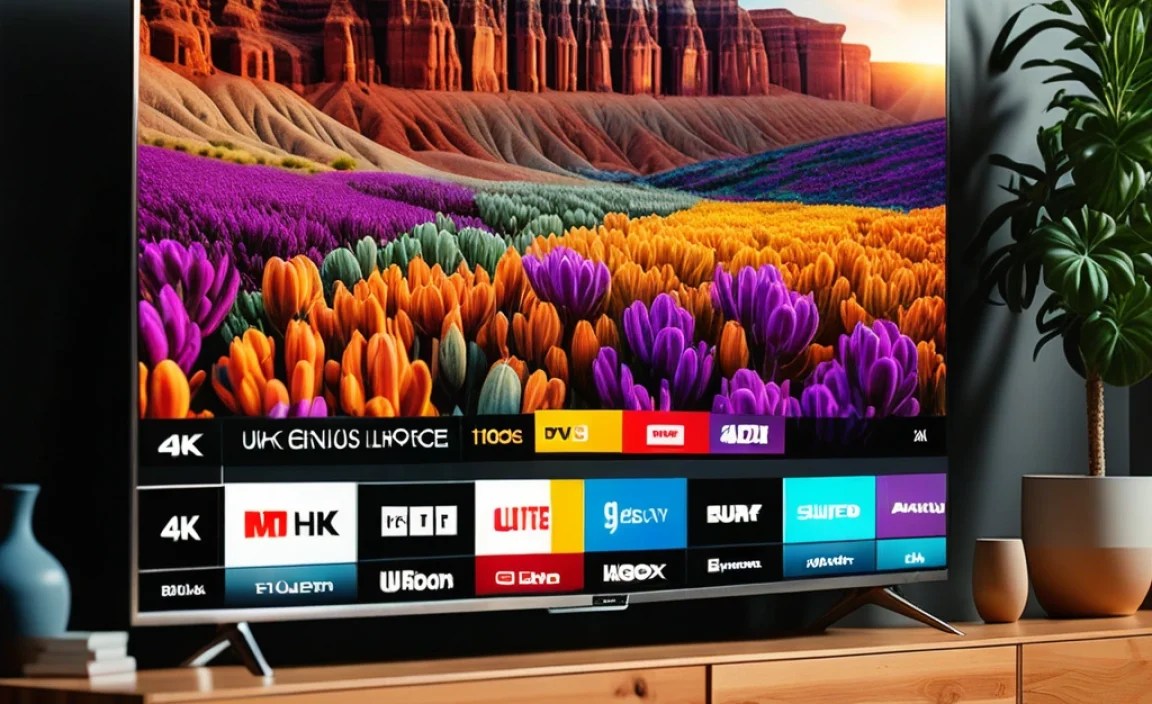
The question of whether 4K is “better” than Full HD isn’t always a simple yes or no. It depends on a few things:
1. Screen Size
This is arguably the most significant factor. The benefits of 4K resolution are much more apparent on larger screens. On a small TV (say, 32 inches or less), the difference between Full HD and 4K might be subtle and hard to notice from a typical viewing distance. However, when you move up to larger screen sizes, like 55 inches, 65 inches, or even bigger, a 4K TV can show off its incredible detail. The extra pixels fill the larger canvas, making textures, faces, and landscapes incredibly crisp and lifelike. A 1080p signal on a very large TV can sometimes look a bit soft or pixelated because those 2 million pixels are stretched too thin.
2. Viewing Distance
How far do you sit from your TV? If you have a small living room and tend to sit very close to a larger TV, you’ll be able to perceive the extra detail that 4K offers. Conversely, if you have a massive screen but sit quite far away, even a Full HD picture might look perfectly fine. The general idea is that the closer you are, or the larger the screen, the more you benefit from higher resolution. For context, the Consumer Technology Association (CTA) provides recommendations for optimal viewing distances for different resolutions, and for 4K, you can often sit about 1-1.5 times the screen’s diagonal size away from the TV. For example, on a 55-inch 4K TV, a comfortable viewing distance is around 5.5 to 7 feet. For a 55-inch Full HD TV, that distance is often recommended slightly further, around 8.25 feet.
3. The Content You Watch
This is crucial. If you’re mostly watching standard broadcast TV channels (which are often still in 1080i or even lower), you won’t see the full benefit of a 4K TV. However, the landscape of content is rapidly shifting. Many streaming services like Netflix, Disney+, Amazon Prime Video, and YouTube offer a vast amount of 4K content. If you’re a fan of the latest movies, documentaries, or binge-worthy series, and your streaming subscription supports 4K playback, you’ll experience a world of difference. Similarly, if you’re a gamer, modern consoles like the PlayStation 5 and Xbox Series X are built to output in 4K, and PC gaming offers even more flexibility. 4K Blu-ray discs are also available for the ultimate in picture quality for physical media enthusiasts.
4. Your Budget
Historically, 4K TVs were significantly more expensive than their Full HD counterparts. While this gap has narrowed considerably, there can still be a price difference, especially when comparing entry-level models. However, the market has shifted so much that finding a good quality 4K TV is often more affordable than you might think. In many cases, a decent 4K TV now costs about the same as a good Full HD TV did a few years ago. This makes the choice for 4K even more compelling. You might find that for a similar price, you can get a 4K TV with better overall features than a Full HD model.
Upscaling: How 4K TVs Handle Lower-Resolution Content
What happens when you watch a Full HD movie or a standard TV channel on a 4K TV? This is where upscaling comes into play. Since a 4K TV has more pixels, it needs to fill those extra pixels when it receives a lower-resolution signal. Upscaling is the process by which the TV’s internal processor analyzes the incoming image and intelligently adds pixels to make it fit the 4K screen. Good upscaling can make a 1080p signal look surprisingly good on a 4K TV, often much better than if you were to watch it on an actual 1080p TV of the same size. However, it’s not a perfect substitute for native 4K content. The quality of upscaling varies between TV manufacturers and models, with higher-end 4K TVs generally doing a better job.
This upscaling capability means that a 4K TV can be a versatile choice, able to display both its native high-resolution content and adapt well to the lower-resolution content that’s still prevalent.
The Future of Home Entertainment is 4K
Looking ahead, 4K resolution is rapidly becoming the new standard. Broadcast television is slowly transitioning to 4K, streaming services are prioritizing 4K content, and video game consoles are designed with 4K output in mind. Buying a 4K TV now essentially future-proofs your home entertainment system. You’ll be ready to enjoy the best possible picture quality as more 4K content becomes available.
While Full HD will still be around for a while, and you can still get great value from it, especially on smaller displays, the momentum is clearly with 4K. For anyone looking to invest in a TV that will look great for years to come, 4K is the direction to go.
The technology behind amazing visual experiences has a rich history. Standards like HDMI (High-Definition Multimedia Interface) have evolved significantly to support these higher resolutions. The HDMI 2.0 standard, for example, was introduced to handle the bandwidth requirements for 4K at 60 frames per second. Newer versions, like HDMI 2.1, are even more crucial for advanced features like 4K at 120Hz, which is a dream for gamers and sports enthusiasts seeking ultra-smooth motion.
Conclusion: Making the Genius Choice
So, when it comes down to 4K TV versus Full HD, what’s the genius choice? For most people looking to buy a new TV today, especially if you’re considering screens larger than 40 inches, the answer is overwhelmingly 4K TV.
Here’s why:
- Superior Picture Quality: Four times the pixels mean sharper, more detailed, and more immersive images.
- Future-Proofing: 4K is the current and future standard for streaming, gaming, and cinematic content.
- Affordability: Prices have dropped significantly, making 4K accessible and often a better value proposition.
- Excellent Upscaling: Even lower-resolution content looks good on a 4K screen.
While Full HD TVs still have their place, especially for very small screens or strict budgets, the benefits of 4K are simply too compelling to ignore for anyone building a modern home entertainment setup. You’re not just buying a TV; you’re investing in a better visual experience that will serve you well for years to come. Embrace the sharpness, the detail, and the immersion that 4K offers!
Frequently Asked Questions About 4K vs. Full HD
Q1: Can I watch my old DVDs on a 4K TV?
A: Yes, absolutely! Your 4K TV will use its upscaling technology to make the DVD’s lower resolution image fit the screen. It won’t look as sharp as native 4K content, but it will be viewable and often looks better than on an old standard definition TV.
Q2: Will I see a difference if my 4K TV is small, like 32 inches?
A: The difference is much harder to notice on smaller screen sizes when sitting at a normal distance. For TVs 40 inches and smaller, Full HD can still offer a great picture, and the price might be better. However, even on a 32-inch, if you sit very close, you might spot some extra clarity with 4K.
Q3: Do I need a special 4K Blu-ray player to watch 4K movies?
A: Yes. For the best possible picture quality from physical media, you’ll need a 4K Ultra HD Blu-ray player. Standard Blu-ray discs will play on these players and will be upscaled by the player or the TV.
Q4: Is 4K content readily available on all streaming services?
A: Most major streaming services like Netflix, Amazon Prime Video, Disney+, Apple TV+, and Hulu offer 4K content. However, you might need a higher-tier subscription plan to access it, and you’ll need a good internet connection (typically at least 25 Mbps) to stream it smoothly. Always check the specific service’s requirements.
Q5: Is 4K resolution better than HDR?
A: They are different but complementary technologies. Resolution (like 4K) refers to the number of pixels, determining picture sharpness. HDR (High Dynamic Range) refers to a wider range of colors and a higher contrast ratio, leading to more vibrant and realistic images with brighter highlights and deeper blacks. A TV can have 4K resolution without HDR, or HDR without 4K, but the ultimate experience combines both, along with a good panel.
Q6: What is “pixel count” and why is 4K’s higher?
A: Pixel count is the total number of tiny dots (pixels) that make up the image on your screen. Full HD has about 2 million pixels (1920×1080), while 4K has about 8.3 million pixels (3840×2160). 4K has four times as many pixels, meaning it can display a much more detailed and sharper image than Full HD.
Q7: Will a 4K TV make my standard HD channels look bad?
A: No, a 4K TV will upscale your standard HD channels to fit its higher resolution screen. While it won’t look as stunning as true 4K content, modern 4K TVs are equipped with advanced processors that do a good job of making lower-resolution content look presentable and often quite good. The quality of upscaling can vary, but it’s generally effective.