
Quick Summary: Safely wall mounting your TV involves choosing the right mount, locating studs, and using the correct hardware. It offers a sleek look and better viewing angles, but requires careful installation to prevent damage or accidents. This guide breaks down the process with pros, cons, and essential safety tips.
Thinking about mounting your TV on the wall? It’s a fantastic way to free up space and create a more immersive viewing experience. Many folks find themselves wondering if it’s a job they can tackle themselves or if it’s best left to the pros. It can seem a bit daunting, picturing your precious flat-screen hanging precariously. But don’t worry! With a little guidance, you can absolutely achieve a secure and stylish TV wall mount. We’ll walk you through everything you need to know, from picking the perfect mount to ensuring it stays put, safely and soundly. Let’s get started on transforming your living space!
Why Wall Mount Your TV? The Big Picture

Mounting a TV on the wall is more than just an aesthetic choice; it’s a practical upgrade for many home entertainment setups. It declutters your entertainment center, allowing for a cleaner look and more versatile room layouts. Plus, it can significantly improve your viewing angles, especially in oddly shaped rooms or when dealing with multiple seating areas. Instead of being confined to a specific spot in front of a bulky stand, a wall-mounted TV can be positioned at the ideal height and angle for everyone in the room.
The Joys of a Mounted TV: Proven Pros
Let’s dive into the good stuff – the benefits of ditching the stand for a wall mount. These advantages can really make a difference in your everyday living space:
- Space Saving: This is often the biggest draw. Wall mounting liberates floor space previously occupied by a TV stand, making rooms feel larger and less cluttered. It’s especially beneficial in smaller apartments or rooms where every inch counts.
- Improved Viewing Angles: You can position the TV at the optimal height and angle for your primary viewing area. Many mounts also offer tilt and swivel capabilities, allowing you to fine-tune the position, which is great for rooms where seating isn’t perfectly aligned or where glare is an issue.
- Enhanced Aesthetics: A wall-mounted TV often looks more integrated into the room’s design, resembling a piece of art. It creates a sleek, modern, and sophisticated look that many homeowners desire.
- Child and Pet Safety: For households with young children or curious pets, a wall mount can be a safety feature. It removes the risk of a TV being accidentally knocked over from its stand, which can be a serious hazard.
- Reduced Glare: By allowing you to position the TV to avoid direct light sources or to tilt it away from reflective surfaces, wall mounting can help minimize screen glare and improve the overall viewing experience.
- Built-in Cable Management: Many wall mounts come with or work well with cable management solutions, allowing you to hide unsightly wires for a clean, professional finish. This can involve in-wall routing (with proper precautions) or attractive conduit systems.
Potential Pitfalls: Important Cons to Consider
While the pros are compelling, it’s equally important to be aware of the potential downsides and challenges that come with wall mounting a TV. Understanding these will help you make an informed decision and prepare for the installation process:
- Installation Complexity: Mounting a TV requires more than just screwing it to the wall. You need to identify wall stud locations accurately, use the right hardware for your wall type, and ensure everything is level and secure. This can be intimidating for beginners.
- Cost of Mounts and Accessories: While the TV itself is a significant investment, you’ll also need to purchase a compatible wall mount, which can range from basic fixed mounts to more elaborate articulating ones. Additional accessories for cable management might also add to the cost.
- Limited Placement Flexibility (Post-Installation): Once mounted, your TV’s position is quite fixed, especially with simpler mounts. If you later decide you want to move the TV to a different spot or change the room’s layout significantly, you’ll likely need to unmount and remount it, which can be labor-intensive.
- Potential for Wall Damage: Improper installation, especially if you miss studs or over-tighten screws, can lead to wall damage, including cracks, holes, or even larger structural issues. Repairing this can be costly and frustrating.
- Wire Management Challenges: While many mounts aim to hide wires, achieving a truly seamless look often requires more effort, like routing wires through the wall. This can involve drywall work, and if not done correctly, can look messy or pose electrical risks. For those uncomfortable with this, visible wires might remain a challenge.
- Compatibility Checks: Not all TVs and mounts are compatible. You need to ensure the mount supports your TV’s size, weight, and VESA mounting pattern (the standardized screw hole pattern on the back of your TV).
Your Step-by-Step Guide: How to Wall Mount Your TV Safely

Ready to take the plunge? Here’s a straightforward guide to safely mount your TV. Remember, patience and double-checking are your best friends here!
1. Gather Your Tools and Supplies
Before you start, make sure you have everything you need. This will prevent frustrating interruptions and ensure a smooth process.
- The TV Wall Mount: Ensure it’s compatible with your TV’s size, weight, and VESA pattern.
- Stud Finder: An essential tool for locating the wooden studs inside your wall. A magnetic stud finder is good, but an electronic one is often more accurate.
- Drill and Drill Bits: You’ll need bits of various sizes for pilot holes and driving screws.
- Level: Crucial for ensuring your TV is mounted straight. A spirit level or a digital level will work.
- Measuring Tape: For accurate placement of the mount.
- Pencil: For marking stud locations and drill points.
- Socket Wrench or Ratchet Set: For tightening lag bolts into studs.
- Screwdriver Set: For attaching the mount to the TV and any minor adjustments.
- Safety Glasses: Protect your eyes from dust and debris.
- Gloves (Optional): For a better grip and protection.
- A Helper: Especially for larger TVs, having an extra pair of hands is invaluable for lifting and positioning.
2. Choose the Right Location
Think about where you want your TV to go. Consider viewing comfort, potential glare from windows, and proximity to power outlets and other devices.
- Viewing Height: The center of your TV screen should typically be at eye level when you are seated. A common guideline is to have the bottom of the screen about 10-20 inches from the floor for a typical couch.
- Glare: Position the TV away from direct sunlight or overpowering artificial lights to avoid reflections.
- Accessibility: Ensure you can easily access power outlets and any necessary ports for your devices.
3. Locate the Wall Studs
This is the most critical step for a safe installation. Standard drywall won’t support the weight of a TV. You must anchor your mount into the wall studs, which are the vertical wooden beams within your wall structure.
- Use a Stud Finder: Turn on your stud finder and slide it slowly across the wall where you plan to mount the TV. Mark the edges of each stud you find. Most homes have studs spaced 16 or 24 inches apart on center.
- Verify Stud Location: Once you’ve marked potential stud locations, you can verify them by carefully poking a small nail or thin drill bit into the wall. If you hit solid wood, you’ve found a stud. If you feel only empty space, you haven’t.
- Importance of Studs: Drywall alone is not strong enough. Anchoring into wood studs provides the necessary support. For alternative wall types like concrete or brick, you’ll need specialized anchors and potentially different mounting hardware. For guidance on wall types, the This Old House website offers helpful tips on identifying different wall structures and finding studs.
4. Mount the Bracket to the Wall
Now, let’s attach the wall plate of your mount. Remember to use the hardware provided with your mount, or hardware specifically designed for your wall type and the weight of your TV. Avoid using generic screws.
- Mark Drill Holes: Hold the wall plate of your mount against the wall at your desired height, ensuring it’s centered over your located studs and perfectly level. Mark the screw hole locations on the wall with your pencil.
- Drill Pilot Holes: Use a drill bit slightly smaller than the lag bolts (the large bolts that screw into the studs) to drill pilot holes at your marked locations. This makes driving the lag bolts easier and prevents the wood from splitting.
- Attach the Mount: Align the wall plate with the pilot holes. Using your drill or a socket wrench, drive the lag bolts through the mount’s mounting holes and into the wall studs. Tighten them securely, but don’t over-tighten, as this can strip the wood.
- Check for Stability: Once the lag bolts are secure, give the mount a firm tug to ensure it’s solid and doesn’t move at all. It should feel completely rigid against the wall.
5. Attach the Mounting Arms to the TV
The next step is to attach the vertical brackets (or arms) to the back of your TV. These will connect to the wall plate.
- Identify VESA Holes: Look for the four threaded holes on the back of your TV. These are for the VESA mount.
- Select Correct Screws: Your mount kit should include various screws and spacers. Carefully select the screws that fit your TV’s threaded holes and are the correct length. Too short and they won’t hold; too long and they can damage the TV.
- Attach the Arms: Screw the vertical arms onto the back of the TV, ensuring they are oriented correctly (usually, there’s an up arrow or clear indication). Tighten them snugly.
6. Hang the TV on the Wall Bracket
This is where your helper comes in handy. Lifting a TV, especially a larger one, can be awkward and heavy.
- Lift Carefully: With your helper, carefully lift the TV.
- Hook the TV: Align the mounting arms on the TV with the wall plate attached to the wall. Most mounts have a system where the arms hook onto the plate.
- Secure the TV: Once the TV is hanging securely, you’ll usually engage a locking mechanism, which might be screws that tighten at the bottom of the arms or a clip system. This prevents the TV from being accidentally lifted off the mount. Always consult your mount’s manual for specifics on this crucial step.
7. Connect Cables and Final Adjustments
With the TV securely mounted, it’s time to connect your devices and tidy up.
- Connect Your Devices: Plug in your HDMI cables, power cords, and any other necessary connections.
- Cable Management: Use cable ties, raceways, or in-wall solutions to hide your wires for a clean look. If you’re considering routing cables through the wall, it’s best to consult resources on safe electrical practices or hire a professional. The U.S. Consumer Product Safety Commission (CPSC) offers valuable electrical safety tips that are important to review if you are considering any in-wall wiring.
- Level Check: Double-check that the TV is still level. Most mounts allow for minor adjustments.
- Test Swivel/Tilt (if applicable): If your mount is articulating, test its movement to ensure it functions smoothly and safely.
Types of TV Wall Mounts: Finding Your Fit

Not all wall mounts are created equal. Understanding the different types will help you choose the best one for your needs.
| Mount Type | Description | Pros | Cons | Best For |
|---|---|---|---|---|
| Fixed Mounts | Holds the TV flat against the wall, with no adjustment capabilities. | Slimest profile, most affordable, simplest installation. | No tilt or swivel, might cause glare if not perfectly positioned. | Situations where you have a dedicated viewing spot and no glare issues. |
| Tilting Mounts | Allow the TV to tilt up or down, typically 10-20 degrees. | Reduces glare, great for TVs mounted higher than eye level. | Slightly bulkier than fixed mounts, limited adjustment range. | Mounting a TV above a fireplace or higher on the wall. |
| Full-Motion/Articulating Mounts | Offer extensive movement: tilt, swivel, and extend the TV away from the wall. | Most flexible positioning, ideal for large or complex rooms, allows viewing from multiple angles. | Most expensive, bulkiest, can be more complex to install, may leave a larger gap between TV and wall when retracted. | Rooms with multiple seating areas or where you need to frequently adjust the viewing angle. |
| Low-Profile Mounts | Similar to fixed mounts but designed to sit extremely close to the wall. | Achieves a very sleek, almost “picture frame” look. | Limited cable access, can be tricky to connect cables after mounting. | Aesthetics are paramount, and cable access is managed either before mounting or through the wall. |
Dealing with Different Wall Types
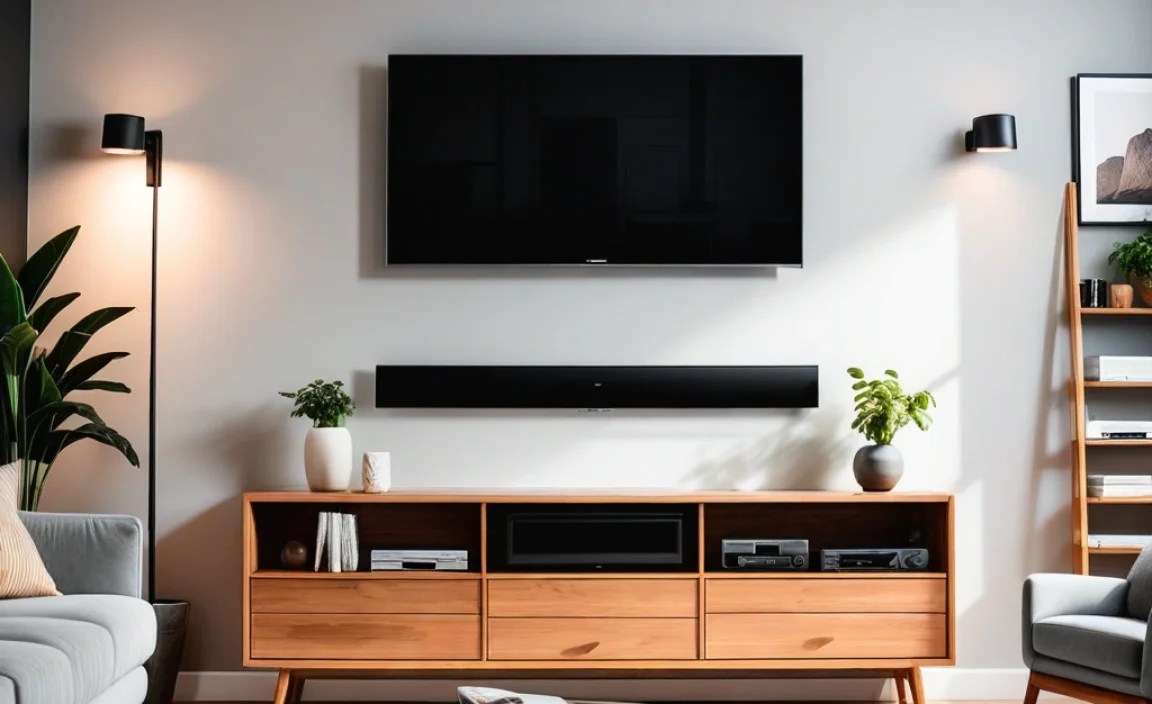
The type of wall you have will dictate the mounting hardware you need. Studs are king for drywall, but what about other surfaces?
- Drywall with Studs: This is the most common and ideal scenario. You attach the mount directly to the wooden studs (as detailed above).
- Concrete or Brick Walls: These walls are very strong. You will need specialized concrete anchors (like Tapcons or expansion anchors) and a drill with a masonry bit to create the holes. Do NOT use regular wood screws.
- Plaster Walls: Plaster can be more brittle than drywall. While studs are still the preferred attachment point, if you must use anchors in plaster without studs, heavy-duty toggle bolts or molly bolts specifically rated for plaster might be used, but this is generally not recommended for heavy TVs. Always prioritize finding studs.
- Metal Studs: Found in some commercial buildings or modern constructions. These require special self-tapping screws or toggle bolts designed for metal studs to ensure a secure hold. An electronic stud finder is often best for detecting these.
If you are unsure about your wall type or how to properly anchor into it, it’s always best to consult a professional. The National Association of Certified Home Inspectors (NACHI) provides valuable resources on building structures and wall integrity that can inform your decisions.
Troubleshooting and Safety Tips Recap

Let’s consolidate some key takeaways to ensure your TV mounting project is a success and, most importantly, safe.
- Read the Manual: Every mount is slightly different. Read your specific mount’s instructions thoroughly before starting.
- Two-Person Job: For TVs over 40 inches, always have a helper. It’s not just about weight; it’s about control and stability during installation.
- Check Weight Limits: Ensure your mount’s weight capacity is significantly higher than your TV’s weight.
- Inspect Regularly: Periodically check the mount’s hardware to ensure screws remain tight and the mount is still secure.
- Avoid Over-Tightening: Too much force can strip screws or damage the wall or studs.
- Use Long Enough Lag Bolts: Ensure the lag bolts penetrate well into the studs – typically at least 1 to 1.5 inches of the bolt should be in the stud itself.
- Don’t Mount on Unsuitable Walls: If you have weak drywall or are unsure of your wall type, skip the DIY and call a professional. This is especially true for very large or heavy TVs.
- Consider Cable Management Early: Plan how you will hide wires before you even start drilling.
| Common Mistake | How to Avoid It |
|---|---|
| Mounting into drywall alone. | Always locate and anchor |