
Need to wall mount your TV safely on a budget? It’s totally doable! This guide shows you how to pick the right affordable mount, find studs, and secure your TV like a pro without breaking the bank. Get ready for a sleek, space-saving setup!
Ever look at your TV and think, “This would look so much better on the wall”? You’re not alone! Wall-mounting a TV can make a room feel bigger, cleaner, and more modern. But if you’re on a tight budget, the idea of drilling into your walls might seem a little scary and expensive. You want it to be safe, right? Maybe you’ve seen crazy stories about TVs falling. Don’t worry! Mounting your TV safely on a budget is completely achievable with the right information and a few simple steps. We’ll walk you through everything you need to know to get that TV up securely and affordably, giving you peace of mind and a fantastic viewing angle.
Why Wall Mount Your TV? The Budget-Friendly Benefits

Beyond the cool, cinematic look, wall mounting offers some great advantages, especially when you’re being mindful of your wallet. For starters, it frees up space that your TV stand or entertainment center usually takes up. This can make a small living room feel significantly larger and more open. Plus, when your TV is mounted at the right height, it can improve your viewing experience, reducing neck strain and eye fatigue. Think about it – no more glare from a nearby window hitting the stand, just a perfect view from your couch. And with kids or pets around, a wall-mounted TV is often safer than one perched precariously on unsteady furniture.
Choosing the Right, Affordable TV Mount

The “cheap” part of wall mounting often makes people nervous, but you don’t need to splurge on the most expensive mount to get a safe and reliable one. The key is understanding what to look for. Most mounts fall into a few basic categories, and even the most budget-friendly options can be excellent if chosen wisely.
Types of Budget-Friendly TV Mounts
When you’re shopping for a mount without emptying your wallet, you’ll likely encounter these common types. Each has its own advantages for budget-conscious buyers:
- Fixed Mounts: These are the simplest and most affordable. They hold your TV flat against the wall, just like a picture frame. They offer no tilt or swivel, but they are incredibly sturdy and usually the cheapest option available. If you have a fixed seating position directly in front of the TV, this is your best bet for saving money.
- Tilting Mounts: A step up in price but still very budget-friendly, tilting mounts allow you to angle your TV up or down. This is great if you’re mounting your TV higher than eye level, as it helps direct the picture downwards for a better view. They offer a bit more flexibility without adding significant cost.
- Swiveling/Articulating Mounts: These are usually the most expensive category and might push the definition of “cheap.” However, you can sometimes find basic articulating mounts on sale. They offer the most flexibility, allowing you to extend, tilt, and swivel the TV. For most people looking for a budget solution, fixed or tilting mounts are the way to go.
Key Features to Look for in Affordable Mounts:
Don’t get swayed by fancy features you don’t need. Focus on these crucial aspects for safety and value:
- Weight Capacity: This is paramount! Check your TV’s manual or specifications online to find its weight. Your mount MUST be rated to hold more than your TV’s weight. Look for a mount that can support at least 5-10 lbs extra for a good safety margin.
- VESA Compatibility: VESA refers to the standard hole pattern on the back of your TV where the mount attaches. Your TV will have a VESA pattern (e.g., 200x200mm, 400x400mm). The mount you buy must match your TV’s VESA pattern. Most affordable mounts are designed to fit a wide range of VESA sizes.
- Sturdy Construction: Even cheap mounts should be made of solid steel. Avoid anything that feels flimsy or plastic. Look for reviews that talk about durability.
- Included Hardware (with caution): Many mounts come with screws and bolts. While convenient, the included drywall anchors are often unreliable. It’s usually best to purchase your own heavy-duty anchors or, even better, ensure you’re mounting directly into wall studs.
| Mount Type | Pros for Budget Buyers | Cons for Budget Buyers | Best For |
|---|---|---|---|
| Fixed | Most affordable, simplest, very sturdy | No adjustability | Fixed viewing position, lowest cost |
| Tilting | Affordable, allows vertical tilt, good for higher mounting | Limited adjustability compared to articulating | Mounting TV above eye level, slight angle adjustment |
| Swiveling/Articulating | Maximum flexibility | Generally more expensive, can be bulkier | Multiple viewing angles needed, if a good deal is found |
When searching online, terms like “low-profile TV mount,” “ultra-slim fixed TV mount,” or “budget tilt TV mount” can help you find great deals. Don’t be afraid to check out major retailers’ house brands, as they often offer good value.
Essential Tools for a Safe and Cheap TV Mount Installation

You don’t need a professional toolbox to wall mount your TV safely. Most of the tools are common household items. Having the right tools ensures accuracy and makes the job much easier. Here’s what you’ll need:
- Stud Finder: Absolutely critical for ensuring your mount is securely anchored. Look for electronic stud finders; they are inexpensive and much more reliable than simple magnetic ones.
- Drill with Drill Bits: You’ll need this for pilot holes and potentially for driving lag screws. Ensure you have a bit set that includes sizes appropriate for your mount’s hardware.
- Level: To make sure your TV isn’t mounted crooked. A small torpedo level or a longer carpenter’s level will work.
- Measuring Tape: For finding the correct height and centering your TV.
- Pencil: For marking stud locations and drill points.
- Socket Wrench or Adjustable Wrench: For tightening lag bolts securely into studs.
- Screwdriver (Phillips and Flathead): For attaching the TV brackets to your TV.
- Optional: Wall Anchors (if not hitting studs consistently): If you absolutely cannot find studs in an ideal location, you’ll need heavy-duty drywall anchors rated for significant weight. Toggle bolts or Moly bolts are good choices, but they require larger holes. Mounting into studs is always the safest bet.
This Old House offers a great guide on finding wall studs.
Remember, the goal is to anchor directly into the solid wood framing of your walls (the studs) whenever possible. Drywall alone is not strong enough to hold the weight of a TV, even with the best anchors.
Step-by-Step: How to Wall Mount Your TV Safely

Ready to get that TV up? Follow these steps carefully for a secure and stress-free installation. Safety first!
Step 1: Plan Your TV’s Location and Height
This is more important than you might think, especially for viewing comfort and aesthetics. The ideal TV height is generally where the center of the screen is at eye level when you’re seated. A common recommendation is to have the bottom of the TV about 20-30 inches from the floor, but this varies based on your sofa height and room layout. Measure where your eye level hits when you’re relaxed on your couch. Then, consider where the mount will sit on the wall and the dimensions of your TV.
- Measure: Sit on your couch. Have someone measure from the floor to your eye level.
- Mark Center: Lightly mark the center point on the wall where you want the TV to be.
- Consider Viewing Angles: If people will be watching from different angles, a tilting or articulating mount might be worth the small extra cost.
- Check for Obstructions: Make sure there are no electrical outlets, pipes, or other obstructions in the wall where you plan to drill.
Step 2: Locate the Wall Studs
This is the most critical step for safety! Wall studs are vertical wooden beams inside your walls that provide structural support. You MUST attach your TV mount to these studs.
- Turn on your stud finder.
- Calibrate it if necessary (most electronic ones require this).
- Slide it slowly across the wall in a horizontal line where you plan to mount the TV.
- Mark the edges of each stud when the finder indicates a stud. Most stud finders will beep or light up when they detect a stud.
- Verify stud width: Studs are typically 1.5 inches wide. You should find studs spaced about 16 or 24 inches apart on center (meaning the center of one stud to the center of the next). If you find a stud, check a few inches to the left and right to confirm it’s a solid beam and not just a stray wire. You’re looking for a solid, consistent reading.
- Mark the center of the studs where you intend to place your mounting bracket screws.
If your stud finder is giving you trouble or you’re unsure, you can try very carefully probing the wall with a tiny nail or a thin drill bit in an inconspicuous spot (like behind where the TV will be) to feel for wood.
Step 3: Attach Mounting Brackets to Your TV
This is usually straightforward. Your TV will have four threaded holes on the back in a square or rectangular pattern. Your VESA pattern (e.g., 200mm x 200mm) dictates the distance between these holes.
- Lay your TV face down on a soft, clean surface like a blanket or carpeted floor. Be careful not to scratch the screen.
- Find the included screws for the TV brackets. These often come in different sizes. Consult your TV’s manual to determine the correct screw length and diameter. Too short, and they won’t hold; too long, and they might damage internal components. Use the spacers if provided and needed.
- Align the brackets with the VESA holes on the back of your TV.
- Screw the brackets securely into place using a screwdriver. Don’t overtighten, but ensure they are snug.
Step 4: Mount the Wall Plate to the Wall
This is where your stud-finding skills pay off.
- Hold the wall plate component of your mount against the wall at the desired height. Use your level to ensure it’s perfectly straight.
- Align the mounting holes on the plate with the center marks of the wall studs you identified.
- Mark the drill points through the holes in the wall plate onto the wall with your pencil.
- Remove the wall plate.
- Drill pilot holes: Using a drill bit that is slightly smaller than the lag screws you’ll be using (check your mount’s instructions for recommended pilot hole size), drill into the wall stud at your marked locations. Drill deep enough to accommodate the full length of the lag screws.
- Position the wall plate again, aligning its holes with your pilot holes.
- Install the lag screws: Drive the lag screws through the wall plate and into the studs using a socket wrench. Tighten them firmly until the plate is snug against the wall, but do not overtighten, as this can strip the wood. Ensure the “top” indicator on the plate is indeed at the top.
Important Note: If you cannot hit at least two studs with the wall plate, DO NOT proceed with mounting your TV. Re-evaluate your location or consider a different type of mount if available. For safety, mounting to studs is paramount. For more information on wall anchoring techniques, consult resources like the U.S. Consumer Product Safety Commission.
Step 5: Hang Your TV onto the Wall Plate
This is usually a two-person job, especially for larger TVs.
- Lift your TV (with the brackets attached) and align the brackets with the hooks or rails on the wall plate.
- Carefully lower the TV to seat the brackets onto the wall plate. You’ll likely hear or feel it click into place, or you may need to engage a safety latch mechanism.
- Consult your mount’s manual on how to secure the TV to the plate, often with small screws or a locking mechanism at the bottom of the brackets.
- Gently wiggle the TV to ensure it’s securely seated and locked onto the wall plate.
Step 6: Connect Cables and Final Checks
With the TV securely mounted, it’s time to connect your components and do a final safety check.
- Connect your HDMI cables, power cord, and any other accessories.
- Route cables neatly using zip ties or cable management solutions to keep things tidy.
- Double-check all connections on the mount and the TV.
- Give the TV a gentle tug (not too hard!) to confirm it feels solid and stable.
Congratulations! You’ve successfully wall-mounted your TV safely and affordably. Enjoy your new, streamlined entertainment center!
Troubleshooting Common Issues
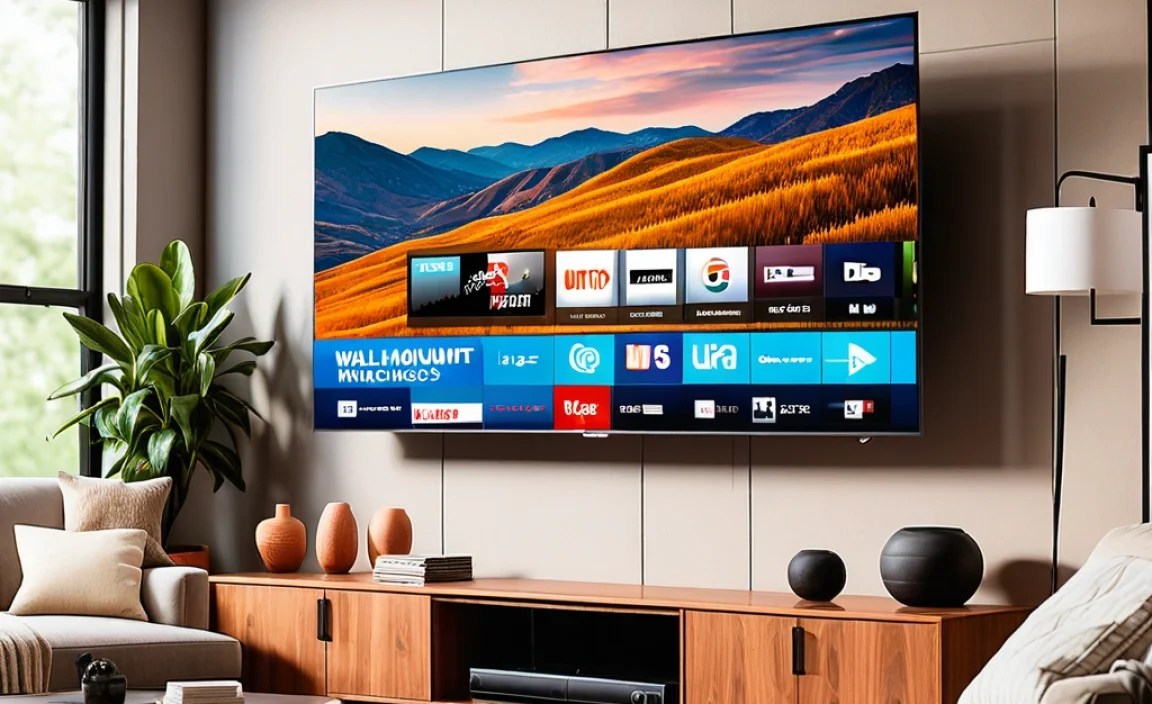
Even with careful preparation, you might run into a snag. Here are a few common issues and how to fix them:
- Can’t find studs? Try a different wall location. Ensure your stud finder is working correctly and calibrated. If all else fails, consider furniture placement or a tilting mount placed slightly off-center if studs are available nearby.
- Screws don’t seem to be going in straight? Back them out and try again, making sure your drill is perpendicular to the wall. Pilot holes help immensely here.
- Mount feels loose after tightening? The pilot holes might be too large, or you might have stripped the wood in the stud. If it’s slightly loose, you can try shimming behind the lag bolt washer with a small piece of wood or metal. If very loose, you might need to move the mount slightly to find a solid section of the stud or use a different stud.
- TV sit