
Voice controlled smart speaker charging: Genius tips make powering up simple and efficient, ensuring your smart assistant is always ready. Learn clever ways to manage cables, optimize charging speed, and keep your device powered without fuss.
Smart speakers are fantastic for convenience, but keeping them charged can sometimes feel like another chore. Between busy schedules and tangled cords, ensuring your voice-controlled companion is always powered up and ready to answer your questions can be a challenge. Don’t worry, though! We’ve all been there, staring at a silent speaker after forgetting to plug it in. This guide is here to simplify smart speaker charging, offering straightforward solutions and clever tricks to keep your home humming with smart assistance. Let’s dive into some genius tips that will make powering up your voice-controlled smart speaker a breeze!
Why Smart Speaker Charging Matters

Your voice-controlled smart speaker, whether it’s an Amazon Echo, Google Nest, or Apple HomePod, relies on a constant power supply to function. When it’s charged, it can play music, answer your queries, control your smart home devices, and generally make your life easier. If it runs out of power, it becomes just another stylish object on your shelf. For portable smart speakers, proper charging is even more critical, as it dictates how long you can enjoy music or podcasts on the go.
Understanding smart speaker charging involves a few key aspects: the type of charger used, the power output, cable management, and battery health if your device is portable. Getting these right ensures your speaker performs at its best and lasts longer. Let’s explore how to master this often-overlooked part of smart speaker ownership.
Understanding Your Smart Speaker’s Power Needs

Most smart speakers are designed to be plugged in most of the time. They typically come with a dedicated power adapter that plugs into a wall outlet. For portable smart speakers, they have internal rechargeable batteries, much like your smartphone or tablet.
The power adapter provided with your speaker is specifically designed to deliver the correct voltage and amperage. Using an incorrect charger can potentially damage the speaker or charge it very slowly. Always check the specifications on your speaker’s original power adapter or in its manual.
Types of Smart Speaker Power
- Wired Power Adapters: The most common type. These use a wall outlet and a specific plug for your speaker.
- USB Charging (for Portable Models): Many portable smart speakers can be charged via a USB-C or micro-USB port, often using the same cables and chargers you’d use for a smartphone.
- Charging Docks/Bases: Some speakers come with a cradle or base that the speaker sits on to charge wirelessly or via charging pins.
Genius Charging Tips for a Fully Powered Smart Speaker

Let’s get to the actionable advice that will make charging your smart speaker less of a hassle and more of a seamless part of your routine. These tips are designed for ease of use and to maximize the lifespan of your device’s power source.
1. Choose the Right Charger
This is paramount. Always use the charger that came with your smart speaker. If you’ve lost it, consult the manufacturer’s website or a reputable tech retailer for a certified replacement. Using a charger with the wrong voltage or insufficient amperage can lead to slow charging, overheating, or even permanent damage.
For portable speakers that charge via USB, using a charger that supports fast charging standards like USB Power Delivery (USB PD) or Qualcomm Quick Charge can significantly reduce charging times. However, ensure your speaker is compatible with these fast-charging technologies. A standard 5V/2A USB charger will usually work but will be slower.
2. Master Cable Management
Tangled cords not only look messy but can also be a tripping hazard and damage the cables over time. Here are some smart ways to manage them:
- Velcro Straps or Ties: Simple, effective, and reusable. Wrap one around excess cable length to keep it neat.
- Cable Clips and Sleeves: These can be adhered to furniture or walls to route cables neatly and keep them out of sight.
-
Cord Wraps Built into Furniture: Some desks and tables have built-in features to manage wires.
- Dedicated Charging Stations: Consider a multi-port USB charger or a power strip with ample outlets that can power all your devices, including your speaker, tidily.
3. Strategic Plugs and Outlets
Think about where you place your smart speakers and, consequently, where their chargers live.
- Convenient Outlets: Choose locations with accessible power outlets. Near a bookshelf, on a side table, or in your kitchen are common spots.
- Smart Plugs for Smart Speakers: For speakers that need to be plugged in constantly, using a smart plug can offer added convenience. You can voice-command turning the outlet on/off for the speaker, or schedule it. For example, you could schedule your speaker to only draw power during specific hours if you’re concerned about phantom energy draw, though this is minimal for most smart speakers. You can find smart plugs from brands like reputable tech review sites like CNET.
- Avoid Overcrowding Outlets: Ensure your power strip or wall outlet isn’t overloaded. This can lead to overheating and fire hazards. Check the wattage capacity of your outlets and power strips.
4. Charging Portable Smart Speakers Like a Pro
If your smart speaker is portable, battery health and charging habits become more important.
- Avoid Extreme Temperatures: Charging your speaker in very hot or very cold environments can degrade the battery faster. Leave it in a temperate space when charging.
- Don’t Always Drain to 0%: While modern batteries are better than older ones, constantly draining a lithium-ion battery to empty isn’t ideal for its long-term health. Top it up when you can.
- Optimal Charge Level: For long-term storage (if you won’t use the speaker for weeks), it’s often recommended to leave the battery at around 50-60% charge, rather than fully charged or fully depleted.
- Invest in a High-Quality Power Bank: For on-the-go charging, a reliable power bank with sufficient output for your speaker is a great accessory. Ensure the power bank supports the correct USB charging standard (e.g., USB-C PD).
5. Wireless Charging Convenience (Where Applicable)
Some smaller, newer smart speakers or smart speaker accessories might support wireless charging. If yours does, this is often the most elegant solution:
- Placement is Key: Ensure the speaker or its charging case is correctly aligned with the wireless charging pad.
- Keep the Pad Clean: Dust and debris on the charging pad can sometimes interfere with efficient charging.
- Qi-Certified Chargers: If your speaker is Qi-compatible, use a Qi-certified charging pad from a reputable brand for safety and efficiency. The Wireless Power Consortium explains Qi certification.
Smart Speaker Charging Station Ideas

Creating a dedicated spot for charging can make a world of difference. Here are some ideas to build your own smart speaker charging station:
- The Desk Caddy: Use a desk organizer with built-in cable management. Place your speaker on top or nearby, and tuck the charger neatly behind it.
- The Nightstand Hub: For bedside speakers, a small charging stand that can also hold your phone or smartwatch can declutter your nightstand.
- The “Out of Sight, Out of Mind” Solution: Use adhesive cable clips to run the power cord behind furniture or along baseboards. Plug it into an outlet that’s less visible.
- The Multi-Device Charger: Invest in a high-quality multi-port USB charger and use short, sturdy USB cables to power multiple devices, including portable speakers, from one central point.
Table: Comparing Charging Methods for Smart Speakers
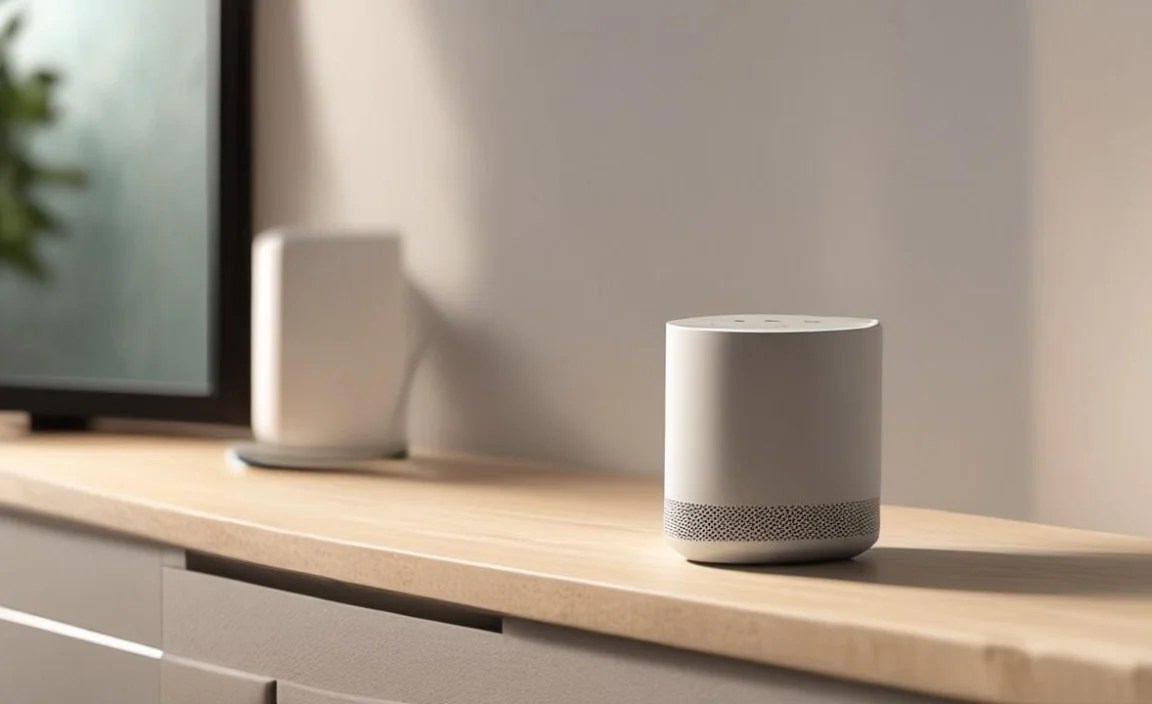
Here’s a quick look at common charging methods, their pros, and cons to help you decide what works best for your setup.
| Charging Method | Pros | Cons | Best For |
|---|---|---|---|
| Wired Power Adapter (Wall Outlet) | Always provides stable power; generally fast charging; widely available. | Requires an outlet; can lead to cable clutter if not managed. | Most home-based smart speakers (e.g., Echo Dot, Google Nest Mini). |
| USB Charging (via Power Bank/Adapter) | Versatile; portable; can use existing phone chargers. | Charging speed depends on the USB port/adapter; may be slower than dedicated adapters. | Portable smart speakers; when away from wall outlets. |
| Wireless Charging Pad | Very convenient; no cables to plug in; aesthetically pleasing. | Speaker must support wireless charging; alignment can be finicky; typically slower than wired charging. | Smart speakers or accessories designed for wireless charging. |
| Charging Dock/Base | Secure connection; easy to place speaker on; often acts as a stand. | Specific to certain speaker models; requires adequate space for the dock. | Smart speakers with proprietary charging docks or pins. |
Troubleshooting Common Charging Issues
Even with the best tips, you might run into problems. Here are a few common issues and how to resolve them:
-
Speaker Not Charging:
- Check that the power adapter is securely plugged into both the speaker and the wall outlet.
- Try a different wall outlet to rule out an issue with the outlet itself.
- Inspect the charging cable and the charging port on the speaker for any visible damage or debris. Gently clean the port with compressed air or a non-metallic tool if necessary.
- If using a USB charger, try a different USB cable or charging adapter.
- Restart your smart speaker. Sometimes a simple reboot can resolve power-related glitches – check the support pages for your specific device, such as those for Amazon Echo devices.
-
Slow Charging:
- Ensure you are using the original charger or a certified replacement with the correct specifications.
- If charging via USB, confirm the charger and cable support fast charging (if your speaker is compatible).
- Avoid using the speaker extensively while it’s charging, as this can slow down the charging process.
- Check for any software updates for your speaker, as these can sometimes address power management issues.
-
Overheating While Charging:
- This can be a serious issue. Immediately unplug the speaker and charger.
- Ensure the speaker and charger have adequate ventilation and are not covered by blankets or other materials.
- If overheating persists or the speaker feels excessively hot, discontinue use and contact the manufacturer.
FAQ: Your Voice Controlled Smart Speaker Charging Questions Answered
Q1: Can I charge my smart speaker with any USB charger?
A: For portable speakers, yes, usually, but it’s best to use one with sufficient power output (typically 5V/2A or higher). For speakers that use proprietary power adapters, using a generic USB charger will not work unless they have a USB-C port and are designed for it. Always check your speaker’s manual or manufacturer’s recommendations.
Q2: How often should I charge my portable smart speaker?
A: For portable speakers, charge them whenever the battery level gets low. There’s no need to wait for them to completely drain, and it’s generally better for battery health to avoid deep discharges regularly.
Q3: Is it okay to leave my smart speaker plugged in all the time?
A: Yes, for smart speakers that are not portable and are designed to be always plugged in, this is perfectly fine. They have built-in systems to prevent overcharging and manage power efficiently.
Q4: Can I use a faster charger for my smart speaker?
A: If your portable speaker supports fast-charging standards like USB PD or Quick Charge, then yes, a compatible fast charger can work. However, using a charger with a much higher voltage than specified can damage the device. If in doubt, stick to the charger provided or one certified by the manufacturer.
Q5: What do I do if my smart speaker won’t charge at all?
A: First, try a different outlet, cable, and charger if possible. Check the charging port for damage or debris. If the issue persists, it might be a hardware problem with the speaker or its charging system. Contact the manufacturer’s customer support for further assistance.
Q6: Does charging my smart speaker overnight harm its battery?
A: For portable smart speakers, modern batteries have circuitry to prevent overcharging, so leaving it plugged in overnight is generally safe and won’t significantly harm the battery over the short term. However, for optimal long-term battery health, it’s often recommended not to keep any lithium-ion battery at 100% charge constantly if it can be avoided.
Conclusion: Powering Up with Confidence
Keeping your voice-controlled smart speaker charged and ready to go doesn’t have to be a daily struggle. By understanding your speaker’s specific power needs, using the correct charging accessories, and implementing smart cable management techniques, you can ensure a seamless experience. Whether it’s a smart plug for your always-on speaker or a reliable power bank for your portable companion, these genius tips will help you maintain optimal power levels without the fuss. Enjoy the convenience and capabilities of your smart speaker, knowing it’s always powered up and ready to assist!