
Quick Summary: TV wall mounts save space, offer better viewing angles, and look sleeker than a TV stand. Fixed mounts are budget-friendly but don’t move. Tilting mounts offer slight adjustments. Full-motion mounts provide the most flexibility for various viewing positions. Weighing these pros and cons helps choose the perfect setup for your room.
Hey there, tech fans! Bob E Riley here from Aimguider. Thinking about ditching that bulky TV stand for a cleaner, more modern look? Mounting your TV on the wall can totally transform your living space, making it feel bigger and your viewing experience much better. But with so many options out there, it’s easy to get a little overwhelmed. Don’t worry, we’ll break down the different TV wall mount ideas and their pros and cons so you can choose the best fit for your setup and budget. Let’s get your TV looking amazing!
Transform Your Space: TV Wall Mount Ideas
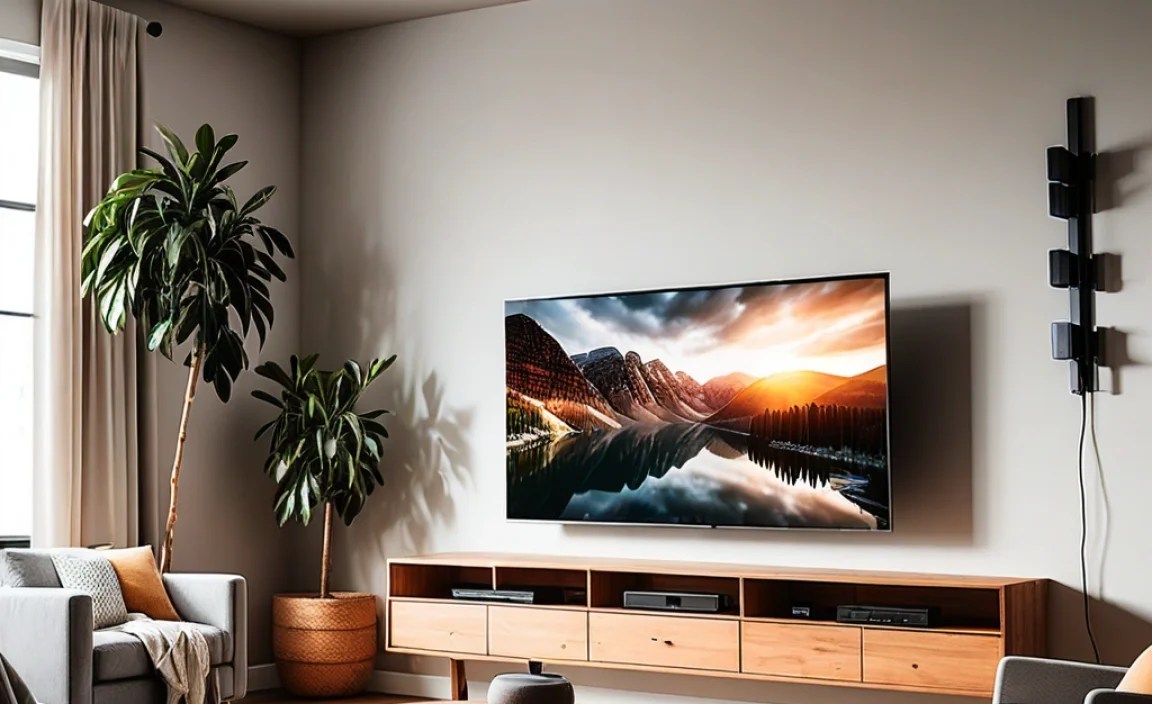
Mounting your TV on the wall is more than just an aesthetic choice; it’s a practical decision that can significantly improve your home entertainment setup. Gone are the days of dedicating prime floor space to a clunky TV stand. Wall mounts offer a streamlined, modern look and can even make your room feel larger. Whether you’re looking to create the ultimate gaming battle station, a cozy home theater, or just want a tidier living room, there’s a TV wall mount solution for you.
But what exactly are your options? And more importantly, what are the benefits and drawbacks you need to consider before you drill into that wall? We’ll explore the most popular types of TV wall mounts, digging into their specific advantages and disadvantages. This will help you make an informed decision that suits your viewing habits, room layout, and comfort level with DIY projects.
Understanding the Basics: Types of TV Wall Mounts

Before we dive into the pros and cons, let’s quickly identify the main categories of TV wall mounts. Knowing these will make it easier to understand why they offer different benefits.
1. Fixed TV Wall Mounts
These mounts hold your TV flat against the wall, much like a picture frame. They offer the lowest profile and are generally the most affordable option. Because the TV doesn’t move, they are ideal for rooms where you have a prime viewing spot directly in front of the TV and don’t need to adjust the angle.
2. Tilting TV Wall Mounts
Tilting mounts allow you to angle your TV up or down. This is super useful if you plan to mount your TV higher on the wall than eye level, such as above a fireplace. The downward tilt helps reduce glare and improves the viewing angle, making it more comfortable to watch from your couch.
3. Full-Motion (Articulating) TV Wall Mounts
These are the most versatile mounts. They allow you to extend the TV away from the wall, swivel it left or right, and tilt it up or down. This flexibility is perfect for rooms with multiple seating areas or if you like to position your TV in different ways for gaming, watching movies, or even just to avoid glare from windows.
4. Low-Profile TV Mounts
Similar to fixed mounts, low-profile mounts keep your TV very close to the wall for a sleek, minimalist look. They are designed for aesthetics, tucking the TV away neatly.
5. Swivel TV Mounts
These mounts allow you to swing your TV left or right, which is great for corner installations or if you often watch TV from different parts of a room.
Fixed TV Wall Mounts: Pros and Cons

Fixed mounts are the workhorses of the TV mounting world. They’re straightforward, reliable, and get the job done if you have a clear viewing area. Let’s break down their advantages and disadvantages.
Pros of Fixed TV Wall Mounts:
- Super Slim Design: Your TV will sit incredibly close to the wall, creating a clean, modern, and almost built-in look. It’s like having a giant picture on your wall!
- Cost-Effective: Generally, fixed mounts are the most budget-friendly option. If you’re looking to mount your TV without breaking the bank, this is a great way to go.
- Simple Installation: With fewer moving parts, these mounts are typically quick and straightforward to install. Less hassle means less stress!
- Durable and Secure: Since they don’t move, there’s less strain on the mount and the TV connection, often leading to a very stable and secure installation.
- Minimal Glare: When positioned correctly, a fixed mount can position your TV for minimal reflection from windows and lights.
Cons of Fixed TV Wall Mounts:
- No Adjustments: This is the biggest drawback. Once mounted, you can’t tilt or swivel the TV. If your viewing angle isn’t perfect, you’re out of luck.
- Cable Management Challenges: Because the TV is so close to the wall, hiding cables can be trickier. You might need to use in-wall cable management kits, which can be more labor-intensive.
- Not Ideal for High Mounts: If your only mounting spot is high on the wall (like above a fireplace), a fixed mount will result in a poor viewing angle, leading to neck strain and glare.
- Limited Room Flexibility: If you have various seating spots or want to angle the TV towards different areas, a fixed mount won’t work.
Tilting TV Wall Mounts: Pros and Cons

Tilting mounts offer a helpful compromise, providing some adjustability without the complexity or cost of full-motion mounts. They are a popular choice for many households.
Pros of Tilting TV Wall Mounts:
- Reduced Glare: The ability to tilt downwards is a game-changer for reducing glare from windows or overhead lights, especially if your TV is mounted higher than ideal.
- Improved Viewing Angle: For TVs mounted above eye level, a downward tilt makes a huge difference in comfort and picture quality from your seating position.
- Still Slim: While they don’t sit as flush as fixed mounts, tilting mounts still keep your TV relatively close to the wall, maintaining a clean look.
- Good for High Mounts: If you’re mounting your TV over a fireplace or in a bedroom where the optimal spot is high, tilting is essential.
- Affordable Upgrade: They offer more functionality than fixed mounts at a slightly higher, but still accessible, price point.
Cons of Tilting TV Wall Mounts:
- Limited Adjustability: You can only tilt up or down. There’s no swivel or extension capability.
- Can Still Require Cable Management: While slightly easier than fixed mounts, managing cables can still be a consideration, especially if you tilt the TV significantly.
- Not Multifunctional Viewing: If you need to adjust the TV for multiple seating areas, a tilt-only mount won’t suffice.
- Potential for Sagging (Rare): In very rare cases, with heavier TVs or poorly installed mounts, there might be a slight tendency for the tilt mechanism to sag over time. Ensure you buy from reputable brands and install correctly.
Full-Motion (Articulating) TV Wall Mounts: Pros and Cons

For ultimate flexibility, full-motion mounts are the way to go. They offer the most freedom to position your TV exactly where you want it, whenever you want it.
Pros of Full-Motion TV Wall Mounts:
- Maximum Versatility: Extend, swivel, tilt – you can move your TV in virtually any direction. This is perfect for large rooms, open-plan living, or mounting in a corner.
- Ideal for Multiple Viewers: Easily angle the TV towards different seating areas, ensuring everyone gets a great view.
- Eliminates Glare: You have full control to reposition the TV to avoid any annoying reflections, no matter where the light sources are.
- Great for Gaming and Sports: Quickly swivel the screen to get the best angle during intense gaming sessions or while catching the big game from different spots.
- Cable Management Built-In: Many full-motion mounts come with integrated cable management channels, making it easier to keep wires tidy.
- Can Double as a Swivel Mount: If you just need to turn the TV left or right, these mounts do that job exceptionally well.
Cons of Full-Motion TV Wall Mounts:
- Higher Cost: These are typically the most expensive type of TV mount due to their complex design and moving parts.
- Bulkier Appearance: When extended, these mounts stick out further from the wall than fixed or tilting mounts. This can sometimes detract from the minimalist aesthetic.
- More Complex Installation: With more moving parts and often heavier components, installation can be more involved and may require a second person.
- Potential for Sagging or Looseness Over Time: Due to the continuous movement and weight, joints can sometimes become looser or the mount might sag slightly, requiring occasional tightening. Using high-quality, reputable brands is crucial here.
- Requires Wider Wall Space: For the arm to extend and swivel fully, you need adequate clearance on the wall behind and to the sides of your TV.
Other TV Mount Considerations: Low-Profile and Swivel
While fixed, tilting, and full-motion cover the main functionalities, a couple of other terms you might encounter are worth a brief mention.
Low-Profile Mounts
Think of these as a super-slim fixed mount. They are designed to get your TV as close to the wall as humanly possible for an almost flush look. They offer the aesthetic benefits of fixed mounts but might have slight limitations in accessibility for cables compared to standard fixed mounts.
Swivel Mounts
These mounts are designed primarily for side-to-side movement. They don’t typically extend far from the wall or have extensive tilt capabilities. They are often used for corner installations or rooms where you simply need to turn the TV to face different directions without wanting it to protrude significantly.
Choosing the Right Mount: A Decision Guide
Now that you know the options, how do you pick the absolute best one for your situation? Here’s a simple guide to walk you through it.
Table: TV Mount Type vs. Best Use Case
| Mount Type | Best For… | Key Benefit | Consider If… |
|---|---|---|---|
| Fixed Mount | Rooms with a single, optimal viewing area directly in front of the TV. | Sleek, slim profile and lowest cost. | You have a perfect viewing spot and prioritize budget & aesthetics. |
| Tilting Mount | Mounting TV higher than seated eye level (e.g., above a fireplace). | Reduces glare and improves viewing angle from distance. | High wall placement or potential glare issues. |
| Full-Motion Mount | Large rooms, open-plan spaces, rooms with multiple seating areas, or corner installations. | Maximum flexibility for viewing angles and room arrangement. | You need to adjust TV position frequently or for different people. |
| Low-Profile Mount | Ultra-minimalist aesthetic, where TV placement is fixed and central. | Achieves the closest-to-the-wall look possible. | Purely for a super-sleek appearance and minimal protrusion. |
| Swivel Mount | Corner installations or when TV needs to be turned occasionally. | Side-to-side adjustability without significant extension arms. | You predominantly need to turn the TV left/right. |
Consider Your Room Layout
Walk through your room. Where will you be sitting the most? Are there windows or lights that cause glare? Do you have multiple seating areas? For example, if your couch is directly in front of the perfect wall and you never move, a fixed mount is fine. If your TV is above the fireplace, you need a tilting or full-motion mount. If you have a sectional couch and want people on both ends to see clearly, full-motion is your best bet.
Think About Installation
Some mounts are more complicated to install than others. A fixed mount usually involves drilling into studs and attaching brackets. Full-motion mounts have more articulated arms and can be heavier. If you’re not comfortable drilling into your walls or ensuring the mount is securely fastened into studs (which is crucial for safety!), consider hiring a professional installer. Check out resources like Popular Mechanics’ guide to hanging a TV for installation tips.
Don’t Forget About Weight Capacity and VESA Compatibility
Every mount has a maximum weight capacity. Ensure the mount you choose can safely support your TV’s weight. Also, check your TV’s VESA pattern (the standard hole spacing on the back of your TV) to make sure the mount’s bracket will match. Most mounts are compatible with standard VESA sizes, but it’s always good to double-check your TV manual.
Budget is Key
As discussed, fixed mounts are the cheapest, followed by tilting, and then full-motion. Determine how much functionality you truly need and set a budget. Remember to factor in potential costs for cable management solutions or professional installation if needed.
Essential Tools for TV Wall Mounting
While the specific tools might vary slightly depending on the mount and your wall type, here’s a general list of what you’ll likely need:
- Stud Finder: Absolutely essential for locating wall studs to ensure a secure mount. Without this, you risk your TV falling! You can find reliable stud finders at any hardware store.
- Drill and Drill Bits: For creating pilot holes and driving screws. Make sure you have bits appropriate for wood or drywall.
- Level: To ensure your TV is mounted perfectly straight. A crooked TV is a distraction!
- Measuring Tape: For accurate placement of the mount and determining desired TV height.
- Screwdriver Set: For attaching brackets and any necessary adjustments.
- Socket Wrench/Ratchet Set: Often needed for tightening bolts that secure the mount.
- Pencil: For marking drill points.
- Gloves and Safety Glasses: Always good practice when working with tools and drilling.
- Optional: Cable Management Kit: For a super clean look, consider in-wall cable kits or raceways.
Frequently Asked Questions (FAQ)
Q1: How high should I mount my TV?
A: The general rule is to have the center of the screen at seated eye level. If you’re watching from a couch, aim for the bottom third of the TV to be at or slightly below eye level when you’re sitting. For TVs mounted higher (like over a fireplace), the center should still be at eye level if possible, or tilt it down significantly.
Q2: Can I mount my TV on a plaster or plasterboard wall?
A: Yes, but you absolutely must screw the mount directly into the wooden studs inside the wall for safety and strength. Do not rely on drywall anchors alone for mounting a TV; they are not strong enough. A stud finder is critical for this. For more information on wall types, check out resources from the National Association of Home Builders.
Q3: What does VESA mean?
A: VESA is an organization that sets standards for flat-panel TVs and mounts. The VESA pattern refers to the four threaded mounting holes on the back of your TV. Mounts are designed to fit specific VESA patterns (e.g., 200x200mm, 400x400mm). Your TV manual or a quick search online with your TV model number will tell you its VESA size.
Q4: Do I need a professional to install my TV mount?
A: Not necessarily! Many people install their own mounts successfully. However, if you’re not comfortable using power tools, locating studs, or ensuring a secure installation, hiring a professional installer is a wise investment to ensure safety and peace of mind.
Q5: Will mounting my TV damage my wall?
A: Installing a TV mount requires drilling holes into your wall. If you plan to move the TV or the mount later, you will have visible holes to patch and repair. However, done correctly, the mount itself won’t cause structural damage if secured into studs.
Q6: How much weight can a TV wall mount support?
A: This varies greatly by mount type and brand. Always check the product specifications for the maximum weight capacity. It’s good practice to choose a mount rated for a bit more than your TV’s actual weight to ensure safety and durability.