
A TV stand with cable management for your UHD TV is the key to a neat, clutter-free entertainment space. It hides unsightly wires, improves airflow for your electronics, and creates a sleek, modern look. This guide helps you choose and set up the perfect one, making your setup both functional and beautiful.
Are you tired of seeing a tangled mess of cables behind your beautiful new 4K or UHD TV? It’s a common problem that can really spoil the look of your living room. But there’s an easy fix! A TV stand with built-in cable management is designed to hide all those messy wires, keeping everything tidy and looking professional. This guide will walk you through everything you need to know, from choosing the right stand to setting it up with ease. Get ready to transform your entertainment area into a sleek, organized masterpiece!
Why a TV Stand with Cable Management is a UHD Game-Changer

Your new UHD TV is a marvel of technology, delivering stunning visuals. But a spaghetti-like tangle of cables behind it can be a real eyesore, undermining the whole aesthetic. A TV stand specifically designed with cable management solves this problem beautifully. It’s not just about making things look neat; it’s about creating a safer, more efficient, and enjoyable home entertainment experience.
Keeping Your Entertainment Area Tidy and Organized
First and foremost, cable management is about aesthetics. No one wants to see a bird’s nest of HDMI, power, and audio cables protruding from their state-of-the-art television. A good TV stand with this feature provides discrete channels, grommets, or panels to route and conceal these wires. This results in a clean, minimalist look that complements any decor.
Enhancing Airflow and Protecting Your Electronics
Tangled cables can also restrict airflow around your TV and connected devices like gaming consoles, soundbars, and streaming boxes. Proper airflow is crucial for preventing overheating, which can shorten the lifespan of your electronics and lead to performance issues. Cable management systems often incorporate ventilation features or simply space out devices, allowing for better heat dissipation.
Improving Safety and Reducing Tripping Hazards
Loose cables trailing across the floor are not only unsightly but also create tripping hazards, especially in busy households. Securing cables behind or within your TV stand significantly reduces this risk, making your living space safer for everyone, including children and pets.
Simplifying Setup and Maintenance
When setting up a new TV or connected device, having a well-organized cable management system makes the process much smoother. You can easily access necessary ports without digging through a tangle of wires, and adding or removing components becomes a simple task. This also makes future troubleshooting or cleaning much easier.
Types of TV Stands with Cable Management Features

When looking for a TV stand with cable management, you’ll find a variety of designs and features. Understanding these options will help you pick the best fit for your space and needs.
Integrated Cable Channels and Grommets
Many modern TV stands come with pre-drilled holes and channels designed for routing cables. Grommets, which are typically rubber or plastic rings, fit into these holes to protect cables from sharp edges and give a finished look.
Rear Access Panels and Compartments
Some stands feature enclosed compartments or removable back panels. These allow you to tuck away power strips, power bricks, and excess cable length, completely hiding them from view. This is ideal for creating a truly minimalist setup.
Adjustable Shelving and Height Options
While not directly cable management, adjustable shelving can help organize components closer to the TV, reducing the overall cable length needed. Height-adjustable stands can also position your TV at the optimal viewing angle, though this is more about ergonomics.
Wall-Mountable Options with Built-in Management
For those who prefer a wall-mounted TV, many wall-mount systems incorporate cable channels or conduits that run discreetly behind the TV and down the wall. This offers a floating TV look with hidden wires.
Corner Units and Entertainment Centers
Larger entertainment units and corner TV stands often have more extensive cable management systems, including multiple access points, shelves, and compartments to house a complex setup of devices.
Key Features to Look for in a UHD TV Stand with Cable Management

Choosing the right TV stand involves considering several factors to ensure it meets your specific needs and complements your home theater setup.
Size and Weight Capacity
This is crucial. You need a stand that can comfortably support the size and weight of your UHD TV, as well as any other components you plan to place on or in it (e.g., soundbar, gaming console, Blu-ray player). Always check the manufacturer’s specifications for maximum weight limits. A common recommendation from consumer safety organizations is to ensure the stand can hold at least three times the weight of your TV.
Material and Durability
TV stands are made from various materials like wood (solid, veneer, MDF), metal, glass, and composite materials. Solid wood offers durability and a classic look, while metal provides a modern aesthetic and strength. Ensure the materials are sturdy and the construction is robust enough to handle the weight. A well-built stand can last for many years.
Storage and Accessibility of Components
Consider how much storage you need. Do you have multiple consoles, streaming devices, or a soundbar? Look for stands with shelves, drawers, or cabinets that can accommodate your gear. Ensure that these storage areas offer sufficient depth and width for your devices and that they allow for adequate ventilation.
Cable Entry and Exit Points
Examine how the stand handles cable management. Are there enough openings (grommets or slots) at the back or sides for all your devices? Are these openings positioned conveniently for routing cables from your TV to the devices below? Some stands even have features for winding excess cable.
Style and Aesthetics
The TV stand is a piece of furniture, so its style should match your home’s decor. Whether you prefer a modern, minimalist, rustic, or traditional look, there are options available. Consider the color, finish, and overall design.
Ease of Assembly
Some TV stands require extensive assembly, while others are relatively simple. Read reviews and check the manufacturer’s instructions if available online to gauge the assembly difficulty. For those less inclined to DIY, look for stands that require minimal assembly or offer professional assembly services.
Ventilation
As mentioned, proper airflow is key. Look for stands that have open shelving, ventilation holes, or sufficient space between components to prevent overheating. This is especially important for power-hungry gaming consoles and high-performance media players.
Step-by-Step Guide: Setting Up Your TV Stand with Cable Management

Setting up your new TV stand with cable management might seem daunting, but it’s a straightforward process if you take it step by step.
Step 1: Unpack and Inventory All Parts
Carefully unpack the box and lay out all the components. Compare them against the parts list in the assembly manual to ensure nothing is missing or damaged. Keep small parts like screws and bolts organized, perhaps in labeled bowls or the original packaging.
Step 2: Assemble the TV Stand Frame
Follow the assembly manual precisely. Start by assembling the main frame, attaching side panels, shelves, and supporting beams. Hand-tighten screws initially until the entire structure is assembled, then go back and fully tighten them. This prevents misalignment. If you’re unsure about any step, consult online tutorials or manufacturer support.
Step 3: Install Cable Management Features
Most stands have specific features for cable management. This might involve attaching cable clips, routing channels, or sliding in rear panels. If your stand has a separate cord management system, install it now according to the instructions. For example, you might need to screw in a cable tie-down bracket or snap a plastic channel into place.
Step 4: Position and Connect Your TV and Devices
Once the stand is fully assembled and stable, carefully place it in its final position. Now, connect your UHD TV and all your audio-visual devices (gaming consoles, Blu-ray player, streaming stick, soundbar, etc.) using appropriate cables.
Step 5: Route and Conceal the Cables
This is where the cable management features shine.
- Run HDMI cables from your TV to your devices through the designated channels or grommets.
- Connect power cables and route them to a power strip.
- To manage excess cable length, you can use Velcro cable ties, zip ties, or specialized cable wrap sleeves. Many stands have built-in compartments for power strips and excess cord.
- Tuck away the power strip and coiled excess cables into the designated compartment or behind a rear panel.
- Ensure cables are not pinched or strained.
Step 6: Organize and Test Your Setup
Arrange your devices neatly on the shelves. Ensure that all connections are secure. Turn on your TV and all connected devices to test that everything is working correctly. Make any minor adjustments to cable routing as needed. A good tip is to use color-coded HDMI cables for different devices to make future troubleshooting even easier.
Choosing the Right Size: A Table Guide
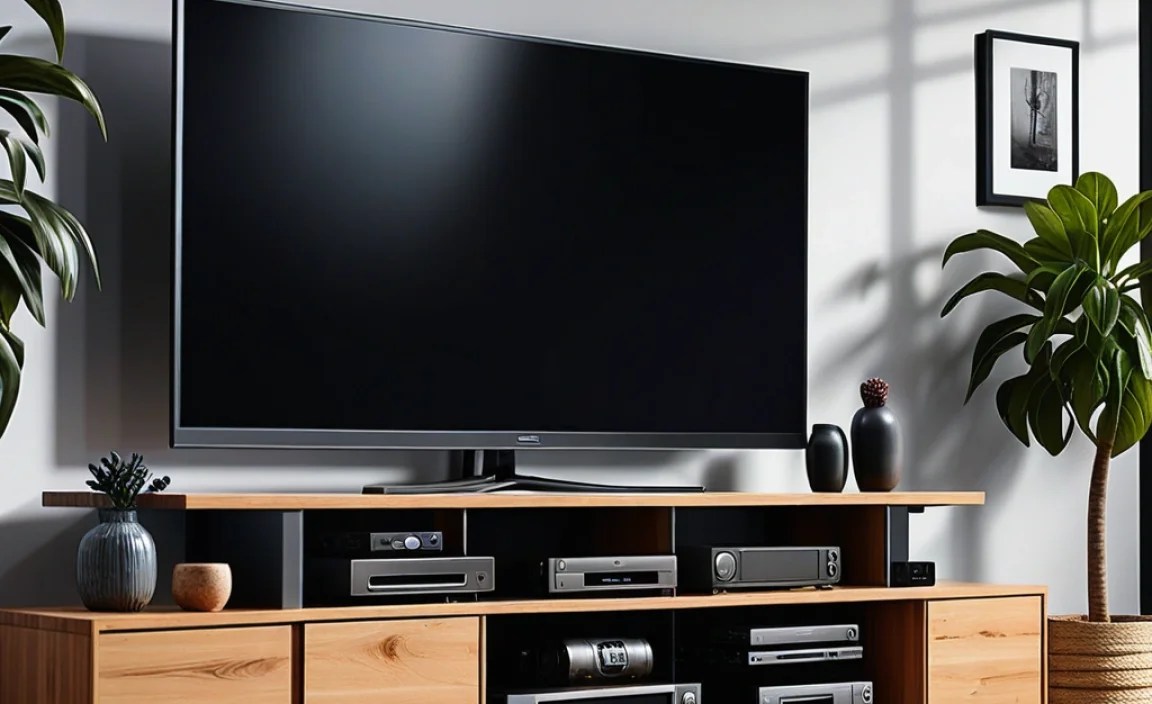
Selecting the correct size TV stand is vital for both aesthetics and functionality. Here’s a general guideline to help you match your TV size to the recommended stand width.
| TV Screen Size (Diagonal) | Recommended TV Stand Width | Considerations |
|---|---|---|
| 32″ – 42″ | 30″ – 45″ | Compact stands are suitable. Plenty of options for smaller living spaces. |
| 43″ – 55″ | 45″ – 60″ | Most common size. Wide range of styles and storage options available. |
| 56″ – 65″ | 55″ – 70″ | Look for sturdy construction and good weight capacity. Ensure enough space for devices. |
| 66″ – 75″ | 65″ – 80″+ | Larger, more robust stands are necessary. Aesthetics and stability are paramount. Measure TV stand footprint. |
| 76″ and above | 75″ – 95″+ | Requires substantial furniture. Custom-built or very heavy-duty units may be best. Double-check weight limits. |
Important Note: Always measure your TV’s stand or its widest point if it uses a wall mount, and compare it to the stand’s dimensions. The TV stand should generally be wider than your TV to ensure it looks balanced and provides adequate stability.
Materials and Construction: What to Expect
The materials used in a TV stand impact its look, durability, and cost. Understanding these can help you make a more informed decision.
Wood and Wood-Based Materials
Solid Wood: Offers superior durability, a premium look, and can be refinished. It’s generally the most expensive option. Examples include oak, cherry, and walnut.
Veneer: A thin layer of real wood applied to a core of particleboard, MDF, or plywood. It offers the look of solid wood at a lower cost but can be prone to chipping.
MDF (Medium-Density Fiberboard): A composite wood product made from wood fibers. It’s dense, smooth, and stable, making it great for painting. Can be susceptible to water damage.
Particleboard: The least expensive option, made from wood chips and sawdust. Less durable than MDF and more prone to sagging or damage from moisture.
Metal
Steel: Often used for frames and legs, providing excellent strength and a modern look. Can be powder-coated in various colors.
Aluminum: Lighter than steel, it can also offer good durability and a sleek, contemporary appearance.
Glass
Tempered Glass: Used for shelves or tops. It’s much stronger and safer than regular glass, designed to shatter into small, less harmful pieces if broken. Offers a light and airy feel.
A good cable management system is often integrated with these materials. For instance, a metal frame might have built-in channels, or a wooden stand might discreetly route cables through pre-drilled holes. Resources from organizations like the Consumer Product Safety Commission highlight the importance of secure furniture mounting, which extends to ensuring your TV stand is stable and assembled correctly.
Cable Management Accessories to Complement Your Stand
While your TV stand might have built-in features, a few extra accessories can further enhance your cable organization.
Velcro Cable Ties
These are reusable and adjustable, perfect for bundling groups of cables together neatly. They are much better for your cables than tight zip ties, which can damage wires over time.
Cable Sleeves or Wraps
These zip up or wrap around multiple cables, creating a single, cleaner-looking conduit. They’re ideal for grouping cables running from your TV to a central point.
Cable Clips and Organizers
Adhesive clips can be stuck to the back or underside of your stand to guide cables along specific paths and keep them from dangling.
Cable Boxes and Enclosures
If your stand’s management system isn’t enough, a decorative cable management box can hide a power strip and the messy wiring connected to it. These often look like small boxes and can be placed on a shelf or behind the unit.
Wire Loom Tubing
This flexible plastic tubing is excellent for containing a bundle of wires, offering protection and a unified look.
Frequently Asked Questions (FAQs)
Here are some common questions beginners have about TV stands with cable management.
What is the primary benefit of a TV stand with cable management?
The main benefit is eliminating visual clutter by hiding unsightly cables, creating a neat, organized, and aesthetically pleasing entertainment area.
Are these stands difficult to assemble?
Assembly difficulty varies by model. Most are designed for DIY assembly with clear instructions. Simple stands can take under an hour, while larger entertainment centers might take longer, but often require no special tools beyond a screwdriver.
How much weight can a TV stand typically hold?
Weight capacity varies greatly. Smaller stands might hold up to 50 lbs, while larger, heavy-duty units can support 150 lbs or more. Always check the manufacturer’s specifications for the specific model.
Can I use a universal TV stand for my specific TV brand (e.g., Samsung, LG, Sony)?
Yes, TV stands are generally universal. The stand’s width and weight capacity are the key factors, not the TV brand. If the stand is wide enough and strong enough to hold your TV, it will work.
What is “cable management” in a TV stand?
It refers to features built into the stand designed to hide and organize cables. This can include holes (grommets), channels, back panels for access, or compartments to hide power strips and excess wire.
Should the TV stand be wider than my TV?
Generally, yes. A stand that is wider than your TV provides a more balanced look and better stability. A common recommendation is for the stand to be at least a few inches wider on each side than the TV’s base or footprint.
How do I measure my TV for a stand?
For a TV on its own feet/stand, measure the distance between the outside edges of those feet. If you plan to wall-mount the TV above* a stand, you’ll need to measure the overall width of the TV itself. Always refer to your TV’s manual for precise dimensions.
Conclusion
Investing in a TV stand with cable management is one of the simplest yet most impactful upgrades you can make to your home entertainment setup. It transforms a potentially chaotic tangle of wires into a clean, organized, and sophisticated display. By carefully considering size, material, storage needs, and the specific cable management features offered, you can find a stand that not only perfectly houses your UHD TV and devices but also enhances the overall aesthetic of your living space.
Don’t let messy cables detract from the stunning picture quality of your UHD television. With the right stand and a little organization, you can create a streamlined, visually appealing, and functional media center that you’ll be proud to show off. From easy-to-assemble options to robust entertainment units, there’s a perfect solution out there for every home and budget. Enjoy your clutter-free viewing experience!