
When buying a TV stand with cable management, look for built-in features like grommets, shelves with openings, or cable channels. Prioritize ample storage space for your devices and choose materials and styles that match your decor. A good TV stand with cable management reduces clutter, enhances safety, and elevates your home entertainment setup.
Wires. We all have them. From the TV power cord to the HDMI cables connecting your Blu-ray player and gaming console, they can quickly turn your sleek entertainment center into a tangled mess. It’s not just an eyesore; it can be a tripping hazard and make it difficult to access your devices. But don’t worry, there’s a simple solution: a TV stand with built-in cable management. This guide will help you find the perfect one, turning that chaotic web of wires into a neat, organized display.
Why Cable Management Matters for Your TV Stand

Let’s be honest, nobody enjoys looking at a nest of cables behind their TV. It’s messy, unappealing, and can even be a bit unsafe, especially if you have kids or pets. A TV stand designed with cable management in mind tackles this problem head-on. These stands typically include features that help hide, organize, and route your cables discreetly. This means:
- A Cleaner Look: Say goodbye to visual clutter. Your living room will instantly feel more serene and stylish.
- Improved Safety: Tangled cables can be a tripping hazard. Organized cables reduce this risk significantly.
- Easier Access: Need to swap out a cable or plug in a new device? Cable management makes it much simpler.
- Better Airflow: Clumped cables can sometimes restrict airflow around your electronics, potentially causing them to overheat. Good management helps keep things cool.
- Professional Appearance: It just looks better! A tidy setup signals attention to detail and a more premium home entertainment experience.
Types of TV Stand Cable Management Features

When you start shopping for a TV stand with cable management, you’ll notice a few common features designed to keep those wires in check. Understanding these will help you choose the best option for your needs.
1. Cable Grommets and Pass-Through Holes
These are probably the most common and straightforward cable management features. Grommets are essentially holes usually found in the back panel of the TV stand, often covered by a circular plastic insert. Pass-through holes are simply openings in the back or shelves designed for cables to exit or enter.
- Where you’ll find them: Typically on the back panels, behind shelves, or on the top surface of the stand.
- How they work: You thread cables through these openings to connect your devices to power outlets or to route them neatly within the stand.
- Benefits: Excellent for hiding cables that need to go from your TV (mounted or on the stand) down to your equipment, or from one shelf to another.
2. Built-in Cable Channels and Sleeves
Some TV stands incorporate channels or sleeves directly into their design. These are often vertical or horizontal channels that run along the back or underside of the stand, designed to hold and guide cables.
- Where you’ll find them: Often integrated into the back of the stand, sometimes behind the main shelves or along the legs.
- How they work: You can tuck cables into these channels, keeping them grouped together and out of sight. Some might have Velcro straps or clips for extra security.
- Benefits: Great for managing multiple cables for devices stored on the same shelf or for running cables vertically from a wall-mounted TV down to the stand.
3. Open-Back or Ventilated Shelving
While not a specific “management” feature, open-back shelving contributes to easier cable routing. Shelves without a solid back panel allow cables to pass through more freely.
- Where you’ll find them: Common in media consoles and shelving units.
- How they work: Allows cables to be easily routed from the back of a device to the wall or another shelf without needing dedicated grommets.
- Benefits: Simplifies setup and allows for better airflow, which is crucial for electronic devices.
4. Integrated Power Strips/Outlet Access
The holy grail of TV stand cable management! Some high-end or well-designed stands include dedicated compartments to house a power strip or even have built-in power outlets and USB ports.
- Where you’ll find them: More common in modern, premium TV stands. Look for specific mentions in the product description.
- How they work: You plug your power strip into an accessible point, and then all your device power cords plug into that strip within a hidden compartment. Some even offer direct outlet access.
- Benefits: This is the ultimate solution for hiding all power cords and reducing the number of visible plugs. It makes plugging in new devices incredibly easy too.
5. Adjustable Shelving with Cable Cutouts
Many TV stands offer adjustable shelves. When combined with pre-cut holes or notches in the backing of these adjustable shelves, they provide flexible cable management.
- Where you’ll find them: On many types of media consoles and entertainment centers.
- How they work: You can position shelves to best fit your equipment and use the cutouts to route cables without kinks or visual distractions.
- Benefits: Offers customization for your specific devices and helps keep cables tidy as you adjust shelf heights.
Key Factors When Buying Your TV Stand with Cable Management

Now that you know what features to look for, let’s dive into the essential considerations to ensure you pick the right TV stand for your home.
1. Size and TV Compatibility
This is non-negotiable. Measure your TV! You need a stand that can safely support its weight and size. Check the stand’s specifications for its maximum supported TV size (often given in inches) and its weight capacity.
- TV Size: Ensure the TV screen diagonal measurement fits comfortably on the stand’s surface or mounting bracket.
- Weight Capacity: Always choose a stand rated to hold significantly more weight than your TV.
- Stand Dimensions: Measure the width, depth, and height of your desired stand to ensure it fits your space and doesn’t overwhelm the room.
2. Storage Needs (Device Shelves)
Think about everything you need to store. Gaming consoles, soundbars, streaming devices, Blu-ray players, cable boxes – they all need a home. A stand with ample, well-designed shelving is crucial.
- Number of shelves: How many devices do you have?
- Shelf dimensions: Will your larger devices (like a PS5 or an AV receiver) fit comfortably? Check height, width, and depth.
- Adjustability: Adjustable shelves offer great flexibility for different-sized components.
3. Cable Management Feature Integration
As discussed, evaluate the types of cable management features offered. Do they meet your needs? Are there enough grommets? Are the shelves open enough? If you have many devices, you’ll need more robust solutions.
- Quantity and Placement: Ensure there are enough holes or channels where you need them.
- Ease of Use: Some cable sleeves or channels are easier to manage than others.
- Hidden Power: If completely hiding power cords is a priority, look for integrated power strip solutions.
4. Material and Durability
TV stands come in various materials, each with its pros and cons. The material impacts not only the look but also the durability and stability.
- Wood and Wood Veneer: Classic, sturdy, and available in many finishes (oak, walnut, espresso, white). Veneers offer a wood look at a lower cost but can be less durable than solid wood.
- Metal: Modern and robust, often used for frames or legs. Can be painted or polished.
- Glass: Offers a sleek, contemporary look but can be prone to smudges and scratches. Ensure it’s tempered glass for safety.
- MDF (Medium-Density Fiberboard): Common in budget-friendly options. Can be painted or laminated. Ensure good quality MDF for stability.
Consider the overall build quality. Does it feel sturdy? Are the joints well-made? A good stand will last for years.
5. Style and Aesthetics
Your TV stand is a piece of furniture. It should complement your room’s decor. Whether you prefer modern, minimalist, rustic, or traditional, there’s a stand out there for you.
- Color: Match your other furniture or create a focal point.
- Design: Consider the overall shape, leg style, and door/drawer fronts.
- Finish: Matte, glossy, natural wood grain – choose what suits your style.
6. Assembly
Be realistic about your DIY skills. Some TV stands come fully assembled, while others require significant assembly. Read reviews or product descriptions to gauge the complexity of the assembly process.
- Pre-assembled: The easiest option, but often more expensive.
- Partial Assembly: Most common, where some parts are pre-built.
- Full Assembly: Requires significant time and tools. Check if tools are included and if instructions are clear.
7. Budget
TV stands with cable management range from very affordable to quite expensive. Determine how much you’re willing to spend. Remember that investing a bit more can often mean better build quality, more robust cable management features, and a more premium look.
Comparing Popular TV Stand Cable Management Solutions

To give you a clearer picture, let’s compare a few common types of TV stands and their typical cable management strengths.
| Stand Type | Typical Cable Management Features | Pros | Cons |
|---|---|---|---|
| Simple Media Console (Open Shelf) | Open backs, sometimes basic pass-through holes. | Affordable, easy access to devices, good airflow. | Limited hiding capabilities for full cable bundles, power cords still visible. |
| Entertainment Center/Wall Unit | Multiple grommets, built-in channels, possibly hidden compartments. | Excellent for larger setups, offers extensive hiding options, can integrate storage for many components. | Can be large and may require assembly; may be overkill for smaller spaces. |
| Modern Minimalist Stand | Clean lines, often with discreet grommets or channels, sometimes floating shelves. | Aesthetically pleasing, keeps space tidy, good for smaller setups. | May have less internal storage; cable management can be more subtle and require more planning. |
| Corner TV Stand | Often L-shaped with back cutouts to fit the corner; grommets depending on design. | Space-saving for corners. | Cable management can be less sophisticated; specific design may limit device placement. |
| TV Stand with Mount and Storage | Grommets on the back panel, channels behind the mount support, storage shelves with cutouts. | All-in-one solution for mounting and storing; effective cable routing vertically and horizontally. | Can be more complex to assemble; may limit TV placement flexibility compared to a simple stand. |
Tips for Maximizing Your TV Stand Cable Management
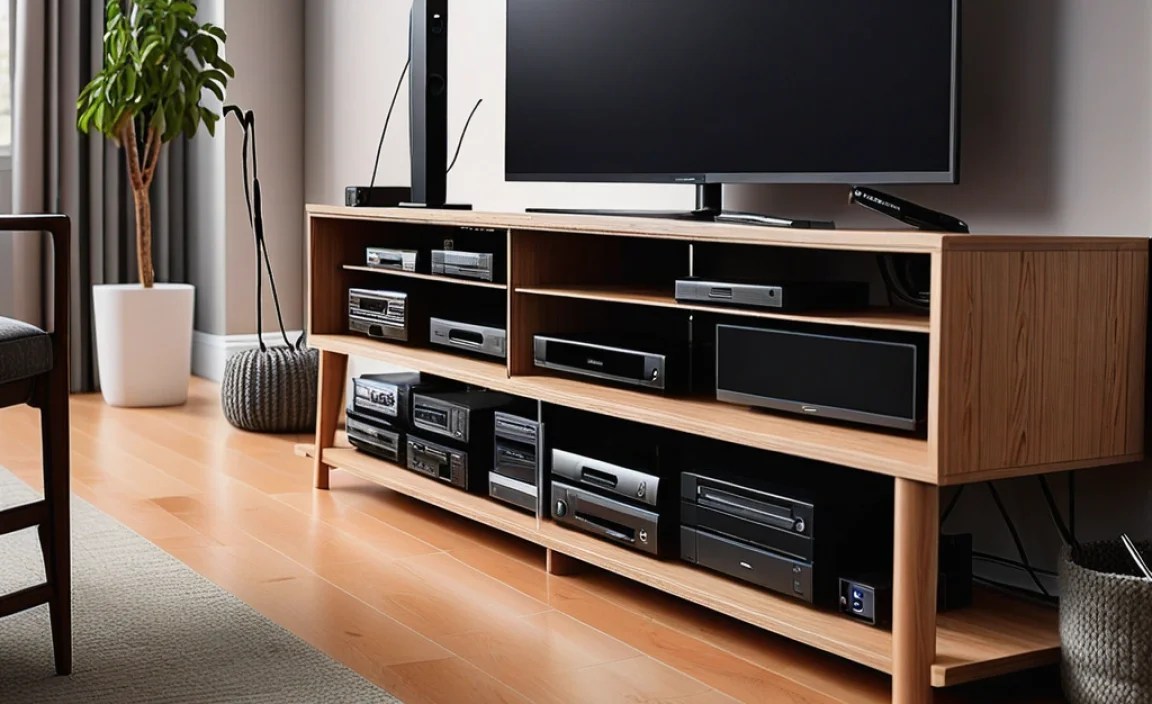
Even with the best cable management features, a little extra effort can go a long way. Here are some pro tips:
- Use Velcro Straps or Zip Ties: Group cables together neatly before routing them. This is especially useful for bundles of HDMI and power cords.
- Invest in Cable Sleeves or Wraps: These flexible tubes encase multiple cables, creating a single, tidier loom.
- Consider Cable Raceways/Conduits: For very visible runs or to create a perfectly flush look against a wall, cable raceways are excellent. You can paint them to match your wall. For guidance on installing such systems, check out resources from organizations like the Custom Electronic Professionals Association (CE Pro) for industry best practices.
- Label Your Cables: When you have many devices, it’s easy to forget which cable belongs to what. Use simple adhesive labels.
- Shorten Cables When Possible: Excessively long cables are a primary cause of clutter. If you can, use shorter cables (e.g., 3-6 ft HDMI cables) where appropriate.
- Plan Your Layout: Before you start plugging everything in, lay out your equipment and plan where each cable will go.
- Utilize Integrated Power Solutions: If your stand has a built-in power strip holder, use it! It’s the cleanest way to manage power.
FAQs About TV Stand Cable Management
Q1: What is the best TV stand for cable management?
The “best” stand depends on your specific needs, but generally, look for stands with multiple grommets on the back panels, integrated cable channels, and a dedicated compartment for a power strip. Stands designed as entertainment centers or wall units often offer the most comprehensive solutions.
Q2: How can I hide all the cables behind my TV?
To hide cables effectively, use a TV stand with built-in cable management features like grommets and channels. Supplement these with cable sleeves, Velcro straps, or raceways. If your TV is wall-mounted, consider in-wall cable management kits for a completely seamless look. A stand with a hidden compartment for a power strip is also ideal.
Q3: Do I really need a TV stand with cable management?
While not strictly essential, a TV stand with cable management significantly improves the aesthetics, safety, and organization of your entertainment area. It makes your space look much tidier and is highly recommended for anyone bothered by visible wires.
Q4: How do I choose the right size TV stand for my TV?
Measure your TV’s diagonal screen size and its overall width. Then, look for a TV stand that can accommodate this size. For stability and aesthetics, a stand that is the same width or wider than your TV is generally recommended. Always check the stand’s maximum weight capacity as well.
Q5: What are the most common materials for TV stands?
Common materials include solid wood, wood veneers, MDF, metal, and glass. Wood and wood veneers are popular for their warmth and durability. Metal offers a modern, industrial look and is very sturdy. Glass provides a sleek, contemporary feel but requires frequent cleaning.
Q6: Can I add cable management to an existing TV stand?
Yes! You can easily add cable management to a stand that doesn’t have it. Use adhesive cable clips, Velcro straps, cable sleeves, or attach a separate cable management panel or box to the back of the stand. Drilling small holes for grommets is also an option if you’re comfortable with DIY.
Conclusion
A clean, organized media setup isn’t just about looking good; it’s about reducing stress and enhancing your viewing or gaming experience. A TV stand with effective cable management is a foundational piece for achieving this. By understanding the features available, considering your specific needs for size, storage, and style, and employing a few simple organizational tricks, you can transform that tangled mess of wires into a testament to your tech savviness. Choose wisely, install thoughtfully, and enjoy a tidier, more enjoyable home entertainment space!