
Finding a stylish and functional TV stand with effective cable management under $300 is achievable in 2024. Look for features like built-in cord holders, shelves with wire cutouts, and closed storage. Our top picks balance aesthetics, practicality, and affordability, ensuring a tidy and enjoyable home entertainment setup.
Tangled cords can make even the most impressive home theater look messy. It’s a common frustration, transforming a sleek entertainment space into a chaotic jungle of wires. But don’t worry! You can tame that cable clutter and find a fantastic TV stand that looks great and keeps your devices organized, all without breaking the bank. In 2024, there are some amazing options available for under $300. We’ve done the research to help you find the perfect blend of style, function, and price.
Why Cable Management Matters for Your TV Stand

A TV stand with good cable management is more than just a piece of furniture; it’s a key player in creating a clean and enjoyable viewing experience. When cables are properly managed, you reduce visual clutter, making your living room feel more serene and organized. Beyond aesthetics, tidy cables also improve airflow around your electronics, which can help prevent overheating and extend the life of your devices. Plus, it makes it much easier to connect and disconnect components or troubleshoot any issues. Think of it like organizing your toolbox – everything is in its place, making it easier to use and maintain.
The benefits of a well-managed cable system include:
- Reduced Visual Clutter: A tidy space is a more relaxing space.
- Improved Airflow: Keeps your electronics cool and running smoothly.
- Easy Maintenance: Simplifies connecting new devices or troubleshooting.
- Enhanced Safety: Prevents tripping hazards and keeps cords away from pets or children.
- Aesthetic Appeal: Makes your entertainment area look polished and professional.
Key Features to Look For in a TV Stand Under $300

When you’re hunting for that perfect TV stand, especially with a budget of under $300, focusing on specific features will make your search much easier and more successful. The primary goal is to find something that not only holds your TV but also helps hide and organize all those pesky cables. Here’s what to keep an eye out for:
Built-in Cable Holes and Grommets
This is a game-changer! Many good TV stands come with pre-drilled holes or rubber grommets in the back. These are specifically designed to thread your wires through, connecting your TV and other devices to power outlets and entertainment systems neatly. Look for a good number of these, especially if you have several components like a gaming console, soundbar, or Blu-ray player.
Adjustable Shelves
Not all your devices are the same size. Adjustable shelves allow you to customize the interior space of your TV stand, ensuring that everything from a tall receiver to smaller gaming consoles fits perfectly. This flexibility also helps you position components where the cable management features can best serve them.
Closed Storage (Doors and Drawers)
This is your secret weapon against visual clutter. Doors and drawers on your TV stand can hide not only cables but also routers, modems, gaming accessories, and even those bulky power strips. This is especially important if you want to achieve a minimalist or super-clean look for your living room.
Material and Durability
Even on a budget, you want a TV stand that will last. Look for sturdy materials like particleboard with a laminate finish, solid wood elements, or metal frames. Check customer reviews for comments on stability and how well the stand holds up over time. A well-built stand is crucial for safely supporting your TV and electronics.
Style and Aesthetics
Your TV stand is a piece of furniture that complements your decor. Whether you prefer modern, rustic, industrial, or minimalist, there are options available in every style. Consider the color, finish, and overall design to ensure it enhances your living space rather than detracting from it. Remember, a well-designed stand can make cables nearly disappear.
Size and Weight Capacity
Measure your TV and the space where the stand will go. Ensure the stand’s width is appropriate for your TV to provide a stable base or that it can be securely mounted if applicable. Also, check the weight capacity for the top surface and any shelves. Overloading a stand can be dangerous. According to the Consumer Electronics Association, proper placement and support are vital for optimal viewing and device longevity.
Top TV Stands with Cable Management Under $300 (2024 Picks)

Finding the perfect TV stand that’s both budget-friendly and offers great cable management can feel like a treasure hunt. We’ve scoured the market to bring you some of the best contenders under $300 for 2024. These picks focus on excellent cord control features, stylish designs, and solid value. Whether you need storage for all your media components or just something to hide those messy wires, these options have you covered.
| Product Name | Approx. Price | Key Cable Management Features | Style | Best For |
|---|---|---|---|---|
| Walker Edison Modern Metal and Wood TV Stand | $150 – $250 | Multiple open shelving with rear cutouts, cable pass-throughs | Modern Industrial | Open concept living, minimalist setups |
| Sauder Select-A-Size TV Stand | $100 – $200 | Adjustable shelf, rear cord management, enclosed cabinet | Classic/Transitional | Those needing versatile storage and hidden components |
| Novogratz Manhattan TV Stand | $180 – $280 | Open shelving with large cord access, drawer for accessories | Mid-Century Modern | Adding a pop of color and mid-century flair |
| Tribesigns Industrial TV Stand with Cabinet | $120 – $220 | Large cabinet space with doors, open shelves with cord holes | Rustic Industrial | Maximum hidden storage for larger media consoles |
| Nathan James Theo TV Stand | $200 – $300 | Cable management system, adjustable height shelves, minimalist design | Contemporary Minimalist | Sleek, modern look with effective wire routing |
| Tvilum Functional TV Stand | $80 – $150 | Simple design with rear cord openings, basic shelving | Basic/Functional | Ultimate budget option, small spaces |
1. Walker Edison Modern Metal and Wood TV Stand
This stand is a popular choice for its industrial-chic design, which often features a mix of faux wood and metal. It usually comes with open shelving that has strategically placed cutouts or pass-throughs in the back. This setup is perfect for effortlessly routing cables from your TV and devices down to your power strip, keeping everything tidy and out of sight. They are generally well-built for their price point and can support a good range of TV sizes.
Pros:
- Striking industrial aesthetic.
- Ample open shelving for ventilation.
- Easy access for plugging and unplugging devices.
- Affordable and widely available.
Cons:
- Open shelves mean contents are visible, so organization is key.
- Faux wood might not feel as premium to some users.
2. Sauder Select-A-Size TV Stand
Sauder is known for offering practical and affordable furniture that’s relatively easy to assemble. Their TV stands often include features designed for everyday use, such as adjustable shelves and dedicated cord management solutions. Many models have a combination of open shelving and enclosed cabinets or drawers, giving you options to hide away clutter. The rear panels typically have pre-cut holes to guide your wires neatly.
Pros:
- Versatile storage options (open shelves, cabinets).
- Adjustable shelves for custom fit.
- Good cable routing features for the price.
- Relatively simple assembly.
Cons:
- Finish might be less durable than solid wood.
- Style can be a bit dated for some modern tastes.
3. Novogratz Manhattan TV Stand
If you’re looking to add a bit of personality and color to your living room, Novogratz has you covered. Their Manhattan TV stand often boasts a mid-century modern design and comes in various vibrant finishes. Beyond its stylish appearance, it typically includes open shelves with good cutouts for cable management. Some versions might also offer a drawer or cabinet for additional hidden storage. These stands are designed to be functional without sacrificing aesthetics.
Pros:
- Unique and stylish designs, often with color options.
- Good cable management through open shelves.
- Adds a retro flair to your space.
- Reasonably priced for its design.
Cons:
- May require careful assembly.
- Durability might vary depending on the specific model’s materials.
4. Tribesigns Industrial TV Stand with Cabinet
Tribesigns offers furniture with a robust industrial and rustic appeal, and their TV stands are no exception. These units often feature a dark wood finish paired with black metal accents. The cable management is usually handled through a combination of open shelves with rear access holes and a spacious cabinet with doors. This cabinet is excellent for concealing routers, game consoles, or a tangle of wires, providing a clean look. They are generally quite sturdy and offer good value.
Pros:
- Strong industrial/rustic aesthetic.
- Generous enclosed storage space.
- Open shelving allows for easy component access.
- Solid construction for the price.
Cons:
- Can be quite heavy and may require two people to assemble.
- The rustic style might not fit all decors.
5. Nathan James Theo TV Stand
Nathan James focuses on minimalist, contemporary designs with a focus on quality and functionality. The Theo TV stand is a great example, often featuring clean lines, a sleek finish, and smart cable management solutions. Look for models that include a built-in cable routing system and adjustable shelves. These stands are designed to integrate seamlessly into modern living spaces while keeping your entertainment setup neat and organized. They often prioritize a premium feel despite their accessible price point.
Pros:
- Sleek, modern, and minimalist design.
- Effective cable management system.
- Adjustable shelves offer flexibility.
- Often features good build quality for the price.
Cons:
- May have fewer storage options than bulkier units.
- The minimalist design might be too simple for some.
6. Tvilum Functional TV Stand
For those on a tighter budget or who need a no-frills solution, Tvilum offers excellent functional TV stands. These are typically more basic in design but prioritize practicality. You’ll often find simple shelving configurations with basic rear openings for cord management. They are lightweight, easy to assemble, and perfect for smaller TVs or secondary entertainment areas. This is a solid choice when affordability is the top priority, and you still want some basic cable organization.
Pros:
- Extremely budget-friendly.
- Lightweight and easy to move.
- Simple to assemble.
- Basic cord management is included.
Cons:
- Less durable materials.
- Minimalist design might lack storage.
- Limited weight capacity.
How to Maximize Cable Management on Your New TV Stand
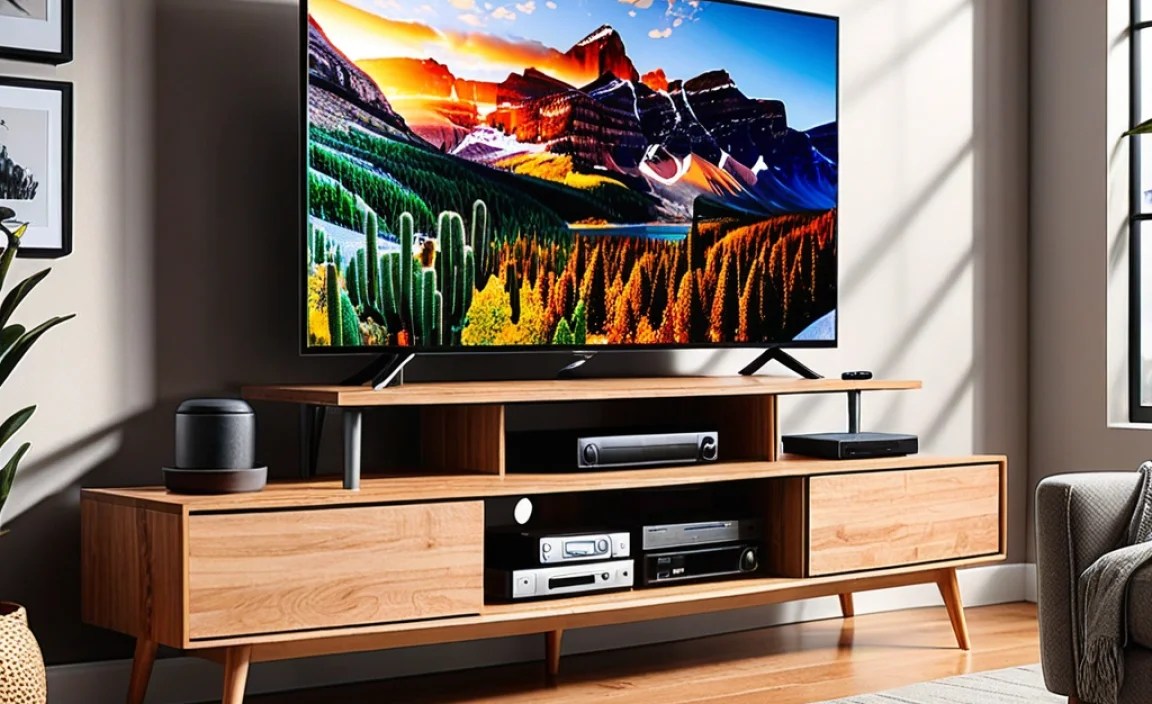
Once you’ve chosen your new TV stand, the real fun begins: wrangling those cables! Even with built-in features, a little extra effort can make a huge difference. Here’s how to make the most of your TV stand’s cable management capabilities and achieve that clutter-free look.
Step 1: Plan Your Layout
Before you plug anything in, think about where each device will go. Consider which cables need to reach the back of the stand, which need to connect to your TV, and which might need to reach side inputs. Sketching a quick diagram can help visualize the best placement and minimize cable runs. This is also the perfect time to decide which devices will go on open shelves versus inside enclosed cabinets.
Step 2: Gather Your Cable Management Tools
While your TV stand has built-in features, a few extra accessories can elevate your cable game. Here are some essentials:
- Cable Ties (Velcro or Zip Ties): The workhorses of cable organization. Velcro ties are reusable and gentle on cables.
- Cable Sleeves/Wraps: These are tubes that bundle multiple cables together, creating a single, neater-looking cord.
- Adhesive Cable Clips: Great for routing cables along the back or underside of your stand.
- Cable Raceways: These are often stick-on channels that hide cords along walls or furniture.
- Power Strip with Surge Protection: Essential for protecting your devices and a good central hub for all your plugs. Ensure it has enough outlets for your devices.
- Extension Cords (if needed): Use sparingly, but sometimes necessary to reach outlets.
A good resource for understanding electrical safety and surge protectors can be found on the Consumer Product Safety Commission (CPSC) website.
Step 3: Route Power Cords First
Plug your power strip into the wall outlet. Then, connect all your devices to the power strip. Try to route the power cords neatly towards the back of the stand, utilizing any pre-drilled holes or cutouts. If your stand has a back panel, feed the cords through the designated openings.
Step 4: Connect Your Components
Now, connect your devices (game consoles, Blu-ray players, streaming boxes, soundbars) to your TV using HDMI cables, optical cables, or other necessary wires. Route these cables along the back of the stand, using cable clips or ties to keep them bundled and close to the furniture’s frame. If you have open shelving, ensure cables can pass through to the back without being pinched.
Step 5: Bundle and Secure Visible Cables
Any cables that are still visible, especially around back panels or between shelves, should be bundled. Use Velcro ties or cable sleeves to group them together. This not only looks tidier but also prevents them from falling or tangling. Consider using adhesive clips to secure them to the underside or back of the stand so they stay put.
Step 6: Hide the Power Strip and Excess Cable Length
The goal is to have as little visible as possible. If your stand has cabinets or drawers, this is the perfect place to tuck away your power strip and any excess cable length. Coil long cables neatly and secure them with a tie before placing them inside. If you don’t have enclosed storage, try to position the power strip as far back and out of sight as possible, perhaps using a raceway along the bottom edge of the stand.
Step 7: Test and Tidy Up
Turn on all your devices and test your setup. Once everything is confirmed working, do a final check of your cable management work. Tuck in any stray wires, ensure no cables are straining or pinched, and make any final adjustments to secure them. A little attention to detail here makes a big difference.
Common Problems and Solutions
Even with a great TV stand and some handy tools, you might run into a few snags. Here are some common cable management challenges and how to overcome them:
- Problem: Not enough cable holes or they’re in the wrong spots.
- Solution: Get a tiered power strip or one with swiveling outlets. Use adhesive cable clips to create new routing paths along the stand’s edges or underside. Consider safely drilling additional holes if you’re comfortable and if it won’t compromise the stand’s integrity (check manufacturer guidelines first!).
- Problem: Too many cables to manage.
- Solution: Utilize cable sleeves or raceways to bundle multiple cords into one. Invest in smart home devices or wireless accessories.