
Looking for the best studio microphone for beginners? This guide breaks down your options, focusing on ease of use, great sound quality, and budget-friendly choices. We’ll help you find a mic that’s perfect for starting your podcast, home studio, or online content creation journey.
Starting your audio journey can feel a little overwhelming, can’t it? You’ve got all these exciting ideas for your podcast, YouTube channel, or maybe even just recording some tunes at home. But then you hit that wall: “What microphone do I actually need?” It’s like looking at a giant wall of gear, and none of it seems to speak your language. Don’t worry, though! Choosing your first studio microphone doesn’t have to be a headache. This guide is here to make things super simple. We’ll walk through everything you need to know, from understanding different mic types to picking out a model that will make your voice sound fantastic without breaking the bank. Get ready to find the perfect mic to get your creative voice heard!
Why Is Choosing the Right Beginner Microphone So Important?

Think of your microphone as the gatekeeper to your sound. It’s the first piece of equipment that captures your voice or instrument. If your mic isn’t up to the job, even the best recording software and editing skills won’t be able to fix the poor quality. For beginners, this is crucial because:
First Impressions Matter: Whether it’s a podcast listener, a viewer on a video, or someone listening to your music, a clear, professional sound makes a huge difference in keeping them engaged. A tinny, noisy, or muffled voice can make people click away fast.
Learning Made Easier: A good beginner mic won’t be overly complicated to set up or use. You want to focus on your content, not fiddling with sound levels all day. A simple, reliable mic lets you learn the ropes of recording without frustration.
Budget-Friendly Quality: The good news is that you don’t need to spend a fortune to get a great-sounding microphone. The market offers fantastic options for beginners that deliver excellent value, allowing you to invest wisely without emptying your wallet.
Foundation for Growth: A quality starter mic provides a solid foundation. As you improve and your needs evolve, you’ll have a better understanding of what you’re looking for in your next piece of gear.
Understanding Microphone Types: What’s the Difference?
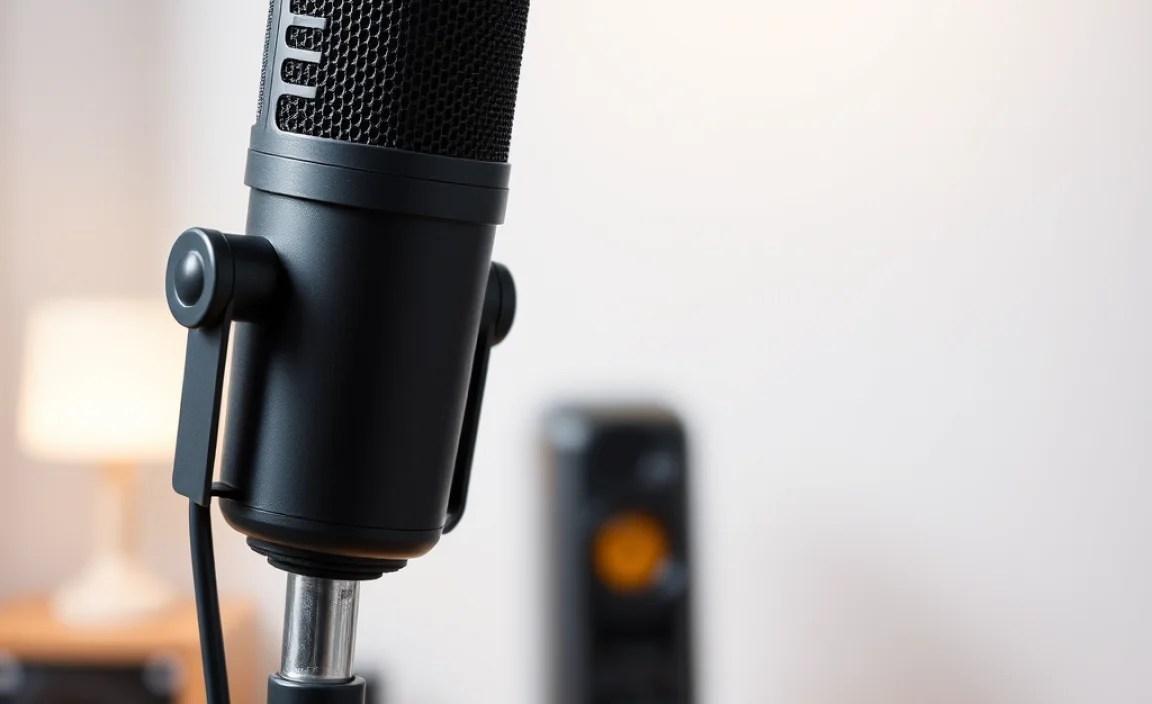
Before we dive into specific recommendations, let’s quickly touch on the two main types of microphones you’ll encounter as a beginner:
Condenser Microphones
Condenser mics are known for their sensitivity and ability to capture a wide range of frequencies. This means they can pick up a lot of detail in your voice, making it sound rich and nuanced. They are often preferred for vocals and acoustic instruments.
Pros: Excellent detail, clear and bright sound, great for vocals.
Cons: Require phantom power (usually from an audio interface or mixer), can be more sensitive to background noise, generally more fragile.
Best For: Home studios, vocal recording, acoustic instruments, voiceovers.
Dynamic Microphones
Dynamic mics are more rugged and less sensitive than condensers. They handle high sound pressure levels (SPL) well, making them ideal for loud sources like electric guitars or drums. They also tend to be more forgiving of less-than-ideal room acoustics because they don’t pick up as much background noise.
Pros: Durable, good at handling loud sounds, less sensitive to room noise, often don’t require phantom power (though some do).
Cons: Can be less detailed than condenser mics, might need more gain from your preamp.
Best For: Live performance, loud instruments, podcasts in untreated rooms, general spoken word.
For most beginners starting with voiceovers, podcasts, or streaming, a condenser microphone often provides that extra polish and detail. However, if your recording space is noisy or you’re dealing with loud sources, a dynamic mic can be a fantastic choice.
USB vs. XLR Microphones: What’s Best for Beginners?

This is a big one for beginners! The connection type of your microphone will determine what else you need to get started.
USB Microphones
These are the “plug-and-play” champions for beginners. You simply plug them directly into your computer’s USB port, and they’re ready to go. Many USB mics have built-in preamps and analog-to-digital converters, meaning all the processing happens inside the microphone itself.
Pros: Extremely easy to set up, no additional equipment needed (just a computer and a USB port), great for simple recording setups, affordable.
Cons: Less flexibility for upgrades or complex setups, sound quality can be limited by the built-in components compared to a dedicated setup.
Best For: Podcasting, streaming, voiceovers, beginner home studios where simplicity is key.
XLR Microphones
XLR microphones use a traditional XLR connector, which is common in professional audio. To use an XLR mic, you’ll need an additional piece of equipment:
Audio Interface: A device that connects to your computer (usually via USB) and provides microphone preamps, phantom power (if needed), and analog-to-digital conversion.
Mixer: Similar to an audio interface but often with more physical controls for mixing multiple inputs.
Pros: Higher potential for sound quality and versatility, allows for future upgrades (better interface, preamps), industry standard for professional setups.
Cons: Requires extra equipment (audio interface or mixer), a steeper learning curve, can be more expensive initially.
Best For: Anyone looking for the highest sound quality, those planning to expand their setup, musicians, and serious podcasters aiming for pro sound.
For the absolute beginner, a USB microphone is almost always the easiest and most cost-effective way to get started. You can achieve excellent results with minimal fuss. If you see yourself diving deeper into audio production and want maximum flexibility down the line, starting with an XLR mic and a basic audio interface is also a very valid path.
Key Features to Look For in a Beginner Studio Microphone

When you’re browsing for your first mic, keep these features in mind:
Polar Patterns: This describes which direction the microphone picks up sound from.
Cardioid: The most common and useful pattern for beginners. It picks up sound primarily from the front and rejects sound from the back and sides. This is great for isolating your voice and minimizing room noise.
Omnidirectional: Picks up sound equally from all directions. Good for capturing an entire room or group, but not ideal for solo voice recording in an untreated space.
Bidirectional (Figure-8): Picks up sound equally from the front and back, while rejecting sound from the sides. Useful for interviewing two people facing each other.
Multi-pattern: Offers several polar patterns. More advanced and usually not necessary for beginners.
Frequency Response: This tells you how well the microphone reproduces different frequencies (low bass, mid-range, high treble). A relatively flat and wide frequency response is generally desirable for capturing natural sound. For spoken word, a slight boost in the mid-range can make voices sound clearer.
Sensitivity: How much output signal the microphone produces for a given sound pressure level. Higher sensitivity often means you can get good recordings with less gain from your preamp.
Durability and Build Quality: Even if you’re careful, accidents happen. A well-built microphone will hold up better over time.
Included Accessories: Does it come with a pop filter or windscreen? A shock mount? A desk stand? These can save you money and hassle.
Top Picks: Studio Microphones Best For Beginners

Let’s look at some highly recommended microphones that hit the sweet spot for quality, ease of use, and affordability. These are great starting points for your audio adventures!
1. Blue Yeti (USB Condenser)
The Blue Yeti is a perennial favorite for a reason. It’s a versatile USB condenser mic that’s incredibly easy to use and sounds great for a wide range of applications. It features multiple polar patterns (cardioid, bidirectional, omnidirectional, stereo), making it adaptable to different recording situations. It also has a headphone jack for zero-latency monitoring and physical controls for volume and mic gain.
Why it’s great for beginners: Plug-and-play simplicity, versatile polar patterns for different scenarios, good sound quality out-of-the-box, no extra gear needed.
Ideal for: Podcasting, streaming, voiceovers, recording vocals and instruments.
2. Rode NT-USB+ (USB Condenser)
Rode is a respected name in audio, and the NT-USB+ offers a step up in audio quality while retaining USB simplicity. It’s a cardioid condenser mic designed for clarity and detail. It comes with a pop filter and a sturdy desk stand, making it a complete package for voice recording. It also integrates with Rode’s Unify software for enhanced control and routing.
Why it’s great for beginners: Excellent sound quality, professional brand reputation, includes essential accessories, easy USB connection.
Ideal for: High-quality voiceovers, podcasts needing a clear, professional voice, vocal recording.
3. Audio-Technica AT2020 USB+ (USB Condenser)
Audio-Technica is another brand known for delivering excellent value, and the AT2020 USB+ is a prime example. This cardioid condenser mic offers a clear, articulate sound with a smooth frequency response. It also features a headphone jack with volume control and a mix control to blend your microphone input with pre-recorded audio. It has a robust build quality that feels solid.
Why it’s great for beginners: Fantastic recording quality for the price, durable construction, simple USB setup, good for detail in spoken word.
Ideal for: Aspiring podcasters, streamers, home studio vocalists.
4. Shure MV7 (USB/XLR Hybrid Dynamic)
The Shure MV7 is a more premium option, but its hybrid USB/XLR connectivity makes it incredibly future-proof and versatile. Inspired by the legendary SM7B, this dynamic mic is excellent at rejecting background noise and room echo, making it a top choice for less-than-perfect recording environments. It offers a fantastic, broadcast-quality sound with powerful voice intelligibility. The USB connection provides easy plug-and-play operation, while the XLR offers professional integration later on.
Why it’s great for beginners: Excellent noise rejection, professional broadcast sound, hybrid USB/XLR connectivity for flexibility, great companion app for control.
Ideal for: Podcasters, streamers, vocalists who want a pro sound with minimal room treatment.
5. Samson Q2U (USB/XLR Dynamic)
The Samson Q2U is a fantastic budget-friendly option that punches well above its weight. It’s a dynamic microphone with both USB and XLR outputs, offering great flexibility. It’s cardioid, so it focuses on your voice and helps minimize ambient noise. It also includes a headphone jack for monitoring and a built-in desk stand. This is a very popular choice for first-time podcasters and streamers on a tight budget.
Why it’s great for beginners: Ultra-affordable, dual USB/XLR connectivity, good noise rejection, complete package with accessories.
Ideal for: Budget-conscious podcasters, streamers, voiceovers, anyone needing a robust, simple mic.
A Quick Comparison Table
Here’s a handy table to help visualize some of the key differences between popular beginner microphones:
| Microphone | Type | Connectivity | Polar Patterns | Key Features | Ideal For | Estimated Price Range (USD) |
|---|---|---|---|---|---|---|
| Blue Yeti | USB Condenser | USB | Cardioid, Bidirectional, Omni, Stereo | Multiple patterns, headphone jack, gain control | Podcasts, Streaming, Voiceovers | $100 – $130 |
| Rode NT-USB+ | USB Condenser | USB | Cardioid | Excellent sound quality, pop filter included, Rode software | High-quality Voiceovers, Vocals | $170 – $200 |
| Audio-Technica AT2020 USB+ | USB Condenser | USB | Cardioid | Clear and articulate sound, headphone jack with mix control | Podcasters, Streamers, Home Studio Vocals | $100 – $130 |
| Shure MV7 | Hybrid Dynamic | USB & XLR | Cardioid | Broadcast sound, excellent noise rejection, ShurePlus MOTIV app | Podcasts, Streaming, Vocals (noisy rooms) | $250 – $300 |
| Samson Q2U | USB/XLR Dynamic | USB & XLR | Cardioid | Very affordable, great value, excellent noise rejection | Budget Podcasting, Streaming, Voiceovers | $50 – $70 |
Note: Prices are estimates and can vary based on retailers and sales.
Beyond the Microphone: What Else You Might Need
While a good microphone is your first step, a few other items can significantly improve your recording experience and sound quality.
For USB Microphones:
Pop Filter/Windscreen: Essential for reducing plosives (those harsh “p” and “b” sounds) and sibilance (hissing “s” sounds) that can be very distracting. Many USB mics come with one, but if not, they are inexpensive. A pop filter is a circular screen that attaches in front of your mic, while a windscreen is a foam cover that fits over the mic capsule.
Desk Stand or Boom Arm: The microphone that comes with most USB mics is usually a small, basic desk stand. This can pick up vibrations from your desk and might not position the mic optimally. A small tripod stand is a step up, but a boom arm (either a desk-mounted one or a floor stand) allows you to position the mic perfectly in front of your mouth and keep it out of the way.
Headphones: You’ll need a set of headphones to monitor your audio as you record and during playback. Closed-back headphones are recommended as they prevent sound from leaking out and being picked up by the microphone.
For XLR Microphones (In addition to the above):
Audio Interface or Mixer: As discussed earlier, this is non-negotiable for XLR mics. Brands like Focusrite (Scarlett series), PreSonus, and Behringer offer excellent beginner-friendly interfaces.
Explore Focusrite Scarlett Audio Interfaces.
XLR Cable: A standard 3-pin XLR cable is needed to connect your microphone to the audio interface or mixer.
Phantom Power: Most condenser mics need +48V phantom power, which is supplied by your audio interface or mixer. Always ensure your interface is switched on with phantom power enabled for condenser mics. Dynamic mics generally do not need phantom power, and it’s usually safe to leave it on when using them, but always check your mic’s manual.
Tips for Getting the Best Sound from Your Beginner Microphone
Having a great mic is only half the battle. Room acoustics and technique play a huge role!
1. Optimize Your Recording Space:
Minimizing Echo: Hard surfaces reflect sound, causing echo and reverb. Try to record in a room with soft furnishings like carpets, curtains, or upholstered furniture. Even a closet filled with clothes can be a surprisingly good, dead-sounding recording space!
Reducing Background Noise: Turn off fans, air conditioners, and anything else that makes noise. Close windows and doors. The less extraneous noise your mic picks up, the cleaner your final audio will be. For dynamic mics, this is less critical but still beneficial.
Think about the science of sound absorption to understand how materials can help.
2. Mic Placement is Key:
Distance: For most voice recordings, position the microphone about 4-8 inches (10-20 cm) away from your mouth. Too close can cause distortion; too far can result in weak signal and more room noise.
Angle: Don’t speak directly into the microphone capsule. Talking slightly off-axis (about an inch or two to the side) can further reduce plosives and sibilance.
Pop Filter: Always use a pop filter or windscreen, especially with condenser mics. Position it correctly between your mouth and the microphone.
3. Gain Staging:
What is Gain? Gain is the level of amplification your microphone signal receives. You adjust this on your USB mic or your audio interface.
Set it Right: You want to set your gain so that your voice is loud enough but never clips (distorts). A good target for your loudest speaking volume is around -12 dB to -6 dB on your recording meter. This leaves plenty of headroom for editing. Avoid peaking at 0 dB, as this means distortion has occurred.
Related Posts

Outstanding Ways To Fix the Microphone of Your Headset- Best Tv Shows 2025 Comparison: Top Picks & Reviews!
- Soundbar vs Speaker: Pros and Cons You Must Know!
- Best Tv Deals: Amazon Comparison For Savings You Need!
- Best Tv For Bright Room: Top Picks For Vibrant Viewing
- Tv Stand With Cable Management Fix: Stay Organized & Stylish!
- Samsung TV Hidden Features Guide: Genius Tips
- Discover What Is Dolby Vision: A Complete Guide!