
Quick Summary: A speaker with a Bluetooth subwoofer delivers powerful, immersive audio by combining clear mid and high frequencies with deep bass. This setup enhances music, movies, and gaming, offering a richer sound experience than traditional Bluetooth speakers.
Are you looking to truly feel the music, not just hear it? Maybe you’re tired of movie explosions sounding like a mouse fart? If your current speakers leave you wanting more – especially in the bass department – you’re not alone. Many of us settle for good enough, but what if “good enough” could be incredibly better? A speaker system with a Bluetooth subwoofer is the secret weapon for genius sound, transforming your listening experience. We’ll break down exactly what this means and how to get the most out of it. Get ready for sound that resonates!
Unlock Deeper Sound: What’s So Special About Speakers with Bluetooth Subwoofers?

You’ve probably seen Bluetooth speakers everywhere. They’re convenient, portable, and easy to connect. But let’s be honest, they often lack that punch, that rumble, that oomph that really brings audio to life. This is where a system featuring a speaker paired with a dedicated subwoofer steps in. It’s like upgrading from a bicycle to a sports car for your ears!
The magic lies in the separation of sound. Standard speakers try to handle everything – the crisp vocals, the soaring guitar solos, and the booming bass drops. It’s a tough job! A system with a subwoofer, however, dedicates a specific driver (the part that makes sound) just for those low, deep frequencies. This allows the main speaker to focus on the mids and highs, resulting in clearer, more detailed sound across the board, while the subwoofer handles the powerful bass.
And the “Bluetooth” part? That’s the cherry on top. It means you can connect your phone, tablet, or computer wirelessly and effortlessly. No more tangled wires cluttering your space! It’s the perfect blend of modern convenience and audiophile-grade sound.
The Science Behind the Rumble: How Subwoofers Work

Before we dive into buying, let’s understand what makes those low notes sing. A subwoofer is essentially a specialized loudspeaker designed to reproduce low-frequency audio, typically between 20 Hz and 200 Hz. This is the range where you feel the bass guitar thrumming, the kick drum hitting, or the deep, resonant sounds in movie soundtracks.
Here’s a simplified breakdown:
- Driver Size: Subwoofers usually have larger drivers (the cone that moves to create sound) than regular speakers, often 8 inches or more. Bigger drivers can move more air, which is essential for producing deep bass frequencies.
- Enclosure Design: The box (enclosure) a subwoofer sits in is crucial. It’s carefully engineered to enhance bass response. Different designs, like sealed (acoustic suspension) or ported (bass reflex), affect the sound’s tightness and loudness.
- Amplification: Most subwoofers have a built-in amplifier (they are “active” subwoofers). This means they have their own power source to drive the large speaker and produce powerful bass without draining your main speaker or audio source.
The collaboration between the main speaker and the subwoofer creates a more balanced and dynamic sound profile. Think of it like a band: the lead singer (main speaker) handles the melody and lyrics, while the bass player and drummer (subwoofer) provide the solid, rhythmic foundation. Together, they make the music rich and full.
Why Go Bluetooth? The Convenience Factor
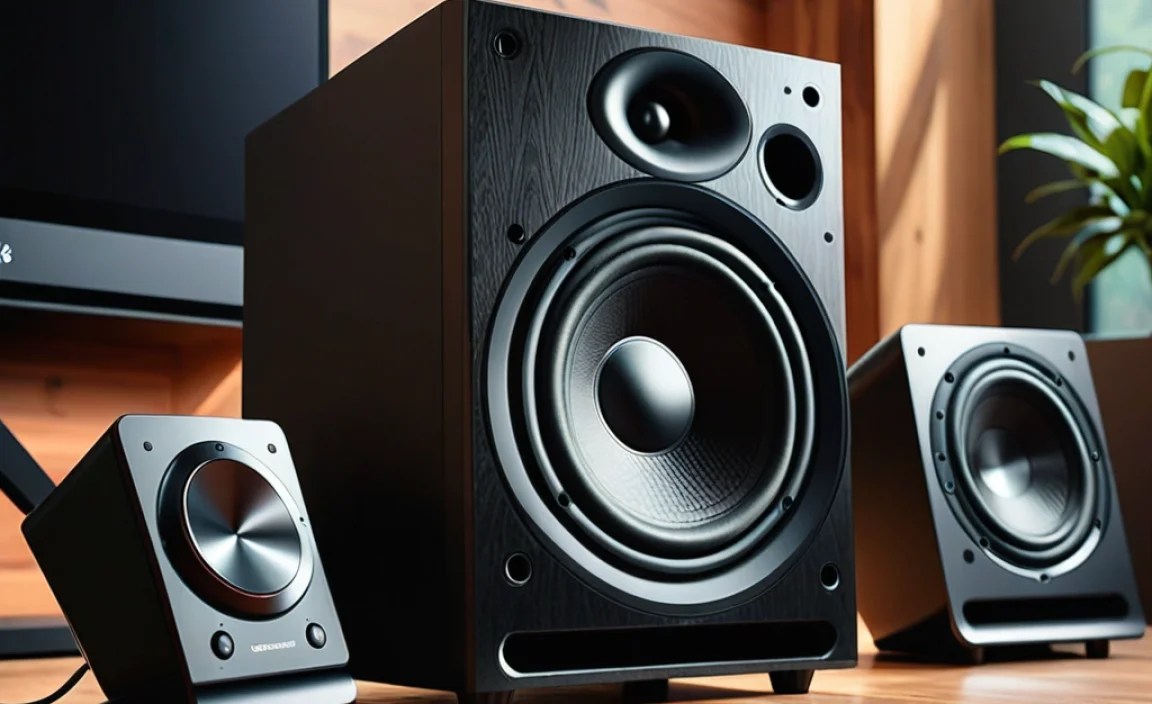
The “Bluetooth” integration in these speaker systems is a game-changer for modern living. Gone are the days of needing specific cables for every device. Bluetooth technology allows for wireless pairing, making setup a breeze. Here’s why it’s so great:
- Easy Connectivity: Simply turn on your speaker and subwoofer, put them in pairing mode, and select them on your smartphone, tablet, or computer. Most devices remember paired speakers, so you won’t have to re-pair every time.
- Tangle-Free: No more unsightly wires snaking across your room. This is perfect for minimalist setups or when you want a clean aesthetic. You can place your speakers and subwoofer more strategically for the best sound without being limited by cable length.
- Universal Compatibility: Bluetooth is a standard feature on almost all modern electronic devices. This means your speaker system will likely work with whatever you already own and any new devices you get in the future.
- Multi-Device Support: Many Bluetooth systems allow you to connect multiple devices or switch between them seamlessly, which is handy if you’re sharing music with friends or switching between your phone and laptop.
For a deeper dive into Bluetooth technology and its uses in audio, you can check out resources from the official Bluetooth SIG website, which provides detailed information on how it all works.
Choosing Your Genius Sound System: What to Look For

Ready to upgrade your audio? When shopping for a speaker with a Bluetooth subwoofer, keep these key features in mind:
1. Sound Quality & Bass Response
This is paramount. Pay attention to specifications like:
- Frequency Response: Look for systems with a wide range. The main speaker should cover mids and highs well (e.g., 50 Hz – 20,000 Hz), and the subwoofer should go low (e.g., 20 Hz – 200 Hz). A lower number in the subwoofer’s range means deeper bass.
- Driver Size: As mentioned, larger drivers generally mean better bass. For subwoofers, 8 inches or more is a good starting point for noticeable impact.
- Power Output (Wattage): While not the only factor, higher wattage usually means louder, more powerful sound, especially for the subwoofer.
2. Connectivity Options
Beyond Bluetooth, consider other inputs:
- Auxiliary Input (3.5mm): Great for wired connections to older devices or when you want to ensure the most stable connection possible.
- Optical/HDMI ARC: If you’re pairing with a TV, these digital inputs offer superior sound quality and can sometimes allow your TV remote to control the speaker volume.
- USB Playback: Some systems can play music directly from a USB drive.
3. Size and Design
Think about where you’ll place the system. A large subwoofer might be powerful but could overwhelm a small room. Consider the aesthetics and how it will fit into your decor. Many systems offer wireless subwoofers that can be placed more flexibly.
4. Brand Reputation and Reviews
Stick with reputable audio brands. Read reviews from trusted tech sites and user feedback to get real-world insights into performance, durability, and ease of use.
5. Ease of Setup
How straightforward is the pairing process? Does the subwoofer connect wirelessly and easily to the main speaker? Some systems are plug-and-play, while others might require a bit more configuration.
Types of Speaker and Subwoofer Bluetooth Setups

Not all “speaker with subwoofer Bluetooth” systems are created equal. They can range from compact all-in-one units to more sophisticated multi-piece setups.
All-in-One Soundbars with Wireless Subwoofers
These are very popular for home theater enthusiasts. A sleek soundbar handles the main audio, while a separate (often wireless) subwoofer provides the bass. They connect easily to your TV via HDMI ARC or optical and often include Bluetooth for phone/tablet streaming.
| Pros | Cons |
|---|---|
| Space-saving design, cleaner look. | Can be less powerful than dedicated bookshelf speakers. |
| Easy setup, often plug-and-play with TVs. | Subwoofer placement might be limited to where power is available. |
| Improves TV audio significantly. | Might lack advanced audio customization options. |
| Bluetooth connectivity included. | Component upgradability is impossible. |
Bookshelf Speaker Pairs with a Wireless Subwoofer
This setup offers more flexibility and often superior sound quality. You get a pair of main speakers (left and right, or stereo pair) and a separate subwoofer. The speakers communicate wirelessly with the subwoofer, or both connect wirelessly to your source device.
| Pros | Cons |
|---|---|
| Superior stereo imaging and soundstage. | Requires more space for placement of speakers and subwoofer. |
| Greater audio detail and clarity. | Setup can be slightly more involved than a soundbar. |
| Often more powerful and dynamic sound. | Potentially higher cost. |
| Subwoofer can often be placed more strategically for best bass response. | Requires source device to have Bluetooth or necessary outputs. |
Compact Desktop 2.1 Systems
These systems are designed for desks or smaller rooms. They typically include two smaller satellite speakers and a compact subwoofer, all communicating wirelessly or via cables. They are great for improving computer or gaming audio.
When choosing, think about your primary use case: enhancing TV sound, creating a home music studio, improving gaming immersion, or simply enjoying your music collection with more power. Each setup has its strengths.
Setting Up Your New Bluetooth Speaker and Subwoofer System
Getting your new audio gear up and running is usually straightforward. Here’s a general step-by-step guide:
Step 1: Unpack and Identify Components
Carefully unbox everything. You should have your main speaker(s), the subwoofer, power cables, and possibly an audio cable or remote. Read the quick start guide.
Step 2: Position Your Subwoofer
Bass is omnidirectional, meaning it radiates equally in all directions. However, the way bass interacts with your room can significantly change its impact. A common tip is to place the subwoofer in the corner where your walls meet the floor, as this can naturally boost bass output. Experiment by moving it around to find the spot where the bass sounds most balanced – not too boomy and not too weak. To learn more about room acoustics and speaker placement, resources like Acousticstraining.com offer valuable insights.
Step 3: Position Your Main Speaker(s)
Place your main speaker(s) at ear level if possible, angled slightly towards your listening position. For stereo setups, create an equilateral triangle between the two speakers and your listening spot. If it’s a single main speaker for a soundbar or desktop system, position it centrally.
Step 4: Power On and Connect
Plug in the power cables for both the main speaker system and the subwoofer. Turn them on. Most systems will have a power button or switch.
Step 5: Pair the Subwoofer (If Wireless)
Follow the manufacturer’s instructions to wirelessly connect the subwoofer to the main speaker. This often involves pressing a “pair” or “link” button on both units. A light indicator usually confirms a successful connection.
Step 6: Connect Your Audio Source via Bluetooth
Put your main speaker system into Bluetooth pairing mode (check your manual for how – often a button press or holding a button). On your smartphone, tablet, or computer, go to your Bluetooth settings, scan for devices, and select your speaker system. A confirmation sound or light will indicate it’s connected.
Step 7: Connect Your Audio Source (Wired – Optional)
If using an auxiliary cable or other wired connection, plug one end into your device and the other into the appropriate input on your speaker system.
Step 8: Test and Adjust
Play some music or a video. Listen to how the bass and treble sound. Most systems allow you to adjust bass and treble levels. If your subwoofer has a volume control, adjust it to balance with the main speakers. Start with the subwoofer volume relatively low and gradually increase it until the bass is prominent but not overwhelming.
Optimizing Your Sound for Different Content
A speaker with a Bluetooth subwoofer is versatile, but you can fine-tune its performance depending on what you’re listening to.
For Music Lovers
Music benefits hugely from the full frequency range. You want clear vocals and instruments, powerful drums, and a solid bassline. Experiment with different genres.
- Electronic Dance Music (EDM) / Hip-Hop: Crank up that subwoofer for deep, impactful bass.
- Classical / Jazz: Focus on clarity. You might slightly reduce the sub volume to prevent it from overpowering delicate instruments.
- Rock: Balance is key. You want the punch of the drums and bass guitar without obscuring the guitars and vocals.
For Movie Buffs
Movie soundtracks are designed to be dynamic. The subwoofer is crucial for explosions, car chases, and deep atmospheric sounds. You’ll often want to turn up the subwoofer for these genres to get that cinematic feel.
- Action Movies: Maximize the subwoofer experience for immersive effects.
- Dramas: You might prefer a more subtle bass presence to keep dialogue clear and natural.
For Gamers
Gaming audio is all about immersion. The rumble of engines, the impact of gunfire, and the subtle environmental cues all rely on a good frequency range. A Bluetooth subwoofer can make you feel like you’re right in the game.
- First-Person Shooters (FPS): Feel the impact of every shot and explosion.
- Racing Games: The roar of the engine and the thud of collisions come alive.
- RPGs: Environmental sounds and epic scores are enhanced dramatically.
Many modern soundbars and speaker systems offer preset sound modes (like “Movie,” “Music,” “Game”) that automatically adjust EQ and bass levels. Experiment with these!
Troubleshooting Common Issues
Even with wireless technology, occasional hiccups can occur. Here are solutions to common problems:
No Sound from Subwoofer:
- Ensure both the speaker and subwoofer are powered on.
- Check if the subwoofer is correctly paired wirelessly or connected via cable. Re-pair if necessary.
- Verify the subwoofer volume is turned up.
- Confirm that your audio source is sending low-frequency information. Try a different audio track or source device.
Bluetooth Connection Issues:
- Make sure both devices are within Bluetooth range (typically 30 feet or 9 meters).
- Turn off Bluetooth on other nearby devices that might be trying to connect.
- Restart both the speaker system and your source device.
- Delete the speaker from your device’s Bluetooth list and re-pair it.
- Check for firmware updates for your speaker system (manufacturer’s website).
Distorted or Boomy Bass:
- The subwoofer might be too close to a wall or corner. Try repositioning it.
- The subwoofer volume might be set too high. Reduce it gradually.
- The overall volume of the system might be too high, overloading the subwoofer. Lower the system volume.
- Ensure the audio source isn’t sending overly bass-heavy content.
Main Speaker and Subwoofer Out of Sync (Lag):
This is less common with modern systems but can happen. It can sometimes be caused by signal interference or processing delays. Check your speaker’s manual for any sync adjustment features or consult the manufacturer’s support.
Remember, the user manual for your specific model is your best friend when troubleshooting.
Frequently Asked Questions (FAQ)
What is a speaker with a Bluetooth subwoofer?
It’s an audio system that combines a main speaker (for mid and high frequencies) with a separate subwoofer (for deep bass), connected wirelessly via Bluetooth for easy streaming from devices like phones and tablets.
Why do I need a subwoofer? Can’t my regular speaker handle the bass?
Regular speakers try to reproduce all sound frequencies. A dedicated subwoofer is specifically designed to reproduce low bass frequencies more powerfully and accurately, allowing your main speaker to focus on clearer mid and high sounds. This results in a richer, more impactful audio experience.
How do I connect a Bluetooth speaker and subwoofer?
Typically, you power on both units, put them into pairing mode as per the manufacturer’s instructions, and they will wirelessly connect to each other. Then, you pair your phone, tablet, or computer to the main speaker system via Bluetooth.
Do I need to plug in the subwoofer?
Yes, subwoofers require power. They usually have their own power cord. While the connection between the main speaker and subwoofer might be wireless.