
Achieving proven longevity for your speaker with subwoofer battery life is about understanding usage patterns, optimizing settings, and proper maintenance. By following simple tips, you can significantly extend playtime and ensure your audio experience lasts longer on a single charge.
Speaker With Subwoofer Battery Life: Proven Longevity for Endless Beats

Ever been in the middle of a great song or an intense gaming session, only for your powerful speaker with a subwoofer to silently die? It’s a real bummer, interrupting the vibe and leaving you searching for a charger. We get it! The frustration of a short battery life when you’re expecting to keep the party going or immerse yourself in sound is a common headache for many audio enthusiasts. But don’t worry, improving how long your speaker lasts on a single charge is entirely possible. This guide will walk you through simple, proven strategies to maximize your speaker’s battery performance, so you can enjoy your music and audio experiences for longer.
Understanding the Power Drain: What Uses Up Your Battery?

Portable speakers with subwoofers are powerhouses of sound. That deep, resonant bass from the subwoofer requires a significant amount of energy. The combination of the main speaker drivers and the dedicated subwoofer, especially when pushing loud volumes, creates a substantial draw on the internal battery. Several factors contribute to how quickly this battery drains:
- Volume Levels: The louder you play your music, the more power the speaker needs. Pushing the volume to its maximum will drain the battery much faster than listening at a moderate level.
- Low-Frequency Content: Subwoofers are designed to reproduce bass. Playing music with heavy bass lines or engaging in intense gaming with impactful sound effects forces the subwoofer to work harder, consuming more battery.
- Connectivity Type: While typically not the biggest drain, Bluetooth connections do use power. Older Bluetooth versions or a weak signal can sometimes lead to slightly increased battery usage.
- Speaker Features: Some speakers come with additional features like LED lights, EQ settings, or multi-speaker pairing. These are convenient but do consume a small amount of extra battery power.
- Battery Age and Health: Like all rechargeable batteries, those in your speaker will degrade over time. An older battery is generally less capable of holding a full charge compared to when it was new.
Maximizing Playtime: Proven Strategies for Longer Battery Life
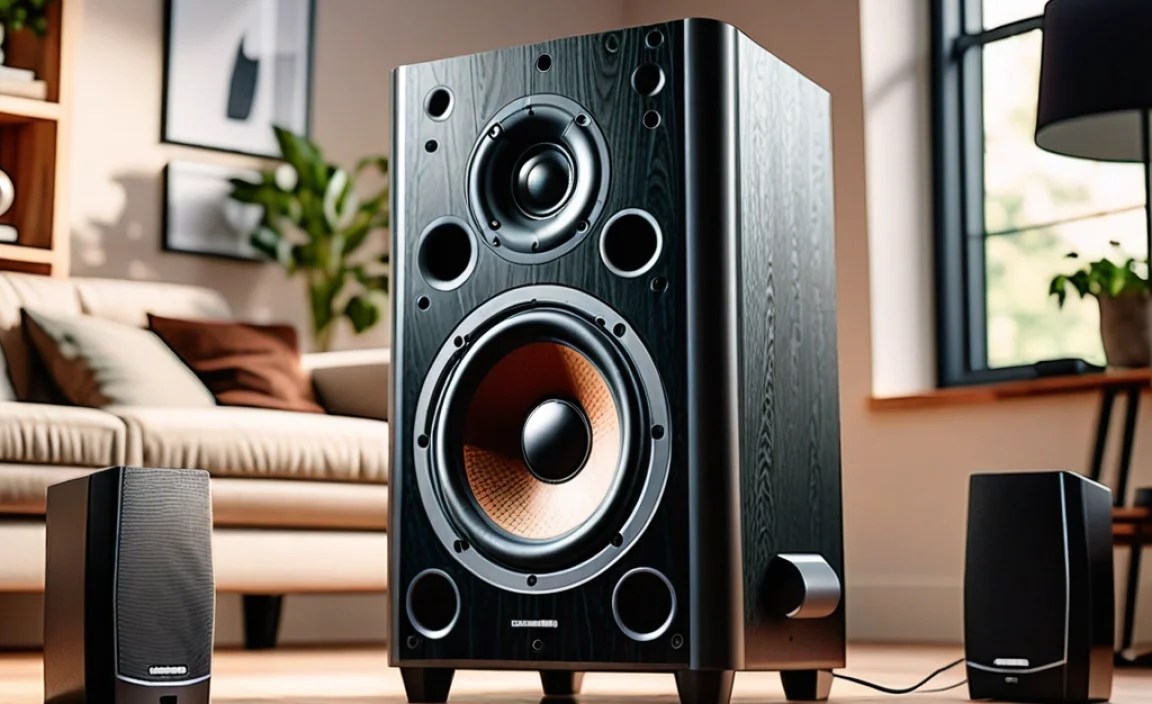
Ready to get more hours out of your speaker? Here are some practical, proven methods to extend your battery life:
1. Smart Volume Management
This is the most impactful way to save battery. Think of it like fuel economy for your speaker. Playing music at 70-80% of max volume will use significantly less power than blasting it at 100%.
- Find Your Sweet Spot: Experiment a bit. Often, a slightly lower volume is still more than enough to fill a room or enjoy your music without maxing out the speaker.
- Consider Your Environment: Are you in a noisy outdoor setting or a quiet living room? Adjust your volume accordingly. You don’t need maximum power in a silent space.
2. Optimize EQ Settings
Many speakers allow you to adjust Equalizer (EQ) settings. While boosting bass can be tempting, extreme bass equalization often requires more power from the subwoofer.
- Reduce Bass Boost: If your speaker has an explicit “bass boost” feature or a slider to dramatically increase bass, try reducing it.
- Choose Balanced Presets: Opt for “balanced,” “standard,” or “flat” EQ presets when not specifically needing enhanced low-end. These generally consume less power.
- Learn About EQ: Understanding how EQ affects sound and power can be a game-changer. Rtings.com offers a great introductory guide on EQ.
3. Limit Usage of Extra Features
Those flashy LED lights or the ability to link multiple speakers together are cool, but they draw power. If your goal is maximum battery longevity, consider turning these off when not essential.
- Dim or Turn Off Lights: Most speakers with LED lighting allow you to dim or switch them off completely. Do this if you don’t need the visual spectacle.
- Disable Unused Inputs: If your speaker has multiple input options (like auxiliary, USB, or Bluetooth), ensure only the one you are actively using is engaged. Some devices might continuously scan for connections.
- Single Speaker Mode: If you have multiple speakers, using them individually rather than in a linked stereo or party mode will generally conserve battery on each unit.
4. Battery Maintenance and Care
Just like any rechargeable battery, proper care ensures it performs at its best for as long as possible. This prevents premature degradation.
- Avoid Extreme Temperatures: Never leave your speaker in a very hot car or in freezing conditions. Extreme temperatures can damage the battery and reduce its capacity over time.
- Charge Regularly: While modern lithium-ion batteries don’t suffer from the “memory effect” of older battery types, it’s still good practice to avoid letting them die completely on a regular basis. Recharge them once they reach a low percentage.
- Full Charge for Storage: If you plan to store the speaker for an extended period (weeks or months), charge it to around 50-60%. Storing a fully charged or completely depleted battery for long durations can stress it.
- Use the Right Charger: Always use the charger that came with your speaker or a reputable third-party charger with the correct voltage and amperage. Using an incorrect charger can damage the battery and charging circuitry.
5. Bluetooth Connection Best Practices
Bluetooth is convenient, but a stable connection is key. A consistent, strong signal uses less power than trying to maintain a connection with frequent dropouts.
- Proximity Matters: Keep your source device (phone, tablet, laptop) reasonably close to the speaker. Walls and distance can weaken the signal.
- Minimize Interference: Other wireless devices can sometimes interfere with Bluetooth. If you experience choppy audio or frequent reconnections, try moving away from other strong wireless emitters.
- Update Source Device Software: Ensure your phone or tablet has the latest firmware and Bluetooth drivers. This can sometimes optimize power consumption for connections.
Understanding Speaker Battery Specifications

When looking at specifications, you’ll often see two key numbers related to battery life: the battery capacity (measured in milliampere-hours, mAh) and the rated playtime (usually in hours). It’s important to understand what these mean and how they relate to real-world usage.
| Specification | Unit of Measure | What it Means | Impact on Longevity |
|---|---|---|---|
| Battery Capacity | mAh (milliampere-hours) | The total amount of electrical charge the battery can store. Higher mAh generally means more potential runtime. | A larger capacity battery can power the speaker for longer, all else being equal. |
| Rated Playtime | Hours | The manufacturer’s estimated duration the speaker can play music on a single charge, typically at a specific volume level (e.g., 50% volume). | This is your benchmark, but remember it’s an estimate and real-world use will vary. |
| Charging Time | Hours | How long it takes to fully recharge the battery from empty. | Shorter charging times are more convenient, but don’t directly impact how long the speaker plays once charged. |
It’s crucial to remember that the “rated playtime” is almost always an estimate conducted under ideal conditions—usually at around 50% volume with no heavy bass or extra features enabled. If you want to achieve that rated playtime, you’ll need to follow many of the tips outlined in this guide. For instance, a speaker rated for 15 hours at 50% volume might only last 6-8 hours at 80-90% volume with heavy bass.
Real-World Playtime vs. Manufacturer Claims
As mentioned, the advertised battery life is often a best-case scenario. Your actual experience can differ significantly. Here’s a quick comparison:
| Volume Level | Estimated Playtime Factor (vs. Rated) | Likely Scenario for a Speaker Rated 15 Hours |
|---|---|---|
| Very Low (e.g., 20%) | 150% – 200% | 22.5 – 30+ hours |
| Moderate (e.g., 50%) | 100% (Rated) | 15 hours |
| High (e.g., 75%) | 60% – 70% | 9 – 10.5 hours |
| Max Volume (e.g., 100%) with Heavy Bass | 30% – 50% | 4.5 – 7.5 hours |
Notice how dramatically the playtime can reduce when you crank up the volume and rely on that subwoofer. Powering the subwoofer is the biggest energy hog. This is why managing volume and bass output is so critical for extending battery performance.
When to Consider Battery Replacement
Even with the best care, all rechargeable batteries have a finite lifespan. If you notice a significant drop in your speaker’s playtime compared to what it used to offer, even with optimized settings, it might be time to consider battery replacement. For many portable speakers, the battery is an integrated component. Replacing it might:
- Require sending the unit back to the manufacturer.
- Involve a professional repair service.
- Be difficult or impossible for DIY enthusiasts depending on the speaker’s design.
Check your speaker’s warranty and the manufacturer’s website for information on battery service. Some manufacturers, like Apple’s iPhone battery service, offer clear guidelines on battery health and replacement options, which can be a good model for how other electronics might handle it.
Frequently Asked Questions (FAQ)
Q1: How long should a speaker with a subwoofer battery realistically last?
A: This varies greatly. A manufacturer might claim 15-30 hours, but this is usually at low volume. For typical listening at moderate to high volumes, expect anywhere from 5 to 15 hours. Heavy bass use and high volume will significantly shorten that time.
Q2: Does turning off the subwoofer extend battery life on speakers that allow it?
A: Yes, absolutely. The subwoofer is the biggest power consumer. On speakers where you can disable the subwoofer (often in a “eco mode” or by selecting a different sound profile), battery life will increase substantially. However, you’ll lose the deep bass.
Q3: Is it bad to always charge my speaker to 100%?
A: Modern lithium-ion batteries are designed for full charging. It’s not inherently bad. However, leaving a fully charged battery at 100% for extended periods, especially in warm conditions, can contribute to gradual degradation. If you’re not using it for a while, charging to 50-80% is theoretically better for long-term health.
Q4: Will using a different charging cable damage my speaker’s battery?
A: It can, if the cable and charger are not compatible or are of poor quality. Always use the original charger or a reputable brand charger with the correct voltage and amperage. An incorrect charger can overcharge, undercharge, or damage the battery’s internal components.
Q5: How can I check the actual battery health of my speaker?
A: Most portable speakers don’t offer a direct battery health percentage like a smartphone. You can gauge it by comparing its current playtime to its original performance and the manufacturer’s rated playtime. If it’s drastically shorter after a full charge, the battery health has likely decreased.
Q6: Does playing music at lower volumes truly make a big difference?
A: Yes, a significant difference. Power consumption increases exponentially with volume. Listening at 50% volume uses vastly less power than listening at 100% volume. It’s the most effective way to extend playtime without compromising features.
Conclusion
Ensuring your speaker with a subwoofer delivers proven longevity on a single charge is well within your reach. By understanding how volume, EQ settings, extra features, and battery care impact power consumption, you can make informed choices to maximize every listening session. Remember that the manufacturer’s rated playtime is a guide, and real-world performance depends on your usage. Implementing smart volume management, optimizing settings, and maintaining your battery will undoubtedly lead to longer playtime, giving you more hours of immersive sound and entertainment. So, go ahead, turn up the tunes (responsibly), and enjoy the extended battery life!