
Choosing between bookshelf speakers and soundbars for your gaming PC depends on your space, budget, and sound needs. Bookshelf speakers offer superior audio separation and a more immersive soundstage, ideal for true audiophiles. Soundbars provide a simpler, space-saving setup with decent sound, perfect for casual gamers or those prioritizing a clean desk. Carefully consider your priorities to make the best choice for your gaming experience.
Hey there, fellow gamers and tech enthusiasts! Bob E Riley here, your go-to guy for making sense of all things audio. Ever stared at your gaming setup and thought, “Do I really need those giant speakers, or could a sleek soundbar do the trick?” You’re not alone! Picking the right speaker for your gaming PC can feel like navigating a minefield of technical jargon and confusing options. But don’t worry, we’re going to break it all down. This guide is designed to be your trusty co-pilot, helping you understand the key differences between common speaker types, like those snazzy bookshelf speakers and minimalist soundbars. We’ll cut through the noise and help you find the perfect audio companion for your epic gaming adventures. Get ready to level up your sound!
Speaker for Gaming PC Vs: Bookshelf Speakers vs. Soundbars Explained

When it comes to boosting your gaming PC’s audio, two popular contenders often steal the spotlight: bookshelf speakers and soundbars. Both can transform your gaming experience from “meh” to “wow,” but they do it in very different ways. Understanding these differences is the first step to choosing the right one for your setup and your ears.
What Are Bookshelf Speakers?
Bookshelf speakers, also sometimes called “powered speakers” or “desktop speakers,” are essentially compact, self-contained audio systems designed to sit on your desk or a shelf. They come in pairs (left and right) and are built to deliver stereo sound, meaning each speaker handles a specific channel of audio. This stereo separation is crucial for creating a wide soundstage – the feeling of sound coming from different directions – which is a huge advantage in gaming. Many bookshelf speakers have their own built-in amplifiers, meaning you don’t necessarily need a separate receiver, making them a more integrated solution than traditional hi-fi speakers.
Key Features of Bookshelf Speakers:
- Stereo Separation: Two distinct speakers placed apart create a more immersive and directional sound experience.
- Built-in Amplifiers: Many models are “active” or “powered,” meaning they plug directly into your PC and wall outlet without needing extra audio equipment.
- Sound Quality: Often offer richer bass, clearer highs, and a more detailed sound profile due to dedicated drivers and larger enclosures.
- Placement Flexibility: Can be positioned on your desk, shelves, or speaker stands for optimal sound imaging.
- Connectivity: Typically connect via 3.5mm audio jack, RCA cables, or increasingly, Bluetooth and USB.
What Are Soundbars?
A soundbar is a long, slender bar-shaped speaker that typically houses multiple audio drivers within a single enclosure. Originally designed for TVs to offer a significant audio upgrade over built-in speakers without taking up much space, they’ve also become a popular option for PC setups. Soundbars are designed to provide a surprisingly full sound from a compact unit. Some soundbars use clever audio processing to simulate surround sound, giving you a more enveloping audio experience, while others focus on delivering clear dialogue and powerful stereo sound. They often come with a wireless subwoofer for enhanced bass response.
Key Features of Soundbars:
- Space-Saving Design: Their compact, linear form factor is ideal for minimalist setups or small desks.
- Simplified Setup: Usually a single cable connection to your PC (often HDMI, optical, or 3.5mm) and a power cable.
- Simulated Surround Sound: Many employ digital signal processing (DSP) to create an illusion of surround sound, enhancing immersion.
- Integrated Solution: All audio components are in one unit, reducing cable clutter.
- Optional Subwoofers: Many come with, or support, external subwoofers for deeper bass.
Why Does Your Gaming PC Need Better Speakers?

Your gaming PC is a powerful machine, capable of stunning visuals and complex gameplay. But what about the audio? The tinny sounds from your monitor’s built-in speakers or a cheap set of earbuds just don’t cut it. High-quality speakers do more than just make noise; they pull you into the game world, add emotional depth to cinematic moments, and give you a competitive edge by helping you pinpoint enemy locations based on sound cues.
Think about it: the subtle rustle of leaves indicating an approaching enemy, the thunderous roar of an explosion that shakes you to your core, or the nuanced soundtrack that adds to the game’s atmosphere. Without good speakers, you’re missing a massive piece of the puzzle. It’s like watching a blockbuster movie with the sound muted – you’re missing half the experience! Investing in a decent speaker system for your gaming PC is one of the most impactful upgrades you can make for immersion and enjoyment.
Speaker for Gaming PC Vs: Key Differences & How They Impact Gaming

The core distinction between bookshelf speakers and soundbars for gaming boils down to how they deliver sound and the level of immersion they can provide. This impacts everything from your ability to hear subtle audio cues to the overall impact of in-game sound effects.
Soundstage and Imaging
This is where bookshelf speakers truly shine. Because you have two separate speakers positioned on either side of your monitor, they can create a much wider and more accurate soundstage. This means the audio feels like it’s coming from a broader space, creating a more realistic and encompassing environment. Imaging refers to how precisely you can pinpoint the location of a sound within that soundstage. With good stereo separation from bookshelf speakers, you can often tell exactly where a footstep is coming from, which is invaluable in competitive shooters like Valorant or Apex Legends. Soundbars, especially cheaper ones, can sometimes create a more “muddled” soundstage, or the simulated surround can feel artificial and less precise.
Immersion and Impact
For games with epic soundtracks, dramatic scores, and explosive action sequences, the physical presence and sound quality of bookshelf speakers can offer a more impactful experience. Dedicated drivers for bass, mids, and highs allow for a richer, more dynamic range. The sheer volume and clarity can make explosions more visceral and ambient sounds more atmospheric. Soundbars, particularly those with subwoofers, can also deliver impressive impact, but they might struggle to match the nuanced detail and clarity of a well-designed bookshelf speaker pair.
Space and Aesthetics
This is often a deciding factor. Bookshelf speakers, by their nature, take up more desk real estate. You need space for two speaker units, plus the cables connecting them. If you have a minimalist setup or a smaller desk, this can be a drawback. Soundbars, on the other hand, are designed for low-profile placement. They sit neatly in front of your monitor or can even be wall-mounted, offering a much cleaner look. If cable management and desk space are major concerns, a soundbar is usually the more convenient choice.
Complexity of Setup
Generally, soundbars are simpler to set up. You often connect one cable to your PC, plug it into the wall, and you’re good to go. Bookshelf speakers can be a bit more involved, though “powered” bookshelf speakers have simplified this greatly. You’ll still have a cable connecting the two speakers to each other (often called a “link cable”), plus the audio input cable to your PC and the power cable. If you’re not comfortable with a few extra cables, a soundbar might be more appealing.
Comparing Specific Features for Gaming
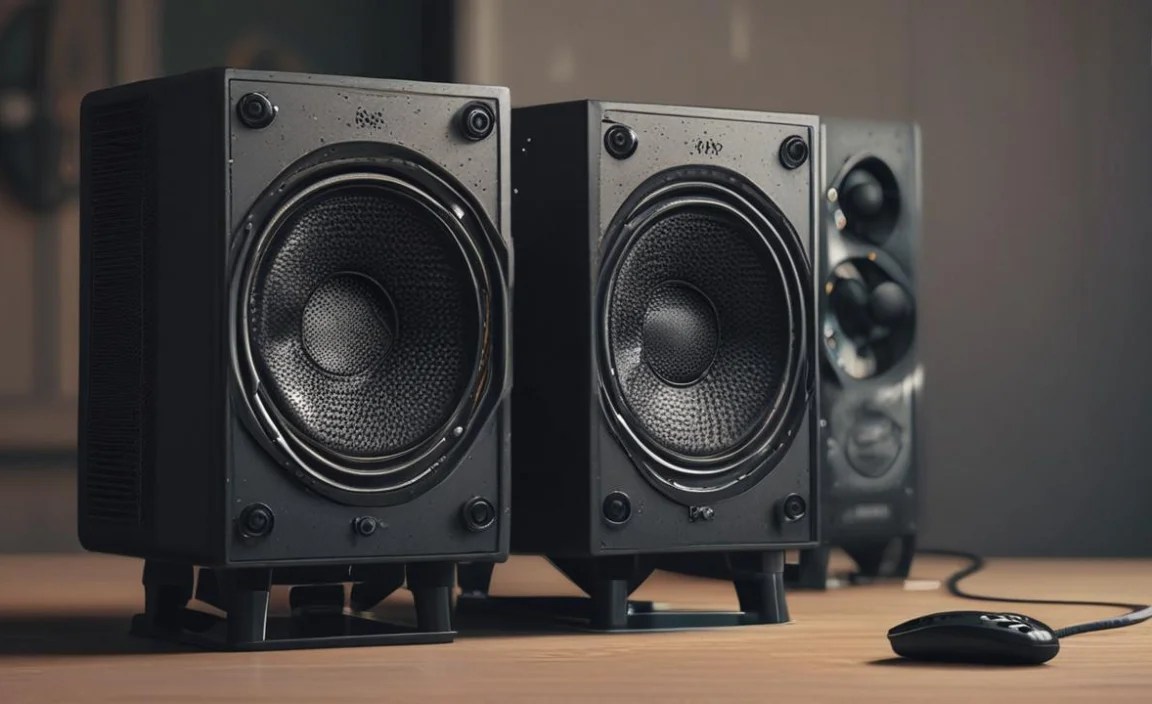
When you’re deep in a gaming session, certain audio features become critical. Let’s look at how bookshelf speakers and soundbars stack up in areas directly relevant to your gameplay.
Positional Audio & Competitive Gaming
For games where hearing an enemy before you see them is crucial, precise positional audio is king. This is where the stereo separation of bookshelf speakers generally has an advantage. The ability to accurately distinguish sounds coming from the left, right, front, and back, without the audio feeling artificially processed, can give you a significant edge. While some high-end soundbars can simulate surround sound effectively, many rely on psychoacoustic tricks that can sometimes confuse directional cues.
For more information on how audio affects gameplay, you might find resources from organizations like the GamesIndustry.biz editorial team helpful, as they often discuss the technical aspects of game development, including audio design.
Explosions and Bass Impact
The visceral rumble of an explosion or the deep thrum of an engine can truly immerse you in a game. Bookshelf speakers, especially those with larger woofers, can reproduce these low frequencies with more authority and less distortion than many soundbars where the bass is often outsourced to a separate, albeit powerful, subwoofer. However, a soundbar system that includes a dedicated, well-designed wireless subwoofer can provide an incredibly powerful and deep bass experience that might even surpass some smaller bookshelf speaker setups.
A good example of this is seeing how a dedicated subwoofer can augment the low-frequency output. According to Sound & Vision magazine, a subwoofer is specifically designed to reproduce the lowest audible frequencies, making it ideal for dramatic sound effects in games and movies.
Dialogue Clarity
In story-driven games or during intense multiplayer matches where callouts are important, clear dialogue is essential. Both bookshelf speakers and soundbars can offer excellent dialogue clarity. Bookshelf speakers, with their separate drivers, can dedicate channels to mid-range frequencies where the human voice sits, ensuring it cuts through the mix. Many soundbars feature a dedicated center channel or advanced vocal enhancement technologies to ensure voices are crisp and understandable, even amidst chaotic action.
Table: Bookshelf Speakers vs. Soundbars for Gaming PC

Here’s a quick comparison to help you visualize the strengths and weaknesses of each for your gaming PC:
| Feature | Bookshelf Speakers | Soundbars |
|---|---|---|
| Soundstage Width & Imaging | Excellent (Wide and precise stereo separation) | Good to Very Good (Can be limited by single-bar design; simulated surround varies) |
| Positional Audio Accuracy | High (Superior for pinpointing sounds) | Moderate to High (Can be less precise than true stereo) |
| Bass Impact & Depth | Good to Excellent (Depends on speaker size; inherent potential) | Good to Excellent (Often relies on separate subwoofer for best results) |
| Mid-Range & Treble Clarity | Excellent (Dedicated drivers provide detail) | Very Good (Often designed for clarity, especially for dialogue) |
| Desk Space Requirement | Moderate to High (Two speakers and wiring) | Low (Compact, single unit) |
| Setup Simplicity | Moderate (Requires connecting two speakers) | High (Typically one main audio connection) |
| Aesthetic Integration | Can be bulky; depends on design | Sleek and minimalist |
| Price Range (Entry to Mid-Level) | $80 – $300 | $70 – $250 |
| Price Range (High-End) | $300 – $1000+ | $250 – $600+ |
Choosing the Right Setup: Factors to Consider
The “best” speaker for your gaming PC isn’t a one-size-fits-all answer. It depends entirely on your personal priorities, your gaming habits, and your physical space. Let’s break down the key things to think about.
1. Your Gaming Habits
Competitive Shooter Fanatic? If you live for the thrill of tactical shooters where every sound cue matters, the precise imaging and wide soundstage of bookshelf speakers might give you the edge you need. Bookshelf speakers excel at letting you hear footsteps approaching from your left flank or a sniper shot from a distant ridge.
RPG/Story-Driven Player? For immersive single-player games with rich narratives and cinematic sound design, both can be excellent. A soundbar with a subwoofer can deliver earth-shattering explosions and atmospheric environments, while bookshelf speakers will offer nuanced detail in the soundtrack and dialogue.
Casual Gamer? If you play games more casually or prioritize a clean desk and simple setup, a good soundbar will likely provide a significant upgrade over built-in monitor speakers without being overkill.
2. Your Available Space
Big Desk, Big Dreams: If you have ample desk space and don’t mind a bit of speaker placement to achieve optimal sound, bookshelf speakers are a fantastic choice. You can position them strategically to create the best possible listening environment.
Desk Space is Precious: If your desk is cluttered with monitors, peripherals, and other gear, or if you simply prefer a minimalist aesthetic, a soundbar is the clear winner. Its compact, low-profile design fits neatly in front of your monitor, maximizing your usable desk surface.
Room Aesthetics: Consider how the speakers will look in your room. Bookshelf speakers can range from utilitarian black boxes to stylish wooden designs that can complement your décor. Soundbars are typically sleek and modern, blending in easily with most setups.
3. Your Budget
Both bookshelf speakers and soundbars come in a wide range of prices. You can find decent entry-level options for under $100 for either category. However, to get truly exceptional audio quality, especially with accurate bass reproduction and detailed sound, you’ll generally need to spend more. High-end bookshelf speakers often offer superior audio fidelity compared to similarly priced soundbars, but a premium soundbar with a robust subwoofer can also be a significant investment.
When budgeting, consider not just the initial purchase price but also any necessary accessories you might need, though for most PC setups, the speakers/soundbar will be the primary audio cost.
4. Connectivity Options
Ensure the speakers or soundbar you choose offer the connectivity your PC supports. Standard options include:
- 3.5mm Audio Jack: The most common and basic connection, found on most PCs and laptops.
- RCA Cables: Often used with more traditional audio setups, less common for PC desktop speakers but found on some.
- Optical (S/PDIF): A digital audio connection offering potentially higher quality than analog, common on some motherboards and soundbars.
- USB: Increasingly popular, especially for powered speakers, as it can carry audio and sometimes power, simplifying connections.
- Bluetooth: Convenient for wireless audio streaming, but can sometimes introduce latency (a slight delay between the action on screen and the sound), which is undesirable for gaming. Look for Bluetooth versions with low latency codecs if this is a primary connection.
- HDMI (ARC/eARC): Primarily for TVs, but some higher-end soundbars designed for PC use may offer this.
5. Amplification: Powered vs. Passive
Powered (Active) Speakers: These have a built-in amplifier. They plug into the wall for power and directly into your PC’s audio output. Most desktop bookshelf speakers and all soundbars are powered.
Passive Speakers: These require an external amplifier or AV receiver to power them. They are less common for typical PC setups unless you’re building a dedicated high-fidelity audio system.
For ease of use with a gaming PC, stick to powered bookshelf speakers or soundbars.
Step-by-Step: Setting Up Your New Gaming Speakers
No matter if you’ve chosen bookshelf speakers or a soundbar, the setup process is generally straightforward. Here’s a general guide:
For Bookshelf Speakers:
- Unpack and Inspect: Carefully remove both speakers and all accessories from the box. Check for any visible damage.
- Position Speakers: Place the left and right speakers on your desk, approximately 2-3 feet apart, forming an equilateral triangle with your head when seated. Angle them slightly inward towards your listening position (this is called “toe-in”).
- Connect Speakers (if applicable): If your speakers have separate left and right units that aren’t wirelessly linked, use the included speaker wire to connect them. Ensure correct polarity (+ to + and – to -).
- Connect to PC:
- Most commonly, use a 3.5mm audio cable from the speaker’s input to your PC’s headphone jack or line-out port.
- If using USB speakers, connect the USB cable from the speaker to an available USB port on your PC.
- If using RCA cables, connect them from the speakers to your PC’s audio output.