
Keep your Alexa smart speaker powered up efficiently with these essential charging tips! Learn about the right power adapters, optimal placement for charging, and how to maintain battery health for consistent performance and a longer lifespan.
Hey there, tech enthusiasts and smart home lovers! Bob E Riley here from Aimguider. Ever find your trusty Alexa smart speaker running on fumes at the worst possible moment? It’s a common frustration. We rely on these little helpers for music, information, and controlling our homes, so a dead battery can really throw a wrench in things. But don’t worry, keeping your Alexa device charged and ready is simpler than you might think. We’re going to walk through some straightforward tips and smart hacks to ensure your smart speaker is always juiced up and performing at its best. Let’s dive into how to make sure your Alexa never misses a beat!
Understanding Your Alexa Smart Speaker’s Power Needs
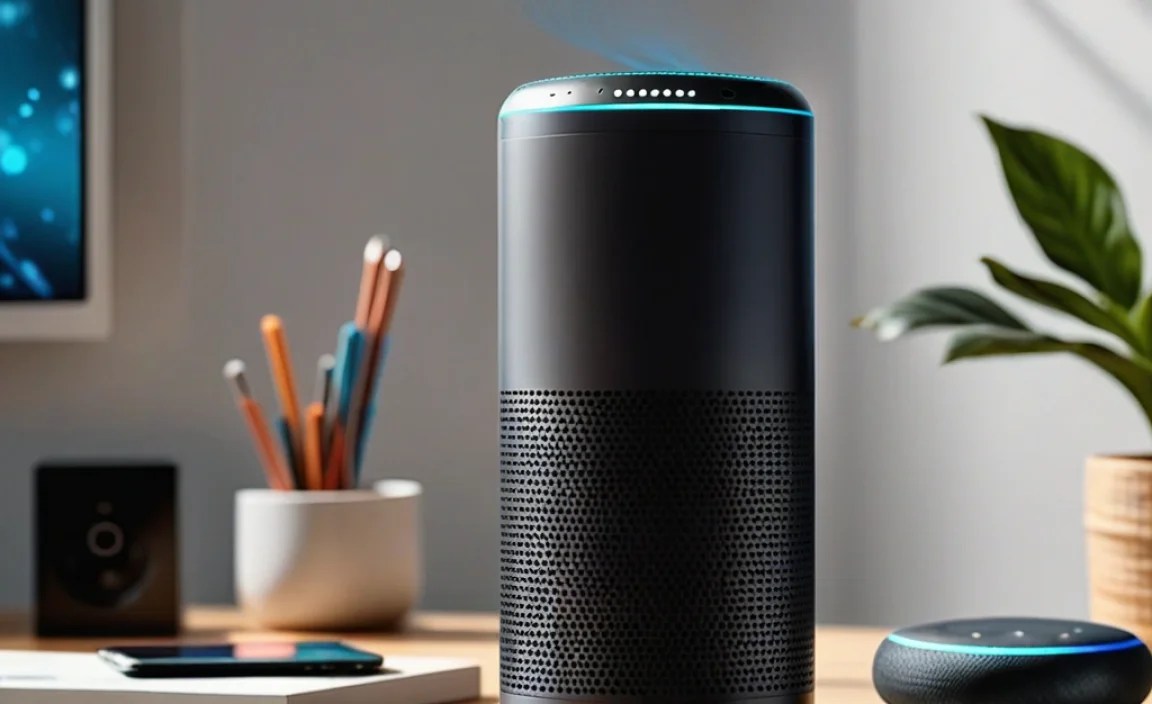
Before we get into the charging hacks, it’s helpful to understand what your smart speaker needs to stay powered. Most Alexa-enabled devices, like Amazon Echo or Echo Dot, come with a specific power adapter. Using the wrong one can be like trying to fit a square peg in a round hole – it just doesn’t work well and can even cause damage. These devices typically use a DC (direct current) power input, and the adapter converts your wall’s AC (alternating current) into the DC voltage your speaker requires.
The key is to match the power requirements. You’ll usually find this information printed on the bottom of your device or on the original power adapter. Look for specifications like voltage (V) and amperage (A) or wattage (W). For example, a common setup might be a 5V/1.5A adapter, which means it provides 5 volts and 1.5 amps. Mismatching these can lead to slow charging, an underpowered speaker that doesn’t perform well, or in severe cases, damage to the device’s charging port or internal electronics.
Think of it like giving your car the right kind of fuel. You wouldn’t put diesel in a gasoline car, right? It’s the same principle for your smart speaker. Sticking to the manufacturer-recommended power adapter is always the safest and most effective approach.
Essential Alexa Smart Speaker Charging Tips
Now that we know why the right power is important, let’s get into the practical tips for keeping your Alexa charged and happy.
1. Always Use the Official or Recommended Power Adapter
This is the golden rule of smart speaker charging. Amazon designs its Echo devices to work with specific power adapters. These are usually included in the box when you purchase the device. If yours is lost or damaged, your first stop should be Amazon’s official website or a reputable retailer selling genuine replacement parts. Avoid generic, unbranded chargers that offer a tempting low price. They might seem like a good deal, but they often lack the safety features and precise power delivery of official adapters, which can harm your device over time.
Why is this so critical? Official chargers are designed to deliver the correct voltage and amperage, ensuring a stable and efficient charge. They also often include built-in safety mechanisms to prevent overcharging, overheating, and short circuits. A cheap substitute might push too much power, or not enough, leading to performance issues or even permanent damage.
2. Optimize Placement for Consistent Power
Where you plug in your Alexa matters, especially if you’re using it in multiple locations or want to ensure it’s always accessible. If your speaker is battery-powered (like some portable Alexa devices, though less common for primary home units), placement near a frequently used outlet is key. For standard plug-in models, consider:
- Proximity to Outlets: Place your speaker near an outlet so the power cord can comfortably reach without being stretched or kinked. Avoid using extension cords if possible, as they can sometimes introduce power fluctuations or signal interference, though a high-quality surge protector is a good idea.
- Stable Surfaces: Ensure the speaker is on a flat, stable surface. This prevents the power cord from being accidentally dislodged, which can interrupt charging.
- Avoid Extreme Temperatures: Don’t place your Alexa speaker in direct sunlight or near heat sources like radiators. Extreme temperatures can degrade the battery faster and affect charging performance. Following guidance from organizations like the U.S. Department of Energy on appliance care can help extend the life of your electronics.
3. Understand Charging Indicators
Most smart speakers will give you a visual cue when they’re charging. This is often a colored light ring or an icon on the device itself. For example, an orange light on an Amazon Echo typically indicates that the device is in setup mode or has a notification. A solid white or blue light often means it’s ready and listening. For charging, there might not be a dedicated “charging” light for plug-in models, as they are designed to be constantly powered. However, if you have a portable model, or if your main speaker has a battery backup, pay attention to any subtle light changes that might signify charging status. Always refer to your specific device’s manual for exact indicator meanings.
4. Best Practices for Battery Health (If Applicable)
While most core Alexa devices are designed to be plugged in constantly, some newer or accessory models might have built-in batteries. If your Alexa device is one of these, here are some tips to maximize battery life:
- Avoid Complete Drains: Try not to let the battery drain completely to 0% regularly. Lithium-ion batteries, common in modern electronics, prefer to be kept between 20% and 80% charge for optimal long-term health.
- Don’t Overcharge Constantly: If your device is always plugged in and fully charged, it’s generally fine as the device’s power management system will prevent overcharging. However, for devices with batteries designed for portability, periodically letting it discharge somewhat before recharging can be beneficial.
- Use the Right Charger: Again, sticking to the manufacturer’s charger is crucial. Using a higher-wattage charger than recommended might seem like it would charge faster, but it can overheat the battery and shorten its lifespan.
5. Keep Charging Ports Clean
Over time, dust, lint, and debris can accumulate in the charging port of your smart speaker. This can obstruct the connection, leading to intermittent charging or a complete failure to charge. Carefully inspect the port. If you see any gunk, you can try to gently dislodge it using a non-metallic tool like a wooden toothpick or a can of compressed air. Be very gentle to avoid damaging the delicate connectors inside. A clean port ensures a solid connection for efficient power transfer.
6. Consider Smart Plugs for Easy Power Management
For devices that are plugged in constantly, a smart plug can offer a convenient way to manage power. You can use your Alexa device (or another smart assistant) to turn the power outlet on and off. This is particularly useful if you want to ensure the speaker is off and not drawing power when not in use for extended periods, or if you want to schedule when it turns on or off. Look for smart plugs that are compatible with your smart home ecosystem. Many smart plugs also offer energy monitoring, which can be useful for understanding how much power your speaker (and other devices) consume. Reputable sources like The U.S. Consumer Product Safety Commission offer general advice on electrical safety for home devices. This can be a fun way to integrate your smart speaker’s power management into your broader smart home controls.
Troubleshooting Common Charging Issues
Even with the best practices, you might encounter a hiccup. Here are some common charging problems and how to fix them:
| Problem | Possible Cause | Solution |
|---|---|---|
| Speaker won’t turn on/charge | Loose power connection, faulty adapter, or dirty port. | 1. Ensure the power adapter is firmly plugged into both the speaker and the wall outlet. 2. Try a different outlet. 3. Clean the charging port (see tip #5). 4. If possible, test with a known working, compatible adapter. |
| Charging is very slow | Using an incorrect or low-power adapter, or a partially blocked port hindering full power delivery. | 1. Verify you are using the official or recommended adapter with the correct voltage and amperage. 2. Ensure the charging port is clean. 3. Avoid using the speaker heavily while it’s charging if it’s a battery-powered model. |
| Speaker gets unusually hot while charging | Faulty adapter, the device is working too hard while charging, or environmental factors (heat). | 1. Immediately unplug the device. 2. Ensure it’s in a cool, well-ventilated area. 3. Never charge in direct sunlight or near heat sources. 4. If the problem persists, contact customer support for the device manufacturer. |
| Charging indicator doesn’t light up (if applicable) | The adapter might not be seated correctly, or the adapter itself could be faulty. | 1. Double-check the power adapter connection at both ends. 2. Try a different compatible power adapter if available. |
Extending the Lifespan of Your Alexa Device

Smart charging practices aren’t just about immediate power; they contribute to the long-term health of your device. By using the correct power adapter, ensuring clean connections, and being mindful of environmental factors, you’re minimizing stress on the internal components, especially the battery (if present) and the charging circuitry. This proactive approach can help your smart speaker last for years, providing continued convenience and entertainment.
Proper care can prevent common issues that lead to premature electronic failure. It’s a small effort that pays off in reliability and consistent performance. Think of it as giving your smart companion the best environment to operate in. When your devices are well-cared for, they tend to perform better and have a longer operational life, saving you money and hassle in the long run.
Frequently Asked Questions (FAQ)
Q1: Can I charge my Alexa speaker with any USB cable?
A1: For the most part, no. While many Alexa devices use USB-C or micro-USB ports, they still require a specific voltage and amperage. Using a standard phone charger or a low-quality USB cable might not provide enough power or could even damage the device. Always use the official charger or one specifically designed and recommended for your Alexa device model.
Q2: What happens if I use a higher wattage charger than recommended?
A2: While some modern devices can safely handle slightly higher wattage chargers (they only draw what they need), it’s still risky for older or less sophisticated electronics. A charger with significantly higher wattage than your Alexa device is designed for can potentially overload and damage the charging circuitry or battery, leading to overheating or reduced device lifespan.
Q3: My Alexa speaker is plugged in but not responding consistently. What could be wrong?
A3: Inconsistent power can be due to a few things: a loose connection at the wall or device, a faulty power adapter, a power surge, or even interference from other electronics. Try moving the speaker to a different outlet, ensuring all connections are secure, and checking the power adapter for any visible damage. Using a surge protector can also help stabilize power.
Q4: Do I need to unplug my Alexa speaker when it’s fully charged?
A4: For most smart speakers designed to be plugged in constantly (like the standard Amazon Echo), you do not need to unplug them. They have built-in circuitry to prevent overcharging. It’s designed to be always on and ready. If your device has a battery meant for portability, it’s best to consult its manual for specific charging recommendations.
Q5: How often should I clean the charging port on my Alexa device?
A5: You don’t need to clean it regularly. Only clean it if you notice charging issues or see visible debris. When you do clean it, do so gently and infrequently to avoid wear and tear on the port itself. A good rule of thumb is to check it every 6 months or if you suspect a connection issue.
Q6: Can I use my Alexa speaker while it’s charging?
A6: Yes, absolutely. Most Alexa devices are designed to be used while plugged in and charging. If your speaker has a battery backup, continuous use while charging might slow down the charging process or cause the device to feel slightly warm, which is usually normal.
Conclusion
Keeping your smart speaker powered up and ready to go is a fundamental aspect of enjoying its full potential. By following these smart charging tips – from using the right adapter and optimizing placement to maintaining clean ports and understanding your device’s indicators – you’re ensuring consistent performance and longevity. These aren’t complex technical procedures; they are simple habits that can make a big difference in your daily use. A well-charged Alexa speaker is a more reliable assistant, a better music player, and a more responsive smart home controller. So, embrace these easy hacks, keep your devices juiced up, and enjoy the seamless convenience your Alexa smart speaker brings to your life!