
Quick Summary: Choosing between Roku TV and Fire TV boils down to your streaming priorities, app needs, and user interface preference. Roku is celebrated for its simplicity and vast app selection, while Fire TV excels in Amazon ecosystem integration and voice control. Both offer excellent smart TV experiences, and this guide will help you make the best choice.
Hey there, tech explorers! Bob E Riley here from Aimguider, ready to tackle a question that pops up more often than you might think: Roku TV versus Fire TV. If you’re staring at a new TV or thinking about a streaming stick, you’ve probably seen these two names everywhere. They promise a world of entertainment, but how do you know which one is the right fit for your living room? It can feel like a maze, but don’t worry! We’ll break down Roku TV and Fire TV piece by piece, making it super easy to decide. Get ready to find your perfect streaming match!
Roku TV vs Fire TV: Decoding the Smart TV Landscape

When you buy a new TV, or even a streaming device like a stick or box, you’ll notice it comes with a built-in “smart” operating system. This system is your gateway to all the streaming apps you love – Netflix, Hulu, Disney+, YouTube, and many more – plus live TV options and even some games. Roku TV and Fire TV are two of the major players in this space. They’ve become incredibly popular because they make it simple to turn any television into a smart hub without needing extra boxes or complex setups.
Think of it like choosing between two different smartphone operating systems, like iOS or Android. Both do the same basic job, but they look, feel, and function a little differently. Your choice here really depends on what features matter most to you and how you like to interact with your tech.
What is Roku TV?
Roku TV is a smart TV platform developed by Roku. Many TV manufacturers partner with Roku to put their operating system directly into their televisions, so you’ll find “Roku TV” advertised on sets from brands like TCL, Hisense, and Sharp. It’s also the system found on Roku’s own streaming devices (like the Roku Express or Roku Streaming Stick).
The main appeal of Roku TV is its straightforward, user-friendly interface. It presents all your apps and streaming channels on a simple home screen grid. There aren’t a lot of fancy animations or hidden menus. It just works, and it works well for most people. Roku doesn’t push its own content or services as heavily as some competitors, which many users appreciate.
What is Fire TV?
Fire TV is Amazon’s smart TV platform. Similar to Roku TV, Fire TV is integrated into televisions from various manufacturers (like Insignia and Toshiba) and is also the operating system for Amazon’s popular Fire TV streaming devices (Fire TV Stick Lite, Fire TV Stick 4K, etc.).
Fire TV is deeply integrated with the Amazon ecosystem. This means it’s designed to work seamlessly with Alexa voice commands, Amazon Prime Video, Amazon Music, and Kindle. If you’re a heavy Amazon user, Fire TV can offer a more cohesive experience. The interface is a bit more content-driven, with recommendations and featured shows often taking center stage.
Key Differences: Roku TV vs Fire TV
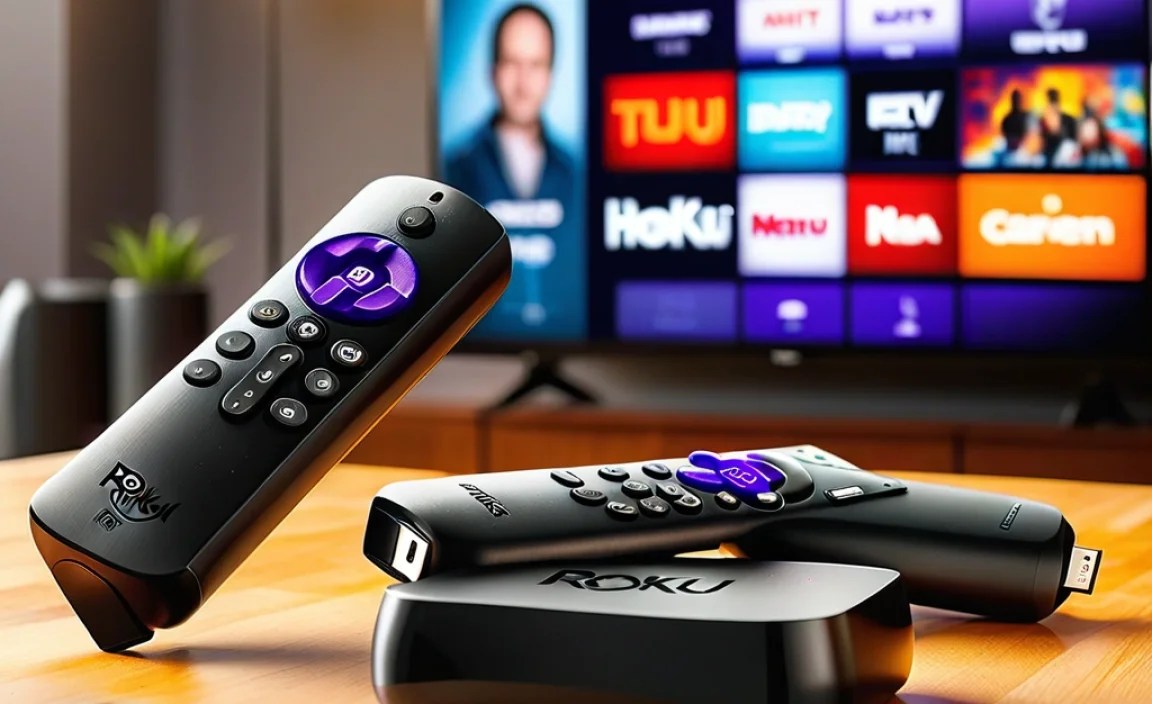
While both Roku TV and Fire TV offer a wealth of streaming options, they diverge in crucial areas that can influence your decision. Let’s dive into what sets them apart.
User Interface and Ease of Use
Roku TV: Roku’s interface is legendary for its simplicity. When you turn on your Roku TV, you’re greeted with a clean grid of your installed apps. Adding new apps is just a few clicks away. Navigation is intuitive, making it a breeze for even the most technically challenged users. There’s no clutter, no aggressive content pushing – just your entertainment, ready to go. It’s designed to be instantly understandable.
Fire TV: Fire TV has a more dynamic interface that often features larger images and content recommendations from various services, especially Amazon’s. While it’s also driven by apps, the home screen tends to be more visually rich and aims to guide you towards what to watch next. This can be great if you like discovery, but some find it a bit busier than Roku’s approach. Voice control with Alexa is deeply woven into Fire TV, which can speed up searches and navigation if you’re comfortable using voice commands.
App Availability
This is a big one for streamers! You want to make sure all your favorite services are available on the platform you choose.
Roku TV: Roku boasts the largest app store among smart TV platforms, with over 10,000 streaming channels and apps. This includes all the major players like Netflix, Hulu, Disney+, HBO Max (now Max), Apple TV+, YouTube, Prime Video, and many niche services. Roku prides itself on having almost every streaming service imaginable:
- Major streaming services (Netflix, Max, Disney+, Hulu, Apple TV+, Peacock, Paramount+, etc.)
- Live TV streaming services (Sling TV, YouTube TV, Hulu + Live TV)
- Sports apps (ESPN, Fox Sports, etc.)
- Music apps (Spotify, Pandora, Amazon Music)
- Free streaming services (The Roku Channel, Pluto TV, Tubi, Crackle)
The Roku Channel is Roku’s own free, ad-supported streaming service that offers movies, TV shows, and live news channels, which is a nice bonus.
Fire TV: Fire TV also has a vast selection of apps, and it covers all the major streaming services you’d expect. You’ll find Netflix, Max, Disney+, Hulu, Apple TV+, Peacock, Paramount+, YouTube, and Amazon Prime Video. However, historically, Fire TV has had some limitations with certain apps, particularly in the past where some Google apps were not readily available (though this is less of an issue now). Amazon’s own content, like Prime Video, is prominently featured:
- Major streaming services (Netflix, Max, Disney+, Hulu, Apple TV+, Peacock, Paramount+, etc.)
- Live TV streaming services (Sling TV, YouTube TV, Hulu + Live TV)
- Sports apps (ESPN, Fox Sports, etc.)
- Music apps (Spotify, Pandora, Amazon Music)
- Free streaming services (Prime Video Channels, Freevee [formerly IMDb TV], Pluto TV, Tubi)
Amazon’s app store is extensive and almost always has what you need. For most users, the app selection on either platform will be more than sufficient.
Voice Control and Smart Assistant
This is where Fire TV often gets a clear win, especially for Amazon users.
Roku TV: Roku has voice control, and it’s gotten much better over the years. You can search for content, launch apps, and control playback using your voice. However, it’s not as deeply integrated or as powerful as Alexa. Roku’s voice search capabilities are good for finding titles or actors, but it doesn’t have the broader conversational AI capabilities of Alexa. Roku’s voice remote usually requires you to press and hold a button to activate it.
Fire TV: Fire TV’s superpower is its integration with Amazon’s Alexa. You can use voice commands to control your TV, ask general questions (like “What’s the weather?”), get news updates, and even control smart home devices you have connected to your Amazon account. The “hands-free with Alexa” feature on some Fire TV devices allows you to talk to your TV without picking up the remote. If you’re already invested in the Alexa ecosystem, this is a huge advantage.
For more on how voice assistants work with your TV, you can check out the U.S. Government’s Consumer Information resources on smart TV technology.
Content Discovery and Recommendations
How do these platforms help you find new shows and movies?
Roku TV: Roku’s approach to recommendation is generally more neutral. It shows you what you have installed and what’s available. It does offer content recommendations, but they are typically less in-your-face than on Fire TV. Roku’s universal search is a strong point, allowing you to search for a title and see where it’s available to stream across multiple services, often noting which are free or cheaper. This transparency is a big plus for budget-conscious viewers.
Fire TV: Fire TV is more aggressive in its content recommendations. The home screen is designed to surface content from Amazon Prime Video, as well as other services you subscribe to. This can be beneficial if you often find yourself asking “What should I watch?” and appreciate being guided. However, some users find this can feel heavily biased towards Amazon’s own services and partners, which can be a turn-off if you prefer a more open discovery experience.
Hardware Options and Price
Both Roku and Fire TV are available in two main forms: as a built-in smart TV platform or as a separate streaming device (stick or box).
Roku TV: As a built-in platform, Roku TVs are available across a wide range of brands and price points, from very affordable options to premium models. Roku’s separate streaming devices are also known for being budget-friendly, with options starting at very low price points (like the Roku Express), making it an accessible entry point for smart TV functionality. They offer a good balance of performance and cost.
Fire TV: Fire TV is also integrated into many TV brands and offers its own line of streaming devices. Their Fire TV Stick range provides excellent value, with the Fire TV Stick Lite being a very popular budget option. Amazon often runs sales on its Fire TV devices, making them incredibly competitive on price, especially during events like Prime Day.
Here’s a quick comparison table of some popular separate streaming devices:
| Feature | Roku Express 4K+ | Fire TV Stick 4K | Roku Streaming Stick 4K | Fire TV Stick 4K Max |
|---|---|---|---|---|
| Resolution | Up to 4K HDR | Up to 4K HDR | Up to 4K HDR | Up to 4K HDR |
| Dolby Vision/Atmos Support | Yes | Yes | Yes | Yes |
| Voice Remote | Yes (with TV controls) | Yes (with TV controls) | Yes (with TV controls) | Yes (with TV controls) |
| Wi-Fi | Wi-Fi 5 | Wi-Fi 5 | Wi-Fi 5 | Wi-Fi 6 |
| Processor Speed | Faster than Express | Faster than 4K Lite | Faster than Express 4K+ | Fastest (Quad-core, 1.8GHz) |
| Price Range | Mid-range | Mid-range | Mid-range | Higher end of mid-range |
Ecosystem Integration
This is a crucial factor if you use other smart devices or services from Amazon or Google.
Roku TV: Roku is more of a standalone platform. While it integrates with Google Assistant and works with Apple AirPlay (on select models), it doesn’t have the deep ties to a broader smart home ecosystem that Fire TV does. If you don’t have a strong preference for one smart assistant or ecosystem, Roku’s independence can be a good thing.
Fire TV: If you’re all-in on Amazon, Fire TV is a natural fit. Alexa can control your smart lights, thermostats, and security cameras. You can also easily cast content from your Fire tablet or phone. For users who already leverage Amazon’s services for shopping, music, and smart home control, Fire TV offers a unified experience.
Roku TV vs Fire TV: Who Comes Out on Top?

So, after breaking down all the features, who wins the Roku TV vs Fire TV showdown? The truth is, there’s no single “winner” because the best platform for you depends entirely on your personal preferences and needs.
Choose Roku TV if:
- You value extreme simplicity: Roku’s interface is the easiest to learn and use, period.
- You want the widest possible app selection: Roku historically has the most comprehensive app store.
- You want a neutral streaming experience: Roku doesn’t push its own services as heavily.
- You’re on a tight budget: Roku offers very affordable streaming devices and TVs.
- You prefer a clean, uncluttered home screen.
Choose Fire TV if:
- You are heavily invested in the Amazon ecosystem: Seamless Alexa integration and Prime Video promotion are key.
- You love voice control: Alexa is one of the most capable and integrated voice assistants.
- You enjoy content discovery and recommendations: Fire TV actively suggests what to watch.
- You want easy casting from Amazon devices: Mirroring and casting from tablets and phones is straightforward.
- You catch good deals on Amazon: Fire TV devices are often heavily discounted.
Frequently Asked Questions
Q1: Can I install apps like Netflix and Hulu on both Roku TV and Fire TV?
A: Absolutely! Both Roku TV and Fire TV support the vast majority of popular streaming apps, including Netflix, Hulu, Disney+, Max, Amazon Prime Video, and YouTube. You’ll find all your essential entertainment options on either platform.
Q2: Which platform is better for gaming?
A: Neither Roku TV nor Fire TV are primarily gaming consoles. While both offer some casual games and cloud gaming apps (like Amazon Luna on Fire TV), they are not designed for serious gaming like a PlayStation, Xbox, or Nintendo Switch. For gaming, you’d typically use a dedicated console connected to your TV.
Q3: Is Roku TV or Fire TV better for beginners?
A: Roku TV is generally considered more beginner-friendly due to its ultra-simple, grid-based interface that’s very easy to navigate. Fire TV is also friendly, but its more content-heavy interface might take a tiny bit more getting used to for absolute beginners.
Q4: Do I need an Amazon account to use Fire TV?
A: Yes, you do need an Amazon account to set up and use Fire TV. This account is used for purchases, app downloads, and linking your Prime membership if you have one. Roku devices require you to create a Roku account, which is a separate account from Amazon.
Q5: Can I use Roku TV and Fire TV together?
A: You can’t run both operating systems on the same TV. However, you can have a Roku TV and a Fire TV streaming stick for different purposes, or have a Roku TV in one room and a Fire TV in another. You can also install the Roku or Fire TV app on your smartphone to control your respective devices.
Q6: Which platform offers better free content?
A: Both platforms offer access to free, ad-supported streaming services. Roku has “The Roku Channel,” which is quite extensive. Fire TV offers Amazon’s Freevee (formerly IMDb TV) and access to many other free apps like Pluto TV and Tubi. The best choice depends on which free services you prefer and where they are most accessible.
Conclusion
Navigating the world of smart TVs can seem daunting, but with the right information, it becomes much simpler. Whether you lean towards Roku TV or Fire TV, both are fantastic choices that bring a universe of entertainment to your fingertips. Roku TV shines with its unparalleled simplicity and vast app library, making it a dream for those who just want to stream with minimal fuss. On the other hand, Fire TV excels for those embedded in the Amazon ecosystem, offering powerful Alexa integration and a content-rich discovery experience.
Consider what matters most to you: ease of use, a specific app you can’t live without, integration with your smart home, or a particular way of finding new shows. By weighing these factors, you can confidently choose the smart TV platform that best suits your lifestyle and enhances your home entertainment. Happy streaming!