
Mini LED vs OLED: For app viewing, both screen technologies excel. OLED offers perfect blacks and infinite contrast, ideal for highly detailed apps with dark interfaces. Mini LED provides superior brightness, making apps with bright, colorful elements pop, especially in well-lit rooms. The “best” depends on your viewing habits and the apps you use most.
Choosing a new TV can feel like navigating a maze, especially when you’re trying to understand the latest screen technologies. Two big names you’ll hear a lot are Mini LED and OLED. They both promise stunning picture quality, but how do they stack up when it comes to your favorite apps? Whether you’re scrolling through social media, watching streaming services, or playing games, the screen you’re using can make a big difference. This guide will break down Mini LED and OLED in simple terms, so you can pick the perfect TV for all your app adventures. Let’s dive in and see which technology wins the app showdown!
Mini LED vs OLED Apps: What’s the Difference for Your Apps?
When we talk about Mini LED and OLED, we’re really talking about how the TV lights up its screen pixels. It might sound technical, but it directly impacts how your apps look and perform. Think of it like the difference between a perfectly dark movie theater and a bright, sunny day – both are great, but for different scenes, or in this case, different types of apps.
Understanding the Basics: Lights On!
At its heart, a TV screen is made of tiny dots called pixels. When these pixels light up, they create the image you see. Mini LED and OLED take different approaches to making those pixels shine.
- OLED (Organic Light-Emitting Diode): In an OLED TV, each individual pixel creates its own light. This means when a pixel needs to be black, it can turn off completely. This gives you incredibly deep blacks and amazing contrast.
- Mini LED: Mini LED is an advanced form of LED TV. Instead of a few large LEDs, it uses thousands of tiny LEDs behind the screen. These LEDs are grouped into many dimming zones. This allows for much better control over brightness and black levels than traditional LED TVs, but it’s not quite the same as each pixel having its own light.
Why This Matters for Apps
The way these technologies light up affects how apps look. Apps often have different designs. Some might be mostly dark with bright text (like many coding or late-night reading apps), while others are full of vibrant colors and graphics (like social media feeds or game launchers).
OLED: The Master of Contrast for Apps
OLED technology is often hailed for its perfect blacks and incredible contrast ratios. This means the difference between the brightest white and the darkest black on the screen is huge. So, what does this mean for your apps?
Perfect Blacks for Dark Mode Apps
Many apps now offer a “dark mode” option. This can be easier on the eyes, especially in dim lighting, and it conserves battery on mobile devices. On an OLED TV, dark mode apps look absolutely stunning. Because the black pixels are truly off, there’s no light bleed or grayness. Text appears sharp and bright against a perfectly black background, making reading and navigating these apps a dream.
Infinite Contrast and Color Vibrancy
When an app uses a wide range of colors and subtle shading, OLED’s infinite contrast helps bring out every detail. Imagine a photo editing app where you’re fine-tuning colors – OLED can show you the subtle differences with incredible accuracy. Even in apps with lots of bright elements, OLED can make them pop because the surrounding dark areas are so deep.
When OLED Shines for App Usage:
- Apps with predominantly dark interfaces.
- Streaming apps where you want to see every detail in dark scenes (like Netflix, Hulu).
- Photo and video editing applications.
- Reading apps or e-readers with dark themes.
- Gaming apps that feature dark environments or atmospheric lighting.
Potential Downsides for App Snobs
While OLED is incredible, it’s worth noting a couple of things. In extremely bright rooms, the overall brightness might not match the peak brightness of some top-tier Mini LED TVs. Also, while burn-in is much less of a concern on modern OLEDs, it’s something to be aware of if you plan to display static app elements for very, very long periods without change – though this is rare for typical use.
Mini LED: The Bright Star for Colorful Apps
Mini LED technology shines brightest – quite literally – when it comes to overall screen brightness. By using thousands of tiny LEDs grouped into many dimming zones, Mini LED TVs can achieve very high peak brightness levels while still offering good contrast.
Vibrant Colors and Daydreaming in Bright Rooms
If you often use your TV in a well-lit room, or if your favorite apps are bursting with color, Mini LED can be a fantastic choice. The enhanced brightness makes vibrant colors look even more punchy and alive. Think of a social media app with colorful profile pictures and graphics, or a news app with bright banners – Mini LED can make these elements really stand out, even with ambient light washing over the screen.
Handling Bright, Dynamic Content
Mini LED’s ability to get very bright also means it’s excellent at displaying High Dynamic Range (HDR) content. While this is more about movies and shows, it’s also beneficial for apps that incorporate HDR elements or have bright, high-contrast graphics. The many dimming zones help prevent “blooming” (where light from bright areas spills into dark areas), offering a cleaner image than older LED TVs.
When Mini LED Excels for App Browsing:
- Using your TV in a bright living room environment.
- Apps with very colorful and vibrant graphics (e.g., many modern games, social media).
- General browsing and app hopping where brightness is key.
- Watching HDR content alongside your app usage.
- Gamers looking for bright, impactful visuals.
Where Mini LED Might See Competition
While Mini LED offers excellent brightness and contrast improvement over standard LED, it doesn’t quite reach the pixel-level control of OLED. This means you might see a very faint “halo” effect around very bright objects on a dark background in some extreme cases, though this is highly refined on modern Mini LED sets. The black levels, while very good, aren’t as absolute as true black on an OLED.
Mini LED vs OLED Apps: A Head-to-Head Comparison
To make things clearer, let’s put Mini LED and OLED side-by-side specifically for app usage. We’ll look at key factors that matter when you’re navigating your digital world on the big screen.
Key App Viewing Factors
| Feature | OLED | Mini LED |
|---|---|---|
| Black Levels | Perfect (pixels turn off) | Very Good (controlled by dimming zones) |
| Contrast Ratio | Infinite | Extremely High |
| Peak Brightness | Good to Very Good | Excellent to Outstanding |
| Color Vibrancy | Excellent, especially with deep blacks | Excellent, especially with high brightness |
| Uniformity (White/Black Screens) | Excellent | Very Good (can have minor blooming in extreme cases) |
| Best for Dark Mode Apps | YES, exceptional | Good, but blacks aren’t as absolute |
| Best for Bright, Colorful Apps | Very Good | YES, outstanding |
| Viewing Angles | Excellent | Very Good to Excellent |
| Risk of Burn-In | Very Low on modern sets (though a theoretical concern for static elements) | Virtually Non-existent |
| Price Point (typically) | Mid to High-High | Mid-High |
As you can see, both technologies offer premium experiences. The choice often comes down to where and how you plan to watch and interact with your apps. For purists who crave the absolute deepest blacks and razor-sharp contrast, especially if you often use dark mode or watch in a controlled lighting environment, OLED is hard to beat. If your primary concern is a bright, vibrant picture that can punch through ambient light, and you love apps with bold colors, Mini LED is a spectacular performer. You can learn more about the science behind display technologies on the Penn State College of Engineering’s Display Technologies page, which provides a fascinating look at how our screens work.
App Categories and Which Tech Wins
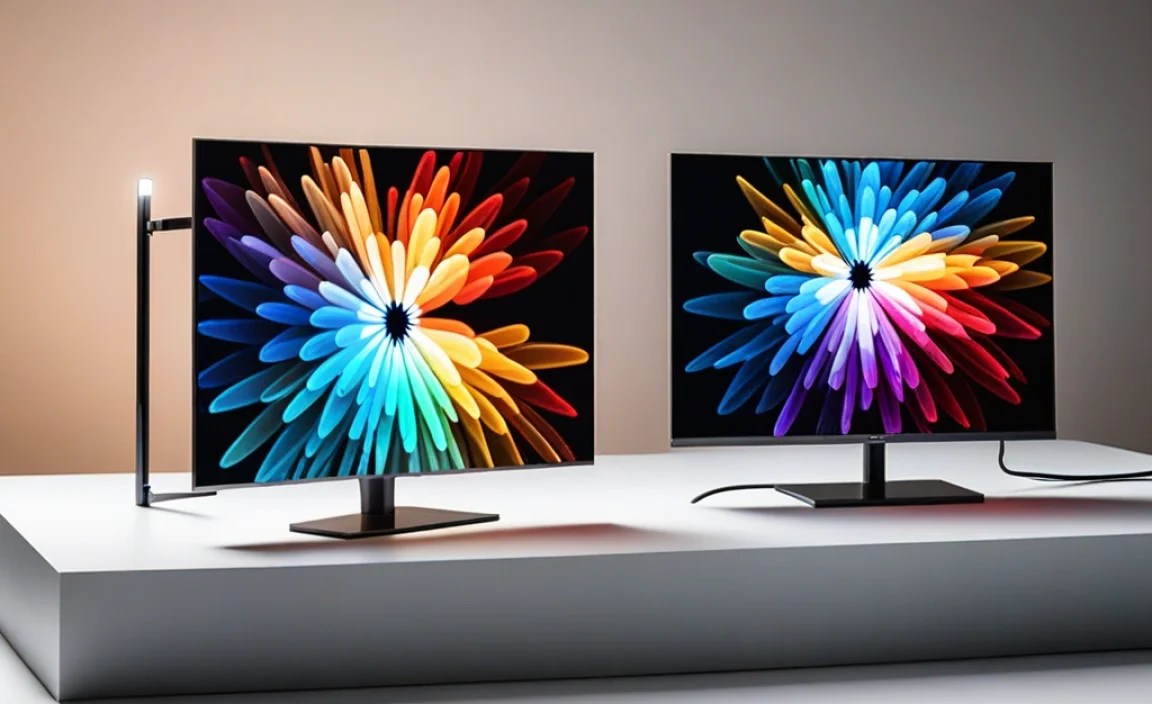
Let’s break down how Mini LED and OLED perform across different types of apps you might use on your TV.
Streaming Apps (Netflix, Hulu, Disney+, etc.)
- OLED: Absolutely shines here. The deep blacks make dark scenes in movies and shows incredibly immersive. Subtle details in shadows are revealed beautifully.
- Mini LED: Excellent, especially for HDR content. Bright highlights in action sequences or vibrant colors in animated shows will pop. Black levels are very good and atmospheric, but not quite OLED’s absolute black.
Social Media Apps (YouTube, Facebook Watch, etc.)
- OLED: Great for viewing with its excellent contrast, making colorful thumbnails and videos stand out against deep backgrounds.
- Mini LED: Fantastic if you’re in a bright room. The high brightness will make all those vibrant images and videos pop, even with sunlight streaming in. Video playback is incredibly lively.
Gaming Apps and Interfaces
- OLED: Offers incredibly low input lag and near-instantaneous pixel response times, crucial for responsive gaming. Perfect blacks contribute to stunning atmospheric games. Great for games that utilize dark environments.
- Mini LED: Also offers low input lag and fast response times in high-end models. The brightness and vibrant colors can make colorful, fast-paced games look spectacular. Excellent for bright, action-packed games where visual punch is key.
Productivity and Reading Apps
- OLED: The star for apps with dark themes, text is exceptionally crisp and clear against true black. This can lead to less eye strain in dim conditions.
- Mini LED: Very good, especially if your room is bright. White text on a dark background will be highly readable. However, on some Mini LEDs, you might notice a slight halo around white text on a pure black background, which OLED avoids.
The National Institute of Standards and Technology (NIST) has researched display contrast and readability, highlighting the importance of these factors for visual perception. You can explore their work on display technologies for a deeper dive into why these visual elements matter.
Frequently Asked Questions (FAQs)
What is the main difference between Mini LED and OLED for app viewing?
OLED offers perfect blacks and infinite contrast because each pixel lights itself and can turn off completely. Mini LED uses a backlight with thousands of tiny LEDs in many dimming zones, providing excellent brightness and contrast, but not quite the absolute black of OLED.
Which screen type is better for apps with dark modes?
OLED is generally superior for apps with dark modes because its true blacks make text and bright elements appear incredibly sharp and isolated, with no light bleed. Mini LED is very good, but its blacks, while deep, are not as absolute as OLED.
If I watch TV in a very bright room, which is better for apps?
Mini LED typically wins in bright room conditions due to its higher peak brightness. It can overcome ambient light better, making colorful apps and content appear vibrant and easy to see.
Is OLED susceptible to screen burn-in with apps?
Modern OLED TVs have advanced features to prevent burn-in, making it a very low risk for typical usage. Burn-in occurs when static images are displayed for extremely long periods. For general app browsing, it’s not a significant concern.
Do Mini LED TVs have noticeable blooming with apps?
Blooming, where light halos appear around bright objects on dark backgrounds, can occur on Mini LED TVs, but it’s much better controlled than on older LED TVs due to the high number of dimming zones. It’s often only noticeable in very specific, high-contrast scenes.
Which technology offers better color vibrancy for apps?
Both offer excellent color vibrancy. OLED excels when colors are displayed against deep blacks, enhancing their richness. Mini LED excels when high brightness is used, making colors appear punchy and vivid, especially in well-lit environments.
What about gaming apps and response times?
Both technologies offer excellent gaming performance. OLED typically has near-instantaneous pixel response times and very low input lag. High-end Mini LED TVs also boast low input lag and fast response times, making them great for gaming too.
Making the Final Choice for Your Apps
So, we’ve explored the nuances of Mini LED and OLED when it comes to your apps. It’s clear that both technologies are cutting-edge and offer fantastic visual experiences. The “best” really hinges on your personal viewing environment and the types of apps you use most frequently.
If you’re someone who craves the absolute deepest blacks, most stunning contrast, and perfect pixel-level control, especially if you spend a lot of time in dimly lit rooms or with apps that feature dark themes, OLED is likely to be your champion. It’s like having a personal cinema for your apps, delivering an unparalleled viewing experience for content that demands it.
On the other hand, if you enjoy maximizing brightness, want your colorful apps to truly pop, or primarily use your TV in a bright, sunlit room, Mini LED is an outstanding choice. It offers brilliant colors and excellent contrast that can stand up to any lighting condition, making every app look its vibrant best.
Think about your typical day. Do you unwind with a movie in a dark room, using streaming apps? Or do you often browse your favorite social media or news apps while the sun is still up? Answering these questions will guide you towards the technology that best fits your lifestyle. Whichever you choose, you’ll be stepping up your app viewing with incredible picture quality.
Ultimately, both Mini LED and OLED represent the pinnacle of display technology for everyday consumers. The advancements in both fields mean you can’t really go wrong. It’s about finding the perfect match for your home and your viewing habits. Happy app browsing!