Quick Summary
Choosing the right vlogging microphone boosts your video quality significantly. This guide helps beginners understand key microphone types, features, and recommendations. We’ll navigate options from shotgun mics to lavalier mics, ensuring you find clear, professional audio for your vlogs without breaking the bank.
Hey there, fellow creators! Bob E Riley here from Aimguider. Are you tired of your vlogs sounding like they were recorded inside a tin can? Good audio is just as crucial as good video, if not more so. When viewers can’t understand you, they click away. But don’t worry! Picking out a great vlogging microphone doesn’t have to be complicated. This guide is designed to make it super simple, even if you’re new to all this gear. We’ll break down what makes a microphone great for vlogging and help you find the perfect fit for your needs and budget. Let’s get your sound sounding as amazing as your visuals!
Why Your Vlog Needs a Dedicated Microphone
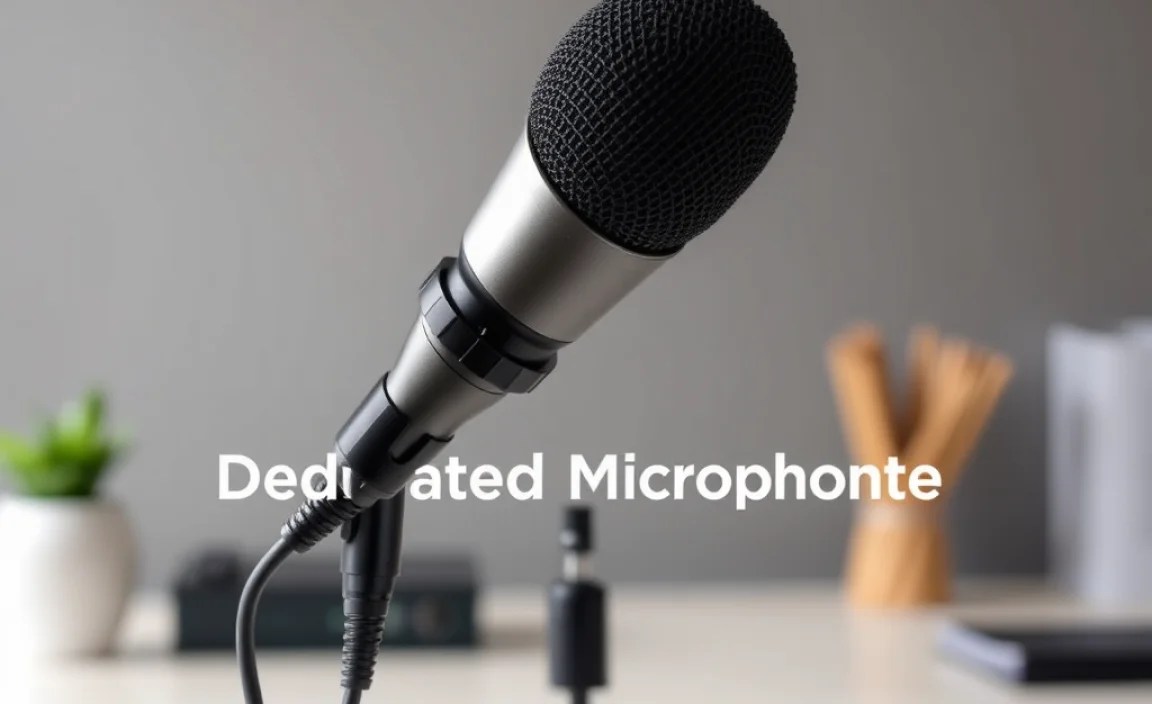
Think about your favorite YouTubers. What makes their videos so engaging? Beyond the visuals, it’s the crystal-clear audio that pulls you in. Built-in camera microphones are convenient, but they’re usually designed for general use and struggle in noisy environments or when the sound source is far away. They often:
- Pick up unwanted background noise.
- Sound muffled or distant.
- Are sensitive to wind and handling noise.
A dedicated microphone is your secret weapon for professional-sounding content. It captures your voice with clarity and depth, making your vlogs more enjoyable and professional. This means viewers stick around longer and your message gets through loud and clear. Investing in a good microphone is one of the best upgrades you can make for your YouTube channel or any video project.
Understanding Microphone Types for Vlogging
Not all microphones are created equal, and the best one for you depends on your shooting style and environment. Here’s a look at the most common types used by vloggers:
1. Shotgun Microphones
Shotgun microphones are popular for vlogging because they are highly directional. This means they are designed to pick up sound from the front while rejecting noise from the sides and rear. This is perfect for isolating your voice when you’re filming in less-than-ideal environments.
Pros:
- Excellent at capturing sound directly in front of the mic.
- Great for reducing background noise.
- Can be mounted on your camera or a boom pole.
Cons:
- Can be sensitive to wind noise (windshields are essential).
- Require proper aiming to capture the best audio.
- May require a shock mount to reduce handling noise.
Best for: On-the-go vlogging, interviews, capturing dialogue where the mic can be placed close to the subject.
2. Lavalier (Lapel) Microphones
Lavalier mics, often called lav mics, are small microphones that clip onto your clothing. They are fantastic for ensuring your voice is always picked up clearly, regardless of your movement. They are often used with a wireless system, giving you freedom to move around.
Pros:
- Consistent audio quality, regardless of subject movement.
- Discreet and unobtrusive.
- Excellent for dialogue.
Cons:
- Can be susceptible to clothing rustle.
- Wired versions can be limiting for movement.
- Wireless systems can be expensive.
Best for: Talking-head style vlogs, interviews, situations where you need to move freely and maintain consistent audio capture.
3. USB Microphones
USB microphones plug directly into your computer’s USB port. They are incredibly easy to use and perfect if most of your vlogging involves recording voiceovers or speaking directly to your audience from a stationary position, like at your desk.
Pros:
- Plug-and-play simplicity.
- No additional audio interfaces needed.
- Often more affordable for excellent quality.
Cons:
- Not practical for filming yourself on the go.
- Limited flexibility in placement.
Best for: Voiceovers, podcasting, streaming, recording from a fixed location.
4. Condenser vs. Dynamic Microphones
You’ll also encounter two main types of microphone capsules: condenser and dynamic.
- Condenser microphones are more sensitive and capture a wider range of frequencies, offering a more detailed and natural sound. They generally require phantom power, which many cameras or audio interfaces provide, or use batteries. They are great for capturing nuance but can also pick up more background noise.
- Dynamic microphones are more rugged and less sensitive. They handle high sound pressure levels well and are good at rejecting background noise. They don’t require external power. While they might not capture the same level of detail as condensers, they are often a solid choice for louder environments.
For most vlogging situations, especially if you’re starting out, a sensitive condenser microphone (like many shotgun or USB mics) will likely give you the best results for capturing clear speech.
Key Features to Look For in a Vlogging Microphone
When you start looking at microphone reviews for vlogging, you’ll see a lot of technical terms. Let’s break down the most important features:
- Polar Pattern: This describes the microphone’s sensitivity to sound from different directions. For vlogging, you’ll most often want a cardioid pattern. This means it picks up sound best from the front and rejects sound from the sides and rear – perfect for focusing on your voice. Some shotgun mics have super-cardioid or hyper-cardioid patterns, offering even tighter focus but less rejection from the sides.
- Connectivity: How does the mic connect to your camera or device? This could be a 3.5mm jack (common on DSLRs and mirrorless cameras), XLR (professional standard, requires an adapter or a camera with an XLR input), or USB (for computers). For vlogging with a smartphone, you might need an adapter like Apple’s Lightning to 3.5mm adapter or an adapter for Android devices.
- Power Source: Some mics are powered by your camera or device via the plug-in connection. Others require batteries (AA, AAA, or internal rechargeable) or phantom power (usually 48V, provided by the camera or an external mixer/interface).
- Built-in Controls: Look for microphones with simple controls like a gain knob (to adjust input sensitivity) or a high-pass filter (to cut out low-end rumble like wind or traffic).
- Durability and Build Quality: If you’re vlogging outdoors or on the move, a microphone that feels solid and can withstand a bit of handling is a wise investment.
- Accessories: What comes in the box? Essential accessories often include windscreens (foam or furry “deadcats” for wind protection) and shock mounts (to reduce vibration noise).
Understanding these features will help you compare different microphones and decide which ones are best suited for your specific vlogging adventures.
Top Microphone Recommendations for Beginners
Let’s dive into some popular and highly-rated microphones that are excellent for beginner vloggers. These options offer great value and performance, making them fantastic starting points.
On-Camera Shotgun Microphones
These mount directly onto your camera and are a fantastic all-around choice for vlogging. They help capture your voice clearly while minimizing ambient noise.
| Microphone Model | Key Features | Connectivity | Best For | Approx. Price Range |
|---|---|---|---|---|
| Rode VideoMicro | Compact, no batteries required (plug-in power), durable all-metal construction, cardioid pattern, includes Rycote Lyre shock mount and furry windscreen. | 3.5mm TRS | Compact cameras, smartphones, quick setup vlogs, travel. | $50 – $70 |
| Rode VideoMic Go II | Lightweight, USB-C and 3.5mm output, no batteries needed, simple to use, broad frequency response. | 3.5mm TRS, USB-C | Versatile on-camera use, direct computer recording, excellent for DSLRs/mirrorless. | $80 – $100 |
| Deity D4 Duo | Unique “dual-capsule” design for Rycote Studio shock mount, 3.5mm output, built-in rechargeable battery (USB-C charging), includes hot shoe mount and various windscreens. | 3.5mm TRS | Versatile aiming, excellent isolation, great for run-and-gun vlogging outdoors. | $100 – $120 |
Why these are great: The Rode VideoMicro is incredibly popular for its small size and excellent sound quality for the price, needing no batteries. The Rode VideoMic Go II offers more versatility with both 3.5mm and USB output, and the Deity D4 Duo stands out for its innovative design and robust build, making it a favorite for those who need superb noise rejection.
To learn more about microphone technology and how audio waves work, you can explore resources from institutions like the Audio Engineering Society (AES), which is a leading professional organization dedicated to audio research and technology.
Lavalier Microphones
Lavalier mics are perfect when you need your voice to be consistently clear, no matter how much you move. They discreetly attach to your clothing.
| Microphone Model | Key Features | Connectivity | Best For | Approx. Price Range |
|---|---|---|---|---|
| Rode SmartLav+ | Broadcast-grade sound, connects to smartphone/tablet via TRRS connector, requires headphones for monitoring/playback. | 3.5mm TRRS | Smartphone vlogging, interviews, mobile recording. | $60 – $80 |
| BOYA BY-M1 | Affordable, Omnidirectional, good value for money, often comes with multiple adapters. | 3.5mm TRRS | Budget-conscious beginners, smartphone vlogging experiments. | $15 – $25 |
| Sennheiser XSW-D Lavalier | Digital wireless system, plug-and-play ease, reliable connection, excellent audio. | Digital Wireless Transmitter/Receiver (plugs into camera’s mic jack) | Wireless freedom, reliable audio for interviews and dynamic shoots. | $200 – $250 |
Why these are great: The Rode SmartLav+ is a go-to for smartphone vlogging due to its superior sound quality compared to built-in phone mics. The BOYA BY-M1 is an incredibly popular budget option that punches well above its weight. For those willing to invest more for wireless freedom and professional sound, the Sennheiser XSW-D Lavalier system offers a great balance of performance and ease of use.
USB Microphones for Voiceovers/Desk Setups
If your vlogs primarily involve talking to the camera from your desk or recording voiceovers for edited videos, a USB microphone is an excellent, simple option.
| Microphone Model | Key Features | Connectivity | Best For | Approx. Price Range |
|---|---|---|---|---|
| Blue Yeti Nano | Two pickup patterns (cardioid, omnidirectional), plug-and-play, clear sound, headphone jack for monitoring. | USB | Streaming, podcasting, voiceovers, clear desk-based vlogging. | $90 – $110 |
| Samson Q2U | Dual XLR and USB output, dynamic capsule (good for untreated rooms), cardioid pattern, headphone jack. | USB, XLR | Versatile for desk recording and potential future upgrade to XLR setups. | $60 – $80 |
| Rode NT-USB Mini | Compact, high-quality condenser capsule, cardioid pattern, simple plug-and-play, headphone jack. | USB | Excellent audio quality for voiceovers and desk vlogging in quiet spaces. | $90 – $110 |
Why these are great: The Blue Yeti Nano is a fantastic all-rounder with easy controls and good sound. The Samson Q2U is incredibly versatile with both USB and XLR outputs, making it a future-proof choice. The Rode NT-USB Mini offers exceptional clarity in a compact package, perfect for those who value pristine audio quality for their voiceovers.
How to Connect Your Microphone to Your Camera
Connecting your new microphone can seem daunting, but it’s usually straightforward. The method depends on your camera and microphone types.
- Check Your Camera’s Microphone Input: Most modern cameras (DSLRs, mirrorless) have a 3.5mm microphone input jack. Some professional cameras might have XLR inputs. Smartphones typically use a Lightning port (for iPhones) or USB-C port (for Android phones), which often requires an adapter for audio input.
- Match the Cable:
- 3.5mm Mics: These usually come with a cable that plugs directly into your camera’s 3.5mm input. Some mics might include both a TRS cable (for cameras) and a TRRS cable (for smartphones). Ensure you’re using the correct one.
- USB Mics: These connect directly to your computer. If you’re using a smartphone, you’ll need specific adapters (like a USB-C to USB adapter for certain Android phones or the Apple Camera Connection Kit for iPads). However, USB mics are primarily for stationary recording or voiceovers.
- XLR Mics: These professional mics use a three-pin XLR connector. You’ll likely need an adapter or a camera with an XLR input to use them. For DSLR/mirrorless cameras, this often means using an adapter like the Rode VXLR+ (which converts phantom power for mics that need it and adapts XLR to 3.5mm).
Tip: For smartphones, you might need a specific adapter. For iPhones, the official Apple Lightning to 3.5mm Headphone Jack Adapter or the higher-end Lightning to USB 3 Camera Adapter (with a USB mic) can be necessary.
Tips for Improving Your Vlog Audio Quality
Even with a great microphone, a few simple practices can dramatically enhance your vlog’s sound.
- Get Closer: Microphones, especially directional ones like shotguns, work best when they are as close as possible to the sound source (your mouth). Aim to have your shotgun mic within 1-3 feet of you, or position your lavalier mic near your collarbone.
- Minimize Background Noise: Choose quiet locations whenever possible. Turn off fans, air conditioners, or anything else that creates a constant hum. If you’re filming outdoors, be mindful of traffic, wind, and other distractions.
- Use Wind Protection: This is non-negotiable if you ever film outside. Always use the foam windscreen for light breezes, and a furry “deadcat”
.lwrp.link-whisper-related-posts{
margin-top: 40px;
margin-bottom: 30px;
}
.lwrp .lwrp-title{}.lwrp .lwrp-description{
}
.lwrp .lwrp-list-container{
}
.lwrp .lwrp-list-multi-container{
display: flex;
}
.lwrp .lwrp-list-double{
width: 48%;
}
.lwrp .lwrp-list-triple{
width: 32%;
}
.lwrp .lwrp-list-row-container{
display: flex;
justify-content: space-between;
}
.lwrp .lwrp-list-row-container .lwrp-list-item{
width: calc(25% – 20px);
}
.lwrp .lwrp-list-item:not(.lwrp-no-posts-message-item){max-width: 150px;
}
.lwrp .lwrp-list-item img{
max-width: 100%;
height: auto;
object-fit: cover;
aspect-ratio: 1 / 1;
}
.lwrp .lwrp-list-item.lwrp-empty-list-item{
background: initial !important;
}
.lwrp .lwrp-list-item .lwrp-list-link .lwrp-list-link-title-text,
.lwrp .lwrp-list-item .lwrp-list-no-posts-message{}@media screen and (max-width: 480px) {
.lwrp.link-whisper-related-posts{}
.lwrp .lwrp-title{}.lwrp .lwrp-description{
}
.lwrp .lwrp-list-multi-container{
flex-direction: column;
}
.lwrp .lwrp-list-multi-container ul.lwrp-list{
margin-top: 0px;
margin-bottom: 0px;
padding-top: 0px;
padding-bottom: 0px;
}
.lwrp .lwrp-list-double,
.lwrp .lwrp-list-triple{
width: 100%;
}
.lwrp .lwrp-list-row-container{
justify-content: initial;
flex-direction: column;
}
.lwrp .lwrp-list-row-container .lwrp-list-item{
width: 100%;
}
.lwrp .lwrp-list-item:not(.lwrp-no-posts-message-item){max-width: initial;
}
.lwrp .lwrp-list-item .lwrp-list-link .lwrp-list-link-title-text,
.lwrp .lwrp-list-item .lwrp-list-no-posts-message{};
}Related Posts
- Top Microphone For Iphone Latest: Best Picks Of 2023!

5 Best DIY Bookshelf Speaker [Reviews & Guide]
The Impact Of Smart Tvs On The Way We Watch And Consume Media- Top Multiroom Speaker Setups Compared: Best Picks!

XLR Microphone for Outdoor Recording: Best Picks!- Smart Tv Security Tips Guide: Keep Your Tv Safe Today!
- Android TV vs Google TV Fix: Genius Solution!
- TV Stand With Cable Management: Genius Solution