
Looking for an affordable way to enjoy immersive sound at home? A cheap home theater speaker system can elevate your movie nights and gaming sessions without breaking the bank. This guide will show you how to find excellent value and set up a system that sounds great, proving that amazing audio doesn’t have to cost a fortune. Let’s dive in!
Want to transform your living room into a cinema or a gaming arena? The magic often lies in the sound. A good home theater speaker system can pull you right into the action, making explosions rumble and dialogue crystal clear. But when you look at price tags, it can feel like you need a second mortgage. Don’t worry! You can absolutely build a fantastic-sounding setup without spending a fortune. We’ll walk through everything you need to know to find a cheap home theater speaker system that delivers big on performance, not price. Get ready for an audio upgrade that’s both satisfying and sensible!
Understanding Home Theater Speaker Basics
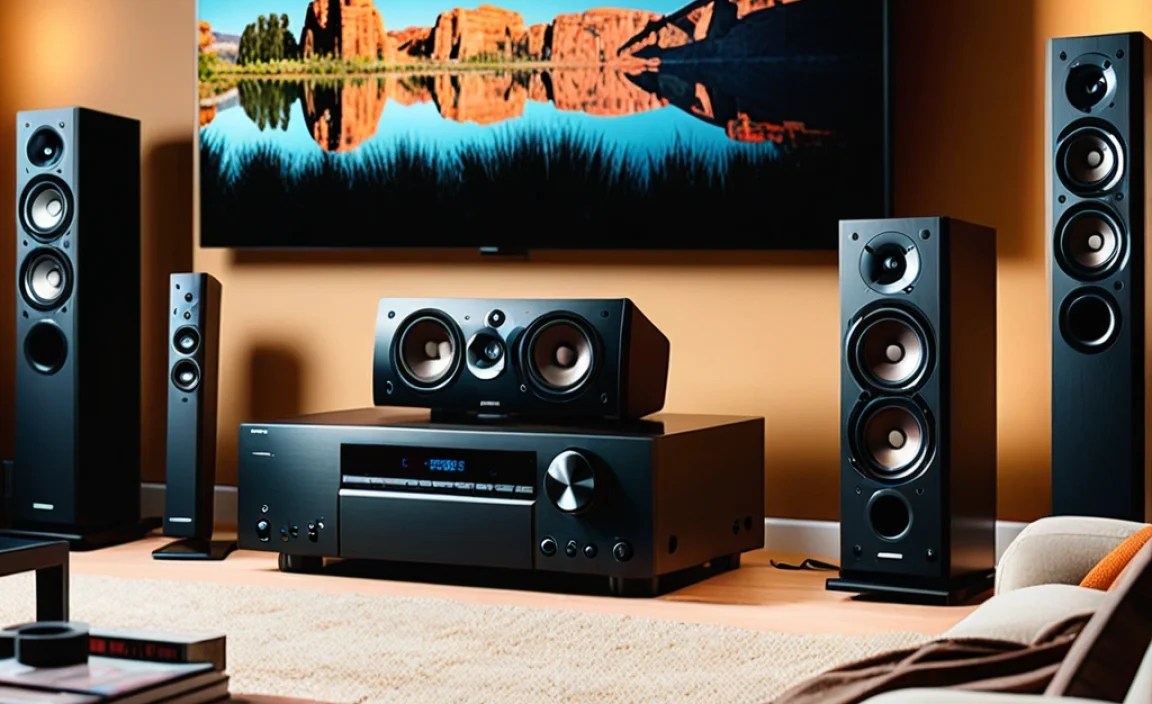
Before we hunt for bargains, let’s get a handle on what makes a home theater speaker system tick. It’s all about creating a soundstage that surrounds you, making the audio feel like it’s coming from all directions, just like in a real movie theater.
The Core Components of a Home Theater System
Most home theater setups consist of several key speaker types working together. The exact number and configuration can vary, especially when you’re aiming for a budget-friendly option.
- Front Left and Right Speakers: These are your main speakers, carrying the bulk of the stereo sound and music. They create the soundstage at the front of your room.
- Center Channel Speaker: Crucial for dialogue! This speaker sits directly in front of your viewing area and handles most of the spoken words, ensuring clarity.
- Surround Speakers: These usually sit to the sides and slightly behind your listening position. They provide ambient sounds, background effects, and add to the immersive feeling.
- Subwoofer: The powerhouse for low-frequency effects (LFE). It handles all the deep bass – think explosions, rumbling vehicles, and dramatic musical scores.
The most common configurations are 5.1 (five speakers and one subwoofer) and 7.1 (seven speakers and one subwoofer). For a cheap home theater speaker system, starting with a solid 3.1 (front left, right, center, and subwoofer) or a 5.1 system is a great goal.
What Does “Cheap” Really Mean for Speakers?
When we talk about a “cheap home theater speaker system,” we’re not suggesting you should look for the absolute lowest price point without considering quality. Instead, we’re focusing on finding systems that offer the best possible performance for their cost. This means:
- Value for Money: Getting good sound quality, decent build, and reliable performance without a premium price tag.
- Smart Shopping: Knowing where to look for deals, considering refurbished options, and understanding what features are most important for your budget.
- Avoiding Gimmicks: Steering clear of systems that over-promise and under-deliver, focusing instead on fundamental audio quality.
Choosing the Right Type of Affordable System

When building a cheap home theater speaker system, you have a few paths to consider. Each has its pros and cons, especially when budget is a primary concern.
Soundbars vs. Traditional Speaker Packages
This is often the first decision for those seeking simple, affordable audio upgrades.
Soundbars: Simplicity and Space-Saving
Soundbars are long, slim speakers designed to sit below your TV. Many come with a wireless subwoofer. They are incredibly easy to set up and take up very little space.
- Pros:
- Easy setup – often plug-and-play.
- Minimal wiring.
- Sleek, compact design.
- Can offer a significant upgrade over built-in TV speakers.
- Cons:
- Limited surround sound effect (even with virtual surround).
- Less immersive than a multi-speaker setup.
- Can be difficult to upgrade individual components.
Best for: Small rooms, users who prioritize simplicity and aesthetics, those with very basic audio needs.
Traditional Speaker Packages (Component or HTiB)
These involve multiple, separate speakers and a receiver. You can buy them as an all-in-one system (Home Theater in a Box – HTiB) or mix and match individual components.
- Pros:
- True surround sound immersion.
- Better sound quality and depth possible.
- More flexibility for upgrades and customization.
- Often provides a more dynamic listening experience.
- Cons:
- More complex setup and wiring.
- Requires more space for speakers.
- Can be more expensive initially, though budget options exist.
- Needs an AV Receiver to power it all.
Best for: Those seeking the most immersive audio experience, gamers, movie buffs, and anyone willing to invest a little more effort for better sound.
Home Theater in a Box (HTiB) Systems
HTiB systems are designed to be an all-in-one solution. They typically include a basic AV receiver (sometimes built into a Blu-ray player) and a set of matched speakers and a subwoofer. These are often the most straightforward way to get a multi-speaker setup at a low price.
Pros:
- All components are designed to work together.
- Usually very affordable.
- Simple setup instructions.
Cons:
- Sound quality can be compromised compared to separates.
- Speakers might be small and less powerful.
- Limited upgradeability or customization.
Our Take for Budget Shoppers: An HTiB can be a fantastic starting point for a cheap home theater speaker system if your budget is extremely tight. Look for reputable brands that offer 5.1 channels. You can always upgrade individual speakers later.
Where to Find a Cheap Home Theater Speaker System

Scoring a great deal on audio gear is all about knowing where and when to look. Patience and smart searching are your best friends.
Online Retailers and Deals
The internet is a treasure trove for budget electronics. Keep an eye on major online retailers, but also explore those specializing in audio or electronics.
- Amazon, Best Buy, Walmart: Regularly offer discounts and sales on soundbars and HTiB systems.
- Dedicated Audio Sites: Websites like Crutchfield often have sales and value-oriented options.
- Deal Aggregators: Sites that track price drops can help you snag a bargain.
Refurbished and Open-Box Options
This is where you can often find the best bang for your buck. Refurbished items are pre-owned, inspected, repaired if necessary, and resold with a warranty directly from the manufacturer or a reputable retailer.
- Manufacturer Refurbished: Often the safest bet, as they are typically tested and come with a solid warranty (check the terms carefully).
- Retailer Open-Box: Products returned for various reasons, often with minimal cosmetic blemishes and still functional.
- Where to Look: Check the “refurbished” or “open-box” sections on major retailer websites (e.g., Amazon Warehouse, Best Buy Outlet, manufacturer direct websites).
A Word of Caution: Always check the warranty information and the return policy for refurbished or open-box items. Ensure you’re comfortable with the seller’s reputation.
Used Marketplaces
Platforms like eBay, Facebook Marketplace, and Craigslist can be goldmines, but they require more diligence.
- Pros: Potential for incredibly low prices.
- Cons: No warranty, “as-is” sales, risk of damage, no returns. You’ll need to test thoroughly if possible.
Our Advice: If you opt for the used route, try to test the equipment in person before buying. Look for complete systems from reputable brands. A used component system with a solid AV receiver might be a fantastic find.
Key Features to Prioritize on a Budget

When you’re shopping for a cheap home theater speaker system, some features are more important than others for overall sound quality and user experience.
Connectivity: How It Hooks Up
Ensure the system can connect to your TV and other devices. For budget systems, this is crucial:
- HDMI ARC/eARC: This is essential for connecting a soundbar or receiver to your TV using a single HDMI cable. ARC (Audio Return Channel) allows audio to go back from the TV to the sound system. eARC is an updated version that supports higher quality audio formats.
- Optical Audio Input: A common alternative if HDMI ARC isn’t available on your TV or receiver.
- Auxiliary (3.5mm) Input: Useful for connecting older devices or smartphones directly.
Sound Formats (Dolby Digital & DTS)
While you might not get the latest Dolby Atmos or DTS:X on a budget system, look for support for at least basic surround sound formats:
- Dolby Digital: The standard for 5.1 surround sound on DVDs, Blu-rays, and streaming services.
- DTS Digital Surround: A competitor to Dolby Digital, also widely used.
Power Output (Watts)
Don’t get too hung up on inflated wattage numbers. For smaller to medium-sized rooms, even 50-100 watts per channel (for traditional systems) or a soundbar with a decent subwoofer can provide ample volume. Focus more on the overall sound quality and balance.
Subwoofer Quality
A good subwoofer makes a huge difference. Even a budget system should have a subwoofer that can produce satisfying bass without sounding boomy or distorted. Look for systems where the subwoofer is actually powered (active subwoofer) rather than passive.
Building Your Cheap Home Theater Speaker System: Step-by-Step
Let’s get down to actually putting your affordable audio dream together.
Step 1: Assess Your Room and Needs
Before buying anything, measure your space and think about how you’ll use it.
- Room Size: Smaller rooms might be fine with a good soundbar or a basic 3.1 system. Larger rooms benefit more from a 5.1 or 7.1 setup.
- Primary Use: Is it for movies, gaming, music, or a mix? Gaming often benefits from responsive sound, while movies demand immersive surround.
- Viewing Distance: How far will you be sitting from the TV? This affects speaker placement and the overall impact of the sound.
Step 2: Choose Your Core System Type
Based on your room and needs, decide if a soundbar or a traditional speaker system (HTiB or separates) is the right fit. For the absolute cheapest entry, a soundbar with a subwoofer or a simple HTiB is often the way to go.
Step 3: Decide on a 3.1, 5.1, or Basic Soundbar
For budget, these are the most common and achievable starting points:
- Soundbar with Subwoofer: Simplest setup.
- 3.1 System: Front Left, Front Right, Center, Subwoofer. Excellent for dialogue focus and a more distinct stereo image than a soundbar.
- 5.1 System: Adds two surround speakers to the 3.1 setup for true immersion.
Step 4: Search for Deals and Refurbished Options
Now, armed with your requirements, start hunting. Browse online stores, check refurbished sections, and compare prices. Look for well-regarded brands like Vizio, Polk Audio, Onkyo (for receivers), Sony, Yamaha, and Klipsch, as they often have budget-friendly lines or sales.
Step 5: Consider Used Components (If You’re Brave!)
If you’re technically inclined and comfortable, scour used marketplaces for deals. A good condition used AV receiver from a few years back can be a fantastic deal, paired with affordable new or used speakers.
Step 6: Set Up Your System
This is where your cheap home theater speaker system comes to life!
For Soundbars:
- Place the soundbar directly in front of your TV, centered. Ensure it doesn’t block the TV’s infrared sensor.
- Connect the soundbar to your TV using an HDMI ARC cable. If your TV doesn’t support ARC, use an optical cable.
- Power on all devices.
- On your TV, go to sound settings and select the external audio output (HDMI ARC or Optical).
- Pair the wireless subwoofer if applicable (usually by pressing a button on both devices).
For HTiB or Component 5.1 Systems:
- Unpack and Identify: Lay out all your speakers and the receiver. They should be labeled: FL (Front Left), FR (Front Right), C (Center), SL (Surround Left), SR (Surround Right), and SW (Subwoofer).
- Position Your Speakers:
- Front Left & Right: Place them equidistant from the TV and your primary listening position, forming an equilateral triangle with the listener. Aim them slightly inward (toeing in).
- Center Channel: Place directly above or below the TV, pointing towards the main listening area.
- Surround Speakers: Place them to the sides and slightly behind the main listening position, about 2–3 feet higher than ear level.
- Subwoofer: This is often the trickiest to place for optimal bass. Start in a front corner or along the front wall. Experiment with placement later for the best sound.
- Connect Speakers to Receiver: Use speaker wire. Ensure you always connect positive (+) to positive and negative (-) to negative. Most receivers have spring clips or binding posts.
- Connect Source Devices: Connect your Blu-ray player, gaming console, etc., to the AV receiver’s HDMI inputs. Then, connect the AV receiver’s HDMI OUT (with ARC enabled) to your TV’s HDMI ARC input.
- Connect Subwoofer: The subwoofer typically connects to the receiver via an RCA cable from the LFE (Low-Frequency Effects) or Sub Out port on the receiver to the LFE In on the subwoofer. Active subwoofers need to be plugged into a power outlet.
- Power On and Configure: Turn on the receiver, then the TV. Select the correct input source on your receiver and TV. Run any built-in speaker setup/calibration routines if your receiver has them. Many budget systems might not, so manual placement tuning is key.
Step 7: Fine-Tune Your Sound
Even with a cheap system, small adjustments can make a big difference.
- Speaker Levels: Adjust the volume for each speaker so they sound balanced. Dialogue from the center should be clear, and surround effects should be noticeable but not overpowering.
- Subwoofer Level: Adjust the subwoofer’s volume dial (on the subwoofer itself) until the bass is present and impactful but not so loud it drowns out other sounds.
- EQ Settings: If your receiver or soundbar has equalizer settings, experiment with them. Often, a slight boost to treble or mid-range can improve clarity.
Budget-Friendly Home Theater System Examples
To give you a concrete idea, here are a few types of systems you might find when hunting for a cheap home theater speaker system:
Example 1: The Value Soundbar System
What to look for: Brands like Vizio, TCL, or sometimes Samsung and LG offer soundbars with wireless subwoofers in the $100-$250 range. Look for models supporting Dolby Digital and at least HDMI ARC.
Pros: Extremely easy to set up, minimal wiring, good upgrade over TV speakers.
Cons: Simulated surround sound, less dynamic range.
Example 2: The Entry-Level HTiB (Home Theater in a Box)
What to look for: A 5.1 system from brands like Onkyo, Sony, or Yamaha (often older or lower-tier models are cheaper). You might find these between $250-$400, especially refurbished or on sale.
Pros: True multi-speaker surround sound, all components matched.
Cons: Speaker quality can be modest, receiver might lack modern features.