
The best TV for sports viewing offers vibrant colors, fast motion handling, and a large screen to bring the action to life. Look for OLED or QLED panels with high refresh rates (120Hz) and excellent contrast ratios. A bright display is crucial for daytime games, while good sound complements the visual experience.
Watching sports on TV should feel like you’re right there in the stadium. Seeing every pass, every incredible save, and every winning touchdown in stunning clarity makes a huge difference. But with so many TV options out there, how do you pick the one that’s truly the best for sports? It can feel overwhelming trying to understand refresh rates, panel types, and HDR. Don’t worry! This guide is here to simplify everything. We’ll break down the key features that make a TV great for sports, helping you make a choice you’ll cheer for. Get ready to elevate your game-day experience!
The Essentials: What Makes a TV Great for Sports

As an enthusiast who’s spent countless hours comparing specs and testing gear, I know what separates a good sports TV from a truly outstanding one. It’s not just about having a big screen; it’s about how that screen displays motion, color, and detail that matter when you’re glued to the game.
Picture Quality Matters Most
This is where the magic happens. For sports, you want a TV that can handle fast action without making the ball or players look like a blurry mess. Key aspects here are contrast, color accuracy, and the ability to display smooth motion.
- Contrast Ratio: This refers to the difference between the brightest white and the darkest black a TV can produce. A high contrast ratio means deeper blacks and brighter whites, which makes the picture pop and details stand out. This is especially important for night games or scenes with both bright lights and dark shadows.
- Color Accuracy and Vibrancy: Think about the vibrant green of a football field or the bright red of a racing car. A TV with excellent color reproduction will make these hues look incredibly lifelike and rich, not washed out or overly saturated.
- Peak Brightness: If you often watch sports during the day or in a room with a lot of natural light, you need a TV that can get bright enough. High peak brightness helps combat glare and ensures the picture remains clear and vibrant, even with ambient light.
Handling Fast Motion: Your Game-Changer
This is arguably the most critical factor for sports fans. Nothing ruins the thrill of a game faster than motion blur.
- Refresh Rate: This is how many times the image on your screen refreshes itself each second. Most standard TVs have a 60Hz refresh rate. For sports, you’ll want to look for a TV with a 120Hz refresh rate. This higher rate means motion appears much smoother and clearer, reducing judder and blur significantly. You’ll notice the difference instantly in fast-paced games like basketball, hockey, or motorsports.
- Response Time: This measures how quickly a pixel can change from one color to another. A fast response time (measured in milliseconds, or ms) helps prevent “ghosting,” where a moving object leaves a trail behind it. Lower numbers are better here.
- Motion Interpolation Technologies: Many TVs have built-in technologies (like motion flow, TruMotion, or similar names) that analyze the incoming signal and insert extra frames to smooth out motion. While these can be beneficial, they can sometimes create an unnatural “soap opera effect.” It’s often best to find a balance or turn these settings down if you prefer a more natural look.
Size and Viewing Experience
The bigger the screen, the more immersive the experience. However, it’s also about finding the right size for your space.
- Screen Size: For sports, bigger is generally better to capture all the action. A 55-inch TV is a good starting point, but 65 inches or more can truly put you in the middle of the action, especially if you sit a good distance away.
- Viewing Angles: If you have a large family or friends who gather for game day, not everyone might be sitting directly in front of the TV. Wide viewing angles ensure that colors and contrast remain consistent even when viewed from the side, so everyone gets a great view.
Understanding Panel Types: OLED vs. QLED for Sports
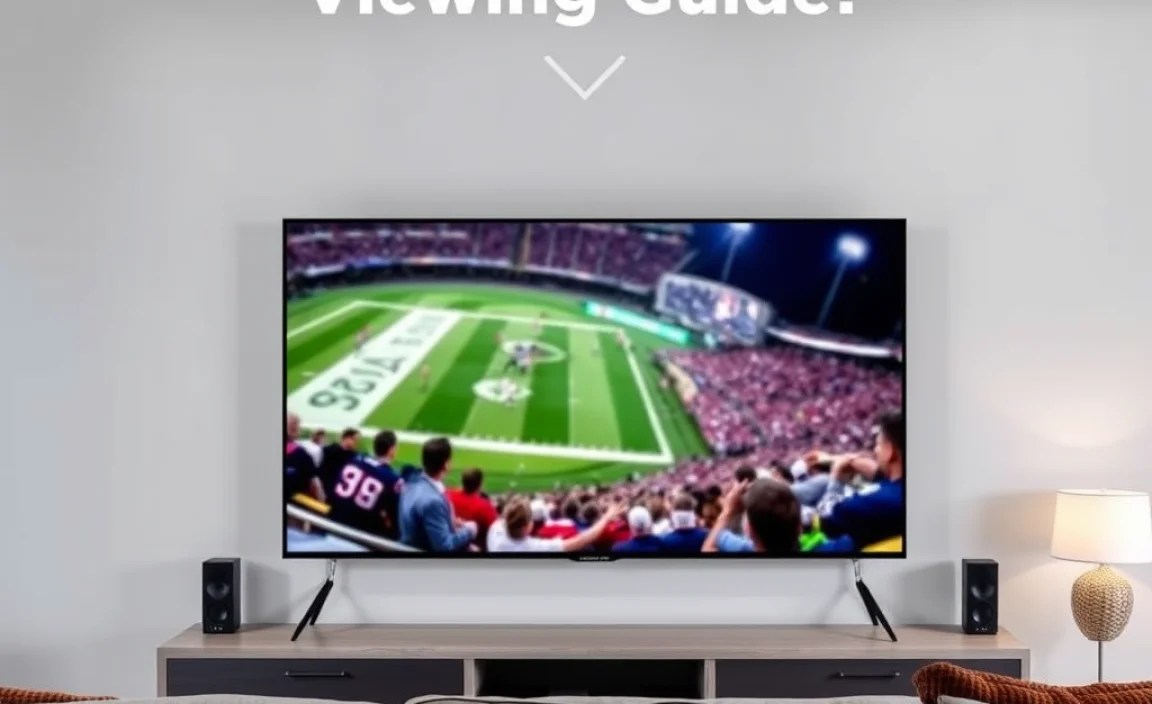
When hunting for the best TV, you’ll frequently hear about two dominant panel technologies: OLED and QLED. Both offer fantastic picture quality, but they achieve it differently, giving them unique strengths for sports viewing.
OLED: The King of Contrast
OLED (Organic Light Emitting Diode) TVs are celebrated for their ability to produce perfect black levels. Each pixel illuminates itself, so when a pixel is supposed to be black, it’s truly off, consuming no power and emitting no light. This leads to:
- Infinite Contrast: This is OLED’s superpower. The difference between the brightest and darkest parts of the image is immense.
- Perfect Black Levels: Essential for rich, deep images, especially in dimly lit stadiums or during nighttime scenes.
- Excellent Viewing Angles: Colors and brightness remain consistent even from very wide angles.
- Fast Response Times: Pixels switch very quickly, minimizing motion blur.
Who is it best for? Sports fans who prioritize ultimate contrast, true blacks, and viewing from various angles, especially in dimly lit rooms.
QLED: Brilliance and Brightness
QLED (Quantum-dot Light Emitting Diode) is essentially an LED TV that uses a layer of tiny quantum dots to enhance color and brightness. These TVs are typically brighter than OLEDs and offer vibrant colors. Their strengths include:
- High Peak Brightness: QLED TVs can get very bright, making them ideal for well-lit rooms and combating glare.
- Vibrant Colors: Quantum dots create a wider color spectrum and more saturated colors.
- Good Contrast (with local dimming): While not OLED-perfect, advanced QLEDs use local dimming to improve black levels by dimming zones of the backlight.
- Durability: QLEDs are generally less susceptible to burn-in over long periods compared to OLEDs (though burn-in risk is low on modern OLEDs with care).
Who is it best for? Sports fans watching in brighter environments, those who prefer incredibly vibrant colors, and those who want the absolute brightest picture possible.
Pros and Cons at a Glance
| Feature | OLED | QLED |
|---|---|---|
| Best For | Dim Rooms, Immersive Contrast | Bright Rooms, Vibrant Colors |
| Black Levels | Perfect | Very Good (with local dimming) |
| Brightness | Good | Excellent |
| Motion Handling | Excellent | Very Good to Excellent |
| Viewing Angles | Excellent | Good to Very Good |
| Potential Issues | Risk of Burn-In (low risk on modern TVs) | Backlight Blooming (less common on high-end models) |
Key Features to Look For
Beyond the panel technology, several other features can dramatically improve your sports viewing experience. Let’s dive into what to prioritize.
1. High Refresh Rate (120Hz is the Sweet Spot)
As mentioned, this is crucial. A 120Hz refresh rate means the screen updates 120 times per second, compared to 60 times per second on lower-end sets. This makes fast action look fluid and sharp.
- Why it matters for sports: Imagine watching a basketball game and seeing the ball trail behind players. A 120Hz TV drastically reduces this “motion blur,” making quick passes, fast kicks, and rapid movements crystal clear.
- Where to find it: Look for TVs that explicitly state “120Hz native refresh rate.” Be wary of marketing terms that might refer to “effective” or “motion” rates, as these can sometimes be misleading. A true 120Hz panel is what you want.
2. HDR Support (HDR10, HDR10+, Dolby Vision)
HDR (High Dynamic Range) significantly expands the range of color and contrast a TV can display. This means richer, more lifelike colors and brighter highlights.
- HDR10: The most basic and widely supported HDR standard.
- HDR10+: An improved version of HDR10 that uses dynamic metadata, meaning the picture can be optimized scene-by-scene or even frame-by-frame for better contrast and color.
- Dolby Vision: Another dynamic HDR format that offers exceptional quality and is often found on premium TVs.
Why it matters for sports: HDR makes the vibrant greens of a soccer pitch, the brilliant white of a tennis ball, and the dynamic skies during a golf broadcast look more realistic and captivating. It adds depth and detail to the image.
3. Peak Brightness and Contrast
While OLED excels at contrast, QLEDs often lead in brightness. For sports viewing, especially in sunny rooms, this is key.
- Bright Rooms: A TV needs to overcome ambient light to prevent the picture from looking washed out. Higher nit ratings (a measure of brightness) are beneficial.
- Dim Rooms: Even in dim rooms, deep blacks and high contrast make the picture pop. OLEDs shine here.
4. Upscaling Capabilities
Not all sports broadcasts are in native 4K. Older games or lower-league matches might be in HD (1080p) or even lower resolution. A TV’s upscaling technology is its ability to intelligently fill in the missing details and make lower-resolution content look as good as possible on a 4K screen.
Why it matters for sports: Good upscaling ensures that your entire sports library, regardless of its original resolution, looks sharp and clear on your new TV. Brands like Sony and Samsung are well-regarded for their upscaling prowess.
5. Sound Quality
While many enthusiasts opt for external soundbars or home theater systems, a TV’s built-in audio can still enhance your experience. For sports, clear commentary and the roar of the crowd are important.
- Look for: TVs with downward-firing or upward-firing speakers can offer a more immersive sound experience than basic front-firing ones. Some higher-end models even incorporate features like voice enhancement for clear commentary.
- Consider: If sound is a major priority, planning for a soundbar or audio system alongside your TV purchase is highly recommended.
6. Connectivity (HDMI Ports)
Ensure the TV has enough HDMI ports for all your devices. You might need one for a cable box or satellite receiver, another for a game console, and perhaps one for a streaming stick or soundbar.
- HDMI 2.1: For next-generation gaming and higher refresh rates (4K at 120Hz), HDMI 2.1 is becoming increasingly important. It supports higher bandwidth, crucial for these advanced features.
- Number of Ports: Most sports fans will be fine with 3-4 HDMI ports, but always check based on your setup.
Setting Up Your TV for Peak Sports Performance

Once you’ve chosen your TV, a few tweaks can make a significant difference in how your sports programming looks and feels. Think of these as fine-tuning your viewing experience.
1. Picture Mode Optimization
Most TVs come with several picture modes (e.g., Vivid, Standard, Cinema, Sports). While “Vivid” might sound appealing for bright colors, it often distorts accuracy. For sports, a “Standard,” “Movie,” or dedicated “Sports” mode (if available and looks good) is often the best starting point.
- Sports Mode: Often designed to boost motion clarity and color saturation, making fast action look smoother and opponents’ jerseys pop. Use your eyes to see if it enhances or detracts from the image.
- Movie/Cinema Mode: These modes are usually calibrated for accuracy and can provide a more natural look, especially if you prefer less artificial processing.
- Standard/Normal: A balanced setting that works well in many lighting conditions.
2. Adjusting Motion Settings
This is where you can combat blur. Experiment cautiously with motion smoothing settings.
- Motion Smoothing/Interpolation: Features like “Motionflow” (Sony), “TruMotion” (LG), or “Auto Motion Plus” (Samsung) insert extra frames to make motion smoother.
- The “Soap Opera Effect”: If motion smoothing makes everything look like a dramatic soap opera, it’s likely set too high. Try lowering it or disabling it entirely if you prefer a more film-like aesthetic. Many sports fans find a moderate setting to be the sweet spot.
- Response Time/Black Frame Insertion: Some TVs offer settings to improve response time, sometimes by inserting black frames. Experiment to see if this sharpens action without causing flicker or dimming the image too much.
3. Color and White Balance
While presets are good, you can fine-tune colors.
- Color Temperature: “Warm” settings generally provide a more natural, less harsh image than “Cool” settings, which can make whites have a bluish tint.
- Tint/Hue: This adjusts the balance between green and magenta. Try to keep it neutral unless you notice a specific color cast.
- Color Saturation: Be careful not to over-saturate colors, as this can make skin tones look unnatural and bright sports apparel look garish.
4. Backlight and Contrast Adjustments
These settings are vital for image depth and visibility.
-
- Backlight/OLED Light: Adjust this based on your room’s lighting. Higher settings are needed for bright rooms, while lower settings are better for dim rooms to reduce eye strain and preserve black levels (on OLEDs).
- Contrast: This controls the white levels. Increasing it too much can cause white details to “clip” or be lost.
Frequently Asked Questions
What screen size is best for watching sports?
For a truly immersive sports experience, bigger is generally better. Aim for a TV that’s at least 55 inches. If your viewing distance is 8 feet or more, a 65-inch TV or even larger will make you feel like you’re at the event. Consider your room size and viewing habits, but don’t shy away from a larger screen if possible.
Are OLED or QLED TVs better for sports?
Both OLED and QLED TVs excel in different ways for sports. OLEDs offer perfect blacks and infinite contrast, making dark stadiums and bright highlights pop realistically. QLEDs, on the other hand, tend to be brighter, which is fantastic for well-lit rooms or daytime games, and they boast vibrant colors. For most sports viewing, especially in varied lighting conditions, both are excellent choices.
What is a refresh rate, and why is it important for sports?
Refresh rate, measured in Hertz (Hz), indicates how many times the TV screen updates the image per second. For fast-paced sports like basketball, hockey, or soccer, a higher refresh rate (120Hz) is crucial. It minimizes motion blur, ensuring fast-moving objects and players appear sharp and clear, rather than smudged.
How does HDR affect sports viewing?
HDR (High Dynamic Range) enhances the contrast and color range of a TV. For sports, this means more lifelike colors, brighter “peak” whites (like a goalie’s jersey in bright sunlight), and deeper blacks. It makes the picture more vibrant and realistic, bringing out details that standard HDR might miss.
Is viewing angle important for sports?
Yes, especially if you have multiple people watching or if your seating isn’t directly in front of the TV. A wide viewing angle ensures that colors and contrast remain consistent even when viewing from the sides. OLED TVs are known for their exceptional viewing angles, while some QLED models can show a slight degradation in color and brightness from extreme off-angles.
Do I need a smart TV for sports?
While you don’t need a smart TV to watch sports (you can always use a separate streaming device), most modern TVs are smart TVs. This means they come with built-in apps for popular streaming services like ESPN+, Hulu + Live TV, or other sports broadcasters, making it convenient to access live games and replays directly from your TV.
.lwrp.link-whisper-related-posts{
margin-top: 40px;
margin-bottom: 30px;
}
.lwrp .lwrp-title{
}.lwrp .lwrp-description{
}
.lwrp .lwrp-list-container{
}
.lwrp .lwrp-list-multi-container{
display: flex;
}
.lwrp .lwrp-list-double{
width: 48%;
}
.lwrp .lwrp-list-triple{
width: 32%;
}
.lwrp .lwrp-list-row-container{
display: flex;
justify-content: space-between;
}
.lwrp .lwrp-list-row-container .lwrp-list-item{
width: calc(25% – 20px);
}
.lwrp .lwrp-list-item:not(.lwrp-no-posts-message-item){
max-width: 150px;
}
.lwrp .lwrp-list-item img{
max-width: 100%;
height: auto;
object-fit: cover;
aspect-ratio: 1 / 1;
}
.lwrp .lwrp-list-item.lwrp-empty-list-item{
background: initial !important;
}
.lwrp .lwrp-list-item .lwrp-list-link .lwrp-list-link-title-text,
.lwrp .lwrp-list-item .lwrp-list-no-posts-message{
}@media screen and (max-width: 480px) {
.lwrp.link-whisper-related-posts{
}
.lwrp .lwrp-title{
}.lwrp .lwrp-description{
}
.lwrp .lwrp-list-multi-container{
flex-direction: column;
}
.lwrp .lwrp-list-multi-container ul.lwrp-list{
margin-top: 0px;
margin-bottom: 0px;
padding-top: 0px;
padding-bottom: 0px;
}
.lwrp .lwrp-list-double,
.lwrp .lwrp-list-triple{
width: 100%;
}
.lwrp .lwrp-list-row-container{
justify-content: initial;
flex-direction: column;
}
.lwrp .lwrp-list-row-container .lwrp-list-item{
width: 100%;
}
.lwrp .lwrp-list-item:not(.lwrp-no-posts-message-item){
max-width: initial;
}
.lwrp .lwrp-list-item .lwrp-list-link .lwrp-list-link-title-text,
.lwrp .lwrp-list-item .lwrp-list-no-posts-message{
};
}
Related Posts

Lavalier Microphone Settings For Perfect Sound- How To Connect Bluetooth Headphones: Essential Buying Guide

Down-firing Subwoofer On Carpet [Details Guide]- Top Picks: Best Tv For Gaming With Remote Control

- How To Connect Bluetooth Headphones Under 1000: Easy Guide
- Tv Energy Consumption Mounting: Tips To Reduce Costs
- Best Tv Stand With Cable Management: A Comparison Guide
- 4K Tv Vs Full Hd: Pros And Cons Explained!