
For the best PS5 gaming HDR experience, look for TVs with HDMI 2.1 ports, 4K resolution, a refresh rate of 120Hz, and excellent HDR performance (like Dolby Vision or HDR10+). OLED and high-end QLED TVs offer the deepest blacks and vibrant colors, making your games pop.
Hey there, fellow gamers! So you’ve snagged a PlayStation 5 and you’re ready to dive into some seriously stunning games. But wait, is your current TV really doing your PS5 justice? You might be seeing crisp visuals, but are you getting that jaw-dropping HDR magic that makes games feel like you’re actually there? It’s a common frustration – you’ve invested in top-tier gaming hardware, only to have your visual experience held back by a display that can’t keep up. Don’t worry, I’m Bob E Riley, and I’m here to help you cut through the confusing tech talk and find the perfect TV to unlock your PS5’s full potential, especially when it comes to HDR. We’ll explore what makes a TV “PS5-ready” and how to choose one that makes every gaming session an unforgettable adventure. Let’s get started!
Why HDR is a Game-Changer for Your PS5

High Dynamic Range, or HDR, isn’t just a fancy acronym; it’s a revolutionary leap in how we see colors and contrast on our screens. Think of it like going from a standard definition picture to a breathtaking 4K vista. With HDR, you get a wider spectrum of colors, much brighter highlights, and deeper, more detailed shadows. This means explosions will burst with more intensity, the subtle shades in a sunset will be richer, and you’ll see details in dark corners of a game that you never noticed before. For PS5 games, which are often designed with HDR in mind, this translates to a more immersive, lifelike, and frankly, more enjoyable gaming experience. It’s all about making those virtual worlds explode with color and depth!
What to Look For: PS5 Gaming TV Essentials

When you’re hunting for the “best TV for PS5 gaming HDR,” a few key features stand out. Think of these as your non-negotiables. Getting these right will ensure your PS5 can perform at its peak and deliver those incredible HDR visuals.
Essential Features Breakdown:
- HDMI 2.1 Ports: This is crucial. HDMI 2.1 is the latest standard and is necessary for features like 4K at 120Hz and Variable Refresh Rate (VRR), which are both supported by the PS5. If a TV doesn’t have HDMI 2.1, it simply can’t take full advantage of what your PS5 offers for next-gen gaming.
- 4K Resolution: While not exclusive to HDR, 4K resolution (3840 x 2160 pixels) is the standard for PS5 gaming. It provides four times the pixels of Full HD, meaning sharper, more detailed images.
- 120Hz Refresh Rate: This means the screen can update its image 120 times per second. For gaming, especially fast-paced titles, this results in incredibly smooth motion, reduced blur, and a more responsive feel. Your PS5 can output many games at 120fps, and you need a 120Hz TV to see it!
- Low Input Lag: Input lag is the delay between when you press a button on your controller and when the action appears on screen. For competitive gaming, this needs to be as low as possible – ideally under 20ms, and even better, under 10ms. Look for “Game Mode” settings which often help reduce this.
- HDR Support (HDR10, Dolby Vision, HDR10+): This is where the magic happens!
- HDR10: This is the base standard for HDR and is widely supported.
- Dolby Vision: An advanced HDR format that uses dynamic metadata, meaning it adjusts the picture scene by scene for optimal contrast and color. Many PS5 games and streaming services support Dolby Vision.
- HDR10+: Similar to Dolby Vision, this format also uses dynamic metadata but is an open standard.
The more HDR formats a TV supports, the better it can display HDR content. For PS5, Dolby Vision is particularly sought after.
- Peak Brightness: For HDR to truly shine, especially with bright highlights, the TV needs to be able to get very bright. Look for TVs that advertise high peak brightness figures (measured in nits).
- Contrast Ratio/Black Levels: Deep blacks are essential for good HDR. They allow bright elements to stand out more vibrantly and create a sense of depth.
TV Technologies: OLED vs. QLED (and Others!) for PS5 Gaming

When picking the best TV for PS5 gaming HDR, you’ll encounter different display technologies. Each has its strengths:
OLED TVs
OLED (Organic Light Emitting Diode) TVs are often hailed as the gold standard for picture quality, especially for HDR. Here’s why:
- Perfect Blacks: Each pixel on an OLED screen can turn off completely, resulting in true, infinite black levels. This is incredible for contrast and making HDR colors pop.
- Amazing Contrast: Because of those perfect blacks, the difference between the darkest and brightest parts of an image is phenomenal.
- Wide Viewing Angles: Colors and brightness remain consistent even when viewed from the side.
- Fast Response Times: Pixels can change color almost instantly, which means very little motion blur, perfect for fast gaming.
However, OLEDs can be more expensive and are generally not as bright as the top-tier QLEDs, which could be a consideration in very sunny rooms. Also, with very static on-screen elements for extremely long periods, there’s a (largely mitigated) risk of burn-in, though this is less of a concern with modern OLEDs and varied gaming habits.
QLED TVs
QLED (Quantum dot Light Emitting Diode) TVs, often associated with brands like Samsung, use a layer of quantum dots to enhance color and brightness. They are essentially advanced LED TVs.
- High Brightness: QLEDs can get incredibly bright, making HDR highlights really stand out, even in well-lit rooms.
- Vibrant Colors: Quantum dots help produce a wider and more saturated color palette.
- Good Contrast: While not infinite like OLED, high-end QLEDs with local dimming technology can achieve very good contrast and deep blacks.
- No Burn-In Risk: You don’t have to worry about burn-in with QLEDs.
QLEDs are a fantastic choice, especially if brightness is a priority or you game in a very sunny environment. The gap between QLED and OLED is getting smaller every year!
Mini-LED and Micro-LED
These are newer technologies that aim to improve upon traditional LED backlighting.
- Mini-LED: Uses thousands of tiny LEDs for its backlight, allowing for much finer control over dimming zones. This leads to better contrast and less blooming (halo effects around bright objects on dark backgrounds) than standard LED TVs. Many premium QLEDs now use Mini-LED backlighting.
- Micro-LED: The most advanced (and expensive) technology. It’s similar to OLED where each pixel emits its own light but combines it with the brightness and scalability of LEDs. It offers incredible contrast, brightness, and longevity. You’ll mostly find this in very large, high-end displays for now.
Top Picks for Best TV for PS5 Gaming HDR

Navigating the sea of TV models can be overwhelming. Based on performance, features, and value for PS5 gaming, here are some categories and recommended types of TVs. Keep in mind that specific model numbers change yearly, but these technologies and brands consistently offer excellent options.
Category 1: The Absolute Best (If Budget Isn’t a Concern)
For those who want the pinnacle of PS5 gaming visuals:
- OLED TVs (e.g., LG C-series, Sony A-series): These consistently deliver unparalleled blacks, vibrant colors, and near-instant response times. Look for models with multiple HDMI 2.1 ports, 120Hz refresh rates, and excellent HDR processing. LG’s OLEDs are often lauded for their gaming features, while Sony TVs tend to excel for their image processing and integration with PlayStation consoles. The LG C3 and C4 models, for example, are frequently cited as top-tier choices for gamers.
Category 2: Premium Performance with Extra Brightness (Great for Bright Rooms)
If you game in a bright space or simply want that extra HDR punch:
- High-End QLED/Mini-LED TVs (e.g., Samsung QN-series, Sony X95 series, TCL QM8/Q7 series): These TVs combine quantum dot technology with Mini-LED backlighting to achieve incredible brightness and color volume, alongside strong contrast. They are excellent for HDR content and can handle sunny rooms with ease. Samsung’s Neo QLEDs are strong contenders here, offering bright, vibrant images. TCL has made waves with their high-performance, more budget-friendly options.
Category 3: Excellent Value for Money
Getting a great PS5 HDR experience without breaking the bank:
- Mid-Range QLED/LED TVs (e.g., Samsung Q70-series, Sony X90 series, TCL QLED models): You can find TVs with HDMI 2.1, 120Hz refresh rates, and good HDR support in this segment. While they might not reach the peak brightness of the top-tier models or have perfect blacks, they offer a significant upgrade over standard TVs and provide a fantastic entry point into next-gen gaming visuals.
Category 4: Budget-Friendly HDMI 2.1 Options
For the budget-conscious gamer who still wants modern features:
- Entry-Level HDMI 2.1 TVs (e.g., Hisense U7K/U8K Series): Brands like Hisense are increasingly offering TVs with HDMI 2.1 ports and 120Hz panels at more accessible price points. While you might make some compromises on peak brightness, motion handling, or upscaling compared to premium models, you can still get a very capable TV for PS5 gaming. It’s always worth checking reviews for specific models within these lines.
Understanding HDR Formats and Your PS5
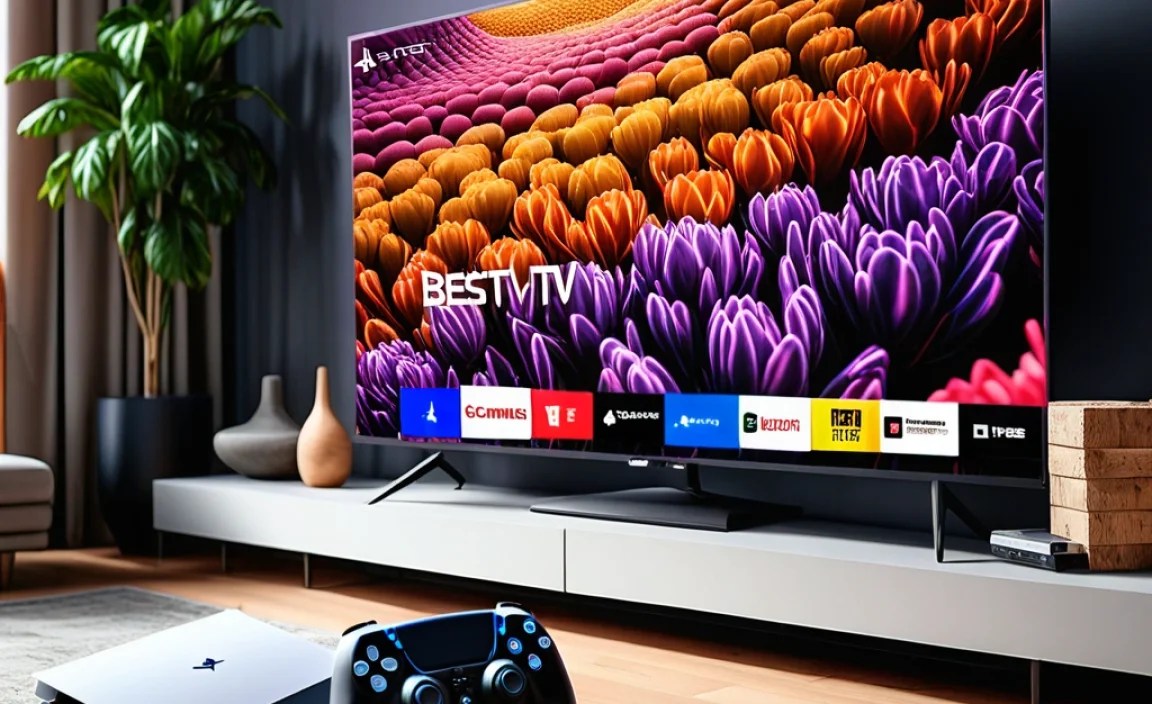
Your PS5 supports several HDR formats, and knowing which ones your TV handles can make a difference. The PS5 officially supports HDR10. Crucially, it can also output in Dolby Vision for certain apps and games, and increasingly, for games themselves. HDR10+ is less commonly supported by consoles but is a feature to be aware of.
PS5 HDR Compatibility Table
This table gives you a quick overview of what your PS5 supports and what to look for on a TV.
| Feature | PS5 Support | What to Look For on a TV | Impact on Gaming |
|---|---|---|---|
| Resolution | 4K (2160p) at up to 120fps | Native 4K panel | Sharpness, detail, smoother gameplay at higher frame rates. |
| Refresh Rate | Up to 120Hz | 120Hz native panel | Smoother motion, reduced blur, better response in fast-paced games. |
| HDR Format | HDR10 (mandatory), Dolby Vision (games & apps) | HDR10, Dolby Vision support | Wider color spectrum, brighter highlights, deeper blacks, more realistic visuals. Dolby Vision offers scene-by-scene optimization. |
| HDMI Connectivity | HDMI 2.1 (for 120Hz, VRR, ALLM) | At least one HDMI 2.1 port | Enables 4K/120Hz, Variable Refresh Rate, and Auto Low Latency Mode for optimal gaming performance. |
| Auto Low Latency Mode (ALLM) | Supported | TV supports ALLM | Automatically switches the TV to its low-latency “Game Mode” when the PS5 is detected, reducing input lag without manual switching. |
| Variable Refresh Rate (VRR) | Supported | TV supports VRR (e.g., FreeSync, HDMI 2.1 VRR) | Synchronizes the TV’s refresh rate with the PS5’s frame rate, eliminating screen tearing and stuttering for smoother gameplay. |
Dolby Vision in Gaming
Dolby Vision is a significant advantage for PS5 gamers. It’s designed to provide an even more optimized HDR experience by sending dynamic metadata with the video signal. This metadata tells the TV how to adjust the picture scene-by-scene, or even frame-by-frame, to produce the best possible contrast and color accuracy. As more PS5 games are developed with Dolby Vision support, having a TV that can properly display it will become increasingly valuable. It’s a feature that can elevate your gaming visuals from great to absolutely breathtaking.
Optimizing Your Setup: Beyond Just the TV
Choosing the right TV is a massive step, but a few small adjustments can further enhance your PS5 HDR gaming experience. Think of these as the finishing touches!
Calibrating Your TV Settings
Out of the box, most TVs aren’t set to their optimal picture settings for gaming. Thankfully, finding the right settings is often easier than you think.
- Activate Game Mode: This is the most important step for reducing input lag. Look for a “Game Mode” or “Game Optimizer” setting in your TV’s picture menu. It bypasses much of the TV’s image processing that can slow down the response time.
- Select the Right Picture Preset: Within Game Mode, you’ll often find presets like “Standard,” “Cinema,” or “Dynamic.” For HDR gaming, a preset that offers good brightness and color accuracy is usually best. Some TVs have specific HDR Game modes.
- Adjust Brightness and Contrast: For HDR, you want to balance detail in highlights and shadows. Use in-game HDR calibration tools if available. Generally, ensure blacks are deep but not crushing detail, and highlights are bright without being blown out.
- Fine-tune Color and Sharpness: Avoid over-sharpening, which can create artificial edges. Color saturation should be vibrant but natural.
- Consider Custom Calibration: For the truly dedicated, professional calibration services or calibration discs (like Spears & Munsil) can help you achieve perfect settings, but for most gamers, careful adjustment using in-game tools and the TV’s game mode is sufficient.
Many reputable tech sites offer specific calibration settings for popular TV models, which can be a great starting point. A quick search for “[Your TV Model] PS5 settings” can yield excellent results. For example, a thorough guide on display calibration can be found on the Rtings.com website, a top resource for TV reviews and technical insights.
Using the Right Cables
To ensure your PS5 can send those high-bandwidth 4K 120Hz HDR signals, you absolutely need to use the cable that came with your PS5 or another certified “Ultra High Speed” HDMI cable. Older or non-certified cables might not be able to handle the data required for these advanced features, leading to signal dropouts or a failure to enable 120Hz or HDR.
Sound Matters Too!
While this guide focuses on visuals, don’t forget about audio! A great TV picture paired with immersive sound can elevate your gaming experience exponentially. Consider a soundbar or a home theater system that supports features like Dolby Atmos for a truly captivating audio-visual feast. Check out resources like Dolby’s official site to learn more about immersive audio.
Frequently Asked Questions (FAQ)
Here are some common questions everyday gamers have about choosing the best TV for their PS5 and HDR.
Q1: Do I really need an HDMI 2.1 TV for my PS5?
A: While your PS5 will work with an HDMI 2.0 TV, you won’t be able to take advantage of key next-gen features like 4K resolution at 120 frames per second (fps) or Variable Refresh Rate (VRR). For the best possible gaming experience, especially for HDR, an HDMI 2.1 TV is highly recommended.