
For the best PS5 gaming, look for a TV with 4K resolution, a 120Hz refresh rate, HDMI 2.1 ports, and low input lag. This combination ensures smooth visuals, quick responses, and vibrant detail for an immersive gaming experience. We’ll break down exactly what these terms mean and what to keep an eye out for.
The Top TV Features for an Amazing PS5 Gaming Experience

Hey there, fellow gamers and tech enthusiasts! Bob Riley here from Aimguider. So, you’ve got your shiny new PlayStation 5 and you’re ready to dive into those stunning next-gen worlds. But wait, is your current TV doing your PS5 justice? It’s a common question, and honestly, it can be a bit frustrating trying to figure out what makes a TV truly “gaming-ready.” Don’t sweat it! We’re going to walk through this together, step-by-step. We’ll demystify all those techy terms and pinpoint the exact features that will make your PS5 games look and feel absolutely incredible. Ready to upgrade your visual experience? Let’s get started!
Why Your TV Matters More Than You Think for PS5

Your PlayStation 5 is a powerhouse, capable of rendering breathtaking graphics and incredibly fast gameplay. However, to truly experience this power, you need a display that can keep up. A standard TV might show the picture, but a TV optimized for PS5 gaming will elevate your entire experience. It’s about pulling you deeper into the game with visuals so sharp and fluid, you’ll feel like you’re right there.
Think of it like this: you have a high-performance sports car, but you’re driving it on a bumpy, unpaved road. It won’t perform at its best. Similarly, a powerful console like the PS5 needs a smooth, high-quality “road” – your TV – to showcase its full potential. This means looking beyond just screen size and brand.
Key Features to Look For: The PS5 Gaming Checklist

When shopping for a TV for your PS5, certain features stand out as absolute game-changers. These are the specs that directly impact how smooth, responsive, and visually stunning your games will be. Let’s break them down so you know exactly what to prioritize.
1. 4K Resolution (Ultra HD)
This is almost a given now, but it’s the foundation for great PS5 gaming. 4K resolution means a picture that’s four times clearer than traditional Full HD (1080p). For the PS5, this translates to incredibly sharp details, finer textures, and a much more lifelike image. Games will look crisper, from the intricate details on character models to the furthest reaches of a sprawling landscape.
Sony’s PlayStation 5 is designed to output games in 4K, and many titles are specifically optimized to take advantage of this resolution. Without a 4K TV, you’re simply not seeing the full picture the PS5 is capable of producing. It’s essential for that next-generation visual fidelity.
2. Refresh Rate (Hz) – Aim for 120Hz
This is where things often get a bit more technical, but it’s super important for smooth gameplay. The refresh rate, measured in Hertz (Hz), tells you how many times per second the image on your TV screen is updated. A standard TV might have a 60Hz refresh rate.
For PS5 gaming, a 120Hz refresh rate is highly desirable. Why? Because the PS5 can output many games at frame rates up to 120 frames per second (fps). When you have a 120Hz TV, it can display all those frames, resulting in exceptionally smooth motion. This is especially noticeable in fast-paced games like first-person shooters or racing games, where quick movements are key. A 120Hz TV helps reduce motion blur and makes everything look more fluid and responsive.
For a deeper dive into how refresh rates and frame rates work together, the Rtings.com guide on refresh rates offers excellent, in-depth information for those who want to understand the nuances.
3. HDMI 2.1 Ports: The Gateway to Next-Gen Features
This is probably the most critical port specification for unlocking the PS5’s full gaming potential. HDMI 2.1 is the latest standard in HDMI technology, and it’s crucial for several reasons:
- 4K at 120Hz: HDMI 2.1 is the only way to get 4K resolution at a 120Hz refresh rate over a single cable.
- Variable Refresh Rate (VRR): This technology synchronizes the TV’s refresh rate with the PS5’s frame rate in real-time. This means no more screen tearing or stuttering when the game’s frame rate fluctuates. It makes gameplay feel much smoother and more natural.
- Auto Low Latency Mode (ALLM): When ALLM is enabled, your PS5 can tell your TV that you’re gaming. The TV then automatically switches to its low-latency (game) mode, ensuring the fastest possible response time without you having to manually change picture settings.
- Higher Bandwidth: HDMI 2.1 has a much higher bandwidth than HDMI 2.0, which is necessary to transmit all this extra data for 4K/120Hz and other advanced features.
Important Note: Make sure the TV you are considering has at least one HDMI 2.1 port. Ideally, it will have multiple, as this gives you more flexibility if you have other next-gen consoles or devices.
4. Input Lag: How Quickly Your Actions Appear
Input lag is the delay between when you press a button on your controller and when that action appears on screen. For gaming, low input lag is paramount. High input lag can make games feel sluggish and unresponsive, putting you at a disadvantage, especially in competitive titles.
Look for TVs that advertise very low input lag, typically under 20ms, and ideally under 10ms in their game modes. Most modern TVs will have a specific “Game Mode” or “Game Optimizer” setting that reduces input lag by simplifying image processing. Always enable this mode when gaming!
To measure input lag accurately, specialized tools are needed, but reputable tech review sites often test and publish these measurements for different TVs. For instance, a quick search for “[TV Model] input lag” on a site like TechRadar or CNET will usually provide this data.
5. HDR (High Dynamic Range) Support
HDR significantly improves picture quality by expanding the range of colors and contrast. This means brighter whites, deeper blacks, and a much wider spectrum of colors. For PS5 games, HDR can make a massive difference:
- More Realistic Colors: Reds will be richer, blues deeper, and greens more vibrant.
- Better Contrast: Details in bright highlights (like sunlight glinting off metal) and dark shadows (like a dimly lit cave) are preserved, making the image look more three-dimensional.
- Improved Detail: Subtle variations in shade and color become more apparent, adding depth and realism.
The PS5 supports HDR10, which is the most common HDR format. Some TVs also support Dolby Vision, another premium HDR format. While the PS5 doesn’t natively output Dolby Vision for gaming, some TVs can convert HDR10 content to look better, and some might offer Dolby Vision support for streaming apps. For gaming, ensure it supports at least HDR10. The real magic happens when the TV also supports HDR Premium features like Quantum Dot (QLED) or OLED panels, which excel at displaying a wide color gamut and high contrast ratios.
6. Panel Type: OLED vs. LED/QLED – What’s Best?
The type of panel a TV uses affects its picture quality, particularly contrast, brightness, and viewing angles. The two main contenders for high-end gaming are:
- OLED (Organic Light Emitting Diode): OLED panels are known for their perfect blacks, infinite contrast ratio, and extremely wide viewing angles. Each pixel emits its own light, meaning they can be turned off completely for true black. This results in stunning image depth and vibrant colors. OLEDs are also typically very fast naturally, leading to excellent motion handling. One downside can be brightness compared to high-end LED/QLED TVs, and there’s a very slight risk of burn-in with static images over extremely long periods (though this is much less of a concern with modern OLEDs and careful use).
- LED/QLED (Quantum Dot LED): These TVs use an LED backlight to illuminate LCD pixels. QLED is a variation that uses Quantum Dots to enhance color and brightness. LED/QLED TVs can get much brighter than OLEDs, making them excellent for brightly lit rooms and for HDR content that really pops. They generally offer excellent color reproduction and good contrast, especially with local dimming technologies to improve black levels. However, they can’t achieve the perfect blacks of OLED and may have some blooming (light bleeding around bright objects on dark backgrounds).
For PS5 Gaming: Both OLED and high-end QLED TVs are fantastic choices. OLED excels in dark rooms and for cinematic experiences due to its perfect blacks and contrast. QLED TVs are often better for bright rooms and can offer more vibrant, eye-popping HDR. The choice often comes down to your viewing environment and personal preference.
7. Screen Size and Viewing Distance
While not a technical spec in the same way as refresh rate, screen size matters for immersion. The PS5 is built for 4K, and a larger screen makes those details pop. However, you don’t want to sit too close to a huge TV, or you’ll start seeing pixels or have to move your head constantly.
A good rule of thumb for 4K TVs, especially for gaming where responsiveness is key, is to sit about 1 to 1.5 times the screen’s diagonal size away. For example, at about 4-6 feet from a 55-inch TV. This distance allows you to take in the whole picture without straining your eyes or missing details.
Here’s a quick guide:
| Screen Size (Diagonal) | Recommended Viewing Distance (Approximate) |
|---|---|
| 50-55 inches | 3.5 to 5.5 feet (1.1 to 1.7 meters) |
| 60-65 inches | 4 to 6 feet (1.2 to 1.8 meters) |
| 70-75 inches | 4.5 to 7 feet (1.4 to 2.1 meters) |
| 80+ inches | 5 to 8+ feet (1.5 to 2.5+ meters) |
For a more precise calculation, you can check resources like the Display Supply Chain Consultants’ guide on optimal viewing distances.
Putting It All Together: What to Look For in a TV

So, you’ve got the key features. Now, let’s translate that into what you should actively search for when browsing models or reading reviews. You want a TV that ticks as many of these boxes as possible for the best PS5 gaming experience.
Recommended TV Features for PS5 Gamers Summary
- Resolution: 4K (UHD – 3840 x 2160 pixels)
- Refresh Rate: 120Hz native
- HDMI Ports: At least 1 HDMI 2.1 port (ideally 2 or more)
- Gaming Features: VRR (Variable Refresh Rate), ALLM (Auto Low Latency Mode)
- Input Lag: Under 20ms (ideally under 10ms in game mode)
- HDR Support: HDR10, with strong brightness and color gamut (e.g., QLED or OLED panels)
- Panel Type: OLED for perfect blacks and contrast, or high-end LED/QLED for brightness and vibrant HDR.
Popular TV Technologies Explained Simply
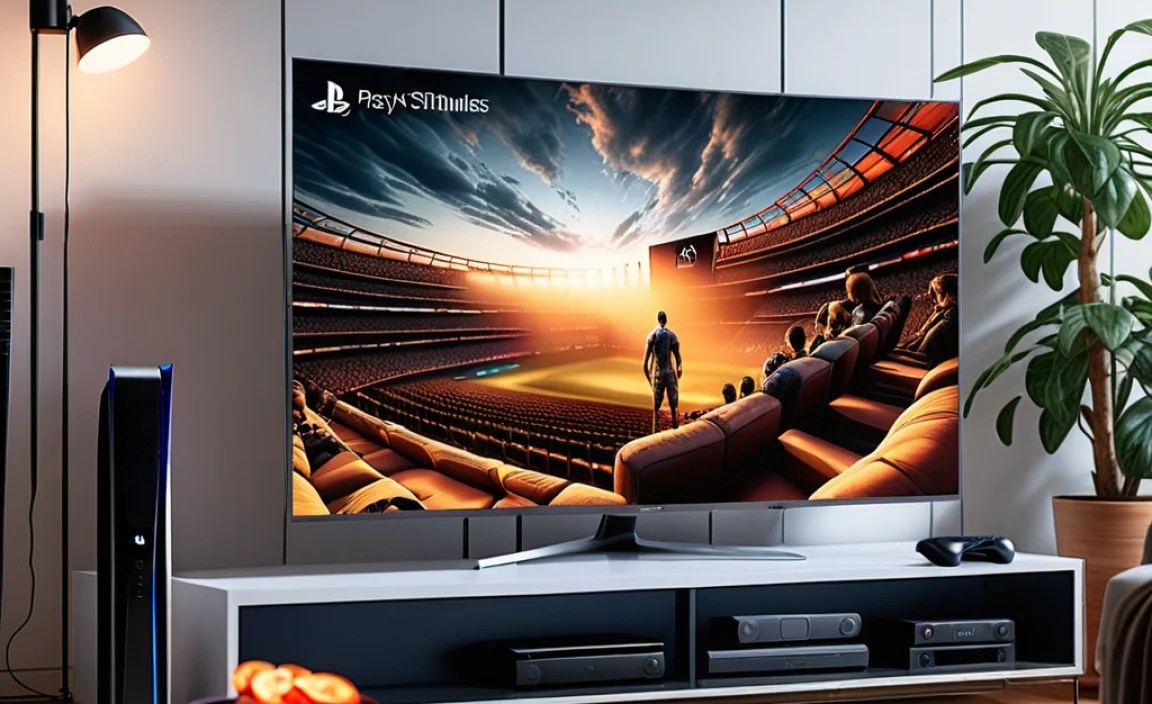
Let’s briefly touch on some common terms you’ll see. Understanding these will help you make informed choices.
- 4K UHD: As we covered, it’s about sharpness and detail.
- HDR10: The standard for High Dynamic Range. It offers a good boost in contrast and color.
- Dolby Vision: A more advanced HDR format that can provide even better picture quality, but less common for gaming.
- Local Dimming: Found on LED/QLED TVs, this feature allows parts of the backlight to be dimmed or turned off, improving black levels and contrast without affecting the entire screen. More zones mean better control.
- Wide Color Gamut (WCG): Means the TV can display a broader range of colors, making HDR content look more vibrant and lifelike.
- Gaming Mode/Game Optimizer: A setting on TVs that reduces input lag by disabling unnecessary picture processing and enabling features like ALLM.
- Smart TV Platform: The operating system of the TV (like Google TV, Roku TV, webOS, Tizen). Useful for streaming apps, but less critical for pure PS5 gaming.
Top TV Brands and What to Expect
While specific models change year to year, certain brands consistently deliver excellent gaming performance. Here’s what you can generally expect:
- LG: Particularly known for their fantastic OLED TVs. LG’s OLEDs almost always feature excellent gaming specs, including 120Hz, HDMI 2.1, VRR, and low input lag, often across their C-series and G-series models.
- Samsung: A leader in QLED technology. Samsung offers very bright QLED TVs with strong HDR and excellent gaming performance, especially their Neo QLED lines. They also support features like 120Hz and HDMI 2.1 on their higher-end models.
- Sony: Both their OLED and high-end LED (often called Triluminos) TVs are excellent for gaming. Sony TVs often have superb motion handling and great upscaling. Many of their premium models include HDMI 2.1 features.
- Hisense & TCL: These brands offer more budget-friendly options that often pack impressive gaming features like 4K, 120Hz, and HDMI 2.1 on select models, making them great value choices. Always check the specific model’s specs carefully.
When choosing, if you lean towards OLED, LG and Sony are usually top-tier. For brightness and vibrant colors in QLEDs, Samsung often shines, though Sony and Hisense also offer strong QLED contenders.
Setting Up Your TV for the Best PS5 Performance
Once you’ve picked out your new TV, a few simple adjustments can ensure you’re getting the most out of it with your PS5.
Step-by-Step Setup Guide:
- Connect with the Right Cable: Use the ultra-high-speed HDMI cable that came with your PS5, or purchase a certified HDMI 2.1 cable. Connect it to an HDMI 2.1 port on your TV.
- Enable Game Mode: On your TV’s settings menu, find “Game Mode,” “Game Optimizer,” or a similar setting, and turn it on.
- Check PS5 Display Settings:
- Go to Settings > Screen & Video > Video Output.
- Resolution: Select “Automatic.”
- Frame Rate & Volume: Select “Automatic.”
- HDR: Ensure HDR is set to “Automatic.” If you have issues, you might try disabling HDR temporarily to troubleshoot.
- VRR: If your TV supports VRR and your PS5 detects it, ensure VRR is enabled here.
- ALLM: This is usually controlled by the TV, but some games might have specific ALLM settings.
- Adjust Picture Settings for Gaming: While Game Mode reduces input lag, you might still want to tweak other picture settings. Reduce sharpness (often looks best at 0 or low), disable motion smoothing or motion interpolation features (like “TruMotion,” “Clear Motion,” etc. – these add input lag and can make games look artificial), and adjust brightness and contrast to your preference in your gaming environment.
- Test with a PS5 Game: Launch a PS5 game that supports 120Hz or HDR and see how it looks and feels. Many modern racing or shooter games will have graphics settings allowing.