
Finding the best TV for outdoor use under $300 is achievable by focusing on brightness, weather resistance, and smart features. While a dedicated outdoor TV might exceed this budget, refurbished models, smaller screen sizes, or versatile indoor TVs with protective cases offer excellent value for creating an enjoyable outdoor viewing experience.
Hey there, tech adventurers! Bob E Riley here, and I know the feeling. You’ve got that backyard oasis, that patio perfect for summer nights, and you’re dreaming of watching the big game or a movie under the stars. But then reality hits: TVs aren’t exactly built for the great outdoors. Dealing with glare, unpredictable weather, and confusing specs can make finding an affordable outdoor TV feel like a chore.
The good news? You don’t need a fortune to create a fantastic outdoor entertainment setup. Especially if you’re looking to spend under $300, we can absolutely find some smart solutions. This guide is all about breaking down what matters most when taking a TV outside, even on a budget, and showing you exactly how to make it happen. Let’s get your outdoor viewing dreams rolling!
Choosing the Right TV for Outdoor Viewing Under $300: A Budget-Friendly Blueprint

Setting up a TV outdoors is a bit different from your living room. We’re not just talking about aesthetics; we’re talking about performance in challenging conditions. Sunlight, humidity, temperature swings – these can all be tough on electronics. But don’t let that deter you! With the right approach, your outdoor TV setup can be both enjoyable and budget-friendly.
When you’re aiming for the best TV for outdoor use under $300, the key is to be smart about your priorities. We’re likely not going to find a fully weather-sealed, ultra-bright, massive outdoor television at this price point. Instead, we’ll focus on finding indoor TVs that can be adaptable for outdoor use, or exploring specific features that mimic outdoor TV capabilities.
Understanding the Outdoor TV Challenge
Before we dive into specific models or strategies, let’s quickly touch on why outdoor TV viewing presents unique challenges:
- Sunlight and Glare: Direct sunlight can wash out regular TV images, making them hard to see.
- Weather Elements: Rain, dust, humidity, and extreme temperatures can damage electronics not designed for outdoor environments.
- Brightness (Nits): Outdoor TVs need significantly higher brightness levels than indoor TVs to combat daylight.
- Viewing Angles: People might be watching from various positions, so a wide viewing angle is crucial.
- Sound: Ambient noise outdoors can make it hard to hear your TV’s built-in speakers.
Our goal under $300 is to mitigate these challenges as much as possible without breaking the bank.
Strategies for an Affordable Outdoor TV Setup

Since true outdoor-rated TVs often cost well over $1000, we need to get creative. Here are the most effective strategies for finding the best TV for outdoor use under $300:
1. Embrace Smaller Screen Sizes
One of the biggest factors in TV price is screen size. While you might dream of a 65-inch outdoor cinema, under $300, you’ll likely be looking at TVs in the 32-inch to 43-inch range. This is actually quite practical for most patio or deck setups!
Smaller TVs are:
- Significantly cheaper.
- Easier to manage and protect.
- Often bright enough for shaded or partially shaded areas.
2. Look for Refurbished or Open-Box Deals
This is where you can score some serious value. Many retailers offer certified refurbished or open-box TVs at a deep discount. These are often returned items missing the original packaging or having minor cosmetic flaws, but they function perfectly and usually come with a warranty.
Check out:
- Amazon Renewed
- Best Buy Outlet
- Walmart Certified Refurbished
- Manufacturer refurbished programs
Always check the warranty details before purchasing refurbished items. You want to ensure you’re covered if something goes wrong.
3. Prioritize Brightness in Indoor TVs
While you won’t get “sunlight-readable” 3000-nit TVs, some indoor TVs are significantly brighter than others. Look for specs mentioning higher peak brightness (measured in nits). For outdoor use, generally, you’ll want something with at least 300-400 nits, ideally higher if you can find it within budget, especially for daytime viewing.
Look out for terms like:
- High Dynamic Range (HDR) support often indicates a brighter panel.
- Specific brightness ratings (though these can be harder to find on budget models).
Bright Mode settings on some TVs can also boost brightness temporarily when needed.
4. Consider a Weatherproof Enclosure
This is a game-changer for budget-conscious outdoor TV enthusiasts. A protective TV enclosure can shield your indoor TV from rain, dust, and even some temperature extremes. These vary in price but can be found for under $100-$150, leaving you plenty of budget for a suitable TV.
Benefits of an enclosure:
- Protects your investment from the elements.
- Often designed to allow for better airflow, preventing overheating.
- Can deter pests.
- Some have built-in mounts for easy installation.
For example, companies like TVShield offer various solutions to protect your electronics. While they specialize in higher-end protection, the principle applies – safeguarding your TV is key.
5. Smart Features for Convenience
You’ll want your outdoor TV to be easy to use. Look for smart TVs with built-in Wi-Fi and popular streaming apps like Netflix, Hulu, and Prime Video. This means you won’t need extra streaming devices, simplifying your setup.
Built-in smart platforms like:
- Roku TV
- Google TV/Android TV
- Amazon Fire TV
offer a user-friendly experience right out of the box.
Recommended TV Types and Brands for Under $300
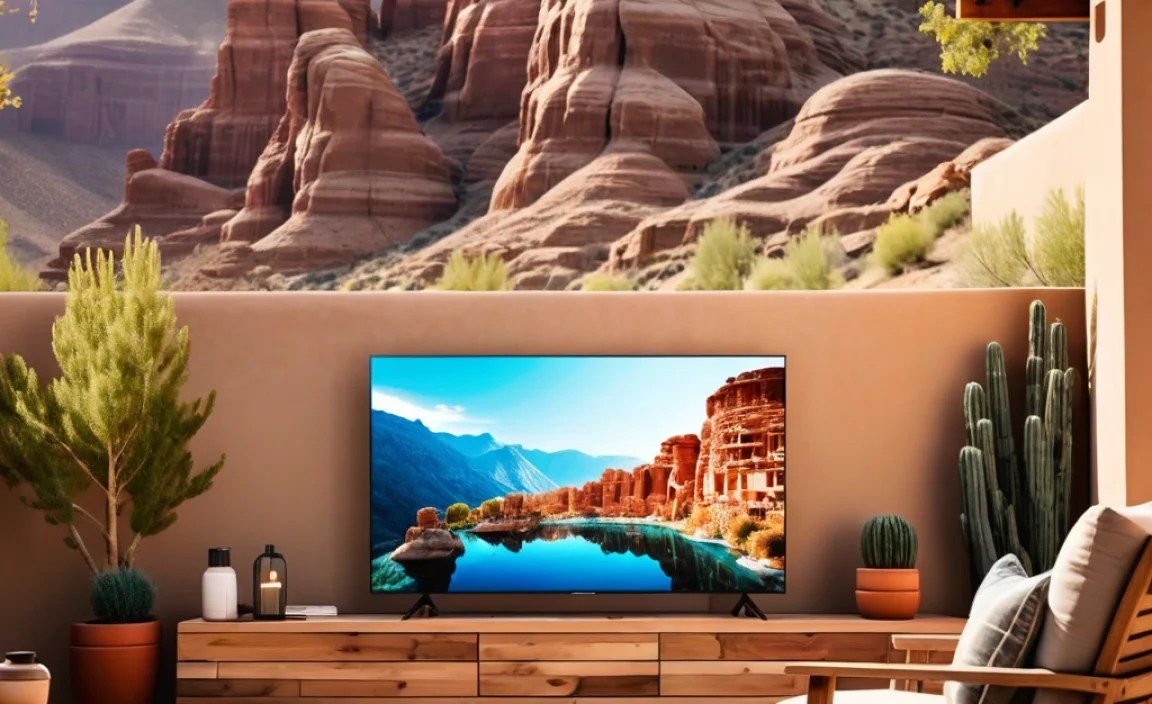
Given the budget, we’ll focus on brands known for offering good value and those where you might find deals on smaller or refurbished units. Remember, finding a new, bright, weather-resistant TV solely for outdoor use under $300 is highly unlikely. The key is adapting indoor options.
Budget Smart TVs (32-43 inch)
These are your most accessible options for a new purchase. Brands like TCL, Hisense, and Vizio often provide good features for the price.
TCL (Roku TVs):
- TCL is fantastic for budget smart TVs, especially their Roku TV models. They offer a snappy interface and decent picture quality for the price. Look for models in the 32-inch or 40/43-inch range.
- Pros: Excellent smart platform (Roku), usually good value, wide availability.
- Cons: Brightness might be average, not designed for direct sun.
Hisense:
- Hisense also competes strongly in the budget market, often with Android TV or their own VIDAA smart platform.
- Pros: Competitive pricing, good range of sizes.
- Cons: Smart platform can sometimes feel less refined than Roku or Google TV, brightness may vary.
Vizio:
- Vizio offers solid, no-frills smart TVs. Their SmartCast platform is generally easy to use.
- Pros: Often very affordable, straightforward interface.
- Cons: Picture processing isn’t always top-tier, brightness can be a limitation.
Refurbished High-Quality Brands
If you’re comfortable with refurbished, you might find slightly better models from brands like Samsung or LG in the 32-inch range within your budget. These might offer better panel quality or features, but always verify condition and warranty.
Our Top Picks Strategy (Under $300)
Given the constraints, here’s a realistic approach:
- Target: A 32-inch or 40/43-inch Full HD (1080p) or basic 4K Smart TV.
- Look for: Higher brightness if spec available, good reviews on smart platform performance.
- Where to buy: Best Buy, Amazon, Walmart (new or refurbished).
- Essential addition: A protective TV cover or enclosure.
Let’s illustrate with a hypothetical comparison of what you might find:
| Feature/Brand | TCL 32″ Roku TV (New) | Hisense 40″ Smart TV (Refurbished) | Placeholder for a “Brightest Budget Option” | Dedicated Outdoor TV (Non-Budget Example) |
|---|---|---|---|---|
| Price Range | $150 – $250 | $200 – $280 | (Aim for ~ $299) | $1500+ |
| Screen Size | 32″ | 40″ | 32″-43″ | 55″+ |
| Brightness (Nits) | ~200-250 | ~250-300 | ~300-400 (Target) | 1500+ |
| Weather Resistance | None | None | None | Full IP Rating |
| Smart Platform | Roku TV | Android TV/VIDAA | Roku/Google/Fire TV | Premium Smart OS |
| Best For | Shaded areas, simple streaming. | Slightly larger picture, good value. | Balancing budget with some increased visibility. | Direct sunlight, all-weather use. |
As you can see from the table, a dedicated outdoor TV is in a completely different league and price bracket. Our under-$300 goal means we’re prioritizing a protected indoor TV.
Essential Accessories for Your Outdoor TV
Think of these as non-negotiables for making your budget TV work outdoors:
- Waterproof TV Cover: Essential for protecting the screen and the back of the TV when not in use. Look for durable, waterproof materials. Many are designed to fit specific screen sizes.
- Mounting Bracket: Securely mount your TV to a wall or stand. Ensure it can hold the TV’s weight and is suitable for outdoor use (weather-resistant materials).
- Outdoor Speakers or Soundbar: The ambient noise outside can easily drown out TV audio. A Bluetooth speaker or a dedicated outdoor soundbar will make a huge difference. Many affordable soundbars can be found under $100.
- Surge Protector: Protect your electronics from power surges, especially important if you’re running extension cords outdoors. Use a heavy-duty, outdoor-rated surge protector.
- Extension Cords: Ensure you have outdoor-rated extension cords of the appropriate length and gauge for safe power delivery.
- Optional: Weatherproof Wi-Fi Extender: If your Wi-Fi signal is weak outdoors, a dedicated outdoor extender can ensure smooth streaming.
Step-by-Step Guide: Setting Up Your Outdoor TV
Let’s walk through the process of getting your budget outdoor TV ready.
Step 1: Choose Your Location Wisely
Pick a spot that offers some natural shade during the times you’ll likely be watching. Under a covered patio, pergola, or even under the eaves of your house is ideal. Avoid direct, harsh sunlight hitting the screen if possible.
Step 2: Purchase Your TV (and Accessories!)
- Prioritize Brightness (if possible): Check user reviews for general screen visibility.
- Smart Features: Decide if Roku, Google TV, or Fire TV is your preference.
- Size: 32-43 inches is realistic for the budget.
- Purchase: Buy the TV, a protective cover, a suitable mount, outdoor speakers/soundbar, and an outdoor surge protector.
Step 3: Mount the TV Securely
- Follow the instructions for your wall mount carefully.
- Ensure it’s mounted into solid beams or studs.
- If mounting to a brick or concrete surface, use appropriate anchors.
- For added safety, consider a TV safety strap, a common recommendation from agencies like the U.S. Consumer Product Safety Commission.
Step 4: Connect Power and Protection
- Plug your surge protector into an outdoor-rated GFCI (Ground Fault Circuit Interrupter) outlet.
- Plug the TV and any accessories (like a soundbar) into the surge protector.
- Manage cables neatly using zip ties or cable management sleeves to prevent tripping hazards and keep things tidy.
Step 5: Connect to Your Network and Sound
- If it’s a smart TV, follow the on-screen prompts to connect to your home Wi-Fi network.
- Pair your Bluetooth speakers or connect your soundbar according to their instructions.
Step 6: Test and Adjust
Turn on the TV during the time of day you expect to watch it. Check for glare and adjust the TV’s position or your seating arrangement if needed. Test your audio setup to ensure it’s clear and loud enough.
Step 7: Cover and Protect When Not in Use
This is CRUCIAL. After each use, ensure the TV is powered off, and then cover it completely with its protective cover. This shields it from dust, dew, and UV rays.
Important Considerations for Longevity
Even with the best precautions, an indoor TV used outdoors will have a shorter lifespan than one used indoors. Here’s how to maximize it:
- Temperature: Avoid extreme heat and cold. While covers offer some protection, letting a very cold TV warm up gradually before powering it on, and vice-versa for heat, can help. Read your TV’s operating temperature range.
- Humidity: While waterproof covers help, prolonged high humidity without airflow can still be an issue. Ensure the TV isn’t in a consistently damp, enclosed space.
- Insects: Pests can be attracted to warm electronics. Ensure your enclosure seals well.
- Power: Always use outdoor-rated power strips and extension cords to prevent electrical hazards.
Frequently Asked Questions (FAQ)
Q1: Can I actually use a regular indoor TV outside?
Yes, you can, but with limitations. You’ll need to protect it from weather elements and direct sunlight. Using a waterproof cover and placing it in a shaded, covered area are essential. It won’t be as bright or durable as a dedicated outdoor TV.
Q2: What are the most important features for an outdoor TV under $300?
For this budget, focus on brightness (as much as possible), a good smart TV platform for convenience, and ease of protection. Screen size will likely be smaller (32-43 inches).
Q3: How do I deal with glare from the sun?
The best solution is placement: position the TV in a shaded area. If that’s not possible, consider a TV with a matte screen finish (though these are rare in budget models) or watching during times when the sun isn’t directly on the screen (e.g., evenings).
Q4: Will a TV cover keep out rain?
A good quality, waterproof TV cover will protect your TV from light rain and dew. However, for heavy downpours or prolonged exposure.