
Choosing the best TV for your apartment involves balancing screen size with your living space, considering picture quality for vibrant entertainment, and ensuring smart features fit your lifestyle. Prioritize resolution, refresh rate, and connectivity for an immersive experience without overwhelming your cozy environment.
Hey everyone, Bob E Riley here from Aimguider! Finding the right TV for your apartment can feel like a big decision. You want something that fits your space, looks great, and doesn’t break the bank. With so many options out there, it’s easy to get lost in technical specs. But don’t worry, you’ve come to the right place! I’m here to guide you through picking the perfect TV for your apartment, making sure you get the best bang for your buck and enjoy your favorite shows and movies even more. Let’s dive in and make this choice simple!
Your Apartment TV Checklist: What Really Matters

When you’re living in an apartment, space is often a premium. This means the TV you choose needs to be a smart fit, both physically and functionally. We’re not just talking about size here; it’s about how the TV performs in your specific environment, how it handles different types of content, and how easily it integrates with your other devices. Think of it as finding a stylish and functional piece of furniture that also happens to entertain you!
1. Screen Size: The Golden Rule for Apartment Living
This is probably the first thing that comes to mind for apartment dwellers. Too big, and it might dominate your room or feel too close. Too small, and you lose that immersive effect. The key is finding the right balance based on your viewing distance. You don’t need a massive screen to enjoy a great picture, especially in a smaller room.
- Viewing Distance Calculator: A good rule of thumb is to sit about 1.5 to 2.5 times the diagonal screen measurement away from your TV. For example, for a 55-inch TV, aim for a viewing distance of roughly 6.8 to 11 feet.
- Room Dimensions: Measure your space! Don’t just guess. Consider where the TV will sit and how much wall space you have. A TV that’s too large can make a small room feel cramped.
- Personal Preference: While guidelines are helpful, your comfort is paramount. If you prefer a more intimate viewing experience, aim for a slightly smaller size.
2. Picture Quality: Seeing is Believing
This is where the magic happens. Even for a smaller apartment TV, excellent picture quality makes a huge difference. We’re looking for vibrant colors, deep blacks, and sharp details.
- Resolution (4K is the Standard): For most apartment TVs today, 4K (Ultra HD) is the way to go. It offers four times the pixels of Full HD (1080p), meaning a sharper, more detailed image. You’ll notice the difference, especially when watching high-quality content.
- HDR (High Dynamic Range): HDR makes colors more vivid and contrasts more striking. This means brighter whites, darker blacks, and a wider range of colors, making your movies and TV shows look more lifelike. Popular HDR formats include HDR10, HDR10+, and Dolby Vision.
- Refresh Rate: This tells you how smoothly motion is displayed. A higher refresh rate (like 120Hz) is great for fast-paced action, sports, and gaming, reducing motion blur. For general viewing, 60Hz is usually sufficient, but if you’re a gamer or sports fanatic, aim higher.
- Panel Type (OLED vs. LED):
- OLED: Offers perfect blacks, infinite contrast, and stunning viewing angles. Pixels light up individually, so when a pixel is off, it’s truly black. This is generally more expensive but offers the best picture quality.
- LED (including QLED): Uses a backlight, which is more affordable and can get very bright. QLED is an advanced LED technology that uses quantum dots for better color and brightness.
3. Smart TV Features: Your Entertainment Hub
Most TVs today are “smart,” meaning they connect to the internet and offer a range of apps and streaming services. For apartment living, a robust smart platform can be a game-changer, consolidating your entertainment.
- Operating System (OS): Popular options include Google TV, Roku TV, webOS (LG), and Tizen (Samsung). Each has its own interface and app library. Roku and Google TV are known for their user-friendliness and wide selection of apps.
- App Availability: Make sure your favorite streaming services (Netflix, Hulu, Disney+, etc.) are readily available on the TV’s platform.
- Voice Control: Many smart TVs have built-in voice assistants (like Google Assistant or Alexa) for easy searching and control.
- Connectivity: Check that the TV has enough HDMI ports for your devices (gaming consoles, soundbars, Blu-ray players) and supports the latest standards like HDMI 2.1 for gaming. Wi-Fi and Bluetooth are also essential.
4. Budget: Smart Spending for Smart Homes
Apartment TVs don’t need to cost a fortune. There are excellent options at various price points. It’s about finding the best value for your needs and budget.
- Define Your Budget: Decide upfront how much you’re willing to spend. This will help narrow down your options significantly.
- Look for Sales: Big retail holidays (Black Friday, Prime Day) often bring significant discounts.
- Consider Older Models: Sometimes, last year’s models offer fantastic performance at a lower price.
5. Sound Quality: Enhancing Your Audio Experience
While built-in TV speakers have improved, they are often not the star of the show. For a truly immersive experience, especially in an apartment where you might be concerned about noise levels, consider how the TV integrates with external audio.
- Built-in Speakers: If you’re on a tight budget or have limited space, check reviews for TVs with surprisingly good sound. However, don’t expect miracles.
- Soundbars and Surround Sound: A soundbar is a great way to upgrade your audio without taking up much space. Many are designed to be compact and powerful. If you’re a movie buff or gamer, a soundbar or even a simple 2.1 system can dramatically improve your experience. Look for HDMI ARC (Audio Return Channel) or eARC support for seamless audio connection.
Top TV Picks for Apartment Living (Under 55 Inches)

Based on the factors above, here are some types of TVs that make excellent choices for apartment spaces. We’re focusing on sizes generally under 55 inches, which are perfect for most apartment living rooms, bedrooms, or even larger kitchens.
Compact Powerhouses: 32-inch to 43-inch TVs
These are ideal for smaller spaces like bedrooms, kitchenettes, or as a second screen. They are budget-friendly and don’t overwhelm the room.
| TV Model (Example) | Screen Size | Resolution | Key Features | Best For |
|---|---|---|---|---|
| TCL 3-Series Roku TV | 32-inch | 720p HD (some models 1080p) | Built-in Roku, simple interface, affordable | Budget-conscious, secondary room, simple streaming |
| LG 43UP7000PUA | 43-inch | 4K UHD | WebOS, decent picture for its size, HDR support | Small living spaces, good all-around smart TV |
| Samsung Q60A (QLED) | 43-inch | 4K UHD | QLED technology for enhanced color, sleek design | Enhanced color and brightness in a smaller package |
The Sweet Spot: 50-inch to 55-inch TVs
These offer a more immersive experience without being too large for many apartment living areas. They strike a great balance between size and usability.
| TV Model (Example) | Screen Size | Resolution | Key Features | Best For |
|---|---|---|---|---|
| Sony BRAVIA XR A90J (OLED) | 55-inch | 4K UHD | Top-tier OLED picture, incredible contrast, Cognitive Processor XR | Picture quality enthusiasts, cinephiles |
| LG C1 OLED | 48-inch or 55-inch | 4K UHD | Gaming-focused features (HDMI 2.1, 120Hz), stunning OLED visuals | Gamers, movie lovers who want the best picture |
| Hisense U8G (ULED) | 50-inch or 55-inch | 4K UHD | Excellent brightness, good HDR performance, competitive price | Great value for bright rooms, good for sports and movies |
Step-by-Step Guide: Choosing and Setting Up Your Apartment TV

Ready to make the leap? Follow these simple steps to ensure you get the perfect TV for your apartment.
- Measure Your Space: Grab a tape measure and note the width, height, and depth of the area where your TV will go. Also, measure your ideal viewing distance from the couch or main seating area.
- Set Your Budget: Decide how much you can realistically spend. This will help you filter options and avoid overspending. Remember to factor in potential costs for a soundbar or wall mount.
- Prioritize Features: Based on the sections above, list your must-have features. Is it a stunning 4K picture? Smooth motion for sports? The best smart TV interface? Gaming capabilities?
- Research Models: Use your measurements, budget, and feature priorities to start researching specific TV models. Look at reputable review sites (like CNET, RTINGS.com, or TechRadar) for objective data and comparisons.
- Check Connectivity: Ensure the TV has enough HDMI ports for all your current and future devices. For gaming, confirm it supports HDMI 2.1 features if that’s important to you.
- Consider Audio: If your budget allows, budget extra for a soundbar. It’s one of the easiest and most impactful upgrades you can make to your home entertainment setup.
- Read User Reviews: Besides professional reviews, see what everyday users say about the TVs you’re considering. Pay attention to comments about reliability, ease of use, and customer service.
- Purchase and Install: Once you’ve made your choice, buy from a reputable retailer. For setup, follow the on-screen prompts. If you’re mounting it, consider professional installation if you’re not comfortable with DIY.
A great resource for understanding audio-visual standards, including HDMI, is the HDMI organization’s learning center. It helps demystify the technical jargon and shows what’s important for your setup.
Common Apartment TV Pitfalls to Avoid
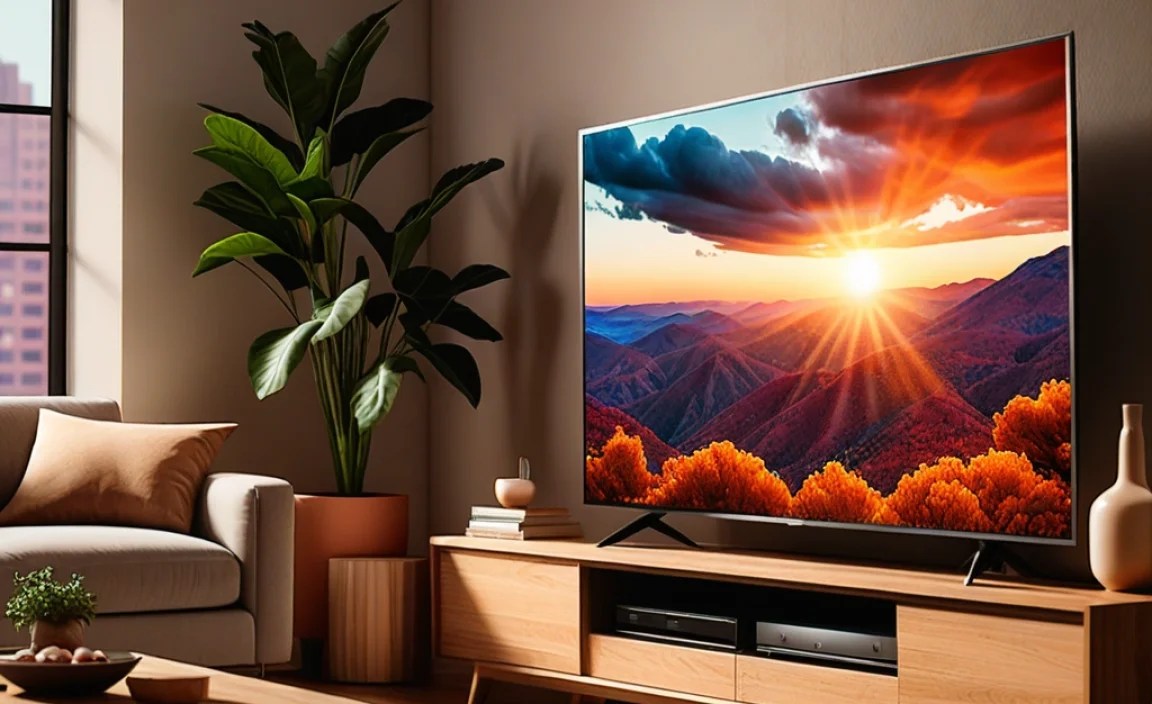
Even with the best intentions, it’s easy to make a mistake when buying a TV for an apartment. Here are some common traps to sidestep.
- Buying Too Big: Resist the urge to get the largest screen you can find. If it doesn’t fit, it won’t be enjoyable.
- Ignoring Viewing Angles: If your apartment seating isn’t directly in front of the TV, check reviews for viewing angle performance. Some TVs look washed out from the side.
- Overlooking HDR Performance: Not all HDR is created equal. A TV with limited brightness might not showcase HDR content effectively.
- Underestimating Sound Needs: Don’t assume built-in speakers will be enough. Plan for a soundbar or external speakers if audio quality is important.
- Forgetting About Reflection Management: Shiny screens can be a nightmare in living rooms with lots of windows. Look for TVs with anti-glare coatings if your apartment gets direct sunlight.
- Not Checking App Support: If you heavily rely on a specific niche streaming app, double-check if it’s available on the TV’s smart platform before buying.
Making the Most of Your Apartment TV

Once you have your new TV, a few tweaks can make a big difference. Professional calibration can unlock the best possible picture quality, but many modern TVs have built-in picture modes that work well out of the box.
Picture Settings for Your Space
Most TVs come with several picture modes (e.g., Standard, Vivid, Cinema, Sports). For apartment viewing, especially if you encounter reflections, consider modes that balance brightness and contrast effectively.
- Cinema/Movie Mode: Generally offers the most accurate colors and contrast, making it ideal for watching movies in a dimmed room.
- Standard/Dynamic Mode: These modes tend to boost brightness and color saturation, which can be good for brightly lit rooms but may sacrifice accuracy.
- Gaming Mode: If you game, this mode typically lowers input lag, making games more responsive.
It’s also a good idea to adjust the backlight and brightness to suit the ambient light in your apartment throughout the day. For example, you’ll want higher brightness during the day and lower brightness at night to reduce eye strain and improve the viewing experience.
Smart Home Integration
Many modern TVs integrate with smart home ecosystems. This means you can use voice commands via your smart speaker to turn the TV on/off, change channels, or even adjust settings. This is especially handy in apartments where convenience is key.
FAQ: Your Apartment TV Questions Answered
What is the best screen size for a small apartment?
For most small apartments, a 32-inch to 50-inch TV is ideal. It depends on your viewing distance. A good rule is to sit about 1.5 to 2.5 times the diagonal screen size away from the TV.
Do I need a 4K TV for an apartment?
While not strictly mandatory, 4K resolution offers significantly sharper and more detailed images, making it the standard for a good viewing experience on most sizes, especially 40 inches and up.
Is OLED or LED better for apartment TVs?
OLED offers superior contrast and black levels but can be more expensive and less bright. LED (especially QLED) is often brighter and more affordable, which can be great for apartments with lots of natural light. Both are excellent choices depending on your priorities and budget.
How important is refresh rate for apartment TVs?
A higher refresh rate (120Hz) is crucial for smooth motion in fast-paced content like sports and video games. For general TV watching and movies, a 60Hz refresh rate is usually sufficient.
What are the most important smart TV features for apartment living?
Look for a user-friendly operating system (like Roku or Google TV) with access to your favorite streaming apps, reliable Wi-Fi connectivity, and voice control for added convenience.
Should I buy a soundbar for my apartment TV?
Yes, a soundbar is highly recommended for most apartment TVs. Built-in speakers are often weak, and a soundbar dramatically improves audio quality without taking up much space.
Are there any specific display technologies good for apartments with windows?
Yes, if your apartment has a lot of windows and gets direct sunlight, consider an LED or QLED TV with high peak brightness and an anti-glare coating. These tend to perform better in bright environments than OLEDs.
Conclusion: Your Perfect Apartment TV Awaits
Choosing the best TV for your apartment doesn’t have to be complicated. By focusing on screen size relative to your viewing distance, prioritizing picture quality features like 4K and HDR, ensuring the smart TV platform meets your needs, and considering your budget, you’re well on your way to a fantastic viewing experience. Remember that even a smaller, more affordable TV can be a great fit if it’s chosen wisely. And don’t forget that an external sound solution like a soundbar can elevate your entertainment from good to great. With these tips, you’re equipped to make an informed decision that will bring countless hours of enjoyment to your cozy apartment space. Happy watching!