
Find the best TV under $700 for fantastic movie nights! This guide simplifies choosing a TV that delivers stunning visuals, great sound, and smart features without breaking the bank, ensuring you get the most bang for your buck.
Choosing a new TV can feel exciting, but also a little overwhelming. You want that cinema-like experience at home, with vibrant colors and sharp details bringing your favorite movies to life. But with so many options and price points, how do you find the best TV under $700 that truly excels for movie watching? Don’t worry, we’re here to help! This guide will walk you through what really matters for movie buffs on a budget. We’ll break down the jargon and point you towards TVs that offer incredible value and performance, so you can stop searching and start enjoying your next movie night.
Why $700 is a Sweet Spot for Movie TVs

The $700 price range has become a real sweet spot in the TV market. Manufacturers are packing more advanced technology into these models than ever before. This means you can often find TVs with features previously reserved for much more expensive sets. Think better picture quality, improved smart capabilities, and even some premium design elements. For movie lovers, this price point allows for significant upgrades over basic models, offering a noticeable difference in how films look and sound without demanding a huge investment.
What Makes a TV Great for Movies?

For the ultimate movie experience, several key features stand out. It’s not just about having a big screen; it’s about the quality of the picture, how well it handles different scenes, and how immersive the overall experience is. Let’s dive into what to look for:
Picture Quality Essentials
This is arguably the most crucial aspect for movie enthusiasts. Here’s what impacts how good a movie looks on your screen:
- Resolution: While 4K (Ultra HD) is now the standard and highly recommended for incredible detail, ensure the TV offers it for sharp, crisp images.
- Contrast Ratio & Black Levels: Movies often have dark, shadowy scenes. A good contrast ratio means the difference between the brightest whites and darkest blacks is significant. Deep, inky blacks are essential for realistic detail in dark scenes, preventing them from looking washed out.
- Color Accuracy & HDR Support: Look for TVs that can display a wide range of colors accurately. High Dynamic Range (HDR) support, like HDR10, HDR10+, and Dolby Vision, makes a huge difference. It expands the range of colors and contrast, making brights brighter, darks darker, and colors more vivid and lifelike, just as the filmmaker intended.
- Panel Type: While OLED is king for perfect blacks, it’s typically outside this budget. For TVs under $700, you’ll mostly find VA or IPS panels. VA panels generally offer better contrast and deeper blacks, making them a great choice for movies. IPS panels tend to have wider viewing angles and more consistent colors from the side.
- Refresh Rate: For movies, a standard 60Hz refresh rate is usually sufficient. However, if you also plan to game or watch a lot of fast-paced action, a 120Hz panel (less common in this price range, but some exceptions exist) can provide smoother motion.
Sound Matters Too!
While many movie lovers eventually opt for a soundbar or home theater system, good built-in TV speakers can still enhance your viewing. Look for TVs with decent wattage (e.g., 20W or more) and, if possible, support for audio technologies like Dolby Audio or DTS.
Smart Features for Easy Streaming
Most TVs today are “smart,” meaning they connect to the internet for streaming apps like Netflix, Hulu, Disney+, and more. Consider:
- Operating System: Popular platforms like Google TV (Android TV), Roku TV, LG’s webOS, and Samsung’s Tizen are user-friendly and offer a vast selection of apps. Some might feel faster or more intuitive than others.
- App Availability: Ensure your favorite streaming services are readily available on the TV’s platform.
- Connectivity: Enough HDMI ports (at least 3 is ideal) are important for connecting streaming devices, game consoles, or Blu-ray players.
Top Contenders: Best TVs Under $700 for Movies

Finding the absolute “best” is subjective and depends on specific needs, but several models consistently stand out in the under $700 category for their movie-watching prowess. These are often from brands known for delivering great value.
While specific models and prices fluctuate, here’s a look at categories and types of TVs to keep an eye on:
QLED TVs: Big Color, Big Value
Quantum Dot (QLED) technology boosts color volume and brightness, making them excellent for HDR content. You can often find 55-inch or even 65-inch QLED models creeping into the sub-$700 range during sales.
Pros:
- Excellent color brightness and accuracy.
- Good for HDR content.
- Often brighter than standard LED TVs.
Cons:
- Black levels might not be as deep as some VA-panel LED TVs.
- Can be more expensive, so finding one under $700 requires careful shopping.
Standard LED with VA Panels: Deep Blacks for Dark Scenes
Many well-regarded LED TVs use VA (Vertical Alignment) panels. These panels are known for their superior contrast ratios, offering deeper blacks and better distinction between light and dark elements in a scene. This is a win for moody dramas and space epics.
Pros:
- Superior contrast ratios and black levels compared to IPS panels.
- Great for dark room viewing.
Cons:
- Viewing angles can be narrower; colors may shift when viewed from the side.
- Motion handling can vary by model.
Consider Size vs. Quality
Within the $700 budget, you’ll often face a choice: a larger screen with slightly fewer premium features, or a smaller screen with better picture technology. For movie buffs, sometimes a 55-inch or 65-inch TV with good contrast and HDR support might be more impactful than an 85-inch TV with less refined picture processing. Prioritize the picture quality features that matter most to you.
Key Features to Prioritize for Movie Buffs Under $700

Let’s zoom in on the critical elements you should be looking for when comparing models in this price bracket. Prioritizing these will ensure your TV truly shines during movie playback.
1. HDR Support: The Game Changer
High Dynamic Range (HDR) can transform your viewing experience. It’s not just about brighter whites and darker blacks; it’s about the nuances in between. Colors become richer, more vibrant, and more lifelike. For movies, this means seeing subtle details in shadows, brighter highlights without losing detail, and an overall more cinematic look.
- HDR10: This is the most basic and widespread HDR standard. Most 4K TVs will support this.
- HDR10+: An enhanced version of HDR10, offering dynamic metadata for scene-by-scene optimization.
- Dolby Vision: A premium HDR format known for its excellent performance and dynamic metadata. If a TV supports Dolby Vision, it’s a significant plus for movie lovers, as many streaming services offer content in this format.
Recommendation: Aim for a TV that supports at least HDR10. If you can find one with Dolby Vision or HDR10+ support within your budget, that’s even better.
2. Local Dimming (For Full-Array LED TVs)
While full-array local dimming (FALD) is more common in higher-end TVs, some models under $700 might offer it. This technology allows the TV to dim specific zones of the backlight independently. This dramatically improves contrast and black levels, making dark scenes much more impactful and detailed. Edge-lit and direct-lit LEDs are common, but FALD provides a superior picture.
How it helps movies: Imagine watching a space scene with stars. Local dimming can keep the dark space truly black while the stars remain bright, creating incredible depth and realism. Without it, the dark space might appear a bit gray.
3. Wide Color Gamut (WCG)
A wide color gamut means the TV can display a broader spectrum of colors, resulting in more lifelike and vibrant images. Coupled with HDR, WCG makes colors pop and appear more natural, whether it’s the lush green of a forest or the fiery blast of an explosion.
4. Motion Handling
For movies, this is generally less critical than for fast-paced sports or gaming, as films typically have a cinematic frame rate (often 24 frames per second). However, some TVs can struggle with judder (choppiness) or motion blur, even in movies. A refresh rate of 60Hz is standard. While 120Hz is better for motion, it’s rare under $700. Look for reviews that specifically mention good motion handling or low judder for 24fps content.
5. Input Lag & Gaming Features (A Bonus!)
While this is a guide for movies, many movie lovers also game. If you also play video games, low input lag (the delay between your input and what happens on screen) is crucial. Features like ALLM (Auto Low Latency Mode), which automatically switches the TV to its low-latency game mode when a console is detected, can be a welcome bonus if you find a TV that offers it.
Navigating Smart TV Platforms
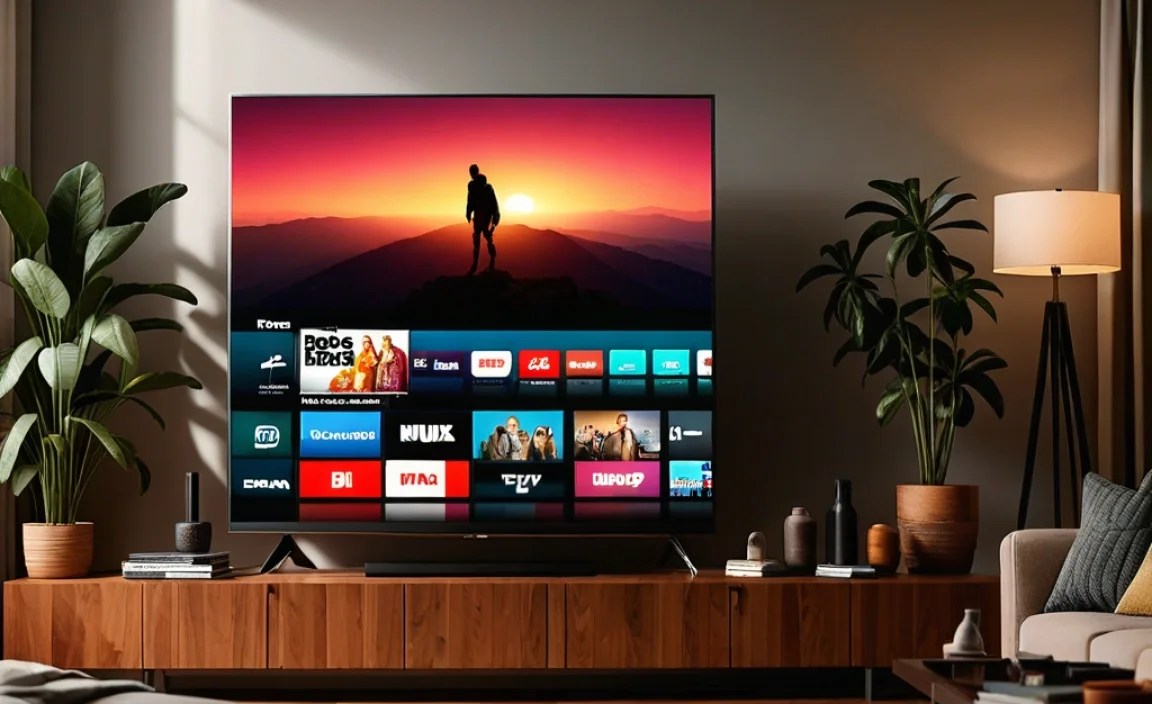
The operating system on your smart TV dictates how you access streaming services and other apps. Each platform has its strengths:
Google TV (based on Android TV)
Pros: Huge app selection, powerful Google Assistant integration, excellent content recommendations that pull from multiple services. It’s very comprehensive.
Cons: Can sometimes feel a bit cluttered or slower on lower-end hardware.
Good for: Users invested in the Google ecosystem, those who want extensive app support, and people who love personalized recommendations.
Roku TV
Pros: Extremely user-friendly interface, vast app selection, generally performs well even on budget TVs. It’s incredibly intuitive.
Cons: Design is very simple, may lack some advanced features found on other platforms.
Good for: Beginners, anyone who wants a straightforward and simple smart TV experience.
LG webOS
Pros: Sleek, easy-to-navigate interface with a handy “launcher bar,” good app support, and often integrates well with LG’s Magic Remote (if included). It feels very polished.
Cons: App selection might be slightly smaller than Google TV for some niche apps.
Good for: Users who appreciate a clean, modern interface and good overall performance.
Samsung Tizen
Pros: Fast and responsive, visually appealing interface, good app support, and integrates with Samsung’s smart home ecosystem.
Cons: Can sometimes be more ad-heavy than other platforms. App availability can vary.
Good for: Samsung fans, users who like a visually rich interface.
Tip: Don’t stress too much about the smart platform if you plan to use an external streaming device like a Roku Stick, Amazon Fire TV Stick, or Apple TV. These devices offer their own user interfaces and app stores, effectively bypassing the TV’s built-in system.
Where to Find the Best Deals
Finding a TV under $700 often means being a smart shopper. Keep an eye on major retailers and look for sales events.
- Major Retailers: Best Buy, Amazon, Walmart, Target are your go-to stores.
- Sales Events: Black Friday, Cyber Monday, Prime Day, and other holiday sales are excellent times to snag a deal. Even smaller “flash sales” can be great opportunities.
- Refurbished Models: Sometimes, you can find certified refurbished TVs from reputable sellers that offer significant savings. Always check the warranty and return policy.
- Older Models: As new models are released each year, retailers often discount the previous year’s versions, which can still be excellent performers.
A Look at Specific Technologies to Consider
When you’re browsing, you’ll see various terms. Here’s a quick rundown:
LED vs. QLED vs. Mini-LED (and why OLED is usually out)
LED (Light Emitting Diode): This is the standard technology for most TVs today. It uses LEDs to backlight the LCD panel.
- Edge-Lit vs. Direct-Lit: In edge-lit, LEDs are on the edges of the screen. In direct-lit, they are behind the panel. Direct-lit offers better uniformity.
QLED (Quantum Dot LED): An enhancement to LED technology. Quantum dots are tiny nanocrystals that, when hit by light, emit specific colors. This results in brighter, more vibrant, and more accurate colors. You can find QLEDs in the under-$700 range, especially from brands like TCL and Hisense.
Mini-LED: This is a more advanced LED backlight technology that uses thousands of much smaller LEDs, often grouped into hundreds or thousands of dimming zones. This allows for much more precise control over brightness and contrast, significantly improving black levels and HDR performance. While becoming more common, true Mini-LED TVs with extensive dimming zones are still often above the $700 mark, but keep an eye out for sales!
OLED (Organic Light Emitting Diode): Each pixel emits its own light. This allows for perfect blacks, infinite contrast, and incredible viewing angles. However, OLED TVs are almost always significantly more expensive than $700, even for smaller sizes.
For under $700: Focus on high-quality LED TVs with good VA panels and strong HDR support, or look for QLED models known for color and brightness. Mini-LED is the aspirational feature to watch for if a great deal appears.
Table: Feature Breakdown for Movie Lovers
Here’s a quick comparison of what certain technologies offer for movie playback:
| Feature/Technology | Benefit for Movies | Typical Price Range (under $700) |
|---|---|---|
| 4K Resolution | Incredible detail, sharpness, and clarity. Essential for modern content. | Standard on almost all new TVs. |
| HDR (HDR10, HDR10+, Dolby Vision) | Vastly improved contrast, brighter highlights, deeper shadows, richer colors. Makes images lifelike. | HDR10 is common. Dolby Vision/HDR10+ is a premium feature to seek. |
| VA Panel | Superior contrast ratio and deeper black levels, crucial for dark scenes and cinematic depth. | Common in many LED TVs. |
| QLED Technology | Enhanced color volume and brightness, delivering more vibrant and impactful HDR. | Available from brands like TCL, Hisense. Often offer good value. |
| Local Dimming (Full-Array) | Improves contrast and black uniformity by controlling backlight zones. Excellent for HDR and dark scenes. | Less common but becoming available on some higher-end models in this range if on sale. |
| Wide Color Gamut (WCG) | More realistic and vibrant colors, making scenes pop and feel more immersive. | Often tied to QLED and better HDR implementations. |
Making the Final Choice: What to Look For (and Avoid)
When you’re down to a few choices, consider these practical tips:
- Read Reviews: Look for professional reviews from reputable tech sites (like Rtings.com, which provides in-depth, objective testing data) and user reviews. Pay attention to comments about picture quality in dark rooms, color accuracy, and HDR performance.
- Check Peak Brightness: While not always listed clearly, higher peak brightness (often measured in nits) is better for HDR and viewing in brighter rooms. For impact in dark rooms, contrast ratio is often more important.
- Consider Viewing Angles: If you often watch movies with a group where people are not directly in front of the TV, consider if IPS or VA panel technology is better for your needs.
- Avoid Unproven Brands: Stick to known brands like Samsung, LG, Sony, TCL, Hisense, Vizio, and hisense. While there are other brands, these have a track record for quality and customer support.