
The best budget 4K TV for 2025 offers stunning 4K resolution and modern features without breaking the bank. We’ve found proven, affordable picks that deliver excellent picture quality, smart capabilities, and great value, making your home entertainment upgrade easy and budget-friendly.
Choosing a new TV can feel overwhelming, right? You want that amazing 4K picture quality everyone talks about, but the prices can make your wallet weep. It’s a common frustration: balancing the dream of a sharp, vibrant display with the reality of a budget. But don’t worry! Getting a fantastic 4K TV doesn’t have to cost a fortune. I’m here to guide you through finding the best budget 4K TV for 2025, focusing on options that are both affordable and incredibly capable. We’ll cut through the jargon and focus on what truly matters for a great viewing experience. Get ready to upgrade your living room without emptying your savings!
Why 4K Might Be More Affordable Than You Think

In years past, 4K TVs were a luxury item, commanding premium prices. However, as the technology has matured and production has increased, 4K TVs have become much more accessible. Manufacturers are now producing these high-resolution sets in large volumes, driving down costs. This means that what was once a high-end feature is now a standard offering, even in entry-level models. You can find excellent 4K TVs that deliver sharp, detailed images and vibrant colors at prices that were unthinkable just a few years ago.
The benefits of 4K resolution are significant. With four times the pixels of a standard 1080p HD TV, 4K offers a much clearer and more immersive picture. This is especially noticeable on larger screen sizes, where the difference in detail is truly striking. Whether you’re watching your favorite movies, streaming shows, or playing video games, a 4K TV elevates the visual experience. And the best part? You don’t need to spend a fortune to enjoy these upgrades.
What to Look for in a Budget 4K TV

When you’re shopping for an affordable 4K TV, it’s easy to get lost in all the technical specs. But let’s break down the essentials so you can make an informed decision without feeling overwhelmed. Here are the key features to prioritize:
Resolution (4K UHD)
This is the main event! Ensure the TV is advertised as 4K Ultra High Definition (UHD). This means it has a resolution of 3840 x 2160 pixels. This is the standard for 4K and provides sharp, detailed images.
Screen Size
Budget TVs come in various sizes. Consider the size of your room and how far you’ll be sitting from the TV. For a more cinematic feel in a medium-sized living room, 50-55 inches is often a sweet spot. Larger screens are available, but prices can increase significantly.
Smart TV Features
Most budget 4K TVs come with built-in smart capabilities. This means you can access streaming apps like Netflix, Hulu, Amazon Prime Video, and YouTube directly from your TV without needing an external device. Look for a user-friendly operating system. Popular options include Google TV, Roku TV, or proprietary systems like Samsung’s Tizen or LG’s webOS. Each has its pros and cons, but most are easy to navigate.
HDR Support (High Dynamic Range)
HDR significantly improves the contrast and color accuracy of the picture, making bright areas brighter and dark areas darker, with more nuanced shades in between. While premium HDR formats like Dolby Vision or HDR10+ might be less common on the absolute cheapest models, look for support for at least HDR10. It still makes a noticeable difference. You can learn more about what HDR means for picture quality on resources from organizations like the Dolby website.
Refresh Rate
This refers to how many times per second the image on the screen is updated. A standard refresh rate is 60Hz. For smooth motion, especially in sports or video games, a higher refresh rate is better. However, for most budget TVs, 60Hz is standard and perfectly acceptable for general viewing. Some more advanced TVs might offer 120Hz, but this is less common in the budget segment.
Connectivity (HDMI Ports)
Check how many HDMI ports the TV has. Most people will need at least two or three for devices like a game console, soundbar, or streaming stick. Ensure at least one HDMI port supports HDMI 2.0 or the newer HDMI 2.1 if you plan on using the latest gaming consoles like the PlayStation 5 or Xbox Series X for their full capabilities, though HDMI 2.0 is usually sufficient for 4K at 60Hz.
Best Budget 4K TV Picks for 2025

After researching and comparing various models, here are a few of the best budget 4K TVs that consistently deliver great value and performance in 2025. These picks balance affordability with essential features for an excellent viewing experience.
1. TCL 4-Series Roku TV (55S470G or similar)
TCL has made a name for itself by offering impressive features at budget-friendly prices. The 4-Series Roku TV is a perennial favorite for a reason. It combines 4K HDR picture quality with the incredibly simple and intuitive Roku smart TV platform. Roku is known for its ease of use, extensive app support, and fast performance, making it a great choice for users of all tech levels.
Pros:
- Excellent value for money.
- Roku’s user-friendly interface and vast app selection.
- Good 4K picture quality with HDR support (HDR10).
- Multiple screen sizes available.
Cons:
- Motion handling can be average, not ideal for fast-paced action.
- Local dimming is not present, meaning contrast can be less striking than in higher-end models.
- Sound quality from built-in speakers is usually mediocre, a soundbar is recommended.
This TV is perfect for those who want a no-fuss smart TV experience with a good picture without spending too much. It’s a solid all-rounder for streaming and casual viewing.
2. Hisense U6 Series (U6K or similar model)
Hisense offers impressive technology for its price point, and the U6K series continues this trend. It often includes features typically found on more expensive TVs, such as Mini-LED backlighting (though basic on this model) and Quantum Dots for enhanced color. This results in a brighter, more vibrant picture with better contrast than many other budget options.
Pros:
- Vibrant colors and good brightness thanks to Quantum Dot technology.
- Mini-LED enhances contrast and black levels for the price.
- Supports Dolby Vision and HDR10+, offering better HDR performance.
- Google TV provides a robust smart platform with lots of customization.
Cons:
- Motion handling can still be only adequate, not top-tier.
- The Mini-LED implementation is basic compared to high-end models.
- User interface can sometimes be a bit sluggish.
The Hisense U6K is a strong contender for anyone looking for better picture quality and color reproduction on a budget. It’s a step up from basic budget sets and great for movie lovers.
3. VIZIO V-Series (V505-H9 or similar)
VIZIO’s V-Series is another excellent option for budget-conscious shoppers. These TVs offer a good balance of picture quality, smart features with their own SmartCast platform, and competitive pricing. They typically support 4K resolution and HDR, providing a solid viewing experience for everyday use.
Pros:
- Affordable pricing.
- Decent 4K picture quality with support for HDR10 and HLG.
- V seris allows you to adjust picture settings for better results.
- VIZIO’s SmartCast platform is integrated and offers common streaming apps.
Cons:
- SmartCast platform can be less intuitive or responsive than Roku or Google TV.
- Brightness and contrast are average for the class.
- Sound quality is basic.
The VIZIO V-Series is a reliable choice if you prioritize getting a 4K TV at a very low cost. It’s a great entry point into 4K viewing for casual use.
4. Amazon Fire TV Omni Series (4-Series or 5-Series)
Amazon’s own Fire TV Omni series offers a straightforward path to 4K viewing with the integrated Fire TV experience. These TVs are often competitively priced and come with Alexa voice control built-in, providing a seamless way to search for content, control your TV, and manage smart home devices. The picture quality is decent for the price, with HDR support for a more engaging picture.
Pros:
- Built-in Alexa voice control.
- Easy integration with Amazon services and devices.
- Good value for a 4K smart TV.
- HDR10 support for improved contrast.
Cons:
- Picture quality is good but not outstanding compared to some competitors.
- The Fire TV interface can feel a bit cluttered with ads.
- Motion handling is basic, similar to other budget models.
If you’re already invested in the Amazon ecosystem or appreciate voice control, the Fire TV Omni series is a convenient and affordable 4K option.
Putting it all together: Budget 4K TV Comparison

To help you visualize the differences between these budget-friendly contenders, here’s a quick comparison table. Remember that specific model numbers and features can vary slightly year by year, but these general characteristics hold true for their respective series.
| Feature | TCL 4-Series Roku TV | Hisense U6 Series | VIZIO V-Series | Amazon Fire TV Omni Series |
|---|---|---|---|---|
| Screen Sizes | 32″ – 75″ | 50″ – 75″ | 32″ – 75″ | 43” – 75” |
| Smart Platform | Roku TV | Google TV | SmartCast | Fire TV |
| HDR Support | HDR10, HLG | Dolby Vision, HDR10+, HDR10, HLG | HDR10, HLG | HDR10, HLG |
| Picture Enhancements | Basic 4K HDR | Quantum Dots, Mini-LED Backlight (basic) | Standard LED | Standard LED |
| Price Range (Approximate) | $$ | $$ – $$$ | $ – $$ | $$ |
| Best For | Ease of use, streaming variety | Vibrant colors, better contrast | Overall budget value | Amazon users, voice control |
Note: Price range symbols: $ = Very Affordable, $$ = Affordable, $$$ = Mid-Range Budget. Actual prices will vary based on retailer, sales, and screen size.
Tips for Maximizing Your Budget TV Experience
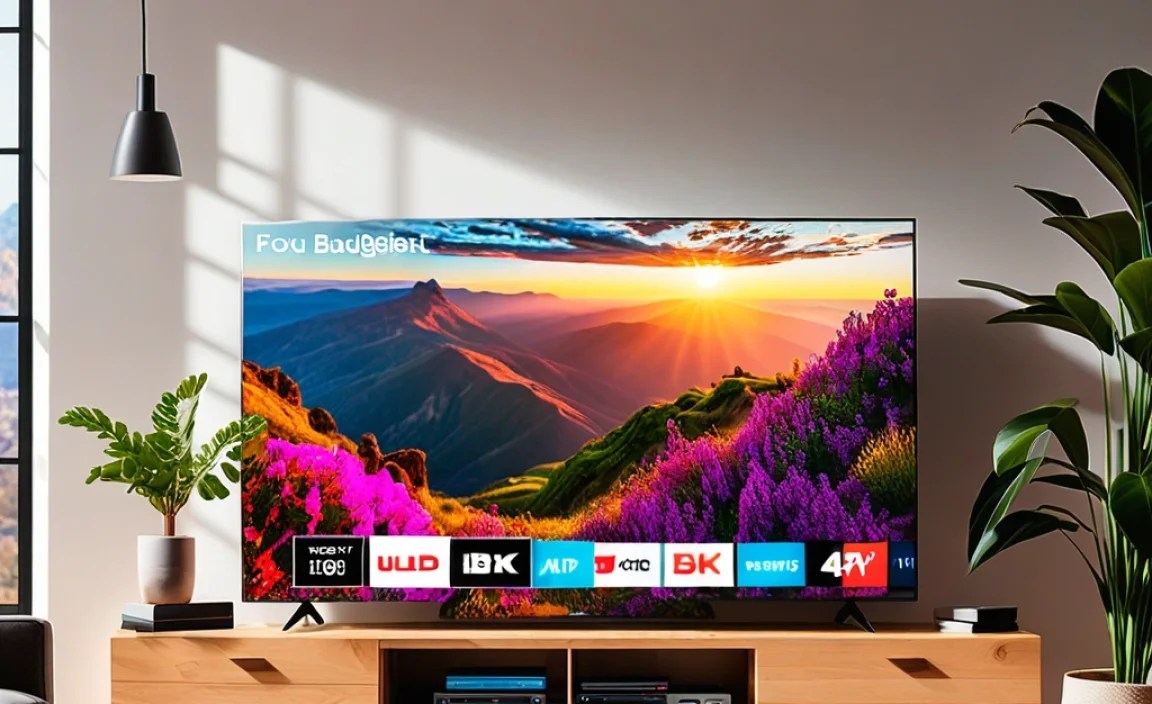
Buying a great budget TV is only half the battle. Here are some tips to make sure you get the most bang for your buck:
- Calibrate Your Picture Settings: TVs often come with vibrant, oversaturated settings out of the box. For a more natural look, try changing the picture mode to “Movie,” “Cinema,” or “Calibrated” if available. You can also manually adjust brightness, contrast, and color. Many reputable sites, like those offering professional calibration guides, can provide starting points.
- Invest in a Soundbar: Built-in TV speakers on budget models are rarely impressive. A simple soundbar can dramatically improve your audio experience for movies and music, making a huge difference in immersion. You can often find decent soundbars for under $100.
- Use an External Streaming Device if Needed: While most smart TV platforms are good, if you find your TV’s interface sluggish or lacking a specific app, a dedicated streaming device like a Roku Stick or Amazon Fire TV Stick can offer a speedier and more streamlined experience, usually for under $50.
- Check for Sales and Deals: Keep an eye out for holiday sales (like Black Friday, Cyber Monday, or even summer sales) where you can often snag a TV at an even deeper discount. Retailers like Best Buy, Amazon, Walmart, and Target are great places to monitor.
- Consider an Extended Warranty (Carefully): For budget electronics, sometimes an extended warranty can offer peace of mind. However, weigh the cost against the TV’s price and research the warranty provider’s reputation. The FTC also offers smart tips on avoiding product scams related to warranties and purchases.
Frequently Asked Questions (FAQ)
Q1: Do I need an expensive soundbar to enjoy a budget 4K TV?
Not necessarily expensive, but an external sound source is highly recommended. Built-in TV speakers on budget models are usually weak. A basic soundbar ($50-$150) can significantly improve your audio experience for a more immersive feel.
Q2: Are budget 4K TVs good for gaming?
For casual gaming, yes. Most budget 4K TVs can handle gaming at 1080p or 4K at 60Hz. However, if you’re a serious gamer who requires the lowest input lag and highest refresh rates (120Hz), you might need to look at slightly higher-tier models. Always check the TV’s input lag specifications.
Q3: How can I tell if a TV is truly 4K and not just upscaled HD?
Look for “4K UHD” or “3840 x 2160 resolution” in the specifications. Any TV advertised simply as “HD” or “Full HD” is 1080p. Most reputable brands clearly label their 4K models. Also, check the HDMI port specifications; 4K content requires HDMI 2.0 or newer ports for higher frame rates.
Q4: What does HDR support mean on a budget TV?
HDR (High Dynamic Range) means the TV can display a wider range of brightness and colors than standard TVs. On a budget TV, it usually supports HDR10, which is the basic standard. This will still offer better contrast and more lifelike colors compared to SDR (Standard Dynamic Range) content, making your picture look more vibrant.
Q5: Is it worth buying a smaller screen size 4K TV, or should I get a larger HD TV for the same price?
Generally, a smaller 4K TV will offer a sharper, more detailed picture than a larger HD (1080p) TV, even at the same price point. As long as you’re not sitting extremely far away, the increase in resolution from 4K dramatically improves clarity and reduces the “pixelated” look that larger HD screens can sometimes exhibit.
Q6: How long do budget 4K TVs typically last?
With proper care, most modern LED 4K TVs, including budget models, should last anywhere from 5 to 10 years. Lifespan depends on usage, viewing hours, and how well the unit is ventilated. Like any electronic device, issues can arise, but generally, they are built for several years of reliable service.
Conclusion
Finding the “best budget 4K TV 2025” is entirely achievable without compromising too much on quality. As we’ve explored, brands like TCL, Hisense, VIZIO, and Amazon continue to push the envelope, delivering impressive 4K picture quality and smart TV convenience at prices that welcome everyone. By focusing on key features like actual 4K resolution, decent HDR support, and a user-friendly smart platform, you can select a TV that enhances your home entertainment significantly.
Remember, the perfect budget TV for you depends on your priorities – whether it’s the simplicity of Roku, the color vibrancy of Quantum Dots, or just the lowest possible price. Don’t forget to consider accessories like a soundbar to round out your setup. With this information, you’re well-equipped to make a smart purchase and enjoy the stunning clarity of 4K without emptying your wallet. Happy viewing!