
Choosing the best 65-inch TV under $1000 and the right wall mount is simpler than you think. This guide focuses on finding great TV deals and essential wall mounting tips to elevate your home theater experience without breaking the bank. Get ready for a stunning display that fits your budget and your wall.
Finding a fantastic 65-inch TV without spending a fortune used to be a challenge. Thankfully, technology has advanced, and incredible TVs are now available for under $1000. It’s exciting to get a big, beautiful screen for movies, sports, and gaming. But once you have that stunning new TV, what’s next? For many, it’s about mounting it securely and stylishly on the wall. This guide will help you find a great TV and the perfect wall mount to match, making your setup look professional and save valuable space. We’ll cover everything you need to know, from picking the best TV deals to making sure your wall mount is safe and easy to install.
Finding Your Dream 65-Inch TV Under $1000
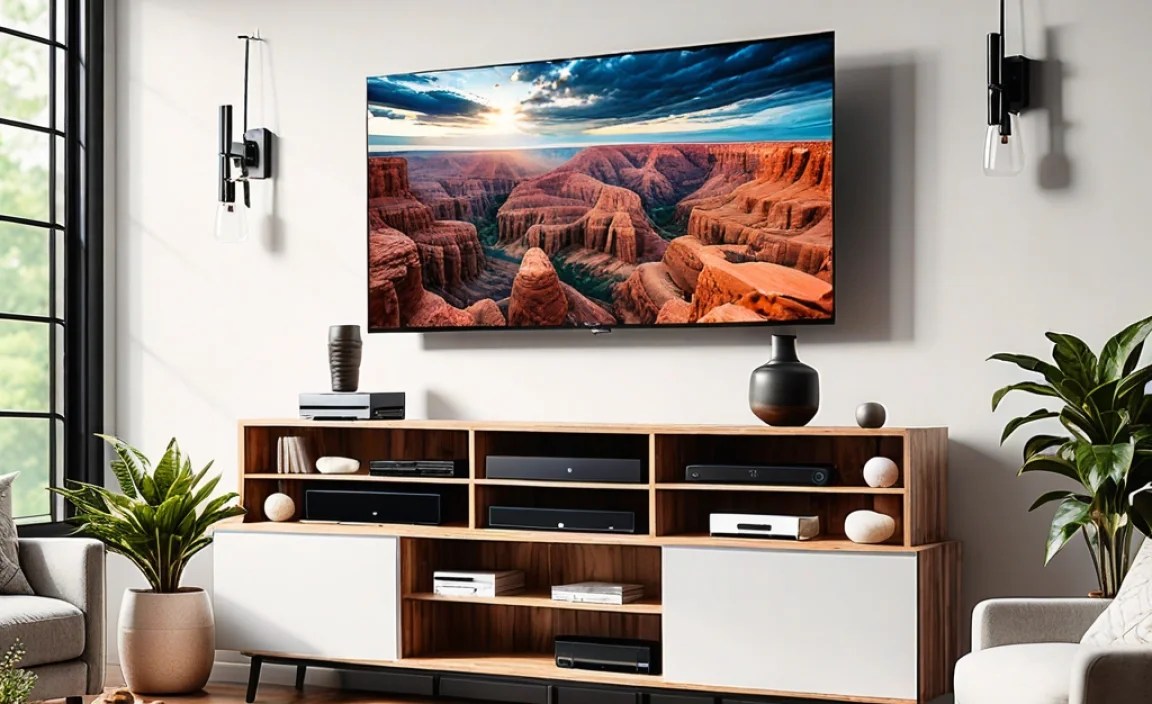
The market for 65-inch televisions under $1000 is packed with surprisingly capable options. Manufacturers are constantly innovating, bringing premium features like 4K resolution, HDR (High Dynamic Range) support, and smart TV capabilities to more affordable price points. When you’re on the hunt, keep an eye out for these key features that will give you the best viewing experience:
Key Features to Look For:
- 4K UHD Resolution: This is standard now and means incredibly sharp and detailed images.
- HDR Support (HDR10, Dolby Vision): HDR makes colors more vibrant and contrast deeper, making your picture pop.
- Smart TV Platform: Look for user-friendly interfaces with access to your favorite streaming apps (Netflix, Hulu, Disney+, etc.).
- Refresh Rate: A higher refresh rate (like 120Hz, though often advertised as 60Hz native with motion enhancement) is better for smooth motion, especially for sports and gaming.
- Connectivity: Ensure it has enough HDMI ports for your devices (game consoles, soundbars, Blu-ray players).
Top Contenders for Your Budget TV:
While specific models change rapidly, brands like TCL, Hisense, and Vizio consistently offer excellent value in this price range. Samsung and LG also have budget-friendly series that can sometimes dip below the $1000 mark during sales events.
Example TV Options (Prices Fluctuate):
| Brand | Likely Model Series | Key Strengths | Typical Price Range (Under $1000) |
|---|---|---|---|
| TCL | 5-Series or 6-Series (when on sale) | Excellent picture quality for the price, good smart features (Roku TV). | $500 – $900 |
| Hisense | U6K, U7K Series (when on sale) | Bright display, good contrast, often includes QLED technology. | $550 – $950 |
| Vizio | M-Series or V-Series | Solid picture, decent smart platform, competitive pricing. | $500 – $850 |
Always check recent reviews and current deals from retailers like Best Buy, Amazon, Walmart, and Target. Black Friday and holiday sales are fantastic times to snag a premium TV at a discount.
The Essential Wall Mount: Why It Matters

Once you’ve chosen your perfect 65-inch TV, the next step is deciding how to display it. While your TV likely came with a stand, wall mounting offers several advantages:
Benefits of Wall Mounting:
- Space Saving: Frees up surface area on your entertainment console.
- Aesthetics: Creates a clean, modern look, mimicking a professional installation.
- Improved Viewing Angles: Allows you to position the TV at the optimal height and angle for your seating area.
- Safety: Reduces the risk of accidental tipping, especially important in homes with children or pets.
Choosing the right wall mount is crucial for both safety and optimal viewing. It needs to be strong enough to support your TV’s weight and compatible with its VESA mounting pattern. Don’t worry; we’ll break down what that means.
Understanding Wall Mount Types

Not all wall mounts are created equal. They offer different levels of flexibility and functionality. For a 65-inch TV under $1000, you’ll primarily encounter these types:
1. Fixed (or Static) Wall Mounts
These are the simplest and most affordable mounts. They hold your TV flat against the wall, very close to the surface, like a picture frame. They offer no adjustability.
- Pros: Slim profile, very secure, budget-friendly.
- Cons: No tilting or swiveling, can make cable access difficult, not ideal if you have a lot of glare from windows.
- Best for: Situations where the TV is mounted at perfect eye level and there are no light reflection issues.
2. Tilting Wall Mounts
These mounts allow you to tilt your TV up or down. This is incredibly useful if your TV is mounted higher than eye level (common above a fireplace) or if you need to reduce glare from overhead lights or windows.
- Pros: Reduces glare, improves viewing angle when TV is high, still offers a slim profile compared to full-motion mounts.
- Cons: Limited side-to-side adjustment, cable management can still be slightly tricky.
- Best for: Mounting TVs above eye level or combating screen glare.
3. Full-Motion (or Articulating) Wall Mounts
These are the most versatile. They allow you to tilt, swivel, and extend the TV away from the wall. This gives you maximum flexibility to position the TV for the best view from almost anywhere in the room, and makes accessing cables much easier.
- Pros: Maximum adjustability for viewing angles and room placement, easiest cable access.
- Cons: Bulkier profile when fully extended, generally the most expensive type of mount, can sag over time if not robust.
- Best for: Large rooms, multiple seating areas, or if you like to adjust your TV’s position frequently.
What is VESA? Your TV’s Mounting Language
VESA stands for Video Electronics Standards Association. It’s a standard that specifies the consistent mounting interface used by most TV and monitor manufacturers. You’ll find the VESA pattern on the back of your TV – it’s a set of four threaded screw holes. For a 65-inch TV, common VESA patterns include 400x400mm or 600x400mm.
How to find your TV’s VESA pattern:
- Check Your TV’s Manual: This is the most reliable source.
- Look on the Back of the TV: Sometimes the VESA dimensions are printed near the mounting holes and labeled “VESA.”
- Search Online: Look up your TV’s exact model number on the manufacturer’s website or reputable review sites. They will list the VESA specifications.
Crucially, when buying a wall mount, ensure its VESA compatibility matches your TV’s. Most mounts are designed to accommodate a range of VESA sizes, but always double-check the mount’s specifications against your TV’s.
Choosing the Best 65-Inch TV Under $1000 Wall Mount: Key Considerations
Now that you know the types of mounts and VESA patterns, let’s dive into what makes a mount “the best” for your setup, keeping your budget and TV in mind.
1. Weight Capacity
This is non-negotiable. Every wall mount has a maximum weight it can safely support. Your 65-inch TV, while under $1000, can still be quite heavy. Always choose a mount with a weight capacity significantly higher than your TV’s actual weight. As a general rule, aim for a mount rated for at least 10-20 lbs more than your TV weighs.
Where to find TV weight: Check your TV’s manual or specifications online. Many 65-inch TVs weigh between 40-70 lbs.
2. TV Size Compatibility
Mounts are typically rated for a range of screen sizes (e.g., 42-70 inches). Ensure your 65-inch TV falls within the mount’s compatible size range. This is usually less of an issue than weight or VESA, but it’s worth confirming.
3. Durability and Build Quality
Look for mounts made from strong materials like heavy-gauge steel. Well-constructed mounts will feel sturdy and have smooth articulation points (if applicable). Brands like:
- Monoprice
- Mount-It!
- USX MOUNT
- AmazonBasics
often offer good quality at competitive prices. Reading user reviews can be very helpful here, as people will often mention if a mount feels flimsy or built to last.
4. Ease of Installation
Unless you’re a seasoned DIYer, consider how easy the mount is to install. Some come with helpful features like built-in levels, clear instructions, and all the necessary hardware. If you’re not comfortable drilling into your walls, you might consider hiring a professional installer.
5. Cable Management
A clean setup means neat cable management. Some mounts have integrated cable channels or ties. For full-motion mounts, the longer the extension arm, the more important flexible cable management becomes to prevent snagging or stretching.
6. Wall Type
This is critical for safety. Most mounts are designed for mounting into wall studs, which provide the strongest support. If you have plaster or drywall without studs in the desired location, you’ll need appropriate heavy-duty anchors. For concrete or brick walls, you’ll need specific masonry anchors. Always use the correct type of anchor for your wall material. Consult resources like This Old House for guidance on finding studs.
Top Wall Mount Picks for a 65” TV Under $1000 Setup
When pairing a great budget TV with an equally great value wall mount, here are some types of mounts that generally receive high marks for their balance of features, durability, and price. Remember to always check the specific product page for the latest specs and reviews.
1. Best Budget Fixed Mount: The Ultra-Slim Option
These are perfect for achieving that clean, flush-to-the-wall look. They are typically very affordable.
- Example Brands: AmazonBasics, peerless-av, Kanto
- Key Features: Low profile, simple installation, strong steel construction.
- Typical Price: $25 – $60
- Ideal for: Those who don’t need to adjust the TV and want the most minimalist look.
2. Best Value Tilting Mount: For Elevated or Glare-Prone Placement
A tilting mount offers a great compromise between simplicity and functionality.
- Example Brands: USX MOUNT, VIVO, Cheetah Mounts
- Key Features: 15-degree tilt range (usually), sturdy arms, easy to install.
- Typical Price: $30 – $70
- Ideal for: Mounting above a fireplace or in rooms with challenging lighting.
3. Best All-Around Full-Motion Mount: Maximum Flexibility
For those who want to position their TV perfectly from various angles, a full-motion mount is the way to go. Look for models with strong, multi-jointed arms.
- Example Brands: WALI, Rocketfish (Best Buy brand), Sanus
- Key Features: Extensive extension, tilt, swivel; often includes cable management solutions.
- Typical Price: $60 – $150 (though premium options can be more)
- Ideal for: Large open-plan living spaces or rooms with multiple seating areas.
Sample Mount Comparison Table:
| Mount Type | Max Weight Capacity | Typical VESA Support | Key Benefit | Estimated Price Range |
|---|---|---|---|---|
| Fixed | Up to 100 lbs | Up to 600x400mm | Ultra-slim, most affordable | $25 – $60 |
| Tilting | Up to 100 lbs | Up to 600x400mm | Reduces glare, better viewing angle | $30 – $70 |
| Full-Motion | Up to 100-150 lbs | Up to 600x400mm (or larger) | Maximum adjustability | $60 – $150+ |
Step-by-Step Wall Mounting Guide (Beginner-Friendly)
Mounting a TV can seem daunting, but by following these steps, you can achieve a secure and professional-looking installation. Take your time, and it will be well worth it!
Tools You’ll Need:
- Your chosen TV wall mount (ensure it includes all hardware)
- Stud finder
- Power drill with appropriate drill bits
- Level
- Measuring tape
- Pencil
- Screwdriver (Phillips head is most common)
- Socket wrench or adjustable wrench (for lag bolts)
- Safety glasses
Installation Steps:
- Locate Wall Studs: Use your stud finder to locate at least two vertical wall studs where you want to mount the TV bracket. Mark their centers lightly with a pencil. Mounting into studs is the safest and strongest method. For alternatives, research appropriate heavy-duty anchors for your wall type. The This Old House guide is an excellent resource for this.
- Position the Wall Plate: Hold the wall plate (the part that attaches to the wall) against the wall at your desired height. Use your level to ensure it’s perfectly straight. Mark the screw hole locations onto the wall, aligning them with the center of your marked studs.
- Drill Pilot Holes: For the lag bolts that secure the wall plate, drill pilot holes at your marked locations. The size of the pilot hole should be slightly smaller than the lag bolt itself. Always follow the mount manufacturer’s recommendations.
- Secure the Wall Plate: With your pilot holes ready, attach the wall plate to the wall using the provided lag bolts and washers. Use a socket wrench to tighten them securely into the studs. Do not overtighten, but ensure the plate is rock solid.
- Attach Mounting Brackets to TV: Find the VESA holes on the back of your TV. Attach the vertical brackets (or single plate, depending on your mount) to the TV using the screws provided with the mount. Use the correct screw length, and do not force them. Some TVs may require specific spacers included with the mount.
- Hang the TV: With a helper (highly recommended for a large TV!), carefully lift the TV and hook the brackets onto the wall plate. Most mounts have a locking mechanism to secure the TV to the plate. Ensure it clicks into place or is secured by tightening safety screws as per the instructions.
- Adjust and Secure: Once the TV is hanging, gently test its stability. Make any adjustments for tilt or swivel if your mount allows. Tighten locking screws or mechanisms to keep the TV in its desired position.
- Connect Cables: Connect your HDMI cables, power cord, and any other necessary peripherals. If you have a full-motion mount, you might have cable management clips to route the wires neatly along the arm.
Safety Note: Always have a second person help you lift and hang the TV. Large screen TVs are heavy and awkward to handle alone, significantly increasing the risk of drops or personal injury.
Maintaining Your Wall Mount and TV
Once your TV is mounted, a little ongoing care ensures its longevity and your continued enjoyment.
- Regular Checks: Periodically (every 6-12 months) check that all bolts and screws are still tight, especially the lag bolts securing the wall plate.