
Finding the best 65-inch TV under $1000 is achievable with the right guidance. We’ve handpicked top-rated models offering excellent picture quality, smart features, and great value, ensuring you get a fantastic big-screen experience without breaking the bank.
Upgrading your home entertainment with a big screen can feel exciting, but the sheer number of choices can be overwhelming. Especially when you’re looking for a 65-inch TV that won’t cost a fortune, it’s easy to get lost in technical terms and endless specifications. Don’t worry, though! We’re here to make it simple. Think of me as your friendly tech guide. We’ll cut through the clutter and highlight some truly awesome 65-inch TVs that deliver big on picture quality and features, all without burning a hole in your pocket. Get ready to transform your living room into a cinematic paradise!
Why a 65-Inch TV Under $1000 is a Sweet Spot

The 65-inch screen size has become incredibly popular, offering a truly immersive viewing experience that elevates everything from movies to gaming. It’s big enough to feel grand but still fits comfortably in most living rooms. The sweet spot under $1000 is where innovation meets affordability. Manufacturers are packing these TVs with impressive technologies like 4K resolution, HDR support, and smart capabilities that used to be reserved for much more expensive models. This makes it a fantastic time for budget-conscious shoppers to get a truly premium viewing experience.
What to Look For in a Budget 65-Inch TV

When you’re shopping for a TV under $1000, it’s important to know what features deliver the most bang for your buck. You want a TV that looks good, sounds decent, and is easy to use. Here’s what to keep an eye on:
Picture Quality Essentials
- Resolution: Aim for 4K (also known as UHD or Ultra High Definition). This means 3840 x 2160 pixels, which is four times the detail of Full HD. You’ll see sharper images and more realistic details.
- HDR (High Dynamic Range): HDR expands the range of colors and contrast, making brights brighter and darks darker, with more shades in between. Look for HDR10 support as a minimum. Dolby Vision and HDR10+ offer even better performance.
- Panel Type: Most budget TVs will use a VA or IPS panel. VA panels generally offer better contrast and deeper blacks, while IPS panels provide wider viewing angles. For most living rooms, VA is a great choice.
- Refresh Rate: This refers to how many times the image updates per second. A 60Hz refresh rate is standard and fine for most viewing. If you’re a serious gamer or watch a lot of sports, a 120Hz panel is ideal, but often found in pricier models.
Smart Features and Connectivity
- Smart TV Platform: This is the operating system that powers your TV’s apps and streaming services. Popular options include Google TV, Roku TV, LG’s webOS, and Samsung’s Tizen. Choose one with an intuitive interface and the apps you use most.
- Connectivity (Ports): Ensure the TV has enough HDMI ports for your devices (game consoles, Blu-ray players, soundbars). Look for at least 3 HDMI ports, and ideally one with HDMI 2.1 support if you plan on using the latest gaming consoles for their high-frame-rate capabilities.
- Wi-Fi and Ethernet: Reliable internet connectivity is a must for streaming.
Sound Quality
Truth be told, built-in TV speakers are rarely amazing, especially on budget models. They’re often quite tinny and lack bass. While we’re focusing on the TV itself, it’s worth considering that you might eventually want to pair your new TV with a soundbar for a much better audio experience. However, for basic TV watching, the built-in speakers on some of these models are perfectly adequate.
Our Top Picks for the Best 65-Inch TV Under $1000

After researching and comparing several models, these TVs consistently stand out for their value, performance, and features within the sub-$1000 price range. Prices can fluctuate, especially during sales, so these are excellent starting points for your search.
1. TCL 6-Series (R646 or newer models)
TCL has made a name for itself by offering impressive technology at budget-friendly prices, and the 6-Series is a prime example. These TVs often feature Mini-LED backlighting, which is a significant step up for contrast and brightness, especially in this price category. This technology allows for more precise control over dimming zones, leading to deeper blacks and brighter highlights compared to traditional LED TVs.
Key Features:
- Mini-LED Backlighting
- QLED color technology for vibrant hues
- Dolby Vision and HDR10+ support
- Google TV or Roku TV smart platform (depending on the exact model year)
- Often available with 120Hz refresh rate (check specific model)
Why we love it:
The TCL 6-Series punches well above its weight class, often competing with TVs twice its price. The Mini-LED technology makes a noticeable difference in picture quality, especially for movie nights. It’s an excellent all-rounder, great for streaming, casual gaming, and general TV viewing. For gamers, some models offer features like Variable Refresh Rate (VRR) and Auto Game Mode, which are big pluses.
2. Hisense U7K or U8K Series
Hisense is another brand that’s been rapidly improving and challenging the big players. Their ULED TVs, particularly the U7K and U8K series, offer a compelling mix of bright, vibrant pictures with good contrast, often using quantum dot technology and local dimming. These models are fantastic for HDR content, making movies and shows really pop.
- QLED & Mini-LED Technology: Similar to TCL, Hisense utilizes these to enhance color and contrast.
- High Brightness: These models are known for getting quite bright, which is great for well-lit rooms and making HDR content stand out.
- Dolby Vision IQ & HDR10+ Adaptive: These advanced HDR formats can adjust picture settings based on ambient room light, optimizing the viewing experience.
- Google TV Platform: Provides access to a vast library of apps and streaming services.
- Gaming Features: Look for 120Hz refresh rate, VRR, ALLM (Auto Low Latency Mode), and AMD FreeSync support on select models.
Why we love it:
Hisense offers a premium viewing experience without the premium price tag. The U7K and U8K series deliver excellent brightness and color saturation, making them ideal for watching content in various lighting conditions. They are also surprisingly capable for gaming thanks to their modern features and low input lag.
3. Vizio M-Series Quantum X
Vizio is a long-standing player in the budget TV market, and their M-Series Quantum X often represents great value. This line typically features QLED technology for better color and local dimming to improve contrast. Vizio’s SmartCast platform is user-friendly, and these TVs often support popular HDR formats.
- QLED Color: Delivers a wider range of colors for more vibrant images.
- Full Array Local Dimming: Improves contrast and black levels by dimming sections of the backlight independently.
- Dolby Vision and HDR10+ Support: For enhanced HDR performance.
- SmartCast Platform: Vizio’s straightforward smart TV interface.
- Gaming Ready: Features like 120Hz refresh rate (on select models) and VRR are often included.
Why we love it:
The Vizio M-Series Quantum X provides a very competent picture for the price, with good color reproduction and decent contrast. It’s a solid choice for those who want a good all-around performer for movies, TV shows, and gaming. Vizio often includes Apple AirPlay 2 and Chromecast built-in, adding to its connectivity options.
4. Amazon Fire TV Omni QLED Series
Amazon’s own branded TVs have become surprisingly good, especially when they incorporate QLED and local dimming technology. The Omni QLED series offers a bright, colorful picture and integrates seamlessly with the Alexa voice assistant for hands-free control. It’s a strong contender if you’re already invested in the Amazon ecosystem.
- QLED Color: For enhanced color vibrancy.
- Local Dimming: Helps to improve black levels and contrast.
- 4K HDR Support: Including Dolby Vision and HDR10+ for dynamic visuals.
- Fire TV OS: A familiar interface for Amazon Prime Video users, with access to many other apps.
- Hands-Free Alexa: Control your TV and smart home devices with just your voice.
Why we love it:
The Amazon Fire TV Omni QLED is a straightforward choice for those who love Amazon’s ecosystem. The picture quality is surprisingly good for the price, especially with the QLED and local dimming tech. The voice controls are a convenient bonus, and the interface is easy to navigate for streaming your favorite shows.
Understanding Key Technologies
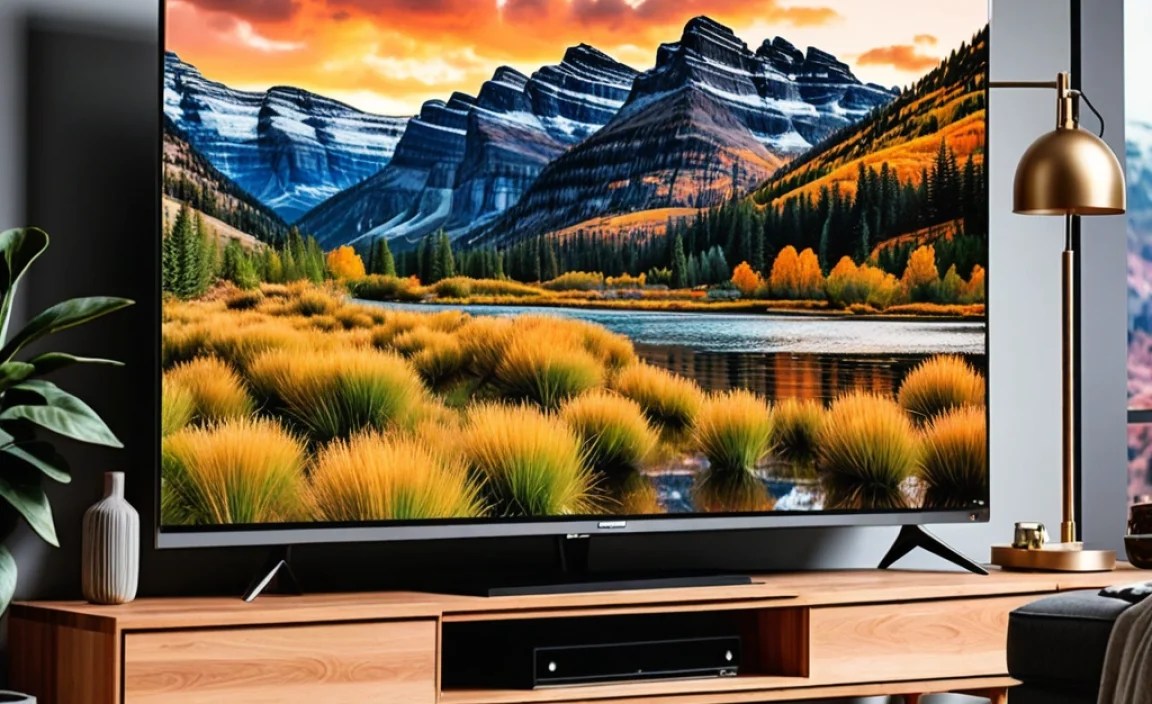
Let’s briefly dive into a couple of the technologies that make these TVs so good:
What is QLED?
QLED stands for Quantum-dot Light Emitting Diode. It’s a type of LED TV that uses a layer of quantum dots. These tiny nanoparticles emit different colors when light shines on them. This technology allows for a wider color gamut (more colors) and often higher brightness levels compared to standard LED TVs. Think of it as making colors more vibrant and lifelike.
You can learn more about display technologies from organizations like the Dolby website, which details advancements like Dolby Vision HDR.
What is Mini-LED?
Mini-LED is an advancement in LED TV backlighting. Instead of a few dozen or a couple of hundred larger LEDs, Mini-LED TVs use thousands of tiny LEDs. These LEDs are grouped into many more dimming zones. This allows the TV to control the brightness of different areas of the screen much more precisely. The result is significantly improved contrast, deeper blacks, and brighter highlights, making your picture look more impactful.
Gaming on a Budget 65-Inch TV

For many, a TV isn’t just for watching movies; it’s for gaming too! Fortunately, many 65-inch TVs under $1000 now offer features that make them great for gaming:
- Low Input Lag: This is crucial. Input lag is the delay between pressing a button on your controller and seeing the action on screen. Lower is better for responsive gameplay.
- 120Hz Refresh Rate: This allows for smoother motion and is especially beneficial for fast-paced games.
- Variable Refresh Rate (VRR): This technology synchronizes the TV’s refresh rate with the game console’s frame rate, eliminating screen tearing and stuttering for a smoother visual experience.
- Auto Low Latency Mode (ALLM): When you turn on your game console, the TV automatically switches to its game mode to minimize input lag.
- HDMI 2.1: This is the latest HDMI standard and is required for features like 4K at 120Hz and VRR on consoles like the PlayStation 5 and Xbox Series X.
When looking at specs, don’t be fooled by marketing terms. Always check if the TV explicitly lists support for 4K@120Hz, VRR, and ALLM, especially if you have a next-gen console. Features like AMD FreeSync or NVIDIA G-Sync are also great to see, as they are forms of VRR.
Comparing Our Top Picks
Here’s a quick look at how our top recommendations stack up. Remember, prices can change, so these are general comparisons.
| Feature | TCL 6-Series (R646+) | Hisense U7K/U8K | Vizio M-Series Quantum X | Amazon Fire TV Omni QLED |
|---|---|---|---|---|
| Screen Technology | QLED, Mini-LED | QLED, often with Mini-LED | QLED | QLED |
| Local Dimming | Yes (Advanced) | Yes (Advanced) | Yes | Yes |
| HDR Support | Dolby Vision, HDR10+ | Dolby Vision IQ, HDR10+ Adaptive | Dolby Vision, HDR10+ | Dolby Vision, HDR10+ |
| Smart Platform | Google TV / Roku TV | Google TV | SmartCast | Fire TV |
| Gaming Features (Typical) | 120Hz, VRR, ALLM | 120Hz, VRR, ALLM | 120Hz (on select models), VRR, ALLM | 60Hz (typically, some higher models exist), ALLM |
| Best For | Overall Picture Quality, Value | Bright Picture, HDR Performance, Gaming | Solid All-Rounder, Connectivity | Amazon Ecosystem Users, Voice Control |
Frequently Asked Questions (FAQ)
Q1: Are 65-inch TVs under $1000 worth buying in 2024?
Absolutely! The quality of TVs in this price range has improved dramatically. You can find models with excellent 4K resolution, vibrant colors thanks to QLED technology, and good contrast, making them a fantastic value for a big-screen experience.
Q2: What does “QLED” mean for picture quality?
QLED TVs use quantum dots to produce brighter and more vivid colors than traditional LED TVs. This means your movies and shows will look more lifelike, with a wider spectrum of colors.
Q3: Is 60Hz or 120Hz better for a 65-inch TV?
A 120Hz refresh rate offers smoother motion, which is ideal for fast-paced sports and gaming. A 60Hz refresh rate is perfectly fine for most general TV watching and movies. Many budget 65-inch TVs offer 120Hz, so if it’s within budget and important to you, go for it!
Q4: Can I use these TVs for next-gen gaming (PS5/Xbox Series X)?
Yes, many of our recommended TVs support features like 4K@120Hz, VRR, and ALLM, which are essential for getting the most out of the latest game consoles. Always check the specific model’s specifications for these gaming features before purchasing.
Q5: How do I connect my soundbar to a new TV?
The best way is usually with an HDMI ARC (Audio Return Channel) or eARC (Enhanced Audio Return Channel) port. Connect an HDMI cable from your TV’s ARC/eARC port to the corresponding port on your soundbar. This allows both audio and control signals to travel through one cable. Many TVs also have an optical audio port as an alternative.
Q6: What is the importance of HDR?
HDR (High Dynamic Range) significantly improves the contrast and color accuracy of an image. It allows the TV to display brighter whites and darker blacks simultaneously, with more detail in both the brightest and darkest areas of the picture. This results in a more realistic and immersive viewing experience.
Conclusion
Finding a fantastic 65-inch TV under $1000 is not only possible but quite likely in today’s market. Brands like TCL, Hisense, Vizio, and even Amazon are consistently delivering impressive performance and features that make movie nights, binge-watching sessions, and gaming truly special. By focusing on key technologies like 4K resolution, QLED color, and thoughtful HDR support, you can ensure you’re getting a television that provides excellent value and a viewing experience you’ll love.
Remember to check for current deals and sales, as prices can fluctuate, especially around holidays. Consider your primary use case – whether it’s movies, sports, or gaming – and prioritize the features that matter most to you. With the picks and advice here, you’re well on your way to enjoying a bigger, brighter, and more immersive home entertainment setup without overspending.