
Quick Summary: Looking for an Ultra HD TV? Android TV and Google TV are both smart platforms, but Google TV is the streamlined, app-focused evolution. It enhances the core Android TV experience with a more personalized, content-first interface, making it easier to find shows and movies across all your apps, especially on newer UHD models.
Hey tech explorers! Bob E Riley here from Aimguider. When you’re eyeing a new Ultra HD TV, you’ll notice names like Android TV and Google TV popping up. It can feel a bit confusing, right? Are they the same? Are they different? Don’t worry, we’ll break down what makes them tick, especially when you’re aiming for that stunning 4K picture. We’ll clear up the jargon so you can pick the perfect smart TV for your home entertainment setup.
Let’s dive in and make sense of these smart TV platforms!
Understanding the Smart TV Landscape
Choosing a new TV is exciting, especially with the incredible detail that Ultra HD (UHD), also known as 4K, offers. But the “smart” part of your TV – the operating system that lets you stream, play games, and connect – can often be a source of confusion. Two terms you’ll frequently encounter are Android TV and Google TV. While they share a common DNA, understanding their differences is key to getting the smart TV experience you truly want.
Think of it like this: Android TV is the solid foundation, and Google TV is the beautifully renovated house built upon it. Both are designed to bring the internet and your favorite apps to your television screen, but the way they present content and your overall user experience can be quite different. This is especially true for newer, high-definition UHD models where seamless app integration and content discovery are paramount.
The Core: Android TV
Android TV is Google’s smart TV operating system. It’s been around for a while and powers a vast number of smart TVs from various manufacturers like Sony, TCL, Hisense, and others. At its heart, Android TV is built on the Android operating system, giving it access to the Google Play Store for apps, games, and services.
When you use Android TV, you typically see a home screen that’s organized around apps. You’ll have rows for your installed applications, a place for recommended content, and access to Google Assistant for voice commands. It offers a robust and customizable experience, allowing you to sideload apps if you’re a bit more tech-savvy, though this isn’t something most everyday users need to worry about.
Key Features of Android TV:
- App Drawer: Easy access to all your downloaded applications.
- Google Play Store: A vast library of apps, games, and streaming services.
- Google Assistant: Voice control for searching, controlling your TV, and managing smart home devices.
- Chromecast Built-in: Stream content from your phone, tablet, or laptop directly to your TV.
- Customization: Can be personalized with different launchers and settings for more advanced users.
Android TV provides a familiar interface for anyone who has used an Android smartphone or tablet. However, sometimes it can feel a bit cluttered, with content recommendations spread across different sections rather than being the primary focus.
The Evolution: Google TV
Google TV isn’t an entirely new operating system; rather, it’s a user experience layer or an evolution built on top of Android TV. Google announced this shift to put content discovery front and center. So, when you buy a new TV advertised as having “Google TV,” it’s essentially an Android TV device running the newer Google TV interface.
The biggest difference you’ll notice with Google TV is its home screen. Instead of prioritizing apps, Google TV is all about content. It aggregates movies, shows, and recommendations from all your streaming services (like Netflix, Disney+, Hulu, HBO Max, etc.) into one unified feed. The goal is to help you find something to watch faster, without having to open each individual app.
Key Features of Google TV:
- Content-First Interface: The home screen is dedicated to personalized show and movie recommendations from across your streaming subscriptions.
- “For You” Tab: A curated list of what Google thinks you’ll enjoy, based on your viewing history and subscriptions.
- Discover Tab: Explore trending content, new releases, and personalized suggestions categorized by genre or theme.
- Watchlist: Easily add movies and shows you want to watch later from any service.
- Unified Search: Search for content across all your connected apps simultaneously.
- Profile Support: Multiple user profiles for personalized recommendations for each family member.
- Keeps Android TV’s Core Strengths: Still has access to the Google Play Store, Google Assistant, and Chromecast built-in.
Google TV aims to simplify the viewing experience. If you subscribe to multiple streaming services and struggle to decide what to watch, Google TV is designed with you in mind. It streamlines the process of finding new content and revisiting things you’ve saved.
Android TV vs. Google TV: The Essential Differences in UHD
When we talk about Android TV versus Google TV, especially in the context of Ultra HD (UHD) televisions, the core functionality remains consistent. Both platforms support high-resolution content, HDR (High Dynamic Range) formats like Dolby Vision and HDR10+, and immersive audio technologies if your TV and sound system support them. The main divergence lies in how you interact with your TV and discover content.
The Interface: A Tale of Two Screens
This is the most significant distinction. Android TV typically presents a more traditional app-centric interface. You’ll see rows of your installed apps, and within those apps, you’ll browse content. Recommendations might appear, but they often feel secondary to the app selection itself.
Google TV, on the other hand, flips this. It’s designed around a content-first approach. Imagine a universal remote and a personalized magazine for all your entertainment. The home screen is dominated by suggested movies and shows, pulled from services you’re subscribed to. It tries to anticipate what you want to watch next. This is particularly beneficial on UHD TVs because it highlights visual content more effectively.
Content Discovery: Finding Your Next Binge
In the UHD era, with so much 4K content available, finding that gem can be like searching for a needle in a haystack. Android TV relies more on you navigating into specific apps to find content.
Google TV shines here. Its “For You” and “Discover” tabs are powered by intelligent algorithms that analyze your viewing habits. If you love sci-fi movies, it’ll show you new sci-fi releases across Netflix, Amazon Prime Video, and other services. The unified search also means asking Google Assistant “Show me 4K action movies” will pull results from where they’re available.
App vs. Content Focus
Here’s a simple way to categorize them:
- Android TV: Think of it as an app launcher for your TV. You open an app, then find content.
- Google TV: Think of it as a content curator for your TV. It shows you content first, then you select an app to watch it.
This difference can significantly impact your user experience, especially if you subscribe to many streaming services. Google TV aims to reduce the friction of jumping between different apps.
Updates and Future-Proofing
Google is actively developing the Google TV interface, pushing out new features and improvements regularly. While Android TV also receives updates, the focus for new innovation and user experience enhancements is clearly on the Google TV platform. Newer UHD TVs are more likely to come pre-loaded with Google TV, ensuring you have the latest features and a more streamlined experience for years to come.
An example of this ongoing development is how Google is integrating live TV and other content types more seamlessly into the Google TV experience. You can learn more about the evolving smart TV landscape from resources like the FCC’s consumer guides on television, which touch upon the technologies that deliver enhanced viewing experiences.
Feature Comparison Table
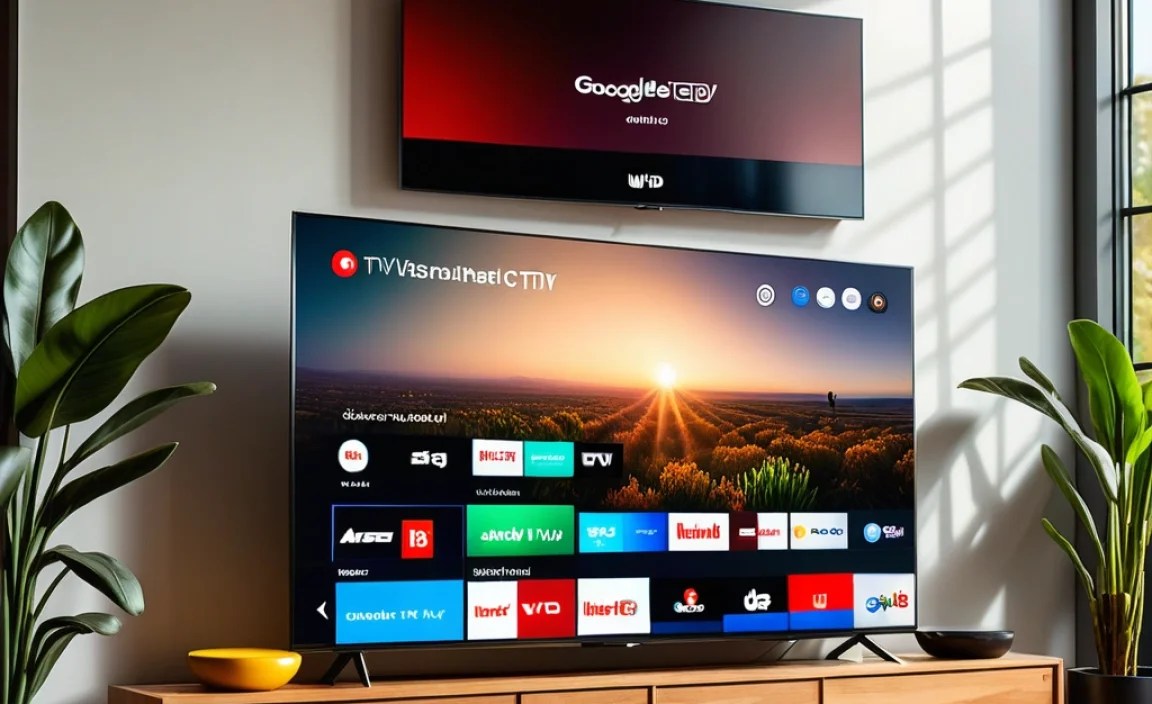
To help visualize the distinctions, here’s a comparison:
| Feature | Android TV | Google TV (on Android TV Platform) |
|---|---|---|
| Primary Interface Focus | Apps and installed programs | Content discovery and personalized recommendations |
| Home Screen Layout | App rows, some recommendations | Curated rows of movies/shows, “For You” tab |
| Content Aggregation | Limited; primarily within individual apps | High; pulls from all subscribed services |
| Ease of Finding New Content | Moderate; requires navigating apps | High; content is front and center |
| User Profiles | Limited or profile support varies by manufacturer | Dedicated multi-profile support for personalization |
| App Availability | Full access to Google Play Store | Full access to Google Play Store |
| Voice Assistant | Google Assistant | Google Assistant |
| Streaming Capability | Chromecast Built-in | Chromecast Built-in |
| Target Audience | Users who prefer app-first navigation, more control over layout | Users who want quick content discovery, value personalized suggestions |
| Typical for Latest UHD Models | Less common on brand new, high-end models | Increasingly standard on new Android TV-based UHD TVs |
Making the Choice for Your UHD TV
So, which is right for you when you’re shopping for that new 4K beauty?
If you’re buying a new UHD TV today, chances are it will either come with Google TV or a slightly older version of Android TV. If you have the choice between a TV that explicitly states “Google TV” versus one that just says “Android TV,” and both are comparable in other aspects (picture quality, price, brand), Google TV is generally the more modern and user-friendly option for content discovery.
Consider these points:
- Your Streaming Habits: If you bounce between Netflix, Disney+, Prime Video, and more to find something to watch, Google TV’s aggregation will save you time and frustration.
- Simplicity vs. Control: If you prefer a straightforward system that puts movies and shows first, Google TV is excellent. If you like to deeply customize your interface and have direct control over app placement, you might still find the core Android TV experience appealing, though Google TV retains much of its flexibility.
- Newer vs. Older Models: Most new UHD TVs that run on Google’s platform will feature the Google TV interface. Older or more budget-friendly models might still run a more classic Android TV interface.
Ultimately, both platforms are capable and offer access to a world of entertainment. However, Google TV represents the future direction of Google’s smart TV experience, focusing on making content easily accessible on your stunning UHD display.
Frequently Asked Questions (FAQ)
Q1: Is Google TV different from Android TV?
Yes, Google TV is an evolution of Android TV. It’s a user experience layer built on top of the Android TV operating system. The main difference is that Google TV focuses heavily on content discovery and personalization on its home screen, while Android TV is more app-centric.
Q2: Can I get Google TV on my existing Android TV?
This depends on your TV manufacturer and model. Some existing Android TV devices have received or may receive the Google TV interface as an update. However, many brands are launching new TVs with Google TV pre-installed as the primary interface. It’s best to check your TV’s specific software update options or look for TVs advertised with the “Google TV” interface.
Q3: Does Google TV support all the same apps as Android TV?
Yes, because Google TV runs on the Android TV platform, it has full access to the Google Play Store. This means you can download and use virtually all apps available for Android TV, including all your favorite streaming services.
Q4: Which one is better for 4K (UHD) content?
Both platforms support UHD resolution and HDR formats. Google TV’s strength for UHD content lies in its ability to help you discover and recommend 4K movies and shows more easily across different services, thanks to its content-first interface.
Q5: Do I need a Google account to use either platform?
Yes, a Google account is essential for using most features of both Android TV and Google TV. You need it to download apps from the Play Store, use Google Assistant, and personalize your viewing experience with recommendations and watchlists.
Q6: Will I still be able to cast to a TV running Google TV?
Absolutely! Just like Android TV, Google TV devices come with Chromecast built-in. This means you can easily cast content from your smartphone, tablet, or browser to your TV.
Conclusion
Navigating the world of smart TVs can seem complex, but understanding the distinctions between Android TV and Google TV simplifies your decision-making process, especially when you’re investing in a beautiful new UHD television. At its core, Google TV is a more refined and content-focused user interface built upon the robust foundation of Android TV. It’s designed to make finding what you want to watch easier and more intuitive by bringing all your streaming subscriptions together on one screen.
Whether you choose a TV with the classic Android TV interface or the newer Google TV experience, you’re getting a powerful smart platform with access to millions of apps and the convenience of Google Assistant. For those looking for the latest in content discovery and a streamlined, personalized viewing experience on their new UHD set, the Google TV interface is the way to go. It’s about getting you to the great content faster, so you can enjoy that amazing picture quality without the fuss.