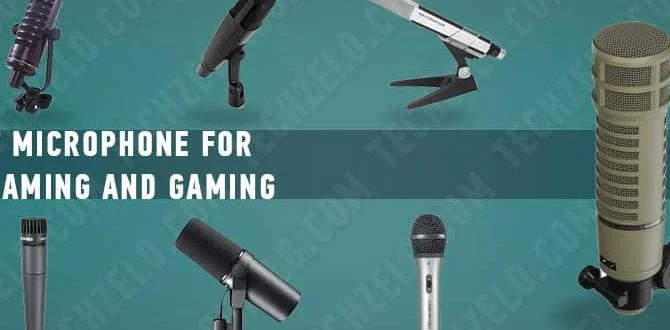
Don’t let muffled lectures and garbled audio disrupt learning. A dynamic microphone for classrooms is your key to crystal-clear sound, ensuring every student hears and understands. This guide simplifies choosing and using the right dynamic mic to boost engagement and comprehension in any educational setting.
Is the sound in your classroom less than ideal? Do students sometimes struggle to hear your explanations, or does background noise overshadow your voice? You’re not alone. Achieving good audio quality in a classroom can be a challenge, whether it’s for lectures, presentations, or even virtual lessons. Fortunately, the solution isn’t complicated. A dynamic microphone is a fantastic tool that can make a world of difference in clarity and engagement. We’ll walk you through everything you need to know to pick the perfect one and get your audio sounding great, fast.
Why a Dynamic Microphone is Perfect for Classrooms
When we talk about classrooms, we’re usually dealing with a pretty lively environment. There can be echoes, the hum of air conditioning, shuffling papers, and even the chatter of students. These aren’t the quiet, controlled spaces where delicate condenser microphones usually shine. Dynamic microphones, on the other hand, are built tough and are naturally good at handling noise. They don’t require phantom power (a special electrical current) and can easily handle loud sounds without distortion. This makes them incredibly reliable and easy to use in busy educational settings. They are the workhorses of the audio world for a reason!
Understanding Dynamic Microphones
Think of a dynamic microphone like a small, durable speaker working in reverse. Inside, there’s a diaphragm (a thin, flexible material) attached to a coil of wire. This coil sits within a magnetic field. When sound waves hit the diaphragm, they cause it to move. This movement, in turn, makes the coil move within the magnetic field, generating an electrical signal. This signal is your audio! Because they work this way, they are less sensitive to distant sounds and background noise compared to other types of microphones.
Key Advantages for Educational Use:
- Durability: They can withstand drops and rough handling, common in busy classrooms.
- Noise Rejection: Their design naturally focuses on sounds close to the microphone, reducing background chatter and HVAC noise.
- No External Power Needed: They work with most audio systems without requiring extra power supplies (phantom power).
- Handles Loud Sounds: Perfect for a teacher projecting their voice or for any amplified sound without distortion.
- Cost-Effective: Generally more affordable than condenser microphones of comparable quality.
Choosing the Right Dynamic Microphone: Key Features to Consider
Not all dynamic microphones are created equal, especially when you’re looking to use one in a classroom. Here are the essential features to keep in mind:
1. Polar Pattern: How the Mic “Listens”
The polar pattern describes the microphone’s sensitivity to sound from different directions. For a classroom, you’ll want something that focuses on the speaker’s voice. The most common and beneficial patterns are:
- Cardioid: This is the most popular and often the best choice for classrooms. A cardioid microphone picks up sound primarily from the front, with reduced sensitivity to the sides and very little from the back. This is perfect for isolating a teacher’s voice and minimizing feedback from speakers.
- Supercardioid/Hypercardioid: These patterns are even more focused than cardioid, rejecting sound more effectively from the sides. However, they do pick up a small amount of sound directly from the rear. While offering better side rejection, they can be more prone to feedback if not positioned carefully. For most classroom scenarios, cardioid is the safest and most effective bet.
2. Connector Type: Hooking It Up
How will you connect your microphone to your sound system (like a speaker, amplifier, or computer)? The most common connector for dynamic microphones is XLR. You’ll often need an XLR cable to connect it to your audio input. Some microphones might come with a built-in USB connection, which is fantastic for plugging directly into a computer for recording or online teaching, bypassing the need for an external sound system entirely.
If you’re connecting to a computer, consider if your computer has an audio input jack designed for a microphone or if you’ll need an adapter. Many teachers find USB microphones to be the simplest plug-and-play solution for digital classrooms.
3. Wired vs. Wireless: Mobility in the Classroom
Wired Microphones: These are typically more robust, less expensive, and offer a direct, reliable connection. The cable length can sometimes be a limitation, but many teachers find they have enough freedom with a standard 15-25 foot XLR cable to move around the front of the classroom.
Wireless Microphones: These offer ultimate freedom of movement. You can walk anywhere in the classroom without being tethered. However, wireless systems are more expensive, require batteries, and can sometimes have interference issues if not set up correctly. For widespread use, a reliable wireless system can be invaluable, but for basic classroom amplification, a good wired mic is hard to beat.
4. Built-in Controls: Ease of Use
Some microphones come with simple on/off switches. This can be very convenient for quickly muting yourself during interruptions or when you’re not speaking. For many educators, this simple feature adds a layer of practicality that greatly improves usability.
Top Dynamic Microphone Recommendations for Classrooms
Based on durability, sound quality, and ease of use, here are some excellent dynamic microphone options that are popular and effective for classroom environments. We’re focusing on reliability and value, making them perfect for busy educators.
Here’s a look at a few popular models and what makes them stand out:
| Microphone Model | Type | Polar Pattern | Key Strengths for Classrooms | Typical Use Case |
|---|---|---|---|---|
| Shure SM58 | Wired Dynamic | Cardioid | Legendary durability, excellent feedback rejection, clear vocal reproduction. A workhorse known for reliability. | Lectures, presentations, amplified speech. |
| Sennheiser e835 | Wired Dynamic | Cardioid | Bright, clear vocal sound, good presence boost, robust build. A great all-around performer. | Amplified voice, Q&A sessions, general classroom audio. |
| Audio-Technica ATR2100x-USB | Wired Dynamic (USB & XLR) | Cardioid | Dual USB/XLR output for maximum flexibility. Great for direct computer connection or traditional sound systems. Good value. | Online teaching, podcasting from the classroom, lectures. |
| Samson Q2U | Wired Dynamic (USB & XLR) | Cardioid | Similar to ATR2100x, offering both USB and XLR. Very budget-friendly and easy to use. | Budget-conscious educators, hybrid online/in-person teaching. |
How to Set Up Your Dynamic Microphone in the Classroom
Setting up your new dynamic microphone is usually straightforward. Follow these steps to get your audio sounding its best:
Step-by-Step Setup Guide:
- Connect the Microphone:
- For Wired (XLR) Mics: Connect one end of your XLR cable to the microphone and the other end to the microphone input on your amplifier, PA system, or audio interface plugged into your computer.
- For USB Mics: Simply plug the USB cable from the microphone into an available USB port on your computer. Your computer should recognize it as an audio device. You might need to go into your computer’s sound settings to select it as the default input. You can usually find these settings in your operating system’s control panel or system preferences.
- Connect to Your Sound System: Ensure your microphone is plugged into the correct input. If you’re using a mixer or soundboard, plug it into a mic channel. Make sure the input is set to accept a “mic level” signal (most inputs for XLR are designed for this automatically).
- Check Your Audio Source: If you’re using a computer for lectures or online classes, go to your system’s sound settings and select the USB microphone (or the audio interface it’s connected to) as your primary input device. For video conferencing apps like Zoom or Google Meet, you’ll also need to select the microphone within the app’s audio settings.
- Power On: Turn on your amplifier, speakers, or any other audio equipment.
- Set Initial Volume Levels: Start with the volume on your amplifier or sound system at its lowest setting. For USB mics, set the computer’s microphone volume to about 75%.
- Test Your Microphone: Speak into the microphone at a normal speaking volume. If using a wired mic connected to an amp, slowly increase the amplifier’s volume until you can hear your voice clearly through the speakers. For USB mics, check your computer’s input level meter or record a short test clip.
Positioning for Best Results:
Where you place the microphone makes a big difference. For a teacher using a handheld mic or a mic on a stand:
- Distance: Aim to have the microphone about 6–12 inches (15–30 cm) from your mouth. Experiment to find the sweet spot – too close can cause popping (plosives), and too far can pick up too much room noise.
- Angle: Speak directly into the directional front of the microphone. For cardioid mics, this is the “front,” typically where the brand logo is.
- Feedback Prevention: Position the microphone so it’s not pointing directly at your speakers. If feedback (a high-pitched squeal) occurs, try turning down the volume slightly or adjusting the mic or speaker placement.
Troubleshooting Common Classroom Audio Issues
Even with the best equipment, you might run into issues. Here are common problems and how dynamic microphones help solve them:
Problem 1: Too Much Background Noise (HVAC, Hallways, Students Talking)
- Dynamic Mic Solution: Dynamic mics are less sensitive than condensers, naturally reducing the pickup of distant sounds.
- Fixes:
Ensure you’re using a cardioid pattern.
Position the mic closer to the speaker (you!).
Speak clearly and slightly louder.
Turn down amplifier volume and mic gain if possible, and move speakers closer if safe.
Problem 2: Microphone Feedback (Squealing or Howling Sounds)
Feedback happens when the sound from your speakers is picked up by the microphone and amplified again, creating a loop. This is a very common issue in amplified voice scenarios.
- Dynamic Mic Solution: Cardioid patterns help reject sound from the sides and rear, reducing the chance of picking up speaker sound.
- Fixes:
Make sure the microphone is NOT pointing directly at the speakers.
Turn down the master volume or individual microphone volume.
Reduce the treble or high-frequency EQ settings on your amplifier/mixer, as these frequencies often cause feedback.
If using a wireless system, check the frequency settings to ensure no interference with other devices.
Problem 3: Muffled or Unclear Voice
This can happen if the microphone isn’t right for your voice, or if it’s too far away or incorrectly positioned.
- Dynamic Mic Solution: Many dynamic mics are designed with a “presence boost” to help articulate vocals.
- Fixes:
Move the microphone closer to your mouth (but not so close to cause popping).
Ensure you’re speaking into the front of the microphone.
Check your audio system’s EQ settings. Gently boosting mid-range frequencies (around 1kHz-4kHz) can improve vocal clarity.
If using a USB mic, check your computer’s input gain settings – too low can make you sound quiet and muffled when others try to boost it.
Problem 4: Microphone Cutting In and Out (Wireless Systems)
This is usually an issue with wireless mic transmission.
- Dynamic Mic Solution: While the mic itself might be dynamic, the wireless transmission is the variable here.
- Fixes:
Ensure batteries are fresh in both the transmitter and receiver.
Check for interference from other wireless devices in the room.
Make sure the transmitter and receiver are within optimal range and have a clear line of sight.
If possible, scan for a clear frequency on your wireless system.
Long-Term Care and Maintenance
Dynamic microphones are built to last, but a little care goes a long way:
- Storage: When not in use, store the microphone in a safe place, ideally in its original box or a padded bag, away from extreme temperatures and moisture.
- Cleaning: The grille (the mesh head) can collect dust and debris. You can gently clean it with a soft brush or a slightly damp cloth. Avoid getting moisture inside the microphone.
- Cable Care: For wired mics, avoid tightly coiling or knotting the XLR cable, as this can damage the internal wires over time.
- Battery Replacement (Wireless): For wireless microphones, use quality batteries and replace them regularly to prevent performance issues.
The Impact of Good Classroom Audio
Investing in a quality dynamic microphone for your classroom isn’t just about making your voice louder; it’s about enhancing the entire learning experience. Clear audio helps all students, including those with hearing impairments or who are learning the language, to grasp information more effectively. It reduces distractions, keeps students more engaged, and makes lessons more enjoyable for everyone. According to audiologists, clear speech is crucial for comprehension, especially for younger learners. For instance, the American Speech-Language-Hearing Association (ASHA) highlights the critical role of clear sound in child development and learning.
When students can clearly hear and understand instructions, questions, and explanations, they are more likely to participate, ask clarifying questions, and retain information. This leads to improved academic outcomes and a more positive classroom atmosphere. Even for online or hybrid learning environments, a good microphone ensures that remote students aren’t missing out on crucial context.
Frequently Asked Questions (FAQ)
Q1: Do I need a special sound system to use a dynamic microphone in my classroom?
A1: Not necessarily! Many dynamic microphones (especially USB models) can plug directly into a computer. If you want to amplify your voice through speakers, you’ll need an amplifier or PA system that has a microphone input (usually an XLR or 1/4-inch jack).
Q2: Can I use a dynamic microphone for recording lectures?
A2: Absolutely! USB dynamic microphones are fantastic for recording directly to a computer. Even XLR dynamic mics can be used with an audio interface connected to your computer for high-quality recordings.
Q3: How loud should my microphone volume be?
A3: You want your voice to be clear and audible without being “peaky” or distorted. When speaking normally, your audio levels on a meter should ideally peak around -12dB to -6dB. This leaves headroom and prevents clipping (distortion). It’s best to start at a moderate volume and adjust based on feedback and clarity.
Q4: What’s the difference between a dynamic and a condenser microphone for classroom use?
A4: Dynamic mics are rugged, don’t need external power, and handle background noise well, making them ideal for busy classrooms. Condenser mics are more sensitive, capture finer details, but are also more fragile and pick up more ambient sound, often requiring phantom power. For most classroom amplification needs, dynamic is the preferred choice.
Q5: Will a dynamic microphone work with my existing projector or smartboard audio system?
A5: It depends on the system. Many smartboards and projectors have audio outputs for sound, but often lack dedicated microphone inputs. You’ll typically need to route the microphone through an external amplifier or mixer first, and then connect that system’s output to your projector or smartboard’s audio input if it has one, or use separate speakers. Checking your specific system’s manual is key.
Q6: Is a wireless microphone worth the extra cost for a classroom?
A6: If you need to move freely around a larger classroom, conduct demonstrations, or engage students in different parts of the room without being tethered, a wireless microphone can be extremely beneficial. For smaller rooms or if you tend to stay near your desk or whiteboard, a good wired microphone might be sufficient and more cost-effective.
Q7: How do I prevent “popping” sounds when I speak close to the microphone?
A7: Popping sounds